Hi
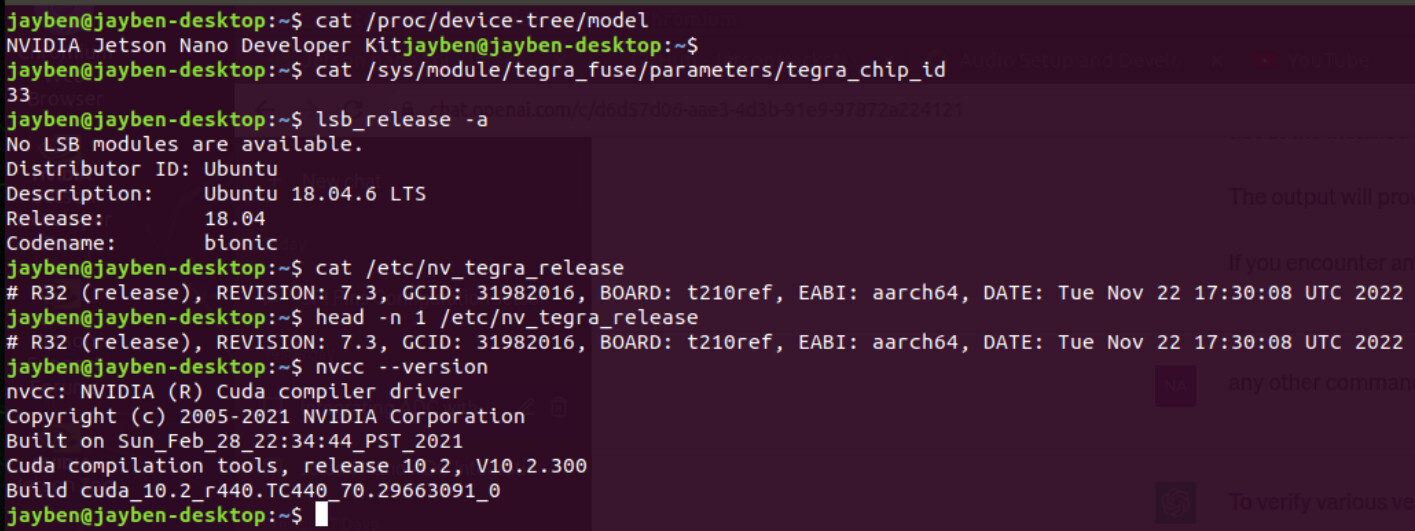
I have Jetson nano development board with jetpack 4.6.3 installed on it. Below are my hardware/software details:
I am trying to use udp port 9997 for data RX/TX.
I installed nmap to verify port status and it says it s closed.
How can I open port 9997 for TX/RX.
I tried doing it using iptables but did not find the directory for iptables.
Generally it reside at /etc/iptables/rules.v4
But I did not find it. Can anone please specifiy where is iptables is located in jetson nano…
Hi @kayccc … will you be the right contact. If not can you please help to highlight this query so that the right representative can respond to it.
Regards
Vivek
Sorry for the late response, let me try to find internal team to have comments. Thanks
Hi,
Do you observe the issue when setting to other port number? Or it is only specific to 9997?
Well, I install the jetpack and tried to receive data from udp port 9997. As I didn’t receive the data, so I checked the status of this port in iptables. Below is the procedure I followed:
Step1: To check the status of port 9997 using iptables in Linux, I used following command:
sudo iptables -L -n | grep 9997
Result: port 9997 was not active.
Step 2: To activate port 9997, I created /etc/iptables using below command:
sudo mkdir /etc/iptables
Step3: Once directory created, I execute below commands to open port 9997 to transmit and receive data:
sudo iptables -A INPUT -p udp --dport 9997 -j ACCEPT
sudo iptables -A OUTPUT -p udp --dport 9997 -j ACCEPT
sudo iptables-save | sudo tee /etc/iptables/rules.v4
Step4: To ensure that the iptables rules are loaded upon reboot, I created a script to load the iptables rules.
Script location: sudo vi /etc/network/if-pre-up.d/iptables
Script in text editor:
#!/bin/sh
/sbin/iptables-restore < /etc/iptables/rules.v4
Step 4: I executed abovre script using following commands:
sudo chmod +x /etc/network/if-pre-up.d/iptables
Step 5: Reboot Jetson nano and verify port 9997 status on iptables.
Once rebooted, I can see the port 9997 is open for TX and RX.
I did not check any other ports. Focus was only this specific port.