You need to set the network-type=100 and output-tensor-meta=1 in your config file.
So there are 12800 values. Which is the confidence in your model?
You need to set the network-type=100 and output-tensor-meta=1 in your config file.
So there are 12800 values. Which is the confidence in your model?
Thanks for the advice, I set the network-type=100 but still my custom parser is not printing any scores/confidence. I have used threshold at 0.5 and all the values are less than that so I am not getting anything in output. All the 12,800 values are score values that i have to filter based on threshold, similarly model also return 12,800x4 bboxes and 12,800x10kps. My onnx model is working properly so the issue is either with the custom parser or engine file. I have shared the parser code, model graph and other details previously did you get a chance to look at it.
Let me know that do I need to change anything in parser if I add output-tensor-meta=1 in config file?
No. Since our nvinfer is open source. You can try to debug that on your side.
The point is to compare the preprocess and postprocess flow.
Source code:
sources\gst-plugins\gst-nvinfer
can you also answer my other question that while onnx is working properly why my engine is not able to perform detection.
It can’t be a problem of engine file. There may be a problem with the preprocess or postprocess workflow. So you need to compare the parameters that used for the onnx with the parameters configured in DeepStream. If you have questions about which parameters to use, you can refer to our Guide or ask here.
scrfd.txt (15.7 KB)
see this is the python code for inference using onnxruntime on cpu i am using similar logic just to print the values on terminal for now…i just want to see the values and i am using the following c++ code for this purpose but i am not able to get anything.
nvdsparsebbox_scrfd.txt (6.4 KB)
We don’t have a lot of experience with onnxruntime, you need to extract the relevant parameters and algorithms from that code yourself.
About the postprocess code of DeepStream, you need to get the outputLayersInfo by the name of the layer instead of the number. As I attached before, you’d better add some log to tune our nvinfer source code.
You cannot use polygraphy to get the weights from an engine file.
According to the previous comment, if you configure the output-tensor-meta=1, you cannot get anything from the postprocess function. It’s used to parse the tensor data in the probe function in your app. You can refer to sources\apps\sample_apps\deepstream-infer-tensor-meta-test to learn how to parse the tensor data in your app.
I mean you can set the output-tensor-meta=1, then you can parse the output tensor data in the app all by yourself.
okay so how can i validate whether my engine file is proper or not ?..as i am not able to check using inference
i further did debugging and following are my findings:
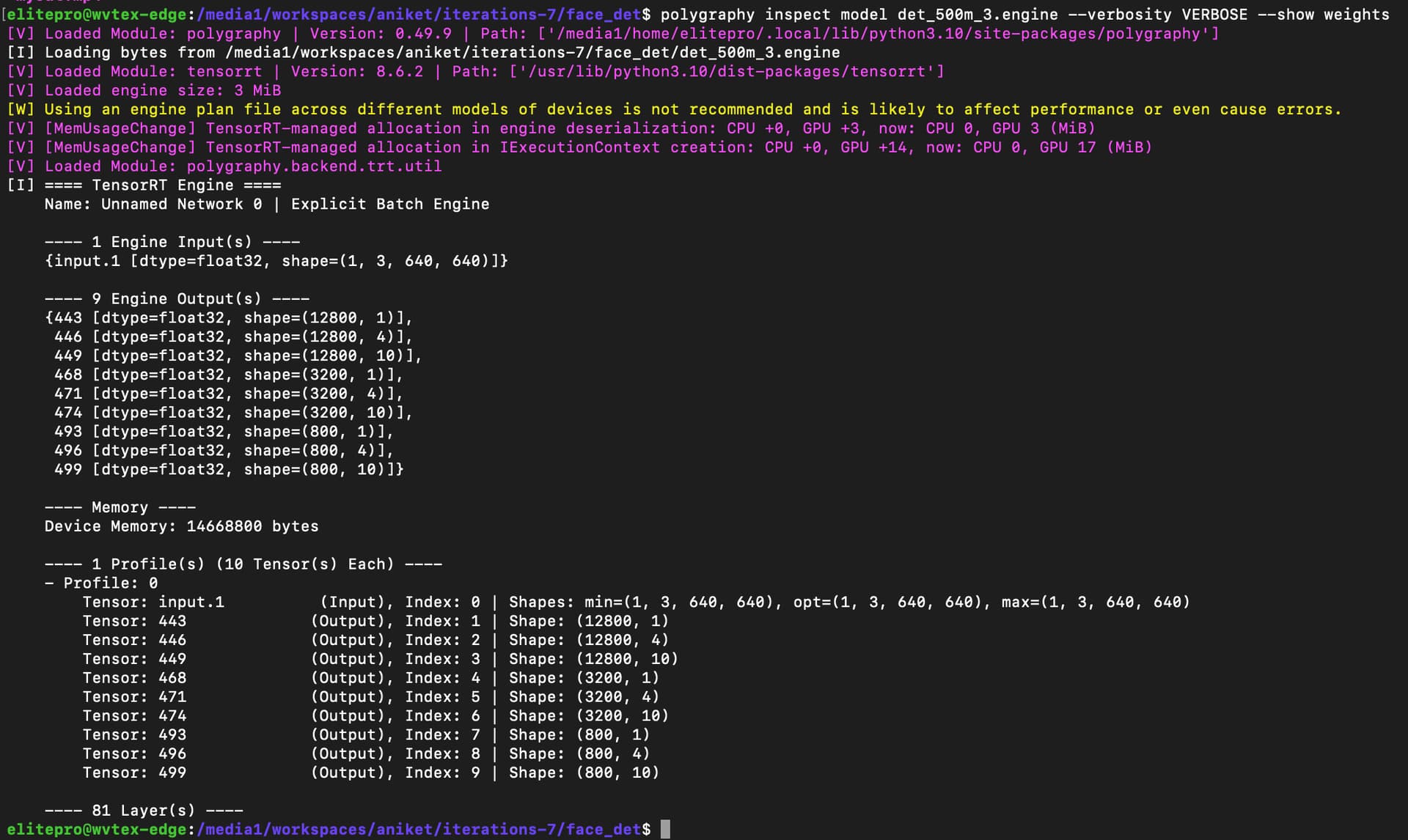
Now the problem is most likely to be the model file. You can refer to the #5 I attached before, all the output layer is missing 1 dim.
You can attach all your project to us. Let’s analyze and solve this problem first. Or you can debug our source code directly by reffering to the source code I attached before.
https://drive.google.com/drive/folders/1zzwNu5CrhLQUUdRLqLFn9A6JpxUZyT73?usp=sharing
here you will find all the files and models i am using, also
as you said in this i am giving correct names and accessing them by using the names only still the output remains same and i am not able to get anything.
As you can see in polygraphy inspect the layer dimensions are visible clearly but in deepstream the layers are not accessible properly
Not noly the engine file, we also need the origin model file . Because the engine file only can be used on the platform that generated it.
okay i have uploaded the original model with name det_500m_original.onnx and i have also created and uploaded its simplified version with fixed input shape at 1x3x640x640 named det_500m_sim.onnx. Also i have verified the output of the simplified model with onnxruntime.
OK. We’ll investigate the problem of missing dimensions first.
okay cool, please let me know if you need any further details to recreate the environment on your local machine.
We take the 1st dimension as batch-size, so the log shows from the 2nd dimension.
I don’t know if your model has batch-size in the outputlayer. If not, you can add the batch-size=1 to the outputlayer of your model, like (1, 12800,1)(1, 3200,1)(1, 800,1)…
my model has fixed input batch size as 1 as you can see in the polygraphy_inspect.txt file I have shared earlier. I am using open source pre-trained model so I don’t know how to add batch size in the output layer. Is there any way to set config or any other way in deepstream to take output batch size as 1 explicitly so that it understand tensor dimension as 12800,1
No. How did you get this onnx model? You can try to ask them to add a dimension to the output layer of the model.