After going through some of the playbooks, I wanted to experiment further with fine-tuning on the DGX Spark. I came across SimpleTuner and what was supposed to be a quick test turned into many hours trying to get it to work, i.e. the usual friction with the amd64 architecture and getting OpenCV to build against CUDA 13.0.
Since I’ve already spent the hours fixing the problems I ran into, I packaged everything into a Docker-based workflow so others can leverage them if they want. You can find the repo here: https://github.com/provos/dgx-spark-fine-tuning-workflow
It includes tools to download regularization images, image captioning, fine-tuning and inference.
Hope this saves someone some time :)
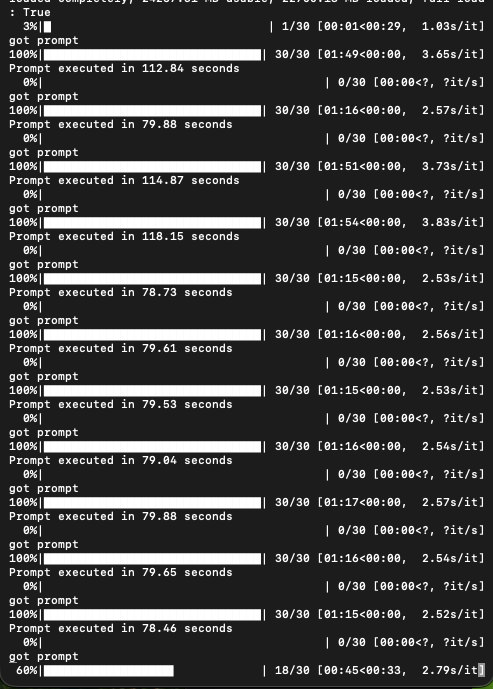
Ps: With my current settings (2000 steps, LoRA rank 256, Prodigy optimizer, gradient accumulation of 2), training takes about 10 hours. I noticed the official NVIDIA Dreambooth example runs in about 4 hours but uses a gradient accumulation of 6. Not quite sure about the discrepancy.
2000 steps with gradient accumulation of 2 took about 10 hours. The dreambooth script that was one of the example playbooks from Nvidia took about ~4 hours with gradient accumulation of 6. I don’t know what the step equivalent would be. That said here is an image at step 1500 for my cat/dog example. Prior steps looked pretty good already, too. So, if you do 1000 steps with gradient accumulation of 1 you might get decent results in a quarter of the time, i.e. 2.5 hours.
Thank you @provos . I really appreciate your work. Can you please tell what is your efficiency during inference? How long does it take to generate 1 image? Thank you!
@provos: I tried running the Dockerfile, but I’m getting errors.:
 2.005 Downloading timm (2.4MiB)
2.351  Downloaded srsly
2.369    Building docopt==0.6.2
2.369    Building atomicwrites==1.4.1
2.369    Building iterutils==0.1.6
2.438    Building trainingsample==0.2.13
2.442    Building llvmlite==0.36.0
2.460       Built docopt==0.6.2
2.487       Built atomicwrites==1.4.1
2.490       Built iterutils==0.1.6
2.559  Downloaded sentencepiece
2.653   × Failed to build `llvmlite==0.36.0`
2.653   ├─▶ The build backend returned an error
2.653   ╰─▶ Call to `setuptools.build_meta:__legacy__.build_wheel` failed (exit
2.653       status: 1)
2.653
2.653       [stderr]
2.653       Traceback (most recent call last):
2.653         File "<string>", line 14, in <module>
2.653         File
2.653       "/root/.cache/uv/builds-v0/.tmpVqqaaU/lib/python3.12/site-packages/setuptools/build_meta.py",
2.653       line 331, in get_requires_for_build_wheel
2.653           return self._get_build_requires(config_settings, requirements=[])
2.653                  ^^^^^^^^^^^^^^^^^^^^^^^^^^^^^^^^^^^^^^^^^^^^^^^^^^^^^^^^^^
2.653         File
2.653       "/root/.cache/uv/builds-v0/.tmpVqqaaU/lib/python3.12/site-packages/setuptools/build_meta.py",
2.653       line 301, in _get_build_requires
2.653           self.run_setup()
2.653         File
2.653       "/root/.cache/uv/builds-v0/.tmpVqqaaU/lib/python3.12/site-packages/setuptools/build_meta.py",
2.653       line 512, in run_setup
2.653           super().run_setup(setup_script=setup_script)
2.653         File
2.653       "/root/.cache/uv/builds-v0/.tmpVqqaaU/lib/python3.12/site-packages/setuptools/build_meta.py",
2.653       line 317, in run_setup
2.653           exec(code, locals())
2.653         File "<string>", line 55, in <module>
2.653         File "<string>", line 52, in _guard_py_ver
2.653       RuntimeError: Cannot install on Python version 3.12.3; only versions
2.653       >=3.6,<3.10 are supported.
2.653
2.653       hint: This usually indicates a problem with the package or the build
2.653       environment.
2.653   help: `llvmlite` (v0.36.0) was included because `librosa` (v0.11.0) depends
2.653         on `numba` (v0.53.1) which depends on `llvmlite`
------
Dockerfile:130
--------------------
 129 |     # Install the dependencies into system Python
 130 | >>> RUN LIBCLANG_PATH=$(dirname $(find /usr -name "libclang.so*" 2>/dev/null | head -1)) \
 131 | >>>     xargs -a /tmp/deps.txt uv pip install --system --break-system-packages && \
 132 | >>>     rm /tmp/deps.txt
 133 |
--------------------
ERROR: failed to build: failed to solve: process "/bin/sh -c LIBCLANG_PATH=$(dirname $(find /usr -name \"libclang.so*\" 2>/dev/null | head -1))     xargs -a /tmp/deps.txt uv pip install --system --break-system-packages &&     rm /tmp/deps.txt" did not complete successfully: exit code: 123
Could be a dependency error. Do you have any clues?