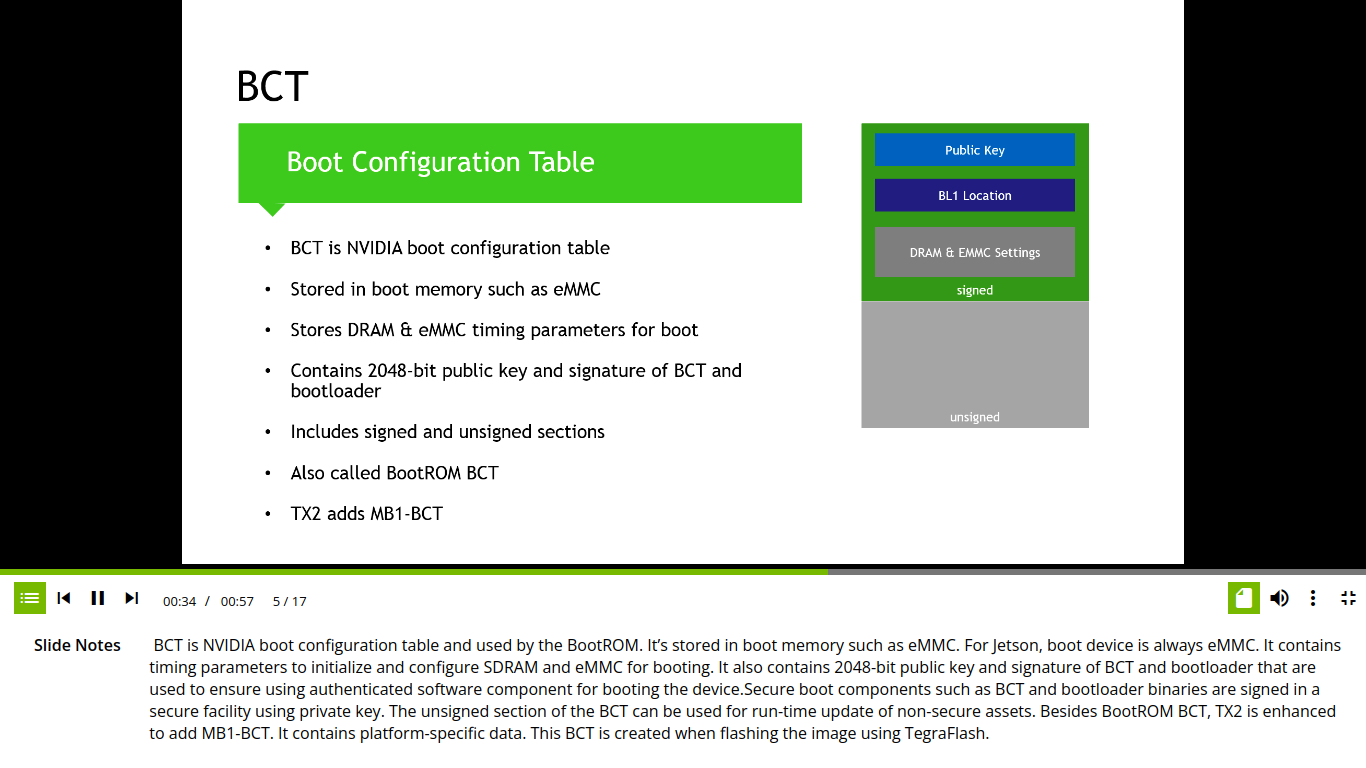
How public key has been generated? Is it generated from Private key through odmfuse.sh script file via mkpkc utility? or through some other method? Please explain.
How Public key will be flashed into BCT area for further authentication process to achieve security? As per my understanding, below command is using for PKC signed binaries i.e. signing the binaries with RSA 2K private keyfile.
Please see below screenshots taken from the training video Jetson Security and Secure Boot and I have highlighted the confusing points, i.e. RSA2048 Public Key or RSA2048 Private Key??
you can generate a public key from the private key and use it as an argument to fuse correctly.
it’s tegrakeyhash takes the key file as input and generate PublicKeyHash output that can be safely delivered to factory floor for fuse burning.
so, you’re able to provide only a public key to the factory when fusing the devices.
there’s secureboot package, for example, check [Tool] session in Jetson Linux R32.7.2 Release Page | NVIDIA Developer.
please see-also bootloader/README_Massfuse.txt, it shows solution for insecure environment mass production.
Note that the OpenSSL command should give both public and private keys. Also, I see you are looking at some instructions for a TK1, which is quite different than a Nano (even the architectures differ…TK1 is ARMv7-a, and Nano is ARMv8-a).
It means we need to generate Public key manually, no Nvidia utility will be generated the same. Is it right?
Here keyfile refers to Public Key which is taking as input? PublicKeyHash has been generated through odmfuse script file, right?
And PublicKeyhash will be fused, and Public Key will also be flashed ?
Yes, I forgot that in early boot stages it is probably in a 32-bit compatibility mode. But, the OpenSSL command should generate both public and private keys, except that if the files already exist and are owned by root (even if size 0), then a regular user could not overwrite them (and could not generate new files of that same name). Are you generating these keys as root?
@linuxdev Thanks for your response. We don’t have any query regarding OpenSSL, so we have queries regarding Jetson Nano SecureBoot Process. Let Nvidia team reply for this.
@JerryChang Adding to above query, Public Key size will be less than 2048bytes when generated from private key [.pem] file. Is it ok for creating publickeyhash? Please confirm so we will go ahead with secure fuse.
In the script file odmfuse.h & flash.sh, keyfile taking as input is RSA 2K private key and generating public key and public key hash through internal NVIDIA utility i.e. mkpkc
We need utility source-code to take Public Key as an input instead of Private Key.
We need to regenerate the BCT area image to include public key for boot time authentication. We have to give the public key as an input instead of private key to the NVIDIA utility mkbctpart.
@JerryChang “our private key will never go out of our server. we will use external Key Management systems, where Hardware security modules are being used”. In this case we have to complete the security process using Public key only.
The private key must be installed within the Jetson, although hardware makes it inaccessible to the outside world. A public key is not capable of generating a private key (indeed, that’s the whole point of public/private key pairs). Without the private key on the Jetson itself it is impossible for exposed public keys to be validated. Even if you had the source code to the app how would you install the private key to the Jetson with only a public key?