Anyone got nanochat training working on the DGX spark?

Tried this morning.

Failed at these two (github link) during uv sync . Commented them out as I thought the DGX should have them already?

# target torch to cuda 12.8
[tool.uv.sources]
torch = [
    { index = "pytorch-cu128" },
]

[[tool.uv.index]]
name = "pytorch-cu128"
url = "https://download.pytorch.org/whl/cu128"
explicit = true

Then it wasn’t able to find torchrun here . Worked around that by installing it using info from the docs :

pip3 install torch torchvision --index-url https://download.pytorch.org/whl/cu130

After that it is stuck on the initial pretraining step here as it is not able to use the GPU on DGX spark, so using CPU.

1 Like

==== here is the current error ===
File β€œ/home/vamsee/nanochat/scripts/base_train.py”, line 60, in
assert torch.cuda.is_available(), "CUDA is needed for a distributed run atm"assert torch.cuda.is_available(), β€œCUDA is needed for a distributed run atm”

made some progress by re-enabling/re-installing cuda 12.8 as it should work under cuda 13 on the DGX. Then it failed like this when running with one GPU (as the DGX Spark ) has just one) torchrun --standalone --nproc_per_node=1 -m scripts.base_train – --depth=20 --run=β€œtesting”

The training run failed due to a CUDA compatibility issue. The error indicates:

Problem: Your GPU (NVIDIA GB10 with CUDA capability 12.1) is not fully supported by this version of PyTorch, which only supports CUDA capabilities 8.0-12.0. This causes
the Triton compiler to fail when trying to compile kernels for sm_121a architecture.

Key error:
ptxas fatal : Value β€˜sm_121a’ is not defined for option β€˜gpu-name’

Worked around that by commenting out the torch.compile line here . Seems to be running now, shows GPU being used at 96%. Lets see how this step goes…

Thank you for sharing. My DGX Spark is in the mail and I’m going to attempt this when it gets here.

It crashed after 20 minutes ☹️

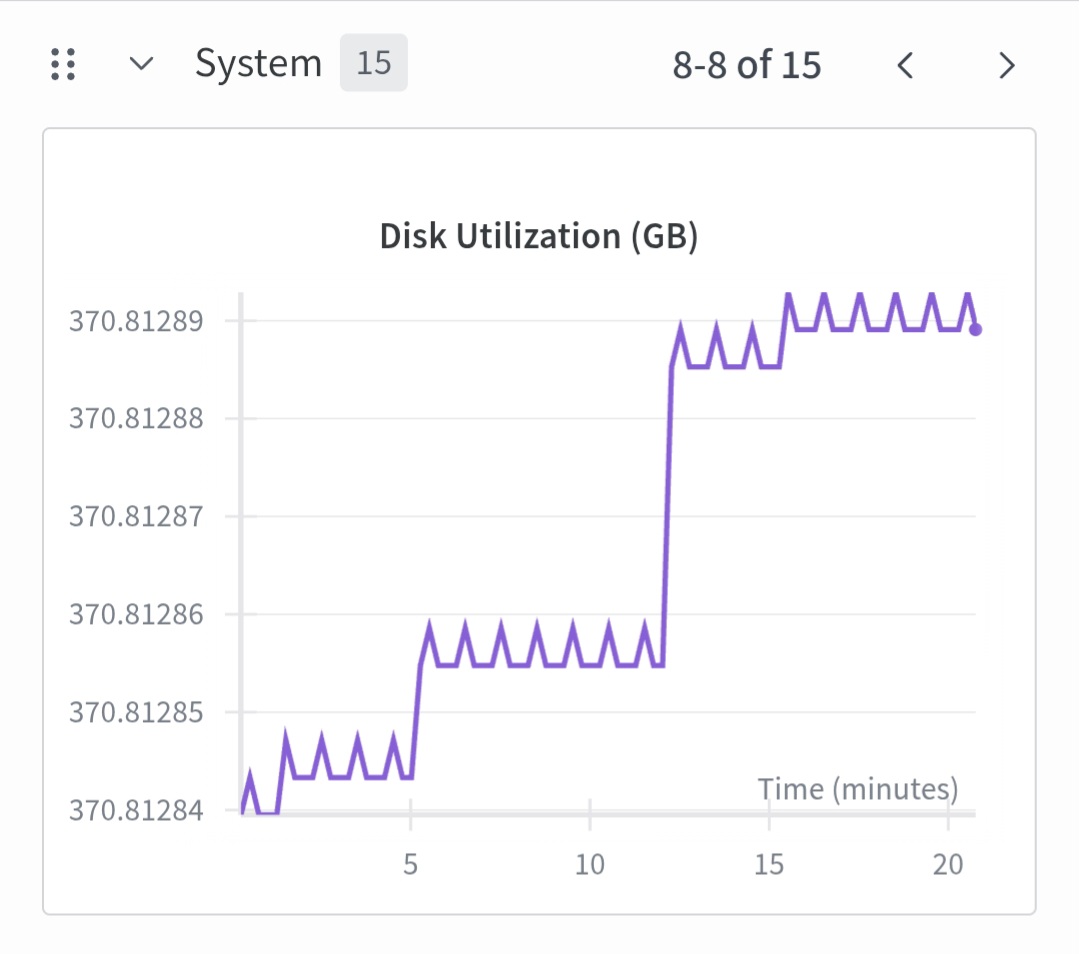
Here are the run logs and screenshots from run data saved to wandb.ai . There was a disk and memory usage spike just before the crash. Maybe it was trying to write a checkpoint to the disk? On the terminal is just said β€œcrashed” .

______

2025-10-22 03:04:59 Vocab size: 65,536

2025-10-22 03:04:59 num_layers: 20

2025-10-22 03:04:59 model_dim: 1280

2025-10-22 03:04:59 num_heads: 10

2025-10-22 03:04:59 num_kv_heads: 10

2025-10-22 03:04:59 Tokens / micro-batch / rank: 32 x 2048 = 65,536

2025-10-22 03:04:59 Tokens / micro-batch: 65,536

2025-10-22 03:04:59 Total batch size 524,288 => gradient accumulation steps: 8

2025-10-22 03:04:59 Number of parameters: 560,988,160

2025-10-22 03:04:59 Estimated FLOPs per token: 3.491758e+09

2025-10-22 03:04:59 Calculated number of iterations from target data:param ratio: 21,400

2025-10-22 03:04:59 Total number of training tokens: 11,219,763,200

2025-10-22 03:04:59 Tokens : Params ratio: 20.00

2025-10-22 03:04:59 Total training FLOPs estimate: 3.917670e+19

2025-10-22 03:04:59 Scaling the LR for the AdamW parameters ∝1/√(1280/768) = 0.774597

2025-10-22 03:04:59 Muon: Grouping 80 params of shape torch.Size([1280, 1280]), device cuda:0, dtype torch.float32

2025-10-22 03:04:59 Muon: Grouping 20 params of shape torch.Size([1280, 5120]), device cuda:0, dtype torch.float32

2025-10-22 03:04:59 Muon: Grouping 20 params of shape torch.Size([5120, 1280]), device cuda:0, dtype torch.float32

2025-10-22 03:25:31 Step 00000 | Validation bpb: 3.3015

Have you tried running it from a container? As mentioned in the discussion here: Anyone managed to run training on an NVIDIA Spark yet? Β· karpathy/nanochat Β· Discussion #28 Β· GitHub

2 Likes

Thank you for that pointer. I noticed that thread devolved into all other non DGX spark ways like using the RTX graphics cards. But will try and pull in the DGX spark specific tips there and will try on mine.

I have managed to get it running on my DGX Spark just now, but it took a couple of hours of trial and error, going through documentation and forums, and consulting with GPT-5 to figure out all the steps necessary…

This is the approach that worked for me:

Clone repo and make modifications

Get the repo and change into the project directory:

git clone https://github.com/karpathy/nanochat.git
cd nanochat

Update requirements and switch to CUDA 13.0

I found it necessary to increase the dependency requirements for torch to 2.9.0 and for triton to 3.5.0 and to switch from CUDA 12.8 to 13.0. To do that, you need to change pyproject.toml as follows:

[project]
name = "nanochat"
version = "0.1.0"
description = "the minimal full-stack ChatGPT clone"
readme = "README.md"
requires-python = ">=3.10"
dependencies = [
    "datasets>=4.0.0",
    "fastapi>=0.117.1",
    "files-to-prompt>=0.6",
    "numpy==1.26.4",
    "psutil>=7.1.0",
    "regex>=2025.9.1",
    "setuptools>=80.9.0",
    "tiktoken>=0.11.0",
    "tokenizers>=0.22.0",
    "torch>=2.9.0",
    "triton>=3.5.0",
    "uvicorn>=0.36.0",
    "wandb>=0.21.3",
]

[build-system]
requires = ["maturin>=1.7,<2.0"]
build-backend = "maturin"

[tool.maturin]
module-name = "rustbpe"
bindings = "pyo3"
python-source = "."
manifest-path = "rustbpe/Cargo.toml"

[dependency-groups]
dev = [
    "maturin>=1.9.4",
    "pytest>=8.0.0",
]

[tool.pytest.ini_options]
markers = [
    "slow: marks tests as slow (deselect with '-m \"not slow\"')",
]
testpaths = ["tests"]
python_files = ["test_*.py"]
python_classes = ["Test*"]
python_functions = ["test_*"]

# target torch to cuda 13.0 or CPU
[tool.uv.sources]
torch = [
    { index = "pytorch-cpu", extra = "cpu" },
    { index = "pytorch-cu130", extra = "gpu" },
]

[[tool.uv.index]]
name = "pytorch-cpu"
url = "https://download.pytorch.org/whl/cpu"
explicit = true

[[tool.uv.index]]
name = "pytorch-cu130"
url = "https://download.pytorch.org/whl/cu130"
explicit = true

[project.optional-dependencies]
cpu = [
    "torch>=2.9.0",
]
gpu = [
    "torch>=2.9.0",
]

[tool.uv]
conflicts = [
    [
        { extra = "cpu" },
        { extra = "gpu" },
    ],
]

Install UV, install repo dependencies, activate venv

Now you’re ready to continue following the installation instructions for nanochat as per Introducing nanochat: The best ChatGPT that $100 can buy. Β· karpathy/nanochat Β· Discussion #1 Β· GitHub in particular the following steps to install UV, install all repo dependencies, and activate the venv:

# install uv (if not already installed)
command -v uv &> /dev/null || curl -LsSf https://astral.sh/uv/install.sh | sh
# create a .venv local virtual environment (if it doesn't exist)
[ -d ".venv" ] || uv venv
# install the repo dependencies
uv sync
# activate venv so that `python` uses the project's venv instead of system python
source .venv/bin/activate

Build and train the tokenizer

You can continue to follow the instructions to build the tokenizer:

# Install Rust / Cargo
curl --proto '=https' --tlsv1.2 -sSf https://sh.rustup.rs | sh -s -- -y
source "$HOME/.cargo/env"
# Build the rustbpe Tokenizer
uv run maturin develop --release --manifest-path rustbpe/Cargo.toml

To download the training dataset:

python -m nanochat.dataset -n 240

And to train the tokenizer and evaluate it:

python -m scripts.tok_train --max_chars=2000000000
python -m scripts.tok_eval

If you haven’t already done so previously, you also should download the eval bundle at this time:

curl -L -o eval_bundle.zip https://karpathy-public.s3.us-west-2.amazonaws.com/eval_bundle.zip
unzip -q eval_bundle.zip
rm eval_bundle.zip
mv eval_bundle "$HOME/.cache/nanochat"

Install CUDA 13.0.2

The next step in the nanochat instructions would be to now run pre-training, but that step will fail, because the default ptxas installed with Triton 3.5.0 is the CUDA 12.8 version and doesn’t know about the sm_121a gpu-name of the Blackwell GB10.

At this time, you need to go to the nVIDIA Developer website and install CUDA 13.0.2 manually by following the steps here: CUDA Downloads | NVIDIA Developer

In particular, this was the sequence that worked for me on the DGX Spark:

wget https://developer.download.nvidia.com/compute/cuda/repos/ubuntu2404/sbsa/cuda-ubuntu2404.pin
sudo mv cuda-ubuntu2404.pin /etc/apt/preferences.d/cuda-repository-pin-600
wget https://developer.download.nvidia.com/compute/cuda/13.0.2/local_installers/cuda-repo-ubuntu2404-13-0-local_13.0.2-580.95.05-1_arm64.deb
sudo dpkg -i cuda-repo-ubuntu2404-13-0-local_13.0.2-580.95.05-1_arm64.deb
sudo cp /var/cuda-repo-ubuntu2404-13-0-local/cuda-*-keyring.gpg /usr/share/keyrings/
sudo apt-get update
sudo apt-get -y install cuda-toolkit-13-0

And now you need to tell Triton to use the new ptxas version you just installed with the CUDA 13.0.2 toolkit:

# assuming CUDA 13.0 is installed at /usr/local/cuda-13.0
export TRITON_PTXAS_PATH=/usr/local/cuda-13.0/bin/ptxas
export CUDA_HOME=/usr/local/cuda-13.0
export PATH=/usr/local/cuda-13.0/bin:$PATH
export LD_LIBRARY_PATH=/usr/local/cuda-13.0/lib64:${LD_LIBRARY_PATH}

Run pre-training

Now you should be able to run pre-training on your GDX Spark with the usual command from the nanochat instructions:

torchrun --standalone --nproc_per_node=gpu -m scripts.base_train -- --depth=20

That’s what did the trick for me and here is the result of nanochat running on my DGX Spark:

                                                   β–ˆβ–ˆβ–ˆβ–ˆβ–ˆ                 β–ˆβ–ˆβ–ˆβ–ˆβ–ˆ
                                                  β–‘β–‘β–ˆβ–ˆβ–ˆ                 β–‘β–‘β–ˆβ–ˆβ–ˆ
 β–ˆβ–ˆβ–ˆβ–ˆβ–ˆβ–ˆβ–ˆβ–ˆ    β–ˆβ–ˆβ–ˆβ–ˆβ–ˆβ–ˆ   β–ˆβ–ˆβ–ˆβ–ˆβ–ˆβ–ˆβ–ˆβ–ˆ    β–ˆβ–ˆβ–ˆβ–ˆβ–ˆβ–ˆ   β–ˆβ–ˆβ–ˆβ–ˆβ–ˆβ–ˆ  β–‘β–ˆβ–ˆβ–ˆβ–ˆβ–ˆβ–ˆβ–ˆ    β–ˆβ–ˆβ–ˆβ–ˆβ–ˆβ–ˆ   β–ˆβ–ˆβ–ˆβ–ˆβ–ˆβ–ˆβ–ˆ
β–‘β–‘β–ˆβ–ˆβ–ˆβ–‘β–‘β–ˆβ–ˆβ–ˆ  β–‘β–‘β–‘β–‘β–‘β–ˆβ–ˆβ–ˆ β–‘β–‘β–ˆβ–ˆβ–ˆβ–‘β–‘β–ˆβ–ˆβ–ˆ  β–ˆβ–ˆβ–ˆβ–‘β–‘β–ˆβ–ˆβ–ˆ β–ˆβ–ˆβ–ˆβ–‘β–‘β–ˆβ–ˆβ–ˆ β–‘β–ˆβ–ˆβ–ˆβ–‘β–‘β–ˆβ–ˆβ–ˆ  β–‘β–‘β–‘β–‘β–‘β–ˆβ–ˆβ–ˆ β–‘β–‘β–‘β–ˆβ–ˆβ–ˆβ–‘
 β–‘β–ˆβ–ˆβ–ˆ β–‘β–ˆβ–ˆβ–ˆ   β–ˆβ–ˆβ–ˆβ–ˆβ–ˆβ–ˆβ–ˆ  β–‘β–ˆβ–ˆβ–ˆ β–‘β–ˆβ–ˆβ–ˆ β–‘β–ˆβ–ˆβ–ˆ β–‘β–ˆβ–ˆβ–ˆβ–‘β–ˆβ–ˆβ–ˆ β–‘β–‘β–‘  β–‘β–ˆβ–ˆβ–ˆ β–‘β–ˆβ–ˆβ–ˆ   β–ˆβ–ˆβ–ˆβ–ˆβ–ˆβ–ˆβ–ˆ   β–‘β–ˆβ–ˆβ–ˆ
 β–‘β–ˆβ–ˆβ–ˆ β–‘β–ˆβ–ˆβ–ˆ  β–ˆβ–ˆβ–ˆβ–‘β–‘β–ˆβ–ˆβ–ˆ  β–‘β–ˆβ–ˆβ–ˆ β–‘β–ˆβ–ˆβ–ˆ β–‘β–ˆβ–ˆβ–ˆ β–‘β–ˆβ–ˆβ–ˆβ–‘β–ˆβ–ˆβ–ˆ  β–ˆβ–ˆβ–ˆ β–‘β–ˆβ–ˆβ–ˆ β–‘β–ˆβ–ˆβ–ˆ  β–ˆβ–ˆβ–ˆβ–‘β–‘β–ˆβ–ˆβ–ˆ   β–‘β–ˆβ–ˆβ–ˆ β–ˆβ–ˆβ–ˆ
 β–ˆβ–ˆβ–ˆβ–ˆ β–ˆβ–ˆβ–ˆβ–ˆβ–ˆβ–‘β–‘β–ˆβ–ˆβ–ˆβ–ˆβ–ˆβ–ˆβ–ˆβ–ˆ β–ˆβ–ˆβ–ˆβ–ˆ β–ˆβ–ˆβ–ˆβ–ˆβ–ˆβ–‘β–‘β–ˆβ–ˆβ–ˆβ–ˆβ–ˆβ–ˆ β–‘β–‘β–ˆβ–ˆβ–ˆβ–ˆβ–ˆβ–ˆ  β–ˆβ–ˆβ–ˆβ–ˆ β–ˆβ–ˆβ–ˆβ–ˆβ–ˆβ–‘β–‘β–ˆβ–ˆβ–ˆβ–ˆβ–ˆβ–ˆβ–ˆβ–ˆ  β–‘β–‘β–ˆβ–ˆβ–ˆβ–ˆβ–ˆ
β–‘β–‘β–‘β–‘ β–‘β–‘β–‘β–‘β–‘  β–‘β–‘β–‘β–‘β–‘β–‘β–‘β–‘ β–‘β–‘β–‘β–‘ β–‘β–‘β–‘β–‘β–‘  β–‘β–‘β–‘β–‘β–‘β–‘   β–‘β–‘β–‘β–‘β–‘β–‘  β–‘β–‘β–‘β–‘ β–‘β–‘β–‘β–‘β–‘  β–‘β–‘β–‘β–‘β–‘β–‘β–‘β–‘    β–‘β–‘β–‘β–‘β–‘

Overriding: depth = 20
Autodetected device type: cuda
/home/alf/nanochat/.venv/lib/python3.10/site-packages/torch/__init__.py:1617: UserWarning: Please use the new API settings to control TF32 behavior, such as torch.backends.cudnn.conv.fp32_precision = 'tf32' or torch.backends.cuda.matmul.fp32_precision = 'ieee'. Old settings, e.g, torch.backends.cuda.matmul.allow_tf32 = True, torch.backends.cudnn.allow_tf32 = True, allowTF32CuDNN() and allowTF32CuBLAS() will be deprecated after Pytorch 2.9. Please see https://pytorch.org/docs/main/notes/cuda.html#tensorfloat-32-tf32-on-ampere-and-later-devices (Triggered internally at /pytorch/aten/src/ATen/Context.cpp:80.)
  _C._set_float32_matmul_precision(precision)
/home/alf/nanochat/.venv/lib/python3.10/site-packages/torch/cuda/__init__.py:283: UserWarning:
    Found GPU0 NVIDIA GB10 which is of cuda capability 12.1.
    Minimum and Maximum cuda capability supported by this version of PyTorch is
    (8.0) - (12.0)

  warnings.warn(
2025-10-22 21:04:58,661 - nanochat.common - INFO - Distributed world size: 1
Vocab size: 65,536
num_layers: 20
model_dim: 1280
num_heads: 10
num_kv_heads: 10
Tokens / micro-batch / rank: 32 x 2048 = 65,536
Tokens / micro-batch: 65,536
Total batch size 524,288 => gradient accumulation steps: 8
Number of parameters: 560,988,160
Estimated FLOPs per token: 3.491758e+09
Calculated number of iterations from target data:param ratio: 21,400
Total number of training tokens: 11,219,763,200
Tokens : Params ratio: 20.00
Total training FLOPs estimate: 3.917670e+19
Scaling the LR for the AdamW parameters ∝1/√(1280/768) = 0.774597
Muon: Grouping 80 params of shape torch.Size([1280, 1280]), device cuda:0, dtype torch.float32
Muon: Grouping 20 params of shape torch.Size([1280, 5120]), device cuda:0, dtype torch.float32
Muon: Grouping 20 params of shape torch.Size([5120, 1280]), device cuda:0, dtype torch.float32
Step 00000 | Validation bpb: 3.3015
step 00000/21400 (0.00%) | loss: 11.090355 | lrm: 1.00 | dt: 42376.54ms | tok/sec: 1,546 | mfu: 4.37 | total time: 0.00m
step 00001/21400 (0.00%) | loss: 10.817723 | lrm: 1.00 | dt: 39542.98ms | tok/sec: 1,657 | mfu: 4.68 | total time: 0.00m
step 00002/21400 (0.01%) | loss: 10.198821 | lrm: 1.00 | dt: 39778.76ms | tok/sec: 1,647 | mfu: 4.65 | total time: 0.00m
step 00003/21400 (0.01%) | loss: 9.490393 | lrm: 1.00 | dt: 39976.27ms | tok/sec: 1,639 | mfu: 4.63 | total time: 0.00m

As you can see in the above output, it still shows a brief warning that the GB10 has even more cuda capabilities than what PyTorch currently supports, but the training is now able to correctly run on the DGX Spark.

Btw, I expect the pre-training to run for a few days, so I actually did all of the above in a screen session to ensure the job wouldn’t terminate if my ssh connection died for some reason. This will allow me to simply reconnect ssh and then reattach with screen -r jobname.

2 Likes

Thank you for those detailed steps. I had to do an extra step i.e. uv sync --extra gpu before the --nproc_per_node=gpu worked. Now it is running for me as well. This is easier than the docker based approach on tha nanochat repo. tmux , tailscale and wandb are working well to monitor the run.

Sample step:

2025-10-23 03:23:24 step 00104/21400 (0.49%) | loss: 5.183463 | lrm: 1.00 | dt: 42225.72ms | tok/sec: 1,552 | mfu: 4.38 | total time: 65.85m

Thanks to Claude Code. It told me that fix after I gave it this initial error:

Traceback (most recent call last):
File β€œ/home/vamsee/nanochat/.venv/lib/python3.10/site-packages/torch/distributed/run.py”, line 687, in determine_local_world_size
return int(nproc_per_node)
ValueError: invalid literal for int() with base 10: β€˜gpu’

The above exception was the direct cause of the following exception:

Traceback (most recent call last):
File β€œ/home/vamsee/nanochat/.venv/bin/torchrun”, line 10, in 
sys.exit(main())
File β€œ/home/vamsee/nanochat/.venv/lib/python3.10/site-packages/torch/distributed/elastic/multiprocessing/errors/init.py”, line 357, in wrapper
return f(*args, **kwargs)
File β€œ/home/vamsee/nanochat/.venv/lib/python3.10/site-packages/torch/distributed/run.py”, line 936, in main
run(args)
File β€œ/home/vamsee/nanochat/.venv/lib/python3.10/site-packages/torch/distributed/run.py”, line 926, in run
config, cmd, cmd_args = config_from_args(args)
File β€œ/home/vamsee/nanochat/.venv/lib/python3.10/site-packages/torch/distributed/run.py”, line 800, in config_from_args
nproc_per_node = determine_local_world_size(args.nproc_per_node)
File β€œ/home/vamsee/nanochat/.venv/lib/python3.10/site-packages/torch/distributed/run.py”, line 694, in determine_local_world_size
raise ValueError(β€œCuda is not available.”) from e
ValueError: Cuda is not available.
1 Like

Thank you for the detailed steps. I am able to run it on my dgx spark., now will wait for ~9 days for this to finish. :)

step 00207/21400 (0.97%) | loss: 4.315866 | lrm: 1.00 | dt: 39788.09ms | tok/sec: 1,647 | mfu: 4.65 | total time: 130.30m
step 00208/21400 (0.97%) | loss: 4.303699 | lrm: 1.00 | dt: 39880.74ms | tok/sec: 1,643 | mfu: 4.64 | total time: 130.97m
step 00209/21400 (0.98%) | loss: 4.281022 | lrm: 1.00 | dt: 39518.52ms | tok/sec: 1,658 | mfu: 4.68 | total time: 131.63m

Due to power flicker training got restart but now I see the correct tok/sec:

Overriding: depth = 20
Overriding: run = dummy
Autodetected device type: cuda
/home/bkprity/GenAI/nanochat/.venv/lib/python3.10/site-packages/torch/init.py:1617: UserWarning: Please use the new API settings to control TF32 behavior, such as torch.backends.cudnn.conv.fp32_precision = β€˜tf32’ or torch.backends.cuda.matmul.fp32_precision = β€˜ieee’. Old settings, e.g, torch.backends.cuda.matmul.allow_tf32 = True, torch.backends.cudnn.allow_tf32 = True, allowTF32CuDNN() and allowTF32CuBLAS() will be deprecated after Pytorch 2.9. Please see CUDA semantics β€” PyTorch main documentation (Triggered internally at /pytorch/aten/src/ATen/Context.cpp:80.)
_C._set_float32_matmul_precision(precision)
/home/bkprity/GenAI/nanochat/.venv/lib/python3.10/site-packages/torch/cuda/init.py:283: UserWarning:
Found GPU0 NVIDIA GB10 which is of cuda capability 12.1.
Minimum and Maximum cuda capability supported by this version of PyTorch is
(8.0) - (12.0)

warnings.warn(
2025-11-07 11:30:10,639 - nanochat.common - INFO - Distributed world size: 1
Vocab size: 65,536
num_layers: 20
model_dim: 1280
num_heads: 10
num_kv_heads: 10
Tokens / micro-batch / rank: 32 x 2048 = 65,536
Tokens / micro-batch: 65,536
Total batch size 524,288 => gradient accumulation steps: 8
Number of parameters: 560,988,160
Estimated FLOPs per token: 3.491758e+09
Calculated number of iterations from target data:param ratio: 21,400
Total number of training tokens: 11,219,763,200
Tokens : Params ratio: 20.00
Total training FLOPs estimate: 3.917670e+19
Scaling the LR for the AdamW parameters ∝1/√(1280/768) = 0.774597
Muon: Grouping 80 params of shape torch.Size([1280, 1280]), device cuda:0, dtype torch.float32
Muon: Grouping 20 params of shape torch.Size([1280, 5120]), device cuda:0, dtype torch.float32
Muon: Grouping 20 params of shape torch.Size([5120, 1280]), device cuda:0, dtype torch.float32
[rank0]:W1107 11:30:13.669000 281160 .venv/lib/python3.10/site-packages/torch/_inductor/utils.py:1558] [0/0] Not enough SMs to use max_autotune_gemm mode
Step 00000 | Validation bpb: 3.3015
step 00000/21400 (0.00%) | loss: 11.090355 | grad norm: 0.4307 | lrm: 1.00 | dt: 59607.00ms | tok/sec: 8,795 | mfu: 3.11 | total time: 0.00m
step 00001/21400 (0.00%) | loss: 10.817723 | grad norm: 11.0388 | lrm: 1.00 | dt: 39792.87ms | tok/sec: 13,175 | mfu: 4.65 | total time: 0.00m
step 00002/21400 (0.01%) | loss: 10.198820 | grad norm: 5.7957 | lrm: 1.00 | dt: 39929.17ms | tok/sec: 13,130 | mfu: 4.64 | total time: 0.00m

This topic was automatically closed 14 days after the last reply. New replies are no longer allowed.