I’m working with deepstream imagedata multistream with adding some integration with redis to add or delete the RTSP streams (using add-remove streams sample) and kafka-python,
The models been used are (primary: resnet10 and Nvds tracker)
After running the code with 1 RTSP stream for X time (where X is different each time but it’s usually more than half hour), I got those different errors at the below screenshoots, kindly advice me what should we do to make that code running 24/7 with 1:30 streams
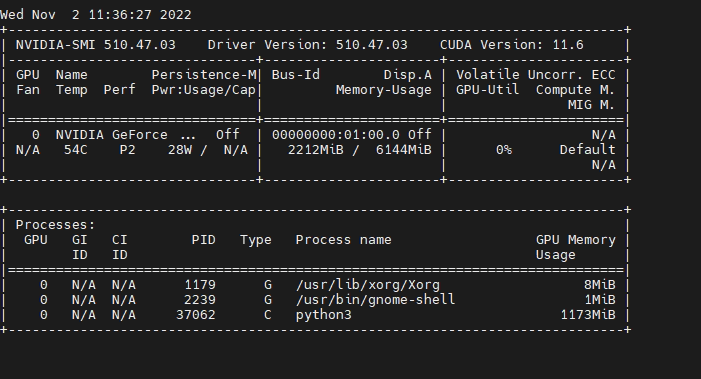
Can any DeepStream sample applications run without any error in your machine? Can you monitor the GPU status and usage with “nvidia-smi dmon” command during your application running?
I am working on imagedata sample combining with (Add-delete-sources) sample, but with some modifications and integration with redis and kafka as I mentioned,
and again this happens after N working hours (where N is unknown number).
the other Deepstream samples are working fine but I only tested them with 5 minute video or smthing like that (not a long time)
here’s the output of nvidia-smi demon as the deepstream app is working fine.
There is no update from you for a period, assuming this is not an issue anymore. Hence we are closing this topic. If need further support, please open a new one.
Thanks
You need to monitor the GPU and memory status until the error happens.