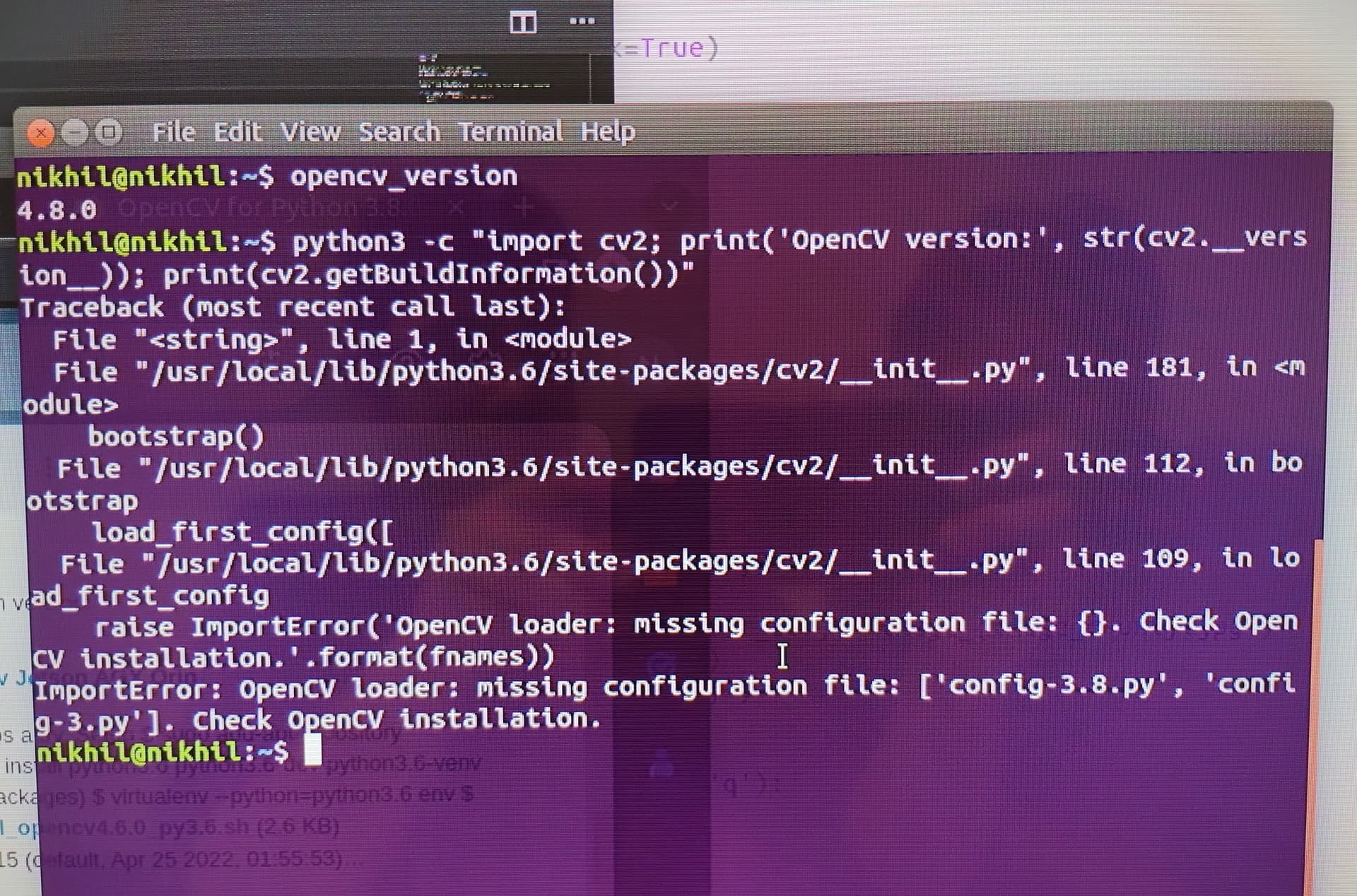
How do I resolve the missing configuration file error below:
(I’m using Jetpack 4.6.1, the default version of Python is 3.6.9 and I have installed Python 3.8.0 on the Jetson Nano.)
The command opencv_version returns 4.8.0 and python3 returns 3.8.0.
But python3 -c "import cv2; print('OpenCV version:', str(cv2.__version__)); results in the error below:
 nikhil@nikhil:~$ opencv_version
4.8.0
nikhil@nikhil:~$ python3 -c "import cv2; print('OpenCV version:', str(cv2.__version__)); print(cv2.getBuildInformation())"
Traceback (most recent call last):
  File "<string>", line 1, in <module>
  File "/usr/local/lib/python3.6/site-packages/cv2/__init__.py", line 181, in <module>
    bootstrap()
  File "/usr/local/lib/python3.6/site-packages/cv2/__init__.py", line 112, in bootstrap
    load_first_config([
  File "/usr/local/lib/python3.6/site-packages/cv2/__init__.py", line 109, in load_first_config
    raise ImportError('OpenCV loader: missing configuration file: {}. Check OpenCV installation.'.format(fnames))
ImportError: OpenCV loader: missing configuration file: ['config-3.8.py', 'config-3.py']. Check OpenCV installation.
When you import the package with Python3.8, it looks for the package that under the Python3.6 and leads to the error.
Could you try the below command to see if it works?
I’m required to install Python 3.8 or later versions, (the step shared above seems to be for Python 3.6) just so that I’m able to install the Ultralytics package.
Please share the steps to install Python 3.8 and OpenCV with Cuda support for the Jetson Nano.
Here are the steps I followed to install python 3.8:
sudo apt update
sudo apt upgrade
sudo apt install build-essential libssl-dev zlib1g-dev libncurses5-dev libncursesw5-dev libreadline-dev libsqlite3-dev libgdbm-dev
libdb5.3-dev libbz2-dev libexpat1-dev liblzma-dev libffi-dev libc6-dev
wget https://www.python.org/ftp/python/3.8.12/Python-3.8.12.tar.xz
tar -xf Python-3.8.12.tar.xz
cd Python-3.8.12
./configure --enable-optimizations
make -j4
sudo make altinstall
python3.8 --version
Added the python site-packages path in the .bashrc file.
After installation of Python 3.8, created a virtual env and went on to install Ultralytics: pip3 install ultralytics
Ever since I tried installing Ultralytics, I’ve been getting the error above. How go I resolve this, kindly help.