Hi everyone,
I tried to install Tao Toolkit from this link: TAO Toolkit Quick Start Guide - NVIDIA Docs
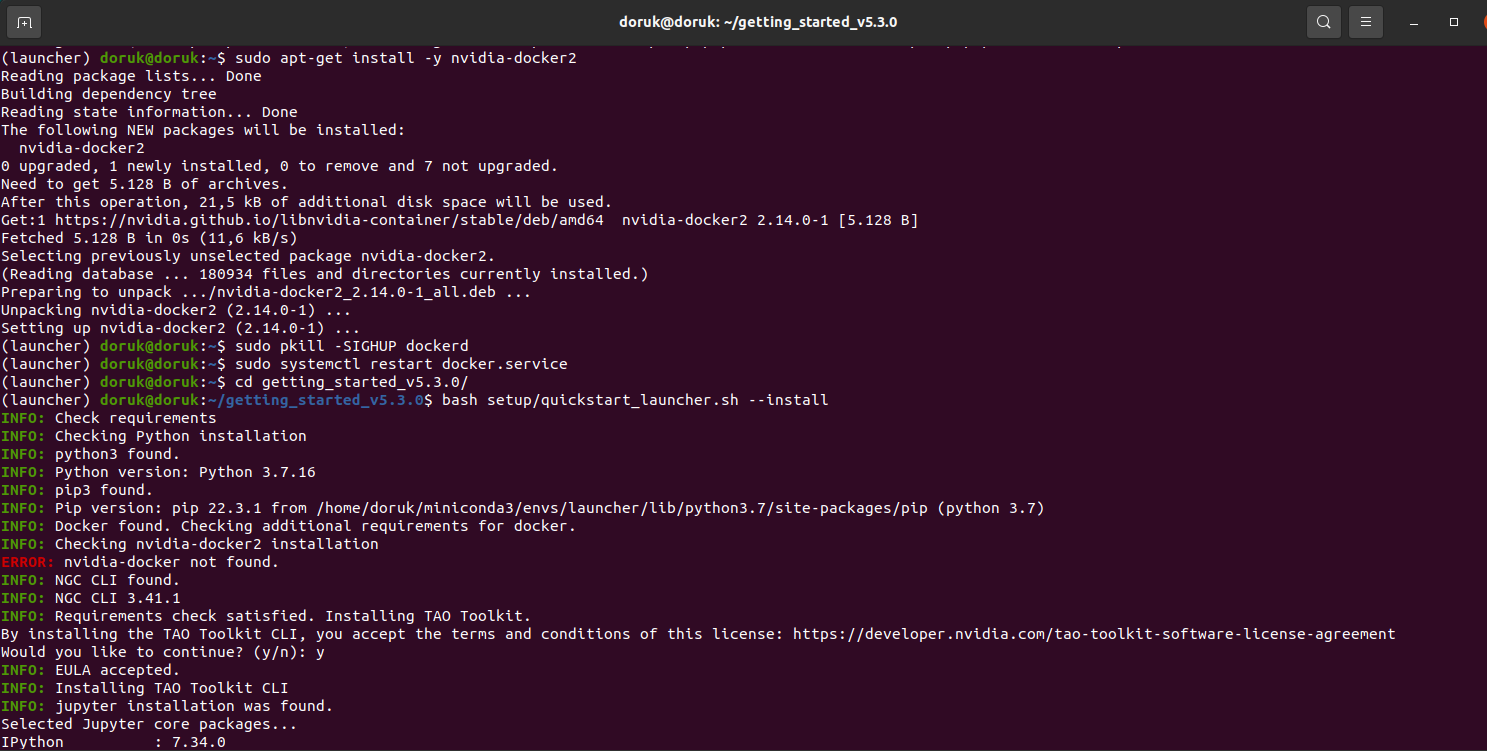
When I tried this command, I get error:
Error like this:
I should use Tao Toolkit but if I couldn’t, only Retail dataset and pretrained model can be enough. I just want to use retail pretrained model. I need this model because my school project depends this dataset and model. Can you help me? I need retail dataset and pretrained model. Can you share with me?
For the error “nvidia-docker not found”, please
$ curl -s -L https://nvidia.github.io/nvidia-docker/gpgkey | \
sudo apt-key add -

$ distribution=$(. /etc/os-release;echo $ID$VERSION_ID)
$ curl -s -L https://nvidia.github.io/nvidia-docker/$distribution/nvidia-docker.list | \
sudo tee /etc/apt/sources.list.d/nvidia-docker.list
$ sudo apt-get update
$ sudo apt-get install -y nvidia-docker2
$ sudo pkill -SIGHUP dockerd
$ sudo systemctl restart docker.service
Please refer to retail detection notebook in tao_tutorials/notebooks/tao_launcher_starter_kit/retail_object_detection/retail_object_detection.ipynb at main · NVIDIA/tao_tutorials · GitHub.
Hi,
I still get the same error:
I think problem is happening because of this:
My operating system is ubuntu 20.04, not 18.04
And I want to ask you something. In this link Retail Object Detection | NVIDIA NGC you are telling to that “These models are trained on 1.5 million proprietary synthetic images.” but In this link you shared (tao_tutorials/notebooks/tao_launcher_starter_kit/retail_object_detection/retail_object_detection.ipynb at main · NVIDIA/tao_tutorials · GitHub), it says that a training was conducted using the Retail Product Checkout Dataset
This is internal dataset from Nvidia. It is not public.
Can you share the full log?
The commands I shared can work on Ubuntu20.04.
Hi,
I reinstalled from scratch. I think the problem in the installation part has been solved. But now there is another problem:
Can you run below successfully?
$ tao info --verbose
Yes I can run
But still I can’t run “tao model dino train -e /home/doruk/getting_started_v5.3.0/notebooks/tao_launcher_starter_kit/retail_object_detection/specs/train.yaml results_dir=/home/doruk/getting_started_v5.3.0/notebooks/tao_launcher_starter_kit/retail_object_detection/retail_object_detection/results/”
Please try below to check if you can run inside the docker.
$ tao model dino run /bin/bash
Then, run commands as below without tao model.
# dino train xxx
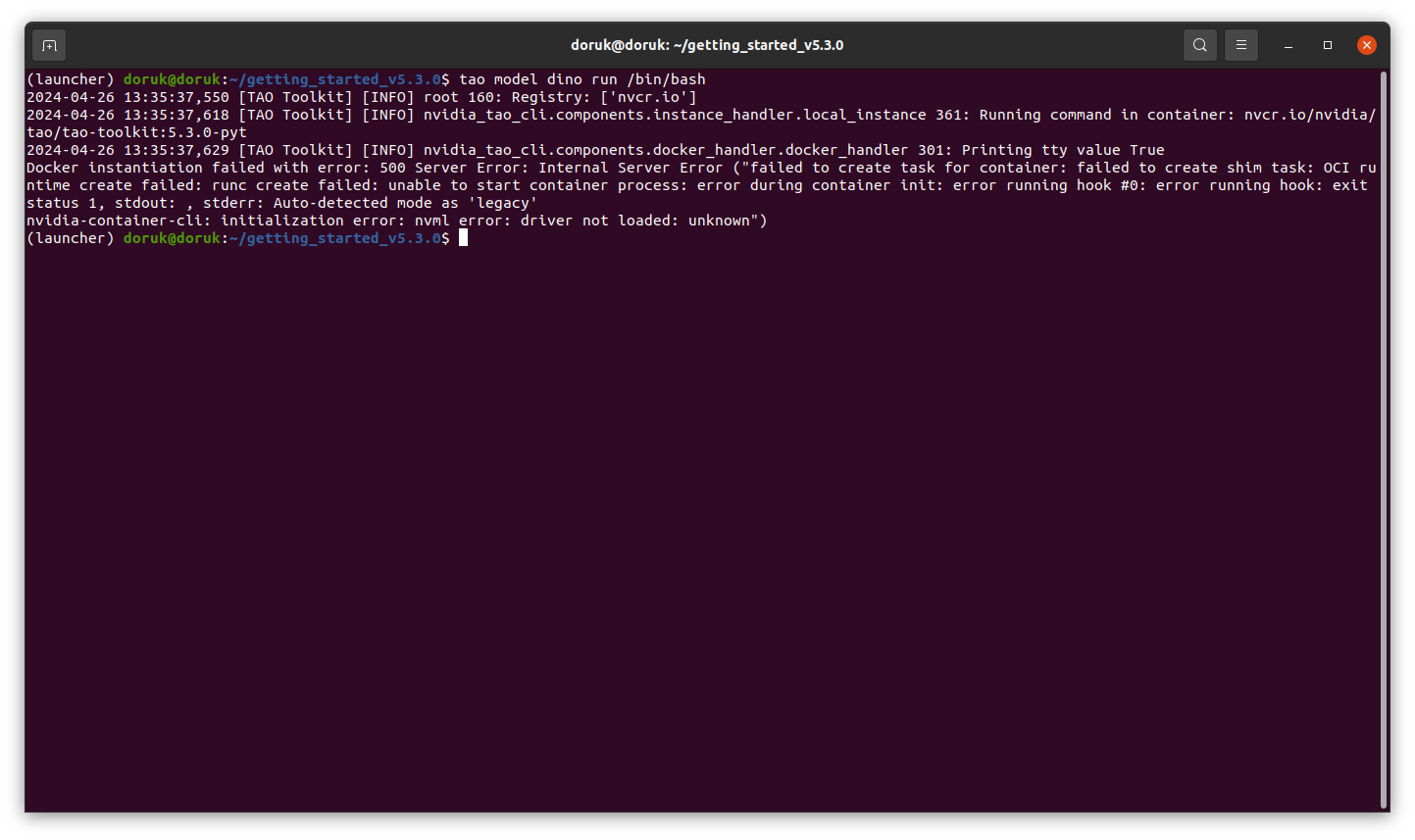
When I run this $ tao model dino run /bin/bash, I get the following error:
This command has been working for almost 3-5 hours
It is not expected to pull the docker for almost 3-5 hours.
Could you run below to double check?
$ docker pull nvcr.io/nvidia/tao/tao-toolkit:5.3.0-pyt?
If already pull successfully, please run below.
$ docker run --runtime=nvidia -it --rm nvcr.io/nvidia/tao/tao-toolkit:5.3.0-pyt /bin/bash
Is there a problem with docker installation? And now I get this error :
The error is similar to Problems of telemetry using detectnet_v2 using tao toolkit - #51 by usuario3602.
Please refer to its solution.
sudo apt install nvidia-driver-520 nvidia-container-toolkit
This solution doesn’t work for me.
Can you share the result of
$ nvidia-smi
It is not expected. Could you install driver as below?
$ sudo apt install nvidia-driver-535
Then reboot.
So, it is still not getting any result when you run $nvidia-smi
That’s not expected.
Can you share the log when you run
$ sudo apt install nvidia-driver-535
I think driver is installed. But Nvidia-smi doesn’t work. Tao training and also doesnt work.