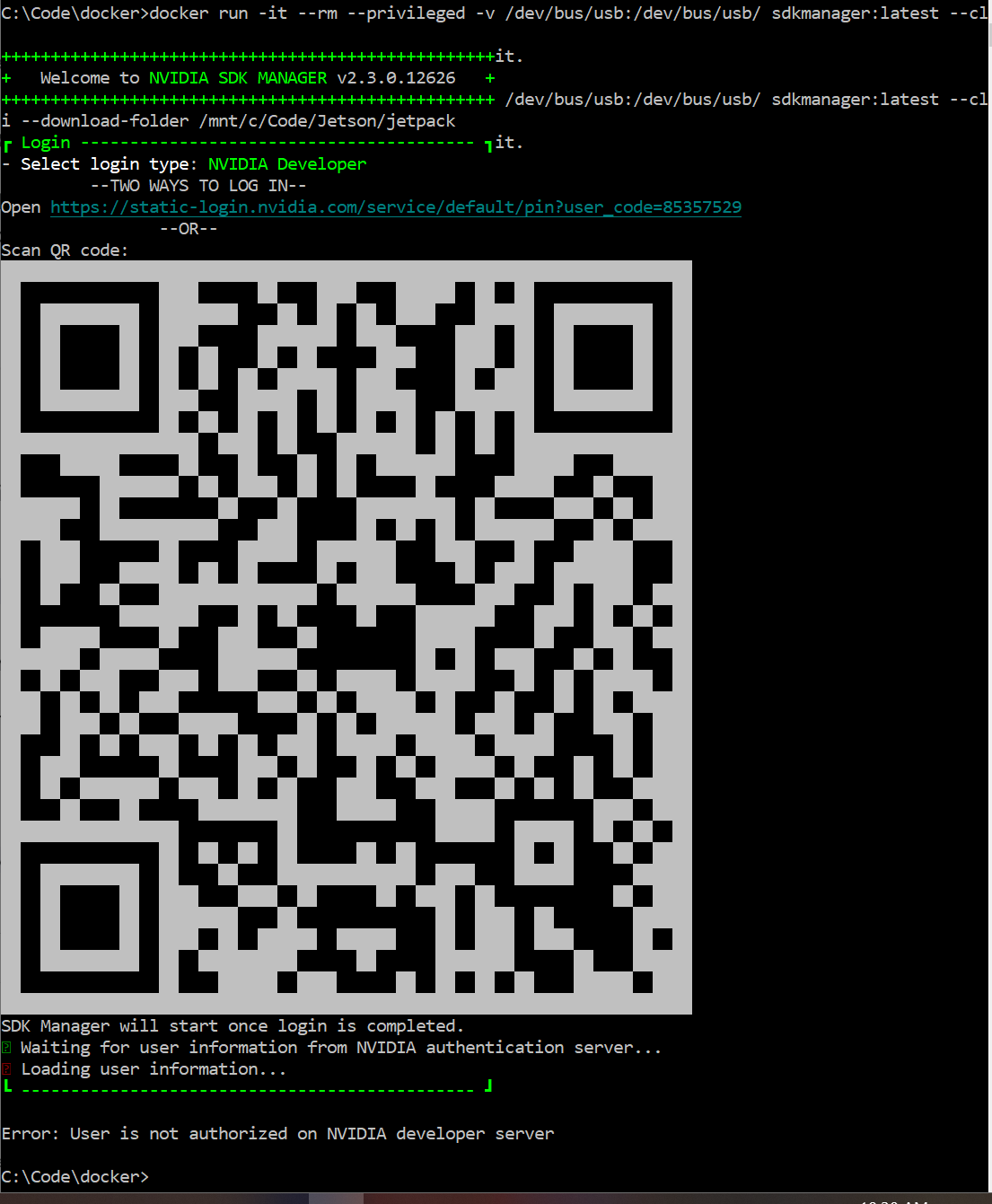
I’ve downloaded the sdkmanager docker image and loaded it. When I run the image it loads directly into a menu offering 3 choices (nvidia developer, nvonline, and local).
When I choose NVidia developer it pops up with a QR code to sign in. After login it displays an access denied error.
Is there a way to use sdk manager without logging into to a development server? I’m attempting to use SDK Manager because I read that the SD Card flash is unstable and I’ve been having so many problems and can’t even get the jetson-containers to run properly on my SD Flash. Instead I have installed an NVME and my hope is that this solves all the problems with missing cuda files and incompatibilities.
I fixed this.
Issue 1: “Error: User is not authorized on NVIDIA developer server”
Root Cause: The account was not signed up to the developer program.
Issue 2: “Error: Got empty programs response from NVIDIA developer server”
Root Cause: I use gmail’s + feature to sort my mail. For example “John@gmail.com” is “John+Nvidia@gmail.com”. My Login included the “+nvidia” but the developer program enrollment stripped the “+nvidia” from my mail. I signed in with “john@gmail.com” and it required additional setup but then worked!