Pinned memory throughput significantly lower on Ubuntu than on Windows

Hi.

I’m currently running tests with a PoC CUDA programme (see here for further information) using Windows 11 and Ubuntu 24.04.

I use the same PoC on both systems. On Windows, the code was compiled using Visual Studio 2022 and CUDA Toolkit 12.6. On Ubuntu, I used CUDA Toolkit 12.8 and nvcc via command line. Both systems have the respective CUDA driver from Sept 30 2025 installed.

The code uses pinned memory allocated with cudaMallocHost(), the data gets copied using cudaMemcpyAsync(). The code uses Overlapping Transfers and Computation with 32 non-default CUDA streams.

Now, on an RTX A2000 12 GB device I see an overall speedup of execution time by more than 40 % using Ubuntu. Apparently, this is due to correctly working parallelization of data transfers and computation which (seeing the Nsight Systems profiling) doesn’t work on Windows. Here, memory throughput under Ubuntu is slightly slower than on Windows (20.6 GiB/s vs. 22.4 GiB/s as shown by Nsight Systems). This doesn’t have much effect on the overall performance, though.

On a colleague’s RTX 4080, overlapping also works under Ubuntu while it doesn’t on Windows. Still, the overall performance on Ubuntu is significantly slower. This seems to be due to MUCH slower memory transfers: 6.8 GiB/s to 7.5 GiB/s on Ubuntu vs. around 23 GiB/s on Windows.

Now, it is worth noting that the Ubuntu installation used for all tests on all computers is situated on an external hard drive connected via USB. So I gather this may have some impact in one way or another. But how comes there’s almost no difference on the RTX A2000 while memory transfers are that much slower on Ubuntu on the RTX 4080? Meanwhiles, kernel execution times for both systems are more or less the same on Ubuntu or Windows.

Is there any official documentation on why this may be happening?

Please measure the memory transfers without overlapping computation. If they are fast enough then, it provably is the overlapping behavior instead of the memory transfers.

Hi Curefab.

I’m sorry, I don’t get the second half of what you’re saying. How could the overlapping cause the memory transfers to be that much slower? As I said, the values are taken from Nsight Systems, so I got separate readings for each transfer.

When running the programme without overlapping, there’s still a difference, but a smaller one: 6.4 GiB/s on Ubuntu vs. 10 GiB/s on Windows. I used cudaMemcpy() with pageable memory here, though, so this will make a difference. As the device is not under my physical control plus it’s my colleague’s private computer, my opportunities to run further tests using the RTX 4080 are limited.

[EDIT:]

I just noticed that under Windows 11, cudaGetDeviceProperties() states an asyncEngineCount of 1 for the RTX 4080, while under Ubuntu it shows a value of 2. Following the C++ Programming Guide, this means that under Windows, the RTX 4080 (only) supports copying and executing kernels at the same time, while under Linux it (also) supports copying to and from the device at the same time. How is it possible there’s different outputs for this value on the same device? Could this in some way affect the memory throughput under Windows and Ubuntu?

Normally Linux gives better performance, as the Windows drivers are not optimized for computation and mostly controlled by what Microsoft allows, which is less and less.

If you are debugging performance, it makes sense to isolate each factor to see, if there are underlying issues with the device, e.g. PCIe speed, etc.

Non-pinned memory copy at the same time as compute measured with the Nsight Systems entry is not isolating memory performance well. Performance can be lower for a whole lot of different reasons. There is a simple bandwidth test tool in the Cuda SDK. Perhaps your colleague can run this?

1 Like

Is this the bandwidth test you’re talking about? Following the documentation in Nvidia’s github repo, the old bandwidth tool has been deprecated. I will see if I get along with this one. Hopefully, it doesn’t take too much time getting it running.

Yes, that was the one, well found.

Ribert Crovella out others know more about the current tools. Just starting it should run all the tests.

After doing some debugging concerning missing entries in the CMakeLists.txt, I finally got it running. I will ask my colleague to run this on his private computer for me. I hope the results from running it under my portable Ubuntu installation will be enough? Suppose he wouldn’t want to install all the necessary dependencies on his private Windows installation.

Do you have any explanation for why asyncEngineCountholds different values on Windows and Ubuntu, using the same device? Also, I noticed that on Ubuntu, Nsight Systems shows there’s overlapping happening between H2D and D2H transfers (see screenshot). This would be correct for asyncEngineCount>= 2 (like shown on Ubuntu). A device with asyncEngineCount== 1 (like shown on Windows) should not support this, though. I was wondering if the runtime on Ubuntu was using some weird workaround to make overlapping possible here…

[EDIT:]

My colleague ran nvbandwidth (Ubuntu) on his computer. These are the results:

nvbandwidth Version: v0.8
Built from Git version:

CUDA Runtime Version: 13000
CUDA Driver Version: 13000
Driver Version: 580.95.05

uds-ubuntu24.04
Device 0: NVIDIA GeForce RTX 4080 (00000000:01:00)

Running host_to_device_memcpy_ce.
memcpy CE CPU(row) → GPU(column) bandwidth (GB/s)
0
0 7.92

SUM host_to_device_memcpy_ce 7.92

Running device_to_host_memcpy_ce.
memcpy CE CPU(row) ← GPU(column) bandwidth (GB/s)
0
0 7.92

SUM device_to_host_memcpy_ce 7.92

Running host_to_device_bidirectional_memcpy_ce.
memcpy CE CPU(row) ↔ GPU(column) bandwidth (GB/s)
0
0 5.82

SUM host_to_device_bidirectional_memcpy_ce 5.82

Running device_to_host_bidirectional_memcpy_ce.
memcpy CE CPU(row) ↔ GPU(column) bandwidth (GB/s)
0
0 6.33

SUM device_to_host_bidirectional_memcpy_ce 6.33

Waived:
Waived:
Waived:
Waived:
Running all_to_host_memcpy_ce.
memcpy CE CPU(row) ← GPU(column) bandwidth (GB/s)
0
0 7.92

SUM all_to_host_memcpy_ce 7.92

Running all_to_host_bidirectional_memcpy_ce.
memcpy CE CPU(row) ↔ GPU(column) bandwidth (GB/s)
0
0 6.37

SUM all_to_host_bidirectional_memcpy_ce 6.37

Running host_to_all_memcpy_ce.
memcpy CE CPU(row) → GPU(column) bandwidth (GB/s)
0
0 7.94

SUM host_to_all_memcpy_ce 7.94

Running host_to_all_bidirectional_memcpy_ce.
memcpy CE CPU(row) ↔ GPU(column) bandwidth (GB/s)
0
0 5.82

SUM host_to_all_bidirectional_memcpy_ce 5.82

Waived:
Waived:
Waived:
Waived:
Running host_to_device_memcpy_sm.
memcpy SM CPU(row) → GPU(column) bandwidth (GB/s)
0
0 8.59

SUM host_to_device_memcpy_sm 8.59

Running device_to_host_memcpy_sm.
memcpy SM CPU(row) ← GPU(column) bandwidth (GB/s)
0
0 8.34

SUM device_to_host_memcpy_sm 8.34

Running host_to_device_bidirectional_memcpy_sm.
memcpy SM CPU(row) ↔ GPU(column) bandwidth (GB/s)
0
0 4.97

SUM host_to_device_bidirectional_memcpy_sm 4.97

Running device_to_host_bidirectional_memcpy_sm.
memcpy SM CPU(row) ↔ GPU(column) bandwidth (GB/s)
0
0 4.99

SUM device_to_host_bidirectional_memcpy_sm 4.99

Waived:
Waived:
Waived:
Waived:
Running all_to_host_memcpy_sm.
memcpy SM CPU(row) ← GPU(column) bandwidth (GB/s)
0
0 8.57

SUM all_to_host_memcpy_sm 8.57

Running all_to_host_bidirectional_memcpy_sm.
memcpy SM CPU(row) ↔ GPU(column) bandwidth (GB/s)
0
0 4.90

SUM all_to_host_bidirectional_memcpy_sm 4.90

Running host_to_all_memcpy_sm.
memcpy SM CPU(row) → GPU(column) bandwidth (GB/s)
0
0 8.61

SUM host_to_all_memcpy_sm 8.61

Running host_to_all_bidirectional_memcpy_sm.
memcpy SM CPU(row) ↔ GPU(column) bandwidth (GB/s)
0
0 4.94

SUM host_to_all_bidirectional_memcpy_sm 4.94

Waived:
Waived:
Waived:
Waived:
Running host_device_latency_sm.
memory latency SM CPU(row) ↔ GPU(column) (ns)
0
0 805.56

SUM host_device_latency_sm 805.56

Waived:
Running device_local_copy.
memcpy local GPU(column) bandwidth (GB/s)
0
0 296.19

SUM device_local_copy 296.19

NOTE: The reported results may not reflect the full capabilities of the platform.
Performance can vary with software drivers, hardware clocks, and system topology.

So, nvbandwidth’s measurings are pretty much what I saw in Nsight Systems. But what does that mean? Why do I get almost 70 % less memory throughput under Ubuntu than under Windows?! Especially seeing that using the very same Ubuntu installation on another machine (different GPU) yields far better results.

[EDIT:]

@njuffa I understand it you prefer using Linux with CUDA. Do you perhaps have any thoughts on this matter?

I have never actively used Ubuntu. It always seemed to me that the Ubuntu folks are the “Think Different” part of the Linux world. My preferred Linux distro is RHEL. As for Windows vs. Linux, my general experience has been that accomplishing anything on Windows is always a little bit more difficult and requires more effort than accomplishing the same thing on Linux. I have jokingly referred to this as the “Windows tax”.

That said, I have no ideological attachment to either platform and have worked in roughly equal parts on both platforms, and I am not an in-depth expert in either.

I have no meaningful feedback on the observations in the preceding post.

That’s a bummer. Thanks anyway for taking the time.

My colleague just tried running a few tests using the same portable Ubuntu installation on yet another computer using an RTX 4000 Ada Generation. There, he gets the “no cuda capable device detected” error. This surprises me. I set up this Ubuntu installation with CUDA driver 580.95.05 for Linux and CUDA Toolkit 12.8. Then, I created an image of the whole hard drive and gave it to my colleague who cloned it to another hard drive. This is the installation he used for tests under Linux on 3 different devices. On one device (RTX A2000 12 GB), he got reasonable results. On the second device (GeForce RTX 4080), memory throughput is riddiculously low. On the third device (RTX 4000 Ada Generation), it doesn’t work at all.

I was under the impression that the installed driver should support all mentioned devices. Am I somehow mistaken here?

This is purely anecdotal, and may be totally unrelated to your observations, but I have had problems similar to what you describe on my Windows workstation, in that (1) my second GPU is sometimes not recognized at all; or (2) the second GPU is recognized but (permanently?) configured in a power saving state that results in minimal throughput both for memory and computation.

It does not seem to be a driver issue per se, because when I re-boot the machine, and re-install the same driver again (and repeat this as necessary), I can eventually get the second GPU to run just fine. My hypothesis is that something in the NVIDIA hardware management layer (NVML) is responsible for these issues. The issue first showed up in early 2025 as I recall, and it has not improved across multiple new driver generations I have installed since. So with every monthly Windows system update, I get to go through the whole process again, which is annoying.

1 Like

Now this sounds discouraging. I can’t well ask my colleague to debug this for me and re-install drivers on the Ubuntu installation. Firstly, installing the drivers under Linux was quite a hassle by itself. As I’m currently working remote only, I can’t fix the installation myself.

However. Just to confirm this: The way I set everything up should indeed work portably between the three devices, right? And you’re not aware that Linux in some way remembers which GPU was used for the last start, so this could cause problems?

My colleague is just trying to install a 570 driver from the Additional Drivers dialog. As expected, he got error messages when applying the changes. Let’s see if a restart will help.

[EDIT:]

Changing the driver version via the driver dialog didn’t work. I updated my Ubuntu installation to the latest available driver and will upload the new image file for my colleage once it’s been created.

When testing the installation on my notebook (RTX A2000 Laptop GPU), I noticed that I get the same low memory throughput, even though the GPU here is connected via PCIe 4.0x16 as well. Couldn’t find out anything about configuring a power saving mode though.

At any given time, only one NVIDIA driver can be installed and active on a system. That driver is responsible for supporting all of the GPUs in the system. Obviously, if the GPUs belong to multiple GPU generations, the installed driver must be selected such that it supports them all. Usually, this part is not a problem, as the window of supported GPU architectures typically spans the 7 to 8 years prior to the driver release date.

When you measure throughput numbers (memory or compute) make sure to apply the workload long enough for GPU power management to transition into a high-performance state. Use nvidia-smi to monitor operating frequencies, power consumption, and PCIe configuration to make sure the GPU is operating in a high-performance state. On Windows I actually use TechPowerUp’s GPU-Z utility (free download) for more convenient monitoring of GPU activity.

2 Likes

Yeah, that’s what I was thinking. I removed the formerly installed driver and installed the latest one available for Linux, version 580.105.08. Following the documentation, this driver explicitly supports devices RTX A2000 12 GB and RTX 4000 Ada Generation. I can’t find the GeForce RTX 4080 listed anywhere, but I suppose it should be supported as well. While we experience the mentioned cuts in memory throughput running my programme on the RTX 4080, at least there the PoC generally works. On the RTX 4000 Ada Generation, though, we still get “no cuda capable device detected”, even with the latest driver installed. I got no idea why we can’t get it running there while on Windows it works using this device.

You did inspire me to do some more research by this remark. Until now I didn’t know quite how powerful nvidia-smi is. I found this nvidia-smiquery: nvidia-smi --query-gpu=timestamp,name,pci.bus_id,driver_version,pstate,pcie.link.gen.max,pcie.link.gen.current,temperature.gpu,utilization.gpu,utilization.memory,memory.total,memory.free,memory.used --format=csv -l 5

I did a quick test under Windows, using this query while doing several runs of my PoC code on my own machine (RTX A2000 Laptop):

nvidia-smi on RTX A2000 Laptop

nvidia-smi --query-gpu=timestamp,name,pci.bus_id,driver_version,pstate,pcie.link.gen.max,pcie.link.gen.current,temperature.gpu,utilization.gpu,utilization.memory,memory.total,memory.free,memory.used --format=csv -l 2
timestamp, name, pci.bus_id, driver_version, pstate, pcie.link.gen.max, pcie.link.gen.current, temperature.gpu, utilization.gpu [%], utilization.memory [%], memory.total [MiB], memory.free [MiB], memory.used [MiB]
2025/12/01 09:55:22.377, NVIDIA RTX A2000 Laptop GPU, 00000000:01:00.0, 573.57, P3, 4, 4, 55, 0 %, 0 %, 4096 MiB, 3965 MiB, 0 MiB
2025/12/01 09:55:24.392, NVIDIA RTX A2000 Laptop GPU, 00000000:01:00.0, 573.57, P3, 4, 4, 56, 0 %, 0 %, 4096 MiB, 3885 MiB, 81 MiB
2025/12/01 09:55:26.449, NVIDIA RTX A2000 Laptop GPU, 00000000:01:00.0, 573.57, P3, 4, 4, 56, 0 %, 0 %, 4096 MiB, 3885 MiB, 81 MiB
2025/12/01 09:55:28.679, NVIDIA RTX A2000 Laptop GPU, 00000000:01:00.0, 573.57, P3, 4, 4, 57, 0 %, 0 %, 4096 MiB, 3885 MiB, 81 MiB
2025/12/01 09:55:30.852, NVIDIA RTX A2000 Laptop GPU, 00000000:01:00.0, 573.57, P3, 4, 4, 57, 0 %, 0 %, 4096 MiB, 3885 MiB, 81 MiB
2025/12/01 09:55:32.863, NVIDIA RTX A2000 Laptop GPU, 00000000:01:00.0, 573.57, P3, 4, 4, 58, 0 %, 0 %, 4096 MiB, 3881 MiB, 85 MiB
2025/12/01 09:55:35.038, NVIDIA RTX A2000 Laptop GPU, 00000000:01:00.0, 573.57, P8, 4, 1, 58, 0 %, 0 %, 4096 MiB, 3881 MiB, 85 MiB
2025/12/01 09:55:37.198, NVIDIA RTX A2000 Laptop GPU, 00000000:01:00.0, 573.57, P8, 4, 1, 58, 0 %, 0 %, 4096 MiB, 3881 MiB, 85 MiB
2025/12/01 09:55:39.370, NVIDIA RTX A2000 Laptop GPU, 00000000:01:00.0, 573.57, P3, 4, 4, 59, 62 %, 8 %, 4096 MiB, 3881 MiB, 85 MiB
2025/12/01 09:55:41.511, NVIDIA RTX A2000 Laptop GPU, 00000000:01:00.0, 573.57, P8, 4, 1, 59, 0 %, 0 %, 4096 MiB, 3881 MiB, 85 MiB
2025/12/01 09:55:43.668, NVIDIA RTX A2000 Laptop GPU, 00000000:01:00.0, 573.57, P8, 4, 1, 59, 0 %, 0 %, 4096 MiB, 3881 MiB, 85 MiB
2025/12/01 09:55:45.848, NVIDIA RTX A2000 Laptop GPU, 00000000:01:00.0, 573.57, P8, 4, 1, 59, 0 %, 0 %, 4096 MiB, 3881 MiB, 85 MiB
2025/12/01 09:55:47.871, NVIDIA RTX A2000 Laptop GPU, 00000000:01:00.0, 573.57, P3, 4, 4, 60, 1 %, 0 %, 4096 MiB, 3881 MiB, 85 MiB
2025/12/01 09:55:49.949, NVIDIA RTX A2000 Laptop GPU, 00000000:01:00.0, 573.57, P8, 4, 1, 59, 0 %, 0 %, 4096 MiB, 3881 MiB, 85 MiB
2025/12/01 09:55:52.126, NVIDIA RTX A2000 Laptop GPU, 00000000:01:00.0, 573.57, P8, 4, 1, 60, 0 %, 0 %, 4096 MiB, 3881 MiB, 85 MiB
2025/12/01 09:55:54.300, NVIDIA RTX A2000 Laptop GPU, 00000000:01:00.0, 573.57, P3, 4, 4, 61, 100 %, 16 %, 4096 MiB, 3881 MiB, 85 MiB
2025/12/01 09:55:56.464, NVIDIA RTX A2000 Laptop GPU, 00000000:01:00.0, 573.57, P8, 4, 1, 60, 0 %, 0 %, 4096 MiB, 3881 MiB, 85 MiB
2025/12/01 09:55:58.619, NVIDIA RTX A2000 Laptop GPU, 00000000:01:00.0, 573.57, P8, 4, 1, 60, 0 %, 0 %, 4096 MiB, 3881 MiB, 85 MiB
2025/12/01 09:56:00.793, NVIDIA RTX A2000 Laptop GPU, 00000000:01:00.0, 573.57, P8, 4, 1, 60, 0 %, 0 %, 4096 MiB, 3881 MiB, 85 MiB
2025/12/01 09:56:02.808, NVIDIA RTX A2000 Laptop GPU, 00000000:01:00.0, 573.57, P3, 4, 4, 62, 0 %, 0 %, 4096 MiB, 3881 MiB, 85 MiB
2025/12/01 09:56:04.974, NVIDIA RTX A2000 Laptop GPU, 00000000:01:00.0, 573.57, P8, 4, 1, 61, 0 %, 0 %, 4096 MiB, 3881 MiB, 85 MiB
2025/12/01 09:56:07.153, NVIDIA RTX A2000 Laptop GPU, 00000000:01:00.0, 573.57, P8, 4, 1, 61, 0 %, 0 %, 4096 MiB, 3881 MiB, 85 MiB
2025/12/01 09:56:09.306, NVIDIA RTX A2000 Laptop GPU, 00000000:01:00.0, 573.57, P3, 4, 4, 62, 78 %, 48 %, 4096 MiB, 3881 MiB, 85 MiB
2025/12/01 09:56:11.494, NVIDIA RTX A2000 Laptop GPU, 00000000:01:00.0, 573.57, P5, 4, 2, 62, 0 %, 0 %, 4096 MiB, 3881 MiB, 85 MiB
2025/12/01 09:56:13.632, NVIDIA RTX A2000 Laptop GPU, 00000000:01:00.0, 573.57, P8, 4, 1, 61, 0 %, 0 %, 4096 MiB, 3881 MiB, 85 MiB
2025/12/01 09:56:15.798, NVIDIA RTX A2000 Laptop GPU, 00000000:01:00.0, 573.57, P8, 4, 1, 62, 0 %, 0 %, 4096 MiB, 3881 MiB, 85 MiB
2025/12/01 09:56:17.815, NVIDIA RTX A2000 Laptop GPU, 00000000:01:00.0, 573.57, P3, 4, 4, 63, 0 %, 0 %, 4096 MiB, 3881 MiB, 85 MiB
2025/12/01 09:56:19.982, NVIDIA RTX A2000 Laptop GPU, 00000000:01:00.0, 573.57, P8, 4, 1, 62, 0 %, 0 %, 4096 MiB, 3881 MiB, 85 MiB
2025/12/01 09:56:22.018, NVIDIA RTX A2000 Laptop GPU, 00000000:01:00.0, 573.57, P8, 4, 1, 62, 0 %, 0 %, 4096 MiB, 3881 MiB, 85 MiB
2025/12/01 09:56:24.177, NVIDIA RTX A2000 Laptop GPU, 00000000:01:00.0, 573.57, P8, 4, 1, 62, 45 %, 38 %, 4096 MiB, 3881 MiB, 85 MiB
2025/12/01 09:56:26.186, NVIDIA RTX A2000 Laptop GPU, 00000000:01:00.0, 573.57, P3, 4, 4, 63, 0 %, 0 %, 4096 MiB, 3881 MiB, 85 MiB
2025/12/01 09:56:28.336, NVIDIA RTX A2000 Laptop GPU, 00000000:01:00.0, 573.57, P8, 4, 1, 62, 0 %, 0 %, 4096 MiB, 3881 MiB, 85 MiB
2025/12/01 09:56:30.508, NVIDIA RTX A2000 Laptop GPU, 00000000:01:00.0, 573.57, P8, 4, 1, 63, 0 %, 0 %, 4096 MiB, 3881 MiB, 85 MiB
2025/12/01 09:56:32.582, NVIDIA RTX A2000 Laptop GPU, 00000000:01:00.0, 573.57, P3, 4, 4, 63, 48 %, 6 %, 4096 MiB, 3881 MiB, 85 MiB
2025/12/01 09:56:34.785, NVIDIA RTX A2000 Laptop GPU, 00000000:01:00.0, 573.57, P8, 4, 1, 63, 0 %, 0 %, 4096 MiB, 3881 MiB, 85 MiB
2025/12/01 09:56:36.958, NVIDIA RTX A2000 Laptop GPU, 00000000:01:00.0, 573.57, P8, 4, 1, 63, 0 %, 0 %, 4096 MiB, 3881 MiB, 85 MiB
2025/12/01 09:56:39.125, NVIDIA RTX A2000 Laptop GPU, 00000000:01:00.0, 573.57, P8, 4, 1, 63, 0 %, 0 %, 4096 MiB, 3783 MiB, 183 MiB
2025/12/01 09:56:41.143, NVIDIA RTX A2000 Laptop GPU, 00000000:01:00.0, 573.57, [Unknown Error], 4, 4, 55, [Unknown Error], [Unknown Error], 4096 MiB, 3965 MiB, 0 MiB

It’s interesting to see that whenever my code does CUDA calculations, the performance state drops from P3 to P8 while at the same time the current PCIe link drops from 4x to 1x. Although I can’t say for sure right now, I suspect this is what happens on the GeForce RTX 4080, too. There, it appears to only occur under Linux, though. It would pretty much explain why memory throughput stays behind the system’s possibilities. Doing a quick research on why this might be happening, I stumbled upon your reply to a question in this forum, referring to this blog entry. I will have a closer look at that tomorrow and ask my colleague to run some more tests on his private device. Maybe we’ll still find a solution to the issue, or at least an explanation.

I’m wondering if what you’re seeing is being driven by a workload with a low duty cycle. Work intensity is not sufficient to keep the PCIe bus in full performance mode as you see in your nvidia-smi results. The linux driver may be handling this better than Windows on the A2000.

It would follow then that the 4080 may suffer more, as the workload is even lighter there, (more SM’s).

I was going to suggest, as a temporary testing measure, to try locking the GPU clocks, (see nvidia-smi -lgc), to force the card into a higher P mode, but I’m not sure if that also keeps the PCIe bus in it’s highest state as well.

So, what you’re saying is that maybe, the workload the GPU has to perform running my PoC programme is too small such that the GPU has no time to even switch into a high-performance mode?

This could be a possible explanation. My PoC creates 1,000,000,000 2-dimensional points and calculates for each of them whether it lies within a given polyline, using the winding number algorithm. Right now, I’m testing with overlapping transfers and computation. Running the whole programme once takes between 670 and 910 ms, depending on the device used. I got no idea if this is enough to get the clockrates up. I’ve asked my colleague to run a test sequence with 10 or 20 executions, which should then take a couple of minutes (including generation of the test points and other overhead). So, we’ll see if that makes any difference. Today, I will also test whether fixing the clockrates beforehand brings any improvement.

[EDIT:]

I just ran a couple of tests on my notebook (RTX A2000 Laptop). I had the PoC run 10 times and called nvidia-smi in a loop to monitor the GPU’s state. I did this with variable clocks and after fixing the clocks by using nvidia-smi --lock-gpu-clocks=2100and nvidia-smi --lock-memory-clocks=5501. See results below:

10 PoC test runs with variable clocks

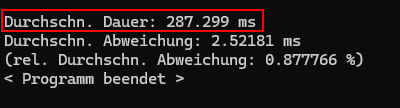
Programme duration (stating average duration per test run and standard deviation):

RRTX A2000 Laptop variable clocks

nvidia-smi monitoring output:

nvidia-smi --query-gpu=timestamp,name,pci.bus_id,driver_version,pstate,pcie.link.gen.max,pcie.link.gen.current,temperature.gpu,utilization.gpu,utilization.memory,memory.total,memory.free,memory.used --format=csv -l 2
timestamp, name, pci.bus_id, driver_version, pstate, pcie.link.gen.max, pcie.link.gen.current, temperature.gpu, utilization.gpu [%], utilization.memory [%], memory.total [MiB], memory.free [MiB], memory.used [MiB]
2025/12/02 11:18:20.306, NVIDIA RTX A2000 Laptop GPU, 00000000:01:00.0, 573.57, P0, 4, 4, 53, 0 %, 0 %, 4096 MiB, 3965 MiB, 0 MiB
2025/12/02 11:18:22.312, NVIDIA RTX A2000 Laptop GPU, 00000000:01:00.0, 573.57, P0, 4, 4, 53, 3 %, 0 %, 4096 MiB, 3885 MiB, 81 MiB
2025/12/02 11:18:24.387, NVIDIA RTX A2000 Laptop GPU, 00000000:01:00.0, 573.57, P0, 4, 4, 55, 0 %, 0 %, 4096 MiB, 3885 MiB, 81 MiB
2025/12/02 11:18:26.619, NVIDIA RTX A2000 Laptop GPU, 00000000:01:00.0, 573.57, P0, 4, 4, 56, 0 %, 0 %, 4096 MiB, 3885 MiB, 81 MiB
2025/12/02 11:18:28.858, NVIDIA RTX A2000 Laptop GPU, 00000000:01:00.0, 573.57, P0, 4, 4, 58, 0 %, 0 %, 4096 MiB, 3885 MiB, 81 MiB
2025/12/02 11:18:31.099, NVIDIA RTX A2000 Laptop GPU, 00000000:01:00.0, 573.57, P0, 4, 4, 58, 0 %, 0 %, 4096 MiB, 3885 MiB, 81 MiB
2025/12/02 11:18:33.336, NVIDIA RTX A2000 Laptop GPU, 00000000:01:00.0, 573.57, P8, 4, 1, 59, 0 %, 0 %, 4096 MiB, 3885 MiB, 81 MiB
2025/12/02 11:18:35.366, NVIDIA RTX A2000 Laptop GPU, 00000000:01:00.0, 573.57, P0, 4, 4, 60, 1 %, 0 %, 4096 MiB, 3881 MiB, 85 MiB
2025/12/02 11:18:37.597, NVIDIA RTX A2000 Laptop GPU, 00000000:01:00.0, 573.57, P8, 4, 1, 60, 0 %, 0 %, 4096 MiB, 3881 MiB, 85 MiB
2025/12/02 11:18:39.837, NVIDIA RTX A2000 Laptop GPU, 00000000:01:00.0, 573.57, P8, 4, 1, 61, 0 %, 0 %, 4096 MiB, 3881 MiB, 85 MiB
2025/12/02 11:18:42.072, NVIDIA RTX A2000 Laptop GPU, 00000000:01:00.0, 573.57, P8, 4, 1, 62, 0 %, 0 %, 4096 MiB, 3881 MiB, 85 MiB
2025/12/02 11:18:44.308, NVIDIA RTX A2000 Laptop GPU, 00000000:01:00.0, 573.57, P8, 4, 1, 62, 0 %, 0 %, 4096 MiB, 3881 MiB, 85 MiB
2025/12/02 11:18:46.565, NVIDIA RTX A2000 Laptop GPU, 00000000:01:00.0, 573.57, P8, 4, 1, 63, 0 %, 0 %, 4096 MiB, 3881 MiB, 85 MiB
2025/12/02 11:18:48.589, NVIDIA RTX A2000 Laptop GPU, 00000000:01:00.0, 573.57, P0, 4, 4, 65, 0 %, 0 %, 4096 MiB, 3881 MiB, 85 MiB
2025/12/02 11:18:50.825, NVIDIA RTX A2000 Laptop GPU, 00000000:01:00.0, 573.57, P8, 4, 1, 64, 0 %, 0 %, 4096 MiB, 3881 MiB, 85 MiB
2025/12/02 11:18:53.076, NVIDIA RTX A2000 Laptop GPU, 00000000:01:00.0, 573.57, P8, 4, 1, 65, 0 %, 0 %, 4096 MiB, 3881 MiB, 85 MiB
2025/12/02 11:18:55.320, NVIDIA RTX A2000 Laptop GPU, 00000000:01:00.0, 573.57, P8, 4, 1, 65, 0 %, 0 %, 4096 MiB, 3881 MiB, 85 MiB
2025/12/02 11:18:57.561, NVIDIA RTX A2000 Laptop GPU, 00000000:01:00.0, 573.57, P8, 4, 1, 66, 0 %, 0 %, 4096 MiB, 3881 MiB, 85 MiB
2025/12/02 11:18:59.804, NVIDIA RTX A2000 Laptop GPU, 00000000:01:00.0, 573.57, P8, 4, 1, 66, 0 %, 0 %, 4096 MiB, 3881 MiB, 85 MiB
2025/12/02 11:19:01.827, NVIDIA RTX A2000 Laptop GPU, 00000000:01:00.0, 573.57, P0, 4, 4, 68, 0 %, 0 %, 4096 MiB, 3881 MiB, 85 MiB
2025/12/02 11:19:04.108, NVIDIA RTX A2000 Laptop GPU, 00000000:01:00.0, 573.57, P8, 4, 1, 67, 0 %, 0 %, 4096 MiB, 3881 MiB, 85 MiB
2025/12/02 11:19:06.362, NVIDIA RTX A2000 Laptop GPU, 00000000:01:00.0, 573.57, P8, 4, 1, 68, 0 %, 0 %, 4096 MiB, 3881 MiB, 85 MiB
2025/12/02 11:19:08.623, NVIDIA RTX A2000 Laptop GPU, 00000000:01:00.0, 573.57, P8, 4, 1, 68, 0 %, 0 %, 4096 MiB, 3881 MiB, 85 MiB
2025/12/02 11:19:10.884, NVIDIA RTX A2000 Laptop GPU, 00000000:01:00.0, 573.57, P8, 4, 1, 69, 0 %, 0 %, 4096 MiB, 3881 MiB, 85 MiB
2025/12/02 11:19:12.888, NVIDIA RTX A2000 Laptop GPU, 00000000:01:00.0, 573.57, P8, 4, 1, 69, 0 %, 0 %, 4096 MiB, 3881 MiB, 85 MiB
2025/12/02 11:19:14.910, NVIDIA RTX A2000 Laptop GPU, 00000000:01:00.0, 573.57, P0, 4, 4, 71, 0 %, 0 %, 4096 MiB, 3881 MiB, 85 MiB
2025/12/02 11:19:17.148, NVIDIA RTX A2000 Laptop GPU, 00000000:01:00.0, 573.57, P5, 4, 2, 70, 0 %, 0 %, 4096 MiB, 3881 MiB, 85 MiB
2025/12/02 11:19:19.395, NVIDIA RTX A2000 Laptop GPU, 00000000:01:00.0, 573.57, P8, 4, 1, 70, 0 %, 0 %, 4096 MiB, 3881 MiB, 85 MiB
2025/12/02 11:19:21.635, NVIDIA RTX A2000 Laptop GPU, 00000000:01:00.0, 573.57, P8, 4, 1, 70, 0 %, 0 %, 4096 MiB, 3881 MiB, 85 MiB
2025/12/02 11:19:23.880, NVIDIA RTX A2000 Laptop GPU, 00000000:01:00.0, 573.57, P8, 4, 1, 71, 0 %, 0 %, 4096 MiB, 3881 MiB, 85 MiB
2025/12/02 11:19:26.114, NVIDIA RTX A2000 Laptop GPU, 00000000:01:00.0, 573.57, P8, 4, 1, 71, 0 %, 0 %, 4096 MiB, 1731 MiB, 2235 MiB
2025/12/02 11:19:28.135, NVIDIA RTX A2000 Laptop GPU, 00000000:01:00.0, 573.57, P0, 4, 4, 72, 0 %, 0 %, 4096 MiB, 3881 MiB, 85 MiB
2025/12/02 11:19:30.381, NVIDIA RTX A2000 Laptop GPU, 00000000:01:00.0, 573.57, P8, 4, 1, 71, 0 %, 0 %, 4096 MiB, 3881 MiB, 85 MiB
2025/12/02 11:19:32.630, NVIDIA RTX A2000 Laptop GPU, 00000000:01:00.0, 573.57, P8, 4, 1, 71, 0 %, 0 %, 4096 MiB, 3881 MiB, 85 MiB
2025/12/02 11:19:34.870, NVIDIA RTX A2000 Laptop GPU, 00000000:01:00.0, 573.57, P8, 4, 1, 71, 0 %, 0 %, 4096 MiB, 3881 MiB, 85 MiB
2025/12/02 11:19:37.116, NVIDIA RTX A2000 Laptop GPU, 00000000:01:00.0, 573.57, P8, 4, 1, 72, 0 %, 0 %, 4096 MiB, 3881 MiB, 85 MiB
2025/12/02 11:19:39.350, NVIDIA RTX A2000 Laptop GPU, 00000000:01:00.0, 573.57, P8, 4, 1, 72, 0 %, 0 %, 4096 MiB, 1731 MiB, 2235 MiB
2025/12/02 11:19:41.364, NVIDIA RTX A2000 Laptop GPU, 00000000:01:00.0, 573.57, P0, 4, 4, 73, 0 %, 0 %, 4096 MiB, 3881 MiB, 85 MiB
2025/12/02 11:19:43.597, NVIDIA RTX A2000 Laptop GPU, 00000000:01:00.0, 573.57, P8, 4, 1, 72, 0 %, 0 %, 4096 MiB, 3881 MiB, 85 MiB
2025/12/02 11:19:45.840, NVIDIA RTX A2000 Laptop GPU, 00000000:01:00.0, 573.57, P8, 4, 1, 72, 0 %, 0 %, 4096 MiB, 3881 MiB, 85 MiB
2025/12/02 11:19:48.096, NVIDIA RTX A2000 Laptop GPU, 00000000:01:00.0, 573.57, P8, 4, 1, 72, 0 %, 0 %, 4096 MiB, 3881 MiB, 85 MiB
2025/12/02 11:19:50.384, NVIDIA RTX A2000 Laptop GPU, 00000000:01:00.0, 573.57, P8, 4, 1, 72, 0 %, 0 %, 4096 MiB, 3881 MiB, 85 MiB
2025/12/02 11:19:52.615, NVIDIA RTX A2000 Laptop GPU, 00000000:01:00.0, 573.57, P0, 4, 4, 73, 51 %, 8 %, 4096 MiB, 3881 MiB, 85 MiB
2025/12/02 11:19:54.633, NVIDIA RTX A2000 Laptop GPU, 00000000:01:00.0, 573.57, P3, 4, 4, 74, 0 %, 0 %, 4096 MiB, 3881 MiB, 85 MiB
2025/12/02 11:19:56.882, NVIDIA RTX A2000 Laptop GPU, 00000000:01:00.0, 573.57, P5, 4, 2, 73, 0 %, 0 %, 4096 MiB, 3881 MiB, 85 MiB
2025/12/02 11:19:59.135, NVIDIA RTX A2000 Laptop GPU, 00000000:01:00.0, 573.57, P8, 4, 1, 73, 0 %, 0 %, 4096 MiB, 3881 MiB, 85 MiB
2025/12/02 11:20:01.387, NVIDIA RTX A2000 Laptop GPU, 00000000:01:00.0, 573.57, P8, 4, 1, 73, 0 %, 0 %, 4096 MiB, 3881 MiB, 85 MiB
2025/12/02 11:20:03.680, NVIDIA RTX A2000 Laptop GPU, 00000000:01:00.0, 573.57, P8, 4, 1, 73, 0 %, 0 %, 4096 MiB, 3881 MiB, 85 MiB
2025/12/02 11:20:05.894, NVIDIA RTX A2000 Laptop GPU, 00000000:01:00.0, 573.57, P0, 4, 4, 76, 100 %, 11 %, 4096 MiB, 3881 MiB, 85 MiB
2025/12/02 11:20:07.900, NVIDIA RTX A2000 Laptop GPU, 00000000:01:00.0, 573.57, P3, 4, 4, 74, 0 %, 0 %, 4096 MiB, 3881 MiB, 85 MiB
2025/12/02 11:20:10.144, NVIDIA RTX A2000 Laptop GPU, 00000000:01:00.0, 573.57, P8, 4, 1, 74, 0 %, 0 %, 4096 MiB, 3881 MiB, 85 MiB
2025/12/02 11:20:12.384, NVIDIA RTX A2000 Laptop GPU, 00000000:01:00.0, 573.57, P8, 4, 1, 74, 0 %, 0 %, 4096 MiB, 3881 MiB, 85 MiB
2025/12/02 11:20:14.621, NVIDIA RTX A2000 Laptop GPU, 00000000:01:00.0, 573.57, P8, 4, 1, 74, 0 %, 0 %, 4096 MiB, 3881 MiB, 85 MiB
2025/12/02 11:20:16.870, NVIDIA RTX A2000 Laptop GPU, 00000000:01:00.0, 573.57, P8, 4, 1, 74, 0 %, 0 %, 4096 MiB, 3881 MiB, 85 MiB
2025/12/02 11:20:19.106, NVIDIA RTX A2000 Laptop GPU, 00000000:01:00.0, 573.57, P0, 4, 4, 77, 100 %, 13 %, 4096 MiB, 3881 MiB, 85 MiB
2025/12/02 11:20:21.130, NVIDIA RTX A2000 Laptop GPU, 00000000:01:00.0, 573.57, P5, 4, 2, 75, 0 %, 0 %, 4096 MiB, 3881 MiB, 85 MiB
2025/12/02 11:20:23.317, NVIDIA RTX A2000 Laptop GPU, 00000000:01:00.0, 573.57, P8, 4, 1, 75, 0 %, 0 %, 4096 MiB, 3881 MiB, 85 MiB
2025/12/02 11:20:25.442, NVIDIA RTX A2000 Laptop GPU, 00000000:01:00.0, 573.57, P8, 4, 1, 75, 0 %, 0 %, 4096 MiB, 3881 MiB, 85 MiB
2025/12/02 11:20:27.577, NVIDIA RTX A2000 Laptop GPU, 00000000:01:00.0, 573.57, P8, 4, 1, 75, 0 %, 0 %, 4096 MiB, 3881 MiB, 85 MiB
2025/12/02 11:20:29.708, NVIDIA RTX A2000 Laptop GPU, 00000000:01:00.0, 573.57, P8, 4, 1, 75, 0 %, 0 %, 4096 MiB, 3881 MiB, 85 MiB
2025/12/02 11:20:31.829, NVIDIA RTX A2000 Laptop GPU, 00000000:01:00.0, 573.57, P0, 4, 4, 77, 76 %, 65 %, 4096 MiB, 3075 MiB, 891 MiB

10 PoC test runs with fixed clocks

Programme duration (stating average duration per test run and standard deviation):

nvidia-smi monitoring output:

nvidia-smi --query-gpu=timestamp,name,pci.bus_id,driver_version,pstate,pcie.link.gen.max,pcie.link.gen.current,temperature.gpu,utilization.gpu,utilization.memory,memory.total,memory.free,memory.used --format=csv -l 2
timestamp, name, pci.bus_id, driver_version, pstate, pcie.link.gen.max, pcie.link.gen.current, temperature.gpu, utilization.gpu [%], utilization.memory [%], memory.total [MiB], memory.free [MiB], memory.used [MiB]
2025/12/02 11:24:20.123, NVIDIA RTX A2000 Laptop GPU, 00000000:01:00.0, 573.57, P0, 4, 4, 50, 0 %, 0 %, 4096 MiB, 3965 MiB, 0 MiB
2025/12/02 11:24:22.134, NVIDIA RTX A2000 Laptop GPU, 00000000:01:00.0, 573.57, [Unknown Error], 4, 4, 50, [Unknown Error], [Unknown Error], 4096 MiB, 3965 MiB, 0 MiB
2025/12/02 11:24:24.140, NVIDIA RTX A2000 Laptop GPU, 00000000:01:00.0, 573.57, P0, 4, 4, 52, 0 %, 0 %, 4096 MiB, 3885 MiB, 81 MiB
2025/12/02 11:24:26.248, NVIDIA RTX A2000 Laptop GPU, 00000000:01:00.0, 573.57, P0, 4, 4, 54, 0 %, 0 %, 4096 MiB, 3885 MiB, 81 MiB
2025/12/02 11:24:28.509, NVIDIA RTX A2000 Laptop GPU, 00000000:01:00.0, 573.57, P0, 4, 4, 55, 0 %, 0 %, 4096 MiB, 3885 MiB, 81 MiB
2025/12/02 11:24:30.747, NVIDIA RTX A2000 Laptop GPU, 00000000:01:00.0, 573.57, P0, 4, 4, 57, 0 %, 0 %, 4096 MiB, 3885 MiB, 81 MiB
2025/12/02 11:24:33.005, NVIDIA RTX A2000 Laptop GPU, 00000000:01:00.0, 573.57, P0, 4, 4, 58, 0 %, 0 %, 4096 MiB, 3885 MiB, 81 MiB
2025/12/02 11:24:35.239, NVIDIA RTX A2000 Laptop GPU, 00000000:01:00.0, 573.57, P0, 4, 4, 59, 0 %, 0 %, 4096 MiB, 3885 MiB, 81 MiB
2025/12/02 11:24:37.247, NVIDIA RTX A2000 Laptop GPU, 00000000:01:00.0, 573.57, P0, 4, 4, 60, 0 %, 0 %, 4096 MiB, 3881 MiB, 85 MiB
2025/12/02 11:24:39.483, NVIDIA RTX A2000 Laptop GPU, 00000000:01:00.0, 573.57, P0, 4, 4, 61, 0 %, 0 %, 4096 MiB, 3881 MiB, 85 MiB
2025/12/02 11:24:41.717, NVIDIA RTX A2000 Laptop GPU, 00000000:01:00.0, 573.57, P0, 4, 4, 62, 0 %, 0 %, 4096 MiB, 3881 MiB, 85 MiB
2025/12/02 11:24:43.959, NVIDIA RTX A2000 Laptop GPU, 00000000:01:00.0, 573.57, P0, 4, 4, 63, 0 %, 0 %, 4096 MiB, 3881 MiB, 85 MiB
2025/12/02 11:24:46.200, NVIDIA RTX A2000 Laptop GPU, 00000000:01:00.0, 573.57, P0, 4, 4, 64, 0 %, 0 %, 4096 MiB, 3881 MiB, 85 MiB
2025/12/02 11:24:48.442, NVIDIA RTX A2000 Laptop GPU, 00000000:01:00.0, 573.57, P0, 4, 4, 65, 0 %, 0 %, 4096 MiB, 3881 MiB, 85 MiB
2025/12/02 11:24:50.450, NVIDIA RTX A2000 Laptop GPU, 00000000:01:00.0, 573.57, P0, 4, 4, 65, 1 %, 0 %, 4096 MiB, 3881 MiB, 85 MiB
2025/12/02 11:24:52.466, NVIDIA RTX A2000 Laptop GPU, 00000000:01:00.0, 573.57, P0, 4, 4, 66, 0 %, 0 %, 4096 MiB, 3881 MiB, 85 MiB
2025/12/02 11:24:54.712, NVIDIA RTX A2000 Laptop GPU, 00000000:01:00.0, 573.57, P0, 4, 4, 67, 0 %, 0 %, 4096 MiB, 3881 MiB, 85 MiB
2025/12/02 11:24:56.960, NVIDIA RTX A2000 Laptop GPU, 00000000:01:00.0, 573.57, P0, 4, 4, 68, 0 %, 0 %, 4096 MiB, 3881 MiB, 85 MiB
2025/12/02 11:24:59.204, NVIDIA RTX A2000 Laptop GPU, 00000000:01:00.0, 573.57, P0, 4, 4, 68, 0 %, 0 %, 4096 MiB, 3881 MiB, 85 MiB
2025/12/02 11:25:01.434, NVIDIA RTX A2000 Laptop GPU, 00000000:01:00.0, 573.57, P0, 4, 4, 69, 0 %, 0 %, 4096 MiB, 3881 MiB, 85 MiB
2025/12/02 11:25:03.436, NVIDIA RTX A2000 Laptop GPU, 00000000:01:00.0, 573.57, P0, 4, 4, 70, 0 %, 0 %, 4096 MiB, 3881 MiB, 85 MiB
2025/12/02 11:25:05.673, NVIDIA RTX A2000 Laptop GPU, 00000000:01:00.0, 573.57, P0, 4, 4, 70, 0 %, 0 %, 4096 MiB, 3881 MiB, 85 MiB
2025/12/02 11:25:07.907, NVIDIA RTX A2000 Laptop GPU, 00000000:01:00.0, 573.57, P0, 4, 4, 71, 0 %, 0 %, 4096 MiB, 3881 MiB, 85 MiB
2025/12/02 11:25:10.143, NVIDIA RTX A2000 Laptop GPU, 00000000:01:00.0, 573.57, P0, 4, 4, 72, 0 %, 0 %, 4096 MiB, 3881 MiB, 85 MiB
2025/12/02 11:25:12.389, NVIDIA RTX A2000 Laptop GPU, 00000000:01:00.0, 573.57, P0, 4, 4, 72, 0 %, 0 %, 4096 MiB, 3881 MiB, 85 MiB
2025/12/02 11:25:14.622, NVIDIA RTX A2000 Laptop GPU, 00000000:01:00.0, 573.57, P0, 4, 4, 73, 0 %, 0 %, 4096 MiB, 3881 MiB, 85 MiB
2025/12/02 11:25:16.630, NVIDIA RTX A2000 Laptop GPU, 00000000:01:00.0, 573.57, P0, 4, 4, 73, 1 %, 0 %, 4096 MiB, 3881 MiB, 85 MiB
2025/12/02 11:25:18.881, NVIDIA RTX A2000 Laptop GPU, 00000000:01:00.0, 573.57, P0, 4, 4, 74, 0 %, 0 %, 4096 MiB, 3881 MiB, 85 MiB
2025/12/02 11:25:21.123, NVIDIA RTX A2000 Laptop GPU, 00000000:01:00.0, 573.57, P0, 4, 4, 74, 0 %, 0 %, 4096 MiB, 3881 MiB, 85 MiB
2025/12/02 11:25:23.350, NVIDIA RTX A2000 Laptop GPU, 00000000:01:00.0, 573.57, P0, 4, 4, 74, 0 %, 0 %, 4096 MiB, 3881 MiB, 85 MiB
2025/12/02 11:25:25.599, NVIDIA RTX A2000 Laptop GPU, 00000000:01:00.0, 573.57, P0, 4, 4, 75, 0 %, 0 %, 4096 MiB, 3881 MiB, 85 MiB
2025/12/02 11:25:27.833, NVIDIA RTX A2000 Laptop GPU, 00000000:01:00.0, 573.57, P0, 4, 4, 75, 0 %, 0 %, 4096 MiB, 3881 MiB, 85 MiB
2025/12/02 11:25:29.843, NVIDIA RTX A2000 Laptop GPU, 00000000:01:00.0, 573.57, P0, 4, 4, 75, 0 %, 0 %, 4096 MiB, 3881 MiB, 85 MiB
2025/12/02 11:25:32.087, NVIDIA RTX A2000 Laptop GPU, 00000000:01:00.0, 573.57, P0, 4, 4, 75, 0 %, 0 %, 4096 MiB, 3881 MiB, 85 MiB
2025/12/02 11:25:34.345, NVIDIA RTX A2000 Laptop GPU, 00000000:01:00.0, 573.57, P0, 4, 4, 75, 0 %, 0 %, 4096 MiB, 3881 MiB, 85 MiB
2025/12/02 11:25:36.630, NVIDIA RTX A2000 Laptop GPU, 00000000:01:00.0, 573.57, P0, 4, 4, 76, 0 %, 0 %, 4096 MiB, 3881 MiB, 85 MiB
2025/12/02 11:25:38.881, NVIDIA RTX A2000 Laptop GPU, 00000000:01:00.0, 573.57, P0, 4, 4, 76, 0 %, 0 %, 4096 MiB, 3881 MiB, 85 MiB
2025/12/02 11:25:41.118, NVIDIA RTX A2000 Laptop GPU, 00000000:01:00.0, 573.57, P0, 4, 4, 77, 0 %, 0 %, 4096 MiB, 3881 MiB, 85 MiB
2025/12/02 11:25:43.140, NVIDIA RTX A2000 Laptop GPU, 00000000:01:00.0, 573.57, P0, 4, 4, 76, 2 %, 0 %, 4096 MiB, 3881 MiB, 85 MiB
2025/12/02 11:25:45.378, NVIDIA RTX A2000 Laptop GPU, 00000000:01:00.0, 573.57, P0, 4, 4, 77, 0 %, 0 %, 4096 MiB, 3881 MiB, 85 MiB
2025/12/02 11:25:47.613, NVIDIA RTX A2000 Laptop GPU, 00000000:01:00.0, 573.57, P0, 4, 4, 77, 0 %, 0 %, 4096 MiB, 3881 MiB, 85 MiB
2025/12/02 11:25:49.849, NVIDIA RTX A2000 Laptop GPU, 00000000:01:00.0, 573.57, P0, 4, 4, 78, 0 %, 0 %, 4096 MiB, 3881 MiB, 85 MiB
2025/12/02 11:25:52.089, NVIDIA RTX A2000 Laptop GPU, 00000000:01:00.0, 573.57, P0, 4, 4, 78, 0 %, 0 %, 4096 MiB, 3881 MiB, 85 MiB
2025/12/02 11:25:54.325, NVIDIA RTX A2000 Laptop GPU, 00000000:01:00.0, 573.57, P0, 4, 4, 78, 0 %, 0 %, 4096 MiB, 3881 MiB, 85 MiB
2025/12/02 11:25:56.347, NVIDIA RTX A2000 Laptop GPU, 00000000:01:00.0, 573.57, P0, 4, 4, 78, 0 %, 0 %, 4096 MiB, 3881 MiB, 85 MiB
2025/12/02 11:25:58.591, NVIDIA RTX A2000 Laptop GPU, 00000000:01:00.0, 573.57, P0, 4, 4, 78, 0 %, 0 %, 4096 MiB, 3881 MiB, 85 MiB
2025/12/02 11:26:00.828, NVIDIA RTX A2000 Laptop GPU, 00000000:01:00.0, 573.57, P0, 4, 4, 79, 0 %, 0 %, 4096 MiB, 3881 MiB, 85 MiB
2025/12/02 11:26:03.079, NVIDIA RTX A2000 Laptop GPU, 00000000:01:00.0, 573.57, P0, 4, 4, 79, 0 %, 0 %, 4096 MiB, 3881 MiB, 85 MiB
2025/12/02 11:26:05.314, NVIDIA RTX A2000 Laptop GPU, 00000000:01:00.0, 573.57, P0, 4, 4, 79, 0 %, 0 %, 4096 MiB, 3881 MiB, 85 MiB
2025/12/02 11:26:07.553, NVIDIA RTX A2000 Laptop GPU, 00000000:01:00.0, 573.57, P0, 4, 4, 80, 0 %, 0 %, 4096 MiB, 3881 MiB, 85 MiB
2025/12/02 11:26:09.559, NVIDIA RTX A2000 Laptop GPU, 00000000:01:00.0, 573.57, P0, 4, 4, 79, 0 %, 0 %, 4096 MiB, 3881 MiB, 85 MiB
2025/12/02 11:26:11.814, NVIDIA RTX A2000 Laptop GPU, 00000000:01:00.0, 573.57, P0, 4, 4, 80, 0 %, 0 %, 4096 MiB, 3881 MiB, 85 MiB
2025/12/02 11:26:14.060, NVIDIA RTX A2000 Laptop GPU, 00000000:01:00.0, 573.57, P0, 4, 4, 80, 0 %, 0 %, 4096 MiB, 3881 MiB, 85 MiB
2025/12/02 11:26:16.299, NVIDIA RTX A2000 Laptop GPU, 00000000:01:00.0, 573.57, P0, 4, 4, 80, 0 %, 0 %, 4096 MiB, 3881 MiB, 85 MiB
2025/12/02 11:26:18.548, NVIDIA RTX A2000 Laptop GPU, 00000000:01:00.0, 573.57, P0, 4, 4, 80, 0 %, 0 %, 4096 MiB, 3881 MiB, 85 MiB
2025/12/02 11:26:20.670, NVIDIA RTX A2000 Laptop GPU, 00000000:01:00.0, 573.57, P0, 4, 4, 80, 0 %, 0 %, 4096 MiB, 3881 MiB, 85 MiB
2025/12/02 11:26:22.793, NVIDIA RTX A2000 Laptop GPU, 00000000:01:00.0, 573.57, P0, 4, 4, 81, 0 %, 0 %, 4096 MiB, 3881 MiB, 85 MiB
2025/12/02 11:26:24.807, NVIDIA RTX A2000 Laptop GPU, 00000000:01:00.0, 573.57, P0, 4, 4, 80, 0 %, 0 %, 4096 MiB, 3881 MiB, 85 MiB
2025/12/02 11:26:26.941, NVIDIA RTX A2000 Laptop GPU, 00000000:01:00.0, 573.57, P0, 4, 4, 81, 0 %, 0 %, 4096 MiB, 3881 MiB, 85 MiB
2025/12/02 11:26:29.075, NVIDIA RTX A2000 Laptop GPU, 00000000:01:00.0, 573.57, P0, 4, 4, 81, 0 %, 0 %, 4096 MiB, 3881 MiB, 85 MiB
2025/12/02 11:26:31.199, NVIDIA RTX A2000 Laptop GPU, 00000000:01:00.0, 573.57, P0, 4, 4, 81, 0 %, 0 %, 4096 MiB, 3881 MiB, 85 MiB
2025/12/02 11:26:33.323, NVIDIA RTX A2000 Laptop GPU, 00000000:01:00.0, 573.57, P0, 4, 4, 81, 0 %, 0 %, 4096 MiB, 3881 MiB, 85 MiB
2025/12/02 11:26:35.452, NVIDIA RTX A2000 Laptop GPU, 00000000:01:00.0, 573.57, P0, 4, 4, 82, 0 %, 0 %, 4096 MiB, 1731 MiB, 2235 MiB
2025/12/02 11:26:37.469, NVIDIA RTX A2000 Laptop GPU, 00000000:01:00.0, 573.57, [Unknown Error], 4, 4, 50, [Unknown Error], [Unknown Error], 4096 MiB, 3965 MiB, 0 MiB

So, I do see a slight improvement in the average duration of each test run and a much smaller standard deviation between the runs’ durations. nvidia-smi also shows stable PowerStates and PCIe links for fixed clocks, which seems to be what I’m looking for.

When I do a test run in Nsight Systems, however, I don’t see much improvement in memory throughput between variable vs. fixed clocks. Obviously, this may well be because of the limited setup using my laptop. Maybe I can get different observations using my colleague’s desktop computer with the GeForce RTX 4080.

My comments were largely based on the nvidia-smi CSV data you generated, which shows cycles of GPU activity < 2seconds, followed by idle periods of 12 seconds where the GPU drops to an idle power state.

I see now, from your latest tests, that you’re running multiple tests, each with a GPU runtime of less than a second.

So my original observation is not relevant - the task runtime of 670 to 910ms is long enough that P state switching is not an issue.

So, we ran a couple more tests on my colleague’s RTX 4080, using variable and fixed GPU and memory rates, on Windows and Ubuntu. Below, I put down the measured average times the tests took with standard deviations as well as the nvidia-smi readings taken while running the tests. We fixed the GPU and memory rates for the respective tests using nvidia-smi --lock-gpu-clocks and nvidia-smi --lock-memory-clocks.

Variable rates, Windows

Mesured durance of tests:

Durchschn. Dauer: 837.917 ms
Durchschn. Abweichung: 40.322 ms
(rel. Durchschn. Abweichung: 4.81218 %)

nvidia-smi output:

C:\Windows\System32>nvidia-smi --query-gpu=timestamp,name,pci.bus_id,driver_version,pstate,pcie.link.gen.max,pcie.link.gen.current,pcie.link.width.max,pcie.link.width.current,temperature.gpu,utilization.gpu,utilization.memory,memory.total,memory.free,memory.used,clocks_event_reasons.hw_thermal_slowdown,clocks_event_reasons.hw_power_brake_slowdown,clocks_event_reasons.sw_thermal_slowdown,power.draw.instant,power.limit,power.max_limit --format=csv -l 2
timestamp, name, pci.bus_id, driver_version, pstate, pcie.link.gen.max, pcie.link.gen.current, pcie.link.width.max, pcie.link.width.current, temperature.gpu, utilization.gpu [%], utilization.memory [%], memory.total [MiB], memory.free [MiB], memory.used [MiB], clocks_event_reasons.hw_thermal_slowdown, clocks_event_reasons.hw_power_brake_slowdown, clocks_event_reasons.sw_thermal_slowdown, power.draw.instant [W], power.limit [W], power.max_limit [W]
2025/12/10 18:47:59.020, NVIDIA GeForce RTX 4080, 00000000:01:00.0, 581.42, P8, 4, 4, 16, 16, 38, 6 %, 35 %, 16376 MiB, 14959 MiB, 1092 MiB, Not Active, Not Active, Not Active, 20.63 W, 320.00 W, 400.00 W
2025/12/10 18:48:01.035, NVIDIA GeForce RTX 4080, 00000000:01:00.0, 581.42, P0, 4, 4, 16, 16, 39, 1 %, 1 %, 16376 MiB, 14959 MiB, 1092 MiB, Not Active, Not Active, Not Active, 50.30 W, 320.00 W, 400.00 W
2025/12/10 18:48:03.049, NVIDIA GeForce RTX 4080, 00000000:01:00.0, 581.42, P3, 4, 4, 16, 16, 39, 2 %, 2 %, 16376 MiB, 14959 MiB, 1092 MiB, Not Active, Not Active, Not Active, 32.48 W, 320.00 W, 400.00 W
2025/12/10 18:48:05.063, NVIDIA GeForce RTX 4080, 00000000:01:00.0, 581.42, P5, 4, 2, 16, 16, 39, 17 %, 22 %, 16376 MiB, 14958 MiB, 1093 MiB, Not Active, Not Active, Not Active, 25.42 W, 320.00 W, 400.00 W
2025/12/10 18:48:07.078, NVIDIA GeForce RTX 4080, 00000000:01:00.0, 581.42, P8, 4, 1, 16, 16, 39, 4 %, 45 %, 16376 MiB, 14959 MiB, 1092 MiB, Not Active, Not Active, Not Active, 22.77 W, 320.00 W, 400.00 W
2025/12/10 18:48:09.095, NVIDIA GeForce RTX 4080, 00000000:01:00.0, 581.42, P8, 4, 1, 16, 16, 39, 4 %, 42 %, 16376 MiB, 14959 MiB, 1092 MiB, Not Active, Not Active, Not Active, 23.27 W, 320.00 W, 400.00 W
2025/12/10 18:48:11.108, NVIDIA GeForce RTX 4080, 00000000:01:00.0, 581.42, P8, 4, 1, 16, 16, 39, 8 %, 35 %, 16376 MiB, 14959 MiB, 1092 MiB, Not Active, Not Active, Not Active, 22.78 W, 320.00 W, 400.00 W
2025/12/10 18:48:13.113, NVIDIA GeForce RTX 4080, 00000000:01:00.0, 581.42, P8, 4, 1, 16, 16, 39, 5 %, 40 %, 16376 MiB, 14959 MiB, 1092 MiB, Not Active, Not Active, Not Active, 22.05 W, 320.00 W, 400.00 W
2025/12/10 18:48:15.117, NVIDIA GeForce RTX 4080, 00000000:01:00.0, 581.42, P8, 4, 1, 16, 16, 39, 5 %, 33 %, 16376 MiB, 14959 MiB, 1092 MiB, Not Active, Not Active, Not Active, 22.64 W, 320.00 W, 400.00 W
2025/12/10 18:48:17.119, NVIDIA GeForce RTX 4080, 00000000:01:00.0, 581.42, P8, 4, 1, 16, 16, 39, 6 %, 41 %, 16376 MiB, 14959 MiB, 1092 MiB, Not Active, Not Active, Not Active, 22.21 W, 320.00 W, 400.00 W
2025/12/10 18:48:19.122, NVIDIA GeForce RTX 4080, 00000000:01:00.0, 581.42, P8, 4, 1, 16, 16, 39, 7 %, 45 %, 16376 MiB, 14959 MiB, 1092 MiB, Not Active, Not Active, Not Active, 23.02 W, 320.00 W, 400.00 W
2025/12/10 18:48:21.128, NVIDIA GeForce RTX 4080, 00000000:01:00.0, 581.42, P8, 4, 1, 16, 16, 39, 4 %, 46 %, 16376 MiB, 14959 MiB, 1092 MiB, Not Active, Not Active, Not Active, 22.15 W, 320.00 W, 400.00 W
2025/12/10 18:48:23.141, NVIDIA GeForce RTX 4080, 00000000:01:00.0, 581.42, P8, 4, 1, 16, 16, 39, 6 %, 48 %, 16376 MiB, 14959 MiB, 1092 MiB, Not Active, Not Active, Not Active, 22.34 W, 320.00 W, 400.00 W
2025/12/10 18:48:25.144, NVIDIA GeForce RTX 4080, 00000000:01:00.0, 581.42, P8, 4, 1, 16, 16, 39, 4 %, 53 %, 16376 MiB, 14959 MiB, 1092 MiB, Not Active, Not Active, Not Active, 21.91 W, 320.00 W, 400.00 W
2025/12/10 18:48:27.148, NVIDIA GeForce RTX 4080, 00000000:01:00.0, 581.42, P8, 4, 1, 16, 16, 39, 4 %, 46 %, 16376 MiB, 14959 MiB, 1092 MiB, Not Active, Not Active, Not Active, 22.18 W, 320.00 W, 400.00 W
2025/12/10 18:48:29.151, NVIDIA GeForce RTX 4080, 00000000:01:00.0, 581.42, P8, 4, 1, 16, 16, 39, 6 %, 47 %, 16376 MiB, 14959 MiB, 1092 MiB, Not Active, Not Active, Not Active, 23.16 W, 320.00 W, 400.00 W
2025/12/10 18:48:31.153, NVIDIA GeForce RTX 4080, 00000000:01:00.0, 581.42, P8, 4, 1, 16, 16, 39, 9 %, 42 %, 16376 MiB, 14959 MiB, 1092 MiB, Not Active, Not Active, Not Active, 24.50 W, 320.00 W, 400.00 W
2025/12/10 18:48:33.167, NVIDIA GeForce RTX 4080, 00000000:01:00.0, 581.42, P8, 4, 1, 16, 16, 39, 8 %, 37 %, 16376 MiB, 14959 MiB, 1092 MiB, Not Active, Not Active, Not Active, 23.65 W, 320.00 W, 400.00 W
2025/12/10 18:48:35.182, NVIDIA GeForce RTX 4080, 00000000:01:00.0, 581.42, P8, 4, 1, 16, 16, 39, 4 %, 36 %, 16376 MiB, 14959 MiB, 1092 MiB, Not Active, Not Active, Not Active, 23.44 W, 320.00 W, 400.00 W
2025/12/10 18:48:37.185, NVIDIA GeForce RTX 4080, 00000000:01:00.0, 581.42, P8, 4, 1, 16, 16, 39, 6 %, 54 %, 16376 MiB, 14989 MiB, 1062 MiB, Not Active, Not Active, Not Active, 23.52 W, 320.00 W, 400.00 W
2025/12/10 18:48:39.190, NVIDIA GeForce RTX 4080, 00000000:01:00.0, 581.42, P8, 4, 1, 16, 16, 39, 8 %, 43 %, 16376 MiB, 14989 MiB, 1062 MiB, Not Active, Not Active, Not Active, 22.87 W, 320.00 W, 400.00 W
2025/12/10 18:48:41.194, NVIDIA GeForce RTX 4080, 00000000:01:00.0, 581.42, P8, 4, 1, 16, 16, 39, 4 %, 39 %, 16376 MiB, 14989 MiB, 1062 MiB, Not Active, Not Active, Not Active, 22.41 W, 320.00 W, 400.00 W
2025/12/10 18:48:43.209, NVIDIA GeForce RTX 4080, 00000000:01:00.0, 581.42, P2, 4, 4, 16, 16, 40, 1 %, 1 %, 16376 MiB, 14752 MiB, 1299 MiB, Not Active, Not Active, Not Active, 50.57 W, 320.00 W, 400.00 W
2025/12/10 18:48:45.222, NVIDIA GeForce RTX 4080, 00000000:01:00.0, 581.42, P2, 4, 4, 16, 16, 40, 0 %, 1 %, 16376 MiB, 14752 MiB, 1299 MiB, Not Active, Not Active, Not Active, 48.66 W, 320.00 W, 400.00 W
2025/12/10 18:48:47.700, NVIDIA GeForce RTX 4080, 00000000:01:00.0, 581.42, P2, 4, 4, 16, 16, 40, 0 %, 1 %, 16376 MiB, 14752 MiB, 1299 MiB, Not Active, Not Active, Not Active, 49.12 W, 320.00 W, 400.00 W
2025/12/10 18:48:50.071, NVIDIA GeForce RTX 4080, 00000000:01:00.0, 581.42, P5, 4, 2, 16, 16, 40, 4 %, 13 %, 16376 MiB, 14752 MiB, 1299 MiB, Not Active, Not Active, Not Active, 28.15 W, 320.00 W, 400.00 W
2025/12/10 18:48:52.194, NVIDIA GeForce RTX 4080, 00000000:01:00.0, 581.42, P5, 4, 2, 16, 16, 40, 43 %, 29 %, 16376 MiB, 14726 MiB, 1325 MiB, Not Active, Not Active, Not Active, 29.10 W, 320.00 W, 400.00 W
2025/12/10 18:48:54.309, NVIDIA GeForce RTX 4080, 00000000:01:00.0, 581.42, P8, 4, 1, 16, 16, 40, 4 %, 40 %, 16376 MiB, 14742 MiB, 1309 MiB, Not Active, Not Active, Not Active, 22.23 W, 320.00 W, 400.00 W
2025/12/10 18:48:56.417, NVIDIA GeForce RTX 4080, 00000000:01:00.0, 581.42, P8, 4, 1, 16, 16, 40, 2 %, 40 %, 16376 MiB, 14742 MiB, 1309 MiB, Not Active, Not Active, Not Active, 22.26 W, 320.00 W, 400.00 W
2025/12/10 18:48:58.509, NVIDIA GeForce RTX 4080, 00000000:01:00.0, 581.42, P8, 4, 1, 16, 16, 40, 5 %, 38 %, 16376 MiB, 14742 MiB, 1309 MiB, Not Active, Not Active, Not Active, 21.30 W, 320.00 W, 400.00 W
2025/12/10 18:49:00.622, NVIDIA GeForce RTX 4080, 00000000:01:00.0, 581.42, P8, 4, 1, 16, 16, 40, 4 %, 36 %, 16376 MiB, 14742 MiB, 1309 MiB, Not Active, Not Active, Not Active, 21.74 W, 320.00 W, 400.00 W
2025/12/10 18:49:02.725, NVIDIA GeForce RTX 4080, 00000000:01:00.0, 581.42, P8, 4, 1, 16, 16, 40, 4 %, 44 %, 16376 MiB, 14742 MiB, 1309 MiB, Not Active, Not Active, Not Active, 20.73 W, 320.00 W, 400.00 W
2025/12/10 18:49:04.828, NVIDIA GeForce RTX 4080, 00000000:01:00.0, 581.42, P8, 4, 1, 16, 16, 40, 4 %, 45 %, 16376 MiB, 14742 MiB, 1309 MiB, Not Active, Not Active, Not Active, 21.52 W, 320.00 W, 400.00 W
2025/12/10 18:49:06.937, NVIDIA GeForce RTX 4080, 00000000:01:00.0, 581.42, P8, 4, 1, 16, 16, 40, 4 %, 39 %, 16376 MiB, 14742 MiB, 1309 MiB, Not Active, Not Active, Not Active, 21.58 W, 320.00 W, 400.00 W
2025/12/10 18:49:09.043, NVIDIA GeForce RTX 4080, 00000000:01:00.0, 581.42, P8, 4, 1, 16, 16, 40, 2 %, 34 %, 16376 MiB, 14742 MiB, 1309 MiB, Not Active, Not Active, Not Active, 22.64 W, 320.00 W, 400.00 W
2025/12/10 18:49:11.149, NVIDIA GeForce RTX 4080, 00000000:01:00.0, 581.42, P8, 4, 1, 16, 16, 40, 5 %, 39 %, 16376 MiB, 14742 MiB, 1309 MiB, Not Active, Not Active, Not Active, 23.18 W, 320.00 W, 400.00 W
2025/12/10 18:49:13.254, NVIDIA GeForce RTX 4080, 00000000:01:00.0, 581.42, P8, 4, 1, 16, 16, 40, 9 %, 37 %, 16376 MiB, 14742 MiB, 1309 MiB, Not Active, Not Active, Not Active, 22.65 W, 320.00 W, 400.00 W
2025/12/10 18:49:15.359, NVIDIA GeForce RTX 4080, 00000000:01:00.0, 581.42, P8, 4, 1, 16, 16, 40, 5 %, 43 %, 16376 MiB, 14735 MiB, 1316 MiB, Not Active, Not Active, Not Active, 22.32 W, 320.00 W, 400.00 W
2025/12/10 18:49:17.468, NVIDIA GeForce RTX 4080, 00000000:01:00.0, 581.42, P8, 4, 1, 16, 16, 40, 5 %, 52 %, 16376 MiB, 14735 MiB, 1316 MiB, Not Active, Not Active, Not Active, 20.16 W, 320.00 W, 400.00 W
2025/12/10 18:49:19.619, NVIDIA GeForce RTX 4080, 00000000:01:00.0, 581.42, P8, 4, 1, 16, 16, 40, 7 %, 41 %, 16376 MiB, 14735 MiB, 1316 MiB, Not Active, Not Active, Not Active, 20.92 W, 320.00 W, 400.00 W

Fixed rates, Windows

Mesured durance of tests:

Durchschn. Dauer: 612.206 ms
Durchschn. Abweichung: 3.314 ms
(rel. Durchschn. Abweichung: 0.541322 %)

nvidia-smi output:

C:\Windows\System32>nvidia-smi --query-gpu=timestamp,name,pci.bus_id,driver_version,pstate,pcie.link.gen.max,pcie.link.gen.current,pcie.link.width.max,pcie.link.width.current,temperature.gpu,utilization.gpu,utilization.memory,memory.total,memory.free,memory.used,clocks_event_reasons.hw_thermal_slowdown,clocks_event_reasons.hw_power_brake_slowdown,clocks_event_reasons.sw_thermal_slowdown,power.draw.instant,power.limit,power.max_limit --format=csv -l 2
timestamp, name, pci.bus_id, driver_version, pstate, pcie.link.gen.max, pcie.link.gen.current, pcie.link.width.max, pcie.link.width.current, temperature.gpu, utilization.gpu [%], utilization.memory [%], memory.total [MiB], memory.free [MiB], memory.used [MiB], clocks_event_reasons.hw_thermal_slowdown, clocks_event_reasons.hw_power_brake_slowdown, clocks_event_reasons.sw_thermal_slowdown, power.draw.instant [W], power.limit [W], power.max_limit [W]
2025/12/10 19:13:00.392, NVIDIA GeForce RTX 4080, 00000000:01:00.0, 581.42, P3, 4, 4, 16, 16, 51, 2 %, 2 %, 16376 MiB, 14582 MiB, 1469 MiB, Not Active, Not Active, Not Active, 55.84 W, 320.00 W, 400.00 W
2025/12/10 19:13:02.396, NVIDIA GeForce RTX 4080, 00000000:01:00.0, 581.42, P3, 4, 4, 16, 16, 51, 0 %, 1 %, 16376 MiB, 14582 MiB, 1469 MiB, Not Active, Not Active, Not Active, 54.74 W, 320.00 W, 400.00 W
2025/12/10 19:13:04.410, NVIDIA GeForce RTX 4080, 00000000:01:00.0, 581.42, P3, 4, 4, 16, 16, 51, 0 %, 2 %, 16376 MiB, 14582 MiB, 1469 MiB, Not Active, Not Active, Not Active, 55.38 W, 320.00 W, 400.00 W
2025/12/10 19:13:06.413, NVIDIA GeForce RTX 4080, 00000000:01:00.0, 581.42, P3, 4, 4, 16, 16, 51, 0 %, 2 %, 16376 MiB, 14582 MiB, 1469 MiB, Not Active, Not Active, Not Active, 55.80 W, 320.00 W, 400.00 W
2025/12/10 19:13:08.428, NVIDIA GeForce RTX 4080, 00000000:01:00.0, 581.42, P3, 4, 4, 16, 16, 51, 0 %, 2 %, 16376 MiB, 14582 MiB, 1469 MiB, Not Active, Not Active, Not Active, 54.63 W, 320.00 W, 400.00 W
2025/12/10 19:13:10.443, NVIDIA GeForce RTX 4080, 00000000:01:00.0, 581.42, P3, 4, 4, 16, 16, 51, 0 %, 2 %, 16376 MiB, 14344 MiB, 1707 MiB, Not Active, Not Active, Not Active, 55.55 W, 320.00 W, 400.00 W
2025/12/10 19:13:12.985, NVIDIA GeForce RTX 4080, 00000000:01:00.0, 581.42, P3, 4, 4, 16, 16, 51, 0 %, 2 %, 16376 MiB, 14344 MiB, 1707 MiB, Not Active, Not Active, Not Active, 55.61 W, 320.00 W, 400.00 W
2025/12/10 19:13:15.366, NVIDIA GeForce RTX 4080, 00000000:01:00.0, 581.42, P3, 4, 4, 16, 16, 52, 0 %, 2 %, 16376 MiB, 14344 MiB, 1707 MiB, Not Active, Not Active, Not Active, 55.38 W, 320.00 W, 400.00 W
2025/12/10 19:13:17.737, NVIDIA GeForce RTX 4080, 00000000:01:00.0, 581.42, P3, 4, 4, 16, 16, 52, 0 %, 2 %, 16376 MiB, 14344 MiB, 1707 MiB, Not Active, Not Active, Not Active, 54.53 W, 320.00 W, 400.00 W
2025/12/10 19:13:20.037, NVIDIA GeForce RTX 4080, 00000000:01:00.0, 581.42, P3, 4, 4, 16, 16, 55, 0 %, 2 %, 16376 MiB, 14340 MiB, 1711 MiB, Not Active, Not Active, Not Active, 85.93 W, 320.00 W, 400.00 W
2025/12/10 19:13:22.067, NVIDIA GeForce RTX 4080, 00000000:01:00.0, 581.42, P3, 4, 4, 16, 16, 52, 0 %, 2 %, 16376 MiB, 14340 MiB, 1711 MiB, Not Active, Not Active, Not Active, 58.86 W, 320.00 W, 400.00 W
2025/12/10 19:13:24.463, NVIDIA GeForce RTX 4080, 00000000:01:00.0, 581.42, P3, 4, 4, 16, 16, 52, 1 %, 2 %, 16376 MiB, 14335 MiB, 1716 MiB, Not Active, Not Active, Not Active, 55.40 W, 320.00 W, 400.00 W
2025/12/10 19:13:26.587, NVIDIA GeForce RTX 4080, 00000000:01:00.0, 581.42, P3, 4, 4, 16, 16, 52, 0 %, 2 %, 16376 MiB, 14337 MiB, 1714 MiB, Not Active, Not Active, Not Active, 55.33 W, 320.00 W, 400.00 W
2025/12/10 19:13:28.692, NVIDIA GeForce RTX 4080, 00000000:01:00.0, 581.42, P3, 4, 4, 16, 16, 52, 0 %, 2 %, 16376 MiB, 14337 MiB, 1714 MiB, Not Active, Not Active, Not Active, 54.74 W, 320.00 W, 400.00 W
2025/12/10 19:13:30.797, NVIDIA GeForce RTX 4080, 00000000:01:00.0, 581.42, P3, 4, 4, 16, 16, 52, 0 %, 2 %, 16376 MiB, 14337 MiB, 1714 MiB, Not Active, Not Active, Not Active, 54.99 W, 320.00 W, 400.00 W
2025/12/10 19:13:32.810, NVIDIA GeForce RTX 4080, 00000000:01:00.0, 581.42, P3, 4, 4, 16, 16, 52, 1 %, 3 %, 16376 MiB, 14337 MiB, 1714 MiB, Not Active, Not Active, Not Active, 54.97 W, 320.00 W, 400.00 W
2025/12/10 19:13:34.832, NVIDIA GeForce RTX 4080, 00000000:01:00.0, 581.42, P3, 4, 4, 16, 16, 52, 0 %, 2 %, 16376 MiB, 14337 MiB, 1714 MiB, Not Active, Not Active, Not Active, 55.06 W, 320.00 W, 400.00 W
2025/12/10 19:13:36.943, NVIDIA GeForce RTX 4080, 00000000:01:00.0, 581.42, P3, 4, 4, 16, 16, 52, 0 %, 2 %, 16376 MiB, 14337 MiB, 1714 MiB, Not Active, Not Active, Not Active, 55.05 W, 320.00 W, 400.00 W
2025/12/10 19:13:39.046, NVIDIA GeForce RTX 4080, 00000000:01:00.0, 581.42, P3, 4, 4, 16, 16, 52, 0 %, 2 %, 16376 MiB, 14337 MiB, 1714 MiB, Not Active, Not Active, Not Active, 54.90 W, 320.00 W, 400.00 W
2025/12/10 19:13:41.162, NVIDIA GeForce RTX 4080, 00000000:01:00.0, 581.42, P3, 4, 4, 16, 16, 52, 0 %, 2 %, 16376 MiB, 14337 MiB, 1714 MiB, Not Active, Not Active, Not Active, 55.14 W, 320.00 W, 400.00 W
2025/12/10 19:13:43.266, NVIDIA GeForce RTX 4080, 00000000:01:00.0, 581.42, P3, 4, 4, 16, 16, 52, 0 %, 2 %, 16376 MiB, 14337 MiB, 1714 MiB, Not Active, Not Active, Not Active, 55.49 W, 320.00 W, 400.00 W
2025/12/10 19:13:45.280, NVIDIA GeForce RTX 4080, 00000000:01:00.0, 581.42, P3, 4, 4, 16, 16, 52, 0 %, 2 %, 16376 MiB, 14337 MiB, 1714 MiB, Not Active, Not Active, Not Active, 55.28 W, 320.00 W, 400.00 W
2025/12/10 19:13:47.299, NVIDIA GeForce RTX 4080, 00000000:01:00.0, 581.42, P3, 4, 4, 16, 16, 52, 0 %, 3 %, 16376 MiB, 14337 MiB, 1714 MiB, Not Active, Not Active, Not Active, 55.50 W, 320.00 W, 400.00 W
2025/12/10 19:13:49.403, NVIDIA GeForce RTX 4080, 00000000:01:00.0, 581.42, P3, 4, 4, 16, 16, 52, 0 %, 2 %, 16376 MiB, 14337 MiB, 1714 MiB, Not Active, Not Active, Not Active, 55.22 W, 320.00 W, 400.00 W
2025/12/10 19:13:51.516, NVIDIA GeForce RTX 4080, 00000000:01:00.0, 581.42, P3, 4, 4, 16, 16, 52, 0 %, 3 %, 16376 MiB, 14337 MiB, 1714 MiB, Not Active, Not Active, Not Active, 55.62 W, 320.00 W, 400.00 W
2025/12/10 19:13:53.615, NVIDIA GeForce RTX 4080, 00000000:01:00.0, 581.42, P3, 4, 4, 16, 16, 52, 0 %, 2 %, 16376 MiB, 14337 MiB, 1714 MiB, Not Active, Not Active, Not Active, 55.21 W, 320.00 W, 400.00 W
2025/12/10 19:13:55.721, NVIDIA GeForce RTX 4080, 00000000:01:00.0, 581.42, P3, 4, 4, 16, 16, 54, 38 %, 12 %, 16376 MiB, 14337 MiB, 1714 MiB, Not Active, Not Active, Not Active, 90.66 W, 320.00 W, 400.00 W
2025/12/10 19:13:57.732, NVIDIA GeForce RTX 4080, 00000000:01:00.0, 581.42, P3, 4, 4, 16, 16, 52, 1 %, 2 %, 16376 MiB, 14337 MiB, 1714 MiB, Not Active, Not Active, Not Active, 55.42 W, 320.00 W, 400.00 W
2025/12/10 19:13:59.836, NVIDIA GeForce RTX 4080, 00000000:01:00.0, 581.42, P3, 4, 4, 16, 16, 52, 0 %, 2 %, 16376 MiB, 14337 MiB, 1714 MiB, Not Active, Not Active, Not Active, 54.94 W, 320.00 W, 400.00 W
2025/12/10 19:14:01.937, NVIDIA GeForce RTX 4080, 00000000:01:00.0, 581.42, P3, 4, 4, 16, 16, 52, 0 %, 2 %, 16376 MiB, 14337 MiB, 1714 MiB, Not Active, Not Active, Not Active, 55.19 W, 320.00 W, 400.00 W
2025/12/10 19:14:04.045, NVIDIA GeForce RTX 4080, 00000000:01:00.0, 581.42, P3, 4, 4, 16, 16, 52, 0 %, 2 %, 16376 MiB, 14337 MiB, 1714 MiB, Not Active, Not Active, Not Active, 55.06 W, 320.00 W, 400.00 W
2025/12/10 19:14:06.156, NVIDIA GeForce RTX 4080, 00000000:01:00.0, 581.42, P3, 4, 4, 16, 16, 52, 0 %, 2 %, 16376 MiB, 14337 MiB, 1714 MiB, Not Active, Not Active, Not Active, 55.58 W, 320.00 W, 400.00 W
2025/12/10 19:14:08.258, NVIDIA GeForce RTX 4080, 00000000:01:00.0, 581.42, P3, 4, 4, 16, 16, 53, 2 %, 2 %, 16376 MiB, 14337 MiB, 1714 MiB, Not Active, Not Active, Not Active, 56.28 W, 320.00 W, 400.00 W

Variable rates, Ubuntu

Mesured durance of tests:

Durchschn. Dauer: 1073.07 ms
Durchschn. Abweichung: 2.80199 ms
(rel. Durchschn. Abweichung: 0.261119 %)

nvidia-smi output:

~$ nvidia-smi --query-gpu=timestamp,name,pci.bus_id,driver_version,pstate,pcie.link.gen.max,pcie.link.gen.current,pcie.link.width.max,pcie.link.width.current,temperature.gpu,utilization.gpu,utilization.memory,memory.total,memory.free,memory.used,clocks_event_reasons.hw_thermal_slowdown,clocks_event_reasons.hw_power_brake_slowdown,clocks_event_reasons.sw_thermal_slowdown,power.draw.instant,power.limit,power.max_limit --format=csv -l 2
timestamp, name, pci.bus_id, driver_version, pstate, pcie.link.gen.max, pcie.link.gen.current, pcie.link.width.max, pcie.link.width.current, temperature.gpu, utilization.gpu [%], utilization.memory [%], memory.total [MiB], memory.free [MiB], memory.used [MiB], clocks_event_reasons.hw_thermal_slowdown, clocks_event_reasons.hw_power_brake_slowdown, clocks_event_reasons.sw_thermal_slowdown, power.draw.instant [W], power.limit [W], power.max_limit [W]
2025/12/10 19:29:14.499, NVIDIA GeForce RTX 4080, 00000000:01:00.0, 580.105.08, P8, 3, 1, 16, 16, 45, 0 %, 18 %, 16376 MiB, 15388 MiB, 523 MiB, Not Active, Not Active, Not Active, 19.94 W, 320.00 W, 400.00 W
2025/12/10 19:29:16.513, NVIDIA GeForce RTX 4080, 00000000:01:00.0, 580.105.08, P8, 3, 1, 16, 16, 45, 0 %, 39 %, 16376 MiB, 15389 MiB, 522 MiB, Not Active, Not Active, Not Active, 17.36 W, 320.00 W, 400.00 W
2025/12/10 19:29:18.517, NVIDIA GeForce RTX 4080, 00000000:01:00.0, 580.105.08, P8, 3, 1, 16, 16, 46, 44 %, 17 %, 16376 MiB, 15377 MiB, 534 MiB, Not Active, Not Active, Not Active, 26.12 W, 320.00 W, 400.00 W
2025/12/10 19:29:20.518, NVIDIA GeForce RTX 4080, 00000000:01:00.0, 580.105.08, P8, 3, 1, 16, 16, 46, 11 %, 9 %, 16376 MiB, 15381 MiB, 530 MiB, Not Active, Not Active, Not Active, 25.25 W, 320.00 W, 400.00 W
2025/12/10 19:29:22.523, NVIDIA GeForce RTX 4080, 00000000:01:00.0, 580.105.08, P8, 3, 1, 16, 16, 46, 13 %, 13 %, 16376 MiB, 15381 MiB, 530 MiB, Not Active, Not Active, Not Active, 26.29 W, 320.00 W, 400.00 W
2025/12/10 19:29:24.528, NVIDIA GeForce RTX 4080, 00000000:01:00.0, 580.105.08, P8, 3, 1, 16, 16, 46, 11 %, 9 %, 16376 MiB, 15381 MiB, 530 MiB, Not Active, Not Active, Not Active, 24.69 W, 320.00 W, 400.00 W
2025/12/10 19:29:26.532, NVIDIA GeForce RTX 4080, 00000000:01:00.0, 580.105.08, P8, 3, 1, 16, 16, 46, 50 %, 30 %, 16376 MiB, 15380 MiB, 531 MiB, Not Active, Not Active, Not Active, 27.37 W, 320.00 W, 400.00 W
2025/12/10 19:29:28.538, NVIDIA GeForce RTX 4080, 00000000:01:00.0, 580.105.08, P2, 3, 3, 16, 16, 46, 0 %, 0 %, 16376 MiB, 15118 MiB, 793 MiB, Not Active, Not Active, Not Active, 47.98 W, 320.00 W, 400.00 W
2025/12/10 19:29:30.540, NVIDIA GeForce RTX 4080, 00000000:01:00.0, 580.105.08, P2, 3, 3, 16, 16, 47, 2 %, 0 %, 16376 MiB, 15119 MiB, 792 MiB, Not Active, Not Active, Not Active, 47.96 W, 320.00 W, 400.00 W
2025/12/10 19:29:32.544, NVIDIA GeForce RTX 4080, 00000000:01:00.0, 580.105.08, P2, 3, 3, 16, 16, 47, 1 %, 0 %, 16376 MiB, 15118 MiB, 793 MiB, Not Active, Not Active, Not Active, 47.95 W, 320.00 W, 400.00 W
2025/12/10 19:29:34.545, NVIDIA GeForce RTX 4080, 00000000:01:00.0, 580.105.08, P2, 3, 3, 16, 16, 47, 0 %, 0 %, 16376 MiB, 15118 MiB, 793 MiB, Not Active, Not Active, Not Active, 47.63 W, 320.00 W, 400.00 W
2025/12/10 19:29:36.547, NVIDIA GeForce RTX 4080, 00000000:01:00.0, 580.105.08, P2, 3, 3, 16, 16, 47, 0 %, 0 %, 16376 MiB, 15118 MiB, 793 MiB, Not Active, Not Active, Not Active, 47.35 W, 320.00 W, 400.00 W
2025/12/10 19:29:38.548, NVIDIA GeForce RTX 4080, 00000000:01:00.0, 580.105.08, P2, 3, 3, 16, 16, 47, 1 %, 0 %, 16376 MiB, 15117 MiB, 794 MiB, Not Active, Not Active, Not Active, 48.02 W, 320.00 W, 400.00 W
2025/12/10 19:29:40.552, NVIDIA GeForce RTX 4080, 00000000:01:00.0, 580.105.08, P2, 3, 3, 16, 16, 47, 0 %, 0 %, 16376 MiB, 15118 MiB, 793 MiB, Not Active, Not Active, Not Active, 48.22 W, 320.00 W, 400.00 W
2025/12/10 19:29:42.553, NVIDIA GeForce RTX 4080, 00000000:01:00.0, 580.105.08, P2, 3, 3, 16, 16, 47, 0 %, 0 %, 16376 MiB, 15118 MiB, 793 MiB, Not Active, Not Active, Not Active, 48.20 W, 320.00 W, 400.00 W
2025/12/10 19:29:44.555, NVIDIA GeForce RTX 4080, 00000000:01:00.0, 580.105.08, P5, 3, 2, 16, 16, 46, 5 %, 4 %, 16376 MiB, 15118 MiB, 793 MiB, Not Active, Not Active, Not Active, 27.30 W, 320.00 W, 400.00 W
2025/12/10 19:29:46.559, NVIDIA GeForce RTX 4080, 00000000:01:00.0, 580.105.08, P8, 3, 1, 16, 16, 46, 12 %, 7 %, 16376 MiB, 15118 MiB, 793 MiB, Not Active, Not Active, Not Active, 23.79 W, 320.00 W, 400.00 W
2025/12/10 19:29:48.561, NVIDIA GeForce RTX 4080, 00000000:01:00.0, 580.105.08, P8, 3, 1, 16, 16, 46, 2 %, 8 %, 16376 MiB, 15118 MiB, 793 MiB, Not Active, Not Active, Not Active, 24.35 W, 320.00 W, 400.00 W
2025/12/10 19:29:50.563, NVIDIA GeForce RTX 4080, 00000000:01:00.0, 580.105.08, P8, 3, 1, 16, 16, 46, 5 %, 8 %, 16376 MiB, 15118 MiB, 793 MiB, Not Active, Not Active, Not Active, 24.86 W, 320.00 W, 400.00 W
2025/12/10 19:29:52.565, NVIDIA GeForce RTX 4080, 00000000:01:00.0, 580.105.08, P8, 3, 1, 16, 16, 46, 1 %, 7 %, 16376 MiB, 15118 MiB, 793 MiB, Not Active, Not Active, Not Active, 24.89 W, 320.00 W, 400.00 W
2025/12/10 19:29:54.568, NVIDIA GeForce RTX 4080, 00000000:01:00.0, 580.105.08, P8, 3, 1, 16, 16, 46, 11 %, 8 %, 16376 MiB, 15118 MiB, 793 MiB, Not Active, Not Active, Not Active, 24.68 W, 320.00 W, 400.00 W
2025/12/10 19:29:56.570, NVIDIA GeForce RTX 4080, 00000000:01:00.0, 580.105.08, P8, 3, 1, 16, 16, 46, 5 %, 16 %, 16376 MiB, 15117 MiB, 793 MiB, Not Active, Not Active, Not Active, 21.04 W, 320.00 W, 400.00 W
2025/12/10 19:29:58.572, NVIDIA GeForce RTX 4080, 00000000:01:00.0, 580.105.08, P8, 3, 1, 16, 16, 46, 0 %, 16 %, 16376 MiB, 15117 MiB, 794 MiB, Not Active, Not Active, Not Active, 16.78 W, 320.00 W, 400.00 W
2025/12/10 19:30:00.574, NVIDIA GeForce RTX 4080, 00000000:01:00.0, 580.105.08, P8, 3, 1, 16, 16, 46, 0 %, 38 %, 16376 MiB, 15117 MiB, 794 MiB, Not Active, Not Active, Not Active, 17.08 W, 320.00 W, 400.00 W
2025/12/10 19:30:02.576, NVIDIA GeForce RTX 4080, 00000000:01:00.0, 580.105.08, P8, 3, 1, 16, 16, 46, 0 %, 21 %, 16376 MiB, 15117 MiB, 794 MiB, Not Active, Not Active, Not Active, 17.81 W, 320.00 W, 400.00 W
2025/12/10 19:30:04.581, NVIDIA GeForce RTX 4080, 00000000:01:00.0, 580.105.08, P8, 3, 1, 16, 16, 46, 0 %, 28 %, 16376 MiB, 15118 MiB, 793 MiB, Not Active, Not Active, Not Active, 17.44 W, 320.00 W, 400.00 W
2025/12/10 19:30:06.583, NVIDIA GeForce RTX 4080, 00000000:01:00.0, 580.105.08, P8, 3, 1, 16, 16, 46, 0 %, 28 %, 16376 MiB, 15118 MiB, 793 MiB, Not Active, Not Active, Not Active, 17.26 W, 320.00 W, 400.00 W
2025/12/10 19:30:08.585, NVIDIA GeForce RTX 4080, 00000000:01:00.0, 580.105.08, P8, 3, 1, 16, 16, 46, 38 %, 41 %, 16376 MiB, 15118 MiB, 793 MiB, Not Active, Not Active, Not Active, 22.06 W, 320.00 W, 400.00 W
2025/12/10 19:30:10.587, NVIDIA GeForce RTX 4080, 00000000:01:00.0, 580.105.08, P8, 3, 1, 16, 16, 46, 0 %, 38 %, 16376 MiB, 15118 MiB, 793 MiB, Not Active, Not Active, Not Active, 17.12 W, 320.00 W, 400.00 W
2025/12/10 19:30:12.590, NVIDIA GeForce RTX 4080, 00000000:01:00.0, 580.105.08, P8, 3, 1, 16, 16, 46, 0 %, 26 %, 16376 MiB, 15118 MiB, 793 MiB, Not Active, Not Active, Not Active, 16.55 W, 320.00 W, 400.00 W
2025/12/10 19:30:14.592, NVIDIA GeForce RTX 4080, 00000000:01:00.0, 580.105.08, P8, 3, 1, 16, 16, 46, 2 %, 18 %, 16376 MiB, 15118 MiB, 793 MiB, Not Active, Not Active, Not Active, 19.06 W, 320.00 W, 400.00 W
2025/12/10 19:30:16.594, NVIDIA GeForce RTX 4080, 00000000:01:00.0, 580.105.08, P8, 3, 1, 16, 16, 46, 0 %, 34 %, 16376 MiB, 15118 MiB, 793 MiB, Not Active, Not Active, Not Active, 17.16 W, 320.00 W, 400.00 W
2025/12/10 19:30:18.598, NVIDIA GeForce RTX 4080, 00000000:01:00.0, 580.105.08, P8, 3, 1, 16, 16, 46, 0 %, 32 %, 16376 MiB, 15118 MiB, 793 MiB, Not Active, Not Active, Not Active, 16.88 W, 320.00 W, 400.00 W
2025/12/10 19:30:20.600, NVIDIA GeForce RTX 4080, 00000000:01:00.0, 580.105.08, P8, 3, 1, 16, 16, 46, 0 %, 35 %, 16376 MiB, 15118 MiB, 793 MiB, Not Active, Not Active, Not Active, 16.75 W, 320.00 W, 400.00 W
2025/12/10 19:30:22.602, NVIDIA GeForce RTX 4080, 00000000:01:00.0, 580.105.08, P8, 3, 1, 16, 16, 46, 1 %, 34 %, 16376 MiB, 15118 MiB, 793 MiB, Not Active, Not Active, Not Active, 17.36 W, 320.00 W, 400.00 W

Fixed rates, Ubuntu

Mesured durance of tests:

Durchschn. Dauer: 1073.57 ms
Durchschn. Abweichung: 4.24725 ms
(rel. Durchschn. Abweichung: 0.395619 %)

nvidia-smi output:

~$ nvidia-smi --query-gpu=timestamp,name,pci.bus_id,driver_version,pstate,pcie.link.gen.max,pcie.link.gen.current,pcie.link.width.max,pcie.link.width.current,temperature.gpu,utilization.gpu,utilization.memory,memory.total,memory.free,memory.used,clocks_event_reasons.hw_thermal_slowdown,clocks_event_reasons.hw_power_brake_slowdown,clocks_event_reasons.sw_thermal_slowdown,power.draw.instant,power.limit,power.max_limit --format=csv -l 2
timestamp, name, pci.bus_id, driver_version, pstate, pcie.link.gen.max, pcie.link.gen.current, pcie.link.width.max, pcie.link.width.current, temperature.gpu, utilization.gpu [%], utilization.memory [%], memory.total [MiB], memory.free [MiB], memory.used [MiB], clocks_event_reasons.hw_thermal_slowdown, clocks_event_reasons.hw_power_brake_slowdown, clocks_event_reasons.sw_thermal_slowdown, power.draw.instant [W], power.limit [W], power.max_limit [W]
2025/12/10 19:46:24.687, NVIDIA GeForce RTX 4080, 00000000:01:00.0, 580.105.08, P3, 3, 3, 16, 16, 50, 0 %, 1 %, 16376 MiB, 15444 MiB, 467 MiB, Not Active, Not Active, Not Active, 49.51 W, 320.00 W, 400.00 W
2025/12/10 19:46:26.692, NVIDIA GeForce RTX 4080, 00000000:01:00.0, 580.105.08, P3, 3, 3, 16, 16, 50, 0 %, 0 %, 16376 MiB, 15444 MiB, 467 MiB, Not Active, Not Active, Not Active, 49.75 W, 320.00 W, 400.00 W
2025/12/10 19:46:28.696, NVIDIA GeForce RTX 4080, 00000000:01:00.0, 580.105.08, P3, 3, 3, 16, 16, 50, 0 %, 1 %, 16376 MiB, 15444 MiB, 467 MiB, Not Active, Not Active, Not Active, 49.60 W, 320.00 W, 400.00 W
2025/12/10 19:46:30.700, NVIDIA GeForce RTX 4080, 00000000:01:00.0, 580.105.08, P3, 3, 3, 16, 16, 50, 0 %, 1 %, 16376 MiB, 15444 MiB, 467 MiB, Not Active, Not Active, Not Active, 49.57 W, 320.00 W, 400.00 W
2025/12/10 19:46:32.704, NVIDIA GeForce RTX 4080, 00000000:01:00.0, 580.105.08, P3, 3, 3, 16, 16, 50, 0 %, 1 %, 16376 MiB, 15444 MiB, 467 MiB, Not Active, Not Active, Not Active, 49.99 W, 320.00 W, 400.00 W
2025/12/10 19:46:34.707, NVIDIA GeForce RTX 4080, 00000000:01:00.0, 580.105.08, P3, 3, 3, 16, 16, 50, 0 %, 1 %, 16376 MiB, 15198 MiB, 713 MiB, Not Active, Not Active, Not Active, 49.92 W, 320.00 W, 400.00 W
2025/12/10 19:46:36.708, NVIDIA GeForce RTX 4080, 00000000:01:00.0, 580.105.08, P3, 3, 3, 16, 16, 50, 0 %, 1 %, 16376 MiB, 15182 MiB, 729 MiB, Not Active, Not Active, Not Active, 50.16 W, 320.00 W, 400.00 W
2025/12/10 19:46:38.710, NVIDIA GeForce RTX 4080, 00000000:01:00.0, 580.105.08, P3, 3, 3, 16, 16, 50, 0 %, 1 %, 16376 MiB, 15182 MiB, 729 MiB, Not Active, Not Active, Not Active, 49.94 W, 320.00 W, 400.00 W
2025/12/10 19:46:40.711, NVIDIA GeForce RTX 4080, 00000000:01:00.0, 580.105.08, P3, 3, 3, 16, 16, 50, 0 %, 1 %, 16376 MiB, 15182 MiB, 729 MiB, Not Active, Not Active, Not Active, 50.34 W, 320.00 W, 400.00 W
2025/12/10 19:46:42.713, NVIDIA GeForce RTX 4080, 00000000:01:00.0, 580.105.08, P3, 3, 3, 16, 16, 50, 0 %, 1 %, 16376 MiB, 15182 MiB, 729 MiB, Not Active, Not Active, Not Active, 49.15 W, 320.00 W, 400.00 W
2025/12/10 19:46:44.716, NVIDIA GeForce RTX 4080, 00000000:01:00.0, 580.105.08, P3, 3, 3, 16, 16, 50, 0 %, 1 %, 16376 MiB, 15182 MiB, 729 MiB, Not Active, Not Active, Not Active, 50.23 W, 320.00 W, 400.00 W
2025/12/10 19:46:46.717, NVIDIA GeForce RTX 4080, 00000000:01:00.0, 580.105.08, P3, 3, 3, 16, 16, 50, 3 %, 1 %, 16376 MiB, 15182 MiB, 729 MiB, Not Active, Not Active, Not Active, 50.55 W, 320.00 W, 400.00 W
2025/12/10 19:46:48.721, NVIDIA GeForce RTX 4080, 00000000:01:00.0, 580.105.08, P3, 3, 3, 16, 16, 51, 1 %, 1 %, 16376 MiB, 15182 MiB, 729 MiB, Not Active, Not Active, Not Active, 50.85 W, 320.00 W, 400.00 W
2025/12/10 19:46:50.722, NVIDIA GeForce RTX 4080, 00000000:01:00.0, 580.105.08, P3, 3, 3, 16, 16, 51, 0 %, 1 %, 16376 MiB, 15182 MiB, 729 MiB, Not Active, Not Active, Not Active, 50.17 W, 320.00 W, 400.00 W
2025/12/10 19:46:52.724, NVIDIA GeForce RTX 4080, 00000000:01:00.0, 580.105.08, P3, 3, 3, 16, 16, 51, 0 %, 1 %, 16376 MiB, 15182 MiB, 729 MiB, Not Active, Not Active, Not Active, 50.56 W, 320.00 W, 400.00 W
2025/12/10 19:46:54.725, NVIDIA GeForce RTX 4080, 00000000:01:00.0, 580.105.08, P3, 3, 3, 16, 16, 51, 2 %, 1 %, 16376 MiB, 15182 MiB, 729 MiB, Not Active, Not Active, Not Active, 50.65 W, 320.00 W, 400.00 W
2025/12/10 19:46:56.729, NVIDIA GeForce RTX 4080, 00000000:01:00.0, 580.105.08, P3, 3, 3, 16, 16, 51, 0 %, 1 %, 16376 MiB, 15182 MiB, 729 MiB, Not Active, Not Active, Not Active, 50.57 W, 320.00 W, 400.00 W
2025/12/10 19:46:58.730, NVIDIA GeForce RTX 4080, 00000000:01:00.0, 580.105.08, P3, 3, 3, 16, 16, 51, 0 %, 1 %, 16376 MiB, 15182 MiB, 729 MiB, Not Active, Not Active, Not Active, 50.30 W, 320.00 W, 400.00 W
2025/12/10 19:47:00.732, NVIDIA GeForce RTX 4080, 00000000:01:00.0, 580.105.08, P3, 3, 3, 16, 16, 51, 2 %, 1 %, 16376 MiB, 15182 MiB, 729 MiB, Not Active, Not Active, Not Active, 50.52 W, 320.00 W, 400.00 W
2025/12/10 19:47:02.734, NVIDIA GeForce RTX 4080, 00000000:01:00.0, 580.105.08, P3, 3, 3, 16, 16, 51, 1 %, 1 %, 16376 MiB, 15182 MiB, 729 MiB, Not Active, Not Active, Not Active, 49.94 W, 320.00 W, 400.00 W
2025/12/10 19:47:04.736, NVIDIA GeForce RTX 4080, 00000000:01:00.0, 580.105.08, P3, 3, 3, 16, 16, 51, 0 %, 0 %, 16376 MiB, 15181 MiB, 729 MiB, Not Active, Not Active, Not Active, 49.84 W, 320.00 W, 400.00 W
2025/12/10 19:47:06.738, NVIDIA GeForce RTX 4080, 00000000:01:00.0, 580.105.08, P3, 3, 3, 16, 16, 51, 2 %, 1 %, 16376 MiB, 15182 MiB, 729 MiB, Not Active, Not Active, Not Active, 51.18 W, 320.00 W, 400.00 W
2025/12/10 19:47:08.741, NVIDIA GeForce RTX 4080, 00000000:01:00.0, 580.105.08, P3, 3, 3, 16, 16, 51, 1 %, 1 %, 16376 MiB, 15182 MiB, 729 MiB, Not Active, Not Active, Not Active, 50.99 W, 320.00 W, 400.00 W
2025/12/10 19:47:10.742, NVIDIA GeForce RTX 4080, 00000000:01:00.0, 580.105.08, P3, 3, 3, 16, 16, 51, 1 %, 1 %, 16376 MiB, 15182 MiB, 729 MiB, Not Active, Not Active, Not Active, 50.59 W, 320.00 W, 400.00 W
2025/12/10 19:47:12.744, NVIDIA GeForce RTX 4080, 00000000:01:00.0, 580.105.08, P3, 3, 3, 16, 16, 51, 2 %, 1 %, 16376 MiB, 15182 MiB, 729 MiB, Not Active, Not Active, Not Active, 50.93 W, 320.00 W, 400.00 W
2025/12/10 19:47:14.746, NVIDIA GeForce RTX 4080, 00000000:01:00.0, 580.105.08, P3, 3, 3, 16, 16, 51, 2 %, 1 %, 16376 MiB, 15182 MiB, 729 MiB, Not Active, Not Active, Not Active, 50.20 W, 320.00 W, 400.00 W
2025/12/10 19:47:16.750, NVIDIA GeForce RTX 4080, 00000000:01:00.0, 580.105.08, P3, 3, 3, 16, 16, 51, 1 %, 1 %, 16376 MiB, 15182 MiB, 728 MiB, Not Active, Not Active, Not Active, 50.84 W, 320.00 W, 400.00 W
2025/12/10 19:47:18.751, NVIDIA GeForce RTX 4080, 00000000:01:00.0, 580.105.08, P3, 3, 3, 16, 16, 51, 0 %, 1 %, 16376 MiB, 15182 MiB, 728 MiB, Not Active, Not Active, Not Active, 50.27 W, 320.00 W, 400.00 W
2025/12/10 19:47:20.753, NVIDIA GeForce RTX 4080, 00000000:01:00.0, 580.105.08, P3, 3, 3, 16, 16, 51, 0 %, 0 %, 16376 MiB, 15128 MiB, 783 MiB, Not Active, Not Active, Not Active, 49.78 W, 320.00 W, 400.00 W
2025/12/10 19:47:22.756, NVIDIA GeForce RTX 4080, 00000000:01:00.0, 580.105.08, P3, 3, 3, 16, 16, 51, 0 %, 0 %, 16376 MiB, 15128 MiB, 783 MiB, Not Active, Not Active, Not Active, 49.41 W, 320.00 W, 400.00 W
2025/12/10 19:47:24.757, NVIDIA GeForce RTX 4080, 00000000:01:00.0, 580.105.08, P3, 3, 3, 16, 16, 51, 25 %, 6 %, 16376 MiB, 15095 MiB, 816 MiB, Not Active, Not Active, Not Active, 56.05 W, 320.00 W, 400.00 W
2025/12/10 19:47:26.760, NVIDIA GeForce RTX 4080, 00000000:01:00.0, 580.105.08, P3, 3, 3, 16, 16, 51, 4 %, 1 %, 16376 MiB, 15097 MiB, 814 MiB, Not Active, Not Active, Not Active, 50.59 W, 320.00 W, 400.00 W
2025/12/10 19:47:28.761, NVIDIA GeForce RTX 4080, 00000000:01:00.0, 580.105.08, P3, 3, 3, 16, 16, 51, 0 %, 0 %, 16376 MiB, 15131 MiB, 780 MiB, Not Active, Not Active, Not Active, 49.64 W, 320.00 W, 400.00 W
2025/12/10 19:47:30.765, NVIDIA GeForce RTX 4080, 00000000:01:00.0, 580.105.08, P3, 3, 3, 16, 16, 51, 0 %, 1 %, 16376 MiB, 15130 MiB, 781 MiB, Not Active, Not Active, Not Active, 50.45 W, 320.00 W, 400.00 W
2025/12/10 19:47:32.766, NVIDIA GeForce RTX 4080, 00000000:01:00.0, 580.105.08, P3, 3, 3, 16, 16, 51, 3 %, 2 %, 16376 MiB, 15097 MiB, 814 MiB, Not Active, Not Active, Not Active, 51.12 W, 320.00 W, 400.00 W
2025/12/10 19:47:34.769, NVIDIA GeForce RTX 4080, 00000000:01:00.0, 580.105.08, P3, 3, 3, 16, 16, 51, 1 %, 1 %, 16376 MiB, 15095 MiB, 816 MiB, Not Active, Not Active, Not Active, 50.45 W, 320.00 W, 400.00 W
2025/12/10 19:47:36.770, NVIDIA GeForce RTX 4080, 00000000:01:00.0, 580.105.08, P3, 3, 3, 16, 16, 51, 0 %, 1 %, 16376 MiB, 15096 MiB, 815 MiB, Not Active, Not Active, Not Active, 50.58 W, 320.00 W, 400.00 W
2025/12/10 19:47:38.772, NVIDIA GeForce RTX 4080, 00000000:01:00.0, 580.105.08, P3, 3, 3, 16, 16, 51, 0 %, 1 %, 16376 MiB, 15128 MiB, 783 MiB, Not Active, Not Active, Not Active, 50.21 W, 320.00 W, 400.00 W
2025/12/10 19:47:40.775, NVIDIA GeForce RTX 4080, 00000000:01:00.0, 580.105.08, P3, 3, 3, 16, 16, 51, 0 %, 1 %, 16376 MiB, 15128 MiB, 783 MiB, Not Active, Not Active, Not Active, 50.37 W, 320.00 W, 400.00 W
2025/12/10 19:47:42.776, NVIDIA GeForce RTX 4080, 00000000:01:00.0, 580.105.08, P3, 3, 3, 16, 16, 52, 0 %, 1 %, 16376 MiB, 15130 MiB, 781 MiB, Not Active, Not Active, Not Active, 50.65 W, 320.00 W, 400.00 W
2025/12/10 19:47:44.780, NVIDIA GeForce RTX 4080, 00000000:01:00.0, 580.105.08, P3, 3, 3, 16, 16, 52, 0 %, 0 %, 16376 MiB, 15132 MiB, 779 MiB, Not Active, Not Active, Not Active, 50.47 W, 320.00 W, 400.00 W
2025/12/10 19:47:46.781, NVIDIA GeForce RTX 4080, 00000000:01:00.0, 580.105.08, P3, 3, 3, 16, 16, 52, 0 %, 1 %, 16376 MiB, 15136 MiB, 775 MiB, Not Active, Not Active, Not Active, 50.60 W, 320.00 W, 400.00 W
2025/12/10 19:47:48.783, NVIDIA GeForce RTX 4080, 00000000:01:00.0, 580.105.08, P3, 3, 3, 16, 16, 52, 0 %, 1 %, 16376 MiB, 15157 MiB, 754 MiB, Not Active, Not Active, Not Active, 50.17 W, 320.00 W, 400.00 W
2025/12/10 19:47:50.784, NVIDIA GeForce RTX 4080, 00000000:01:00.0, 580.105.08, P3, 3, 3, 16, 16, 52, 0 %, 1 %, 16376 MiB, 15189 MiB, 722 MiB, Not Active, Not Active, Not Active, 50.41 W, 320.00 W, 400.00 W
2025/12/10 19:47:52.785, NVIDIA GeForce RTX 4080, 00000000:01:00.0, 580.105.08, P3, 3, 3, 16, 16, 54, 32 %, 2 %, 16376 MiB, 6597 MiB, 9314 MiB, Not Active, Not Active, Not Active, 53.76 W, 320.00 W, 400.00 W
2025/12/10 19:47:54.786, NVIDIA GeForce RTX 4080, 00000000:01:00.0, 580.105.08, P3, 3, 3, 16, 16, 52, 1 %, 1 %, 16376 MiB, 15184 MiB, 727 MiB, Not Active, Not Active, Not Active, 50.31 W, 320.00 W, 400.00 W
2025/12/10 19:47:56.787, NVIDIA GeForce RTX 4080, 00000000:01:00.0, 580.105.08, P3, 3, 3, 16, 16, 52, 1 %, 1 %, 16376 MiB, 15180 MiB, 731 MiB, Not Active, Not Active, Not Active, 50.18 W, 320.00 W, 400.00 W
2025/12/10 19:47:58.788, NVIDIA GeForce RTX 4080, 00000000:01:00.0, 580.105.08, P3, 3, 3, 16, 16, 52, 2 %, 1 %, 16376 MiB, 15192 MiB, 719 MiB, Not Active, Not Active, Not Active, 50.51 W, 320.00 W, 400.00 W
2025/12/10 19:48:00.789, NVIDIA GeForce RTX 4080, 00000000:01:00.0, 580.105.08, P3, 3, 3, 16, 16, 52, 0 %, 1 %, 16376 MiB, 15180 MiB, 731 MiB, Not Active, Not Active, Not Active, 50.48 W, 320.00 W, 400.00 W
2025/12/10 19:48:02.790, NVIDIA GeForce RTX 4080, 00000000:01:00.0, 580.105.08, P3, 3, 3, 16, 16, 52, 2 %, 1 %, 16376 MiB, 15180 MiB, 731 MiB, Not Active, Not Active, Not Active, 50.63 W, 320.00 W, 400.00 W
2025/12/10 19:48:04.792, NVIDIA GeForce RTX 4080, 00000000:01:00.0, 580.105.08, P3, 3, 3, 16, 16, 52, 1 %, 1 %, 16376 MiB, 15180 MiB, 731 MiB, Not Active, Not Active, Not Active, 50.56 W, 320.00 W, 400.00 W
2025/12/10 19:48:06.794, NVIDIA GeForce RTX 4080, 00000000:01:00.0, 580.105.08, P3, 3, 3, 16, 16, 52, 1 %, 1 %, 16376 MiB, 15180 MiB, 731 MiB, Not Active, Not Active, Not Active, 50.89 W, 320.00 W, 400.00 W
2025/12/10 19:48:08.802, NVIDIA GeForce RTX 4080, 00000000:01:00.0, 580.105.08, P3, 3, 3, 16, 16, 52, 0 %, 1 %, 16376 MiB, 15179 MiB, 732 MiB, Not Active, Not Active, Not Active, 50.83 W, 320.00 W, 400.00 W
2025/12/10 19:48:10.803, NVIDIA GeForce RTX 4080, 00000000:01:00.0, 580.105.08, P3, 3, 3, 16, 16, 52, 0 %, 1 %, 16376 MiB, 15178 MiB, 733 MiB, Not Active, Not Active, Not Active, 50.55 W, 320.00 W, 400.00 W
2025/12/10 19:48:12.807, NVIDIA GeForce RTX 4080, 00000000:01:00.0, 580.105.08, P3, 3, 3, 16, 16, 52, 1 %, 1 %, 16376 MiB, 15179 MiB, 732 MiB, Not Active, Not Active, Not Active, 50.74 W, 320.00 W, 400.00 W
2025/12/10 19:48:14.808, NVIDIA GeForce RTX 4080, 00000000:01:00.0, 580.105.08, P3, 3, 3, 16, 16, 52, 0 %, 1 %, 16376 MiB, 15179 MiB, 732 MiB, Not Active, Not Active, Not Active, 50.79 W, 320.00 W, 400.00 W
2025/12/10 19:48:16.811, NVIDIA GeForce RTX 4080, 00000000:01:00.0, 580.105.08, P3, 3, 3, 16, 16, 52, 1 %, 1 %, 16376 MiB, 15179 MiB, 732 MiB, Not Active, Not Active, Not Active, 50.66 W, 320.00 W, 400.00 W
2025/12/10 19:48:18.812, NVIDIA GeForce RTX 4080, 00000000:01:00.0, 580.105.08, P3, 3, 3, 16, 16, 52, 0 %, 1 %, 16376 MiB, 15179 MiB, 732 MiB, Not Active, Not Active, Not Active, 50.34 W, 320.00 W, 400.00 W
2025/12/10 19:48:20.814, NVIDIA GeForce RTX 4080, 00000000:01:00.0, 580.105.08, P3, 3, 3, 16, 16, 52, 0 %, 1 %, 16376 MiB, 15179 MiB, 732 MiB, Not Active, Not Active, Not Active, 50.48 W, 320.00 W, 400.00 W
2025/12/10 19:48:22.816, NVIDIA GeForce RTX 4080, 00000000:01:00.0, 580.105.08, P3, 3, 3, 16, 16, 52, 0 %, 1 %, 16376 MiB, 15179 MiB, 732 MiB, Not Active, Not Active, Not Active, 50.31 W, 320.00 W, 400.00 W
2025/12/10 19:48:24.818, NVIDIA GeForce RTX 4080, 00000000:01:00.0, 580.105.08, P3, 3, 3, 16, 16, 52, 0 %, 1 %, 16376 MiB, 15179 MiB, 732 MiB, Not Active, Not Active, Not Active, 50.57 W, 320.00 W, 400.00 W
2025/12/10 19:48:26.820, NVIDIA GeForce RTX 4080, 00000000:01:00.0, 580.105.08, P3, 3, 3, 16, 16, 52, 0 %, 1 %, 16376 MiB, 15179 MiB, 732 MiB, Not Active, Not Active, Not Active, 50.23 W, 320.00 W, 400.00 W

What we see is this:

On Windows, using fixed rates improves the performance of the test code by about 27 %. Also, standard deviation of the measured durances drops from almost 5 % to 0.5 %. Meanwhiles, Nsight Systems shows there’s still no overlapping of transfers and computation happening here. The improvement in performance seems to be due to slightly better kernel execution times which would be expected if we keep the GPU in a high performance state. Memory transfers for variable and fixed rates are about the same, somewhere between 22.5 GiB/s and 24.5 GiB/s.

On Ubuntu, execution times between variable and fixed rates stay the same. Okay? Kernel execution here, too, as a bit faster with fixed rates. Also, under Ubuntu there is overlapping happening between kernel executions, H2D transfers and D2H transfers. But, memory transfers are happening reeeally slowly, with less than 7 GiB/s.

I strongly feel that the explanation - and possibly solution - for this behaviour on Ubuntu lies in the following bits of information. Note that all tests listed above were run using the same GPU, GeForce RTX 4080. Only the OS (plus drivers, of course) changed:

  • On Windows, nvidia-smistates the device is using PCIe 4x16 while on Ubuntu, the maximum seems to be PCIe 3x16.
  • On Windows, cudaDeviceProp states an asyncEngineCount of 1 which indicates that concurrent kernel execution and memory transfers are possible, but not concurrent H2D and D2H transfers. On Ubuntu, asyncEngineCount is stated to be 2 which would mean that concurrent H2D and D2H transfers are also possible.
  • On Windows, there is no overlapping whatsoever to be seen in Nsight Systems. On Ubuntu, I see maximum overlapping with kernel executions, H2D and D2H transfers all happening at the same time.

Surely, this behaviour must have some explanation in how the OS or the driver utilizes the hardware? I’d assume there should even be a way to configure this? Anyone?

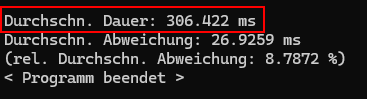
1 Like

All measurements are on one and the same machine (as in: physically the same machine, not a second “identically configured” machine), correct?

And you also compared Windows with the TCC driver to Ubuntu Linux, the TCC driver being the closest approximation on Windows to a Linux-like driver setup? Note that the GeForce RTX 4080 mentioned is not supported by the TCC driver, you will need a workstation or server-class GPU for that.

With the default WDDM driver on Windows, one is at the mercy of the operating system to a large extent (although I understand that NVIDIA attempts to work around some issues caused by that in their drivers). The whole point of WDDM was Microsoft largely grabbing control of the GPU.

The NVIDIA drivers and the management layer that configures the GPU clock rates, power management including PCIe interface settings, etc are largely a black box, and (by historical observation) the internal policies change fairly frequently. I don’t see how anybody outside the NVIDIA driver team would be able to analyze and root cause the significant discrepancies in behavior you observe. It could be due to driver differences, or it could be due to OS differences.

Data from tightly controlled experiments (which it seems you have already collected) would be an excellent basis for a bug report you could file with NVIDIA.

1 Like

Yes, that’s the case. On this machine, Windows 11 is installed on the internal SSD, Ubuntu 24.04 was booted from an external HDD.

Well, no. From what I know (I haven’t seen the machine myself) I’d say the standard (i. e. WDDM) driver is installed under Windows. The GPU is built into a common gaming PC. So I suppose there’s an integrated GPU available so you could switch to TCC mode for a couple of tests. (As far as I’ve seen, this seems to be possible from nvidia-smi, too.)

But then, the PCIe results under Windows were much faster than under Linux. So why would I want to switch to TCC mode there?

Hm, I see. I had hoped this was a well-known issue. On the other hand, I couldn’t find anything on the web. So I suppose it’s not.

I suppose I’d do that following these descriptions? Would be neat to get a response there. I’d have to register for a developer program first, though. I’ll have to see if I find the time for checking this out. Thank you for the hint!

IIRC (from many years ago) registering for the developer program was little more than providing your contact data and some general topics you were developing for, so only little more than any registration needing an email address.

1 Like