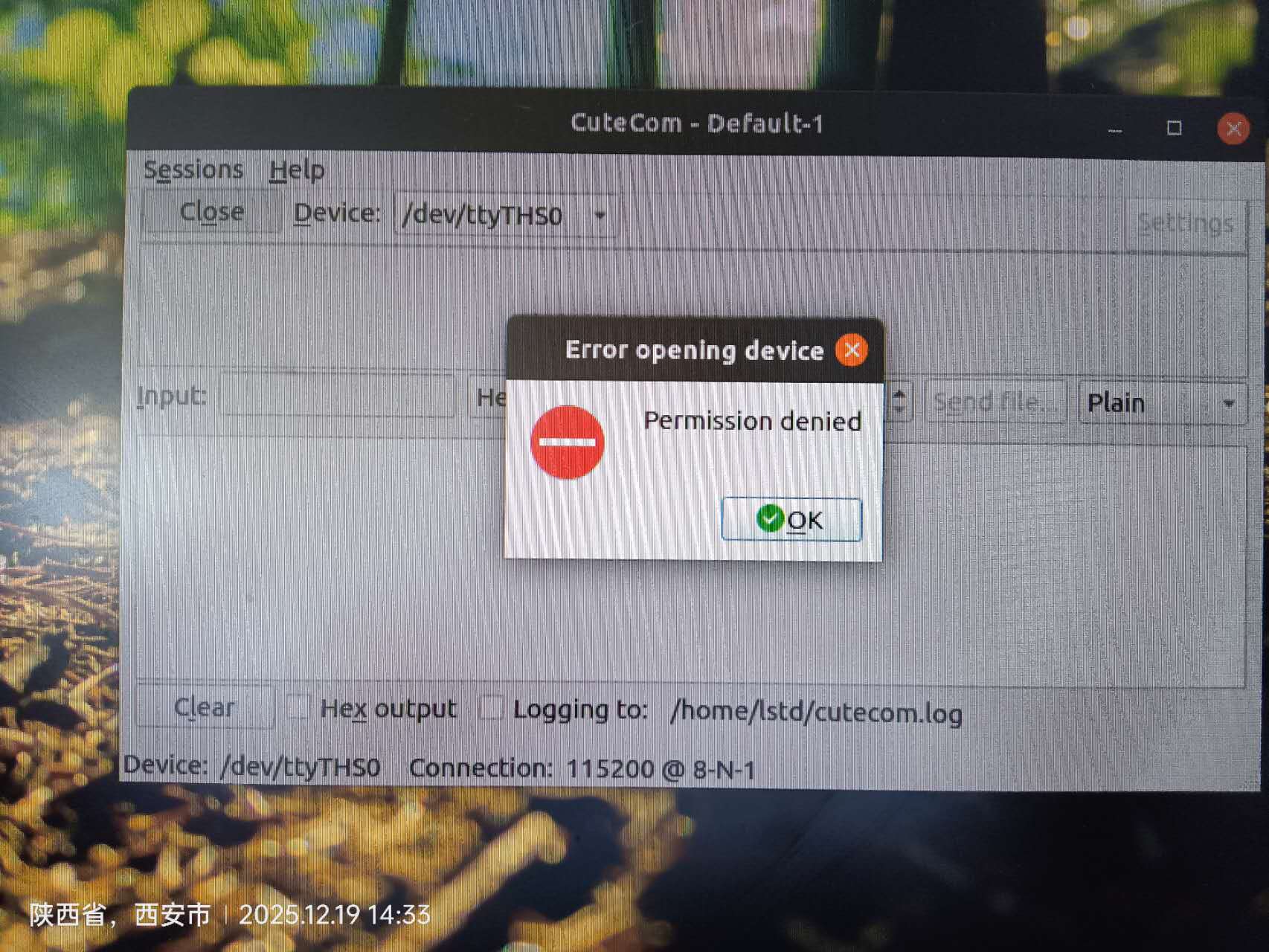
I use Cutecom to debug serial port UART1. After I connect the hardware and click the “OPEN” button, the following window will appear.
May I ask why the refusal was made? Is there anything that needs to be set?
I use Cutecom to debug serial port UART1. After I connect the hardware and click the “OPEN” button, the following window will appear.
May I ask why the refusal was made? Is there anything that needs to be set?
Did you run in root user mode?
Done, thank you very much for your guidance.
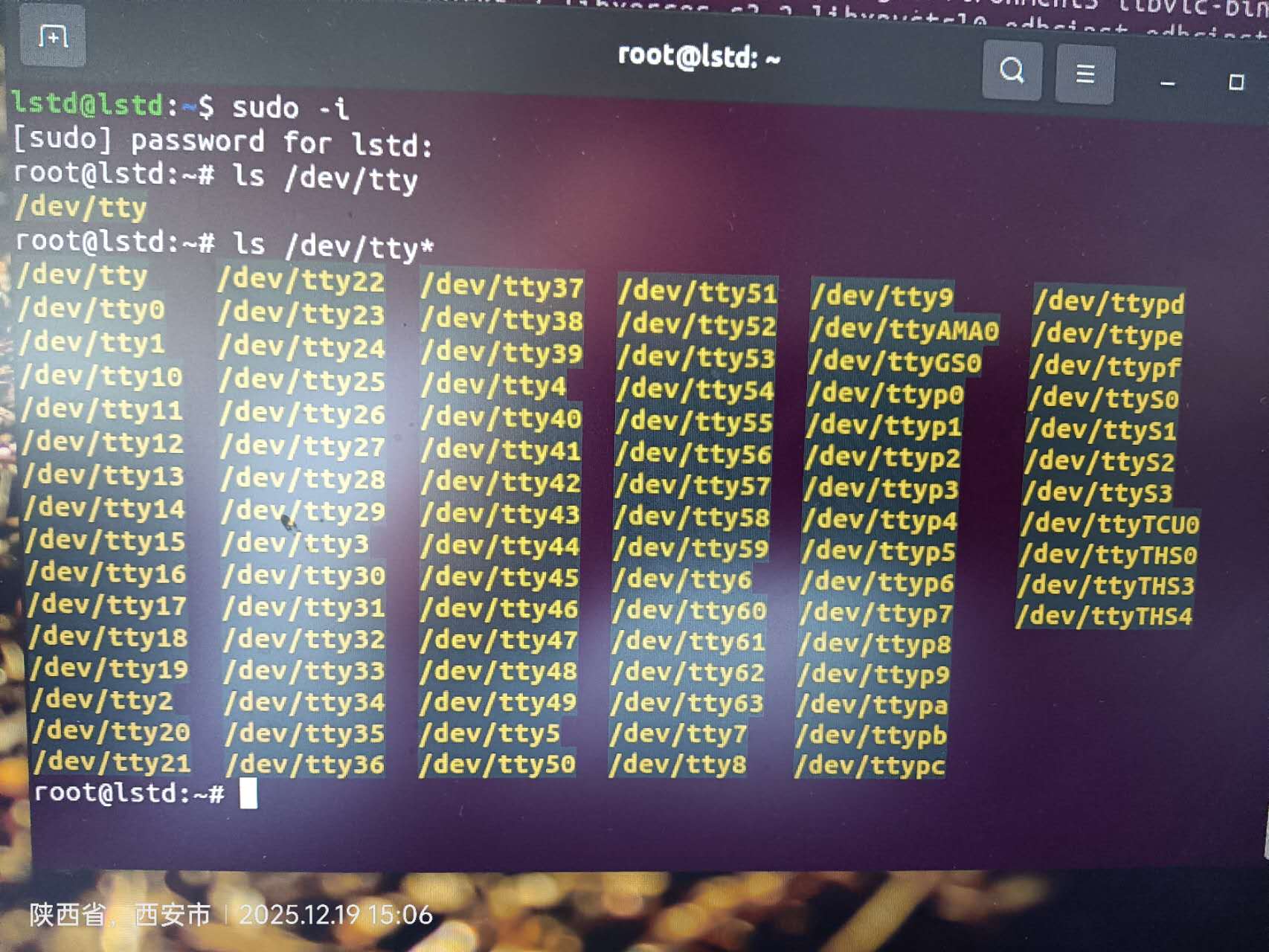
execute the below command first and check if the uart access port is listed
$ls /dev/tty*
If it is not listed then you may need to install the driver and make sure the ttyTHS0 gets listed first under /dev
Orin Nano board has 3 Uarts, but here only TTYTHS0, why are there no TTYTHS1, TTYTHS2? If I use UART1, how do I choose TTYTHS?
Please refer to the 12.3 UART of Jetson Orin NX Series and Orin Nano Series Design Guide for the available UART interface.
You can also refer to https://elinux.org/Jetson/L4T/peripheral/#Mapping_3 for their mapping.
Please note that they may be different due to the version.
I have successfully debugged using UART 1, but I am unable to debug using UART 0. Do I need to modify Pinmux?
Only UART2 is designed for the debug purpose.
What do you connect on UART0 and UART1 respectively?
Before using the UART or any interface, please always update the pinmux first.
UART0 and UART1 are planned to be connected to the GNSS module, while UART2 is planned to be connected to the MCU module.
Our old device’s NANO module also connected the debugging serial port to the MCU, and after the system startup is completed, the software continues to use UART2 directly
That’s why I designed the circuit based on old equipment.
If using UART0, I think it should be operated this way.
We do not suggest for using the debug UART port for custom usage.
(i.e. please do not connect it to your custom MCU because it will still output log after boot up)
You have to check the full dmesg and device tree to confirm which node is generated for UART0(3110000.serial).
UART0 is from M.2 Key E rather than 40-pins expansion header.
Please do not use debug UART port for your custom serial device (i.e. MCU) because you will get unexpected log output from several firmwares.
Thank you for your guidance, but we were forced to choose UART2 for the following reasons:
1.ORIN NANO only has 3 UART ports, all of which must be used to meet the requirements;
2. MCU programs can selectively receive data, so logs do not affect product functionality;
3. There are successful cases in the old version, so it is difficult to communicate about the redesign.
I can instruct you how to enable this UART node from device tree.
Please share the full dmesg and device tree.
And note that we don’t verify and support using debug UART port for other purposes so there may be unexpected data received from your MCU.
Thank you very much, that’s enough.
How to obtain dmesg and device tree?
Please run the following commands on your board and provide dmesg.log and extracted_proc.dts as file here.
dmesg:
$ sudo dmesg > dmesg.log
device tree:
$ sudo dtc -I fs -O dts -o extracted_proc.dts /proc/device-tree
Teacher
Since the ‘. dts’ format does not support uploading, I have converted’ extractedsproc. dts’ to the ‘extractedsproc. zip’ format. I hope you understand.
dmesg.log (61.3 KB)
extracted_proc.zip (61.5 KB)
Please enable serial@c280000as following in device tree.
	serial@c280000 {
		iommus = <0x06 0x04>;
		dma-coherent;
		clock-names = "serial\0parent";
		nvidia,memory-clients = <0x0e>;
		resets = <0x02 0x66>;
		interrupts = <0x00 0x72 0x04>;
		clocks = <0x02 0x9d 0x02 0x66>;
		dma-names = "rx\0tx";
		compatible = "nvidia,tegra194-hsuart";
-		status = "disabled";
+		status = "okay";
		reg = <0x00 0xc280000 0x00 0x10000>;
		phandle = <0x300>;
		dmas = <0x3f 0x03 0x3f 0x03>;
		reg-shift = <0x02>;
		reset-names = "serial";
	};
And it should be available through /dev/ttyTHS2.
Teacher, where are these codes in that file? Can you tell me the path and file name?
serial@c280000 {
		iommus = <0x06 0x04>;
		dma-coherent;
        ...
Please simply use dtc tool to decompile the DTB used in your case.
Teacher,Can you provide a more specific description of what tool? I will search and learn in Google.