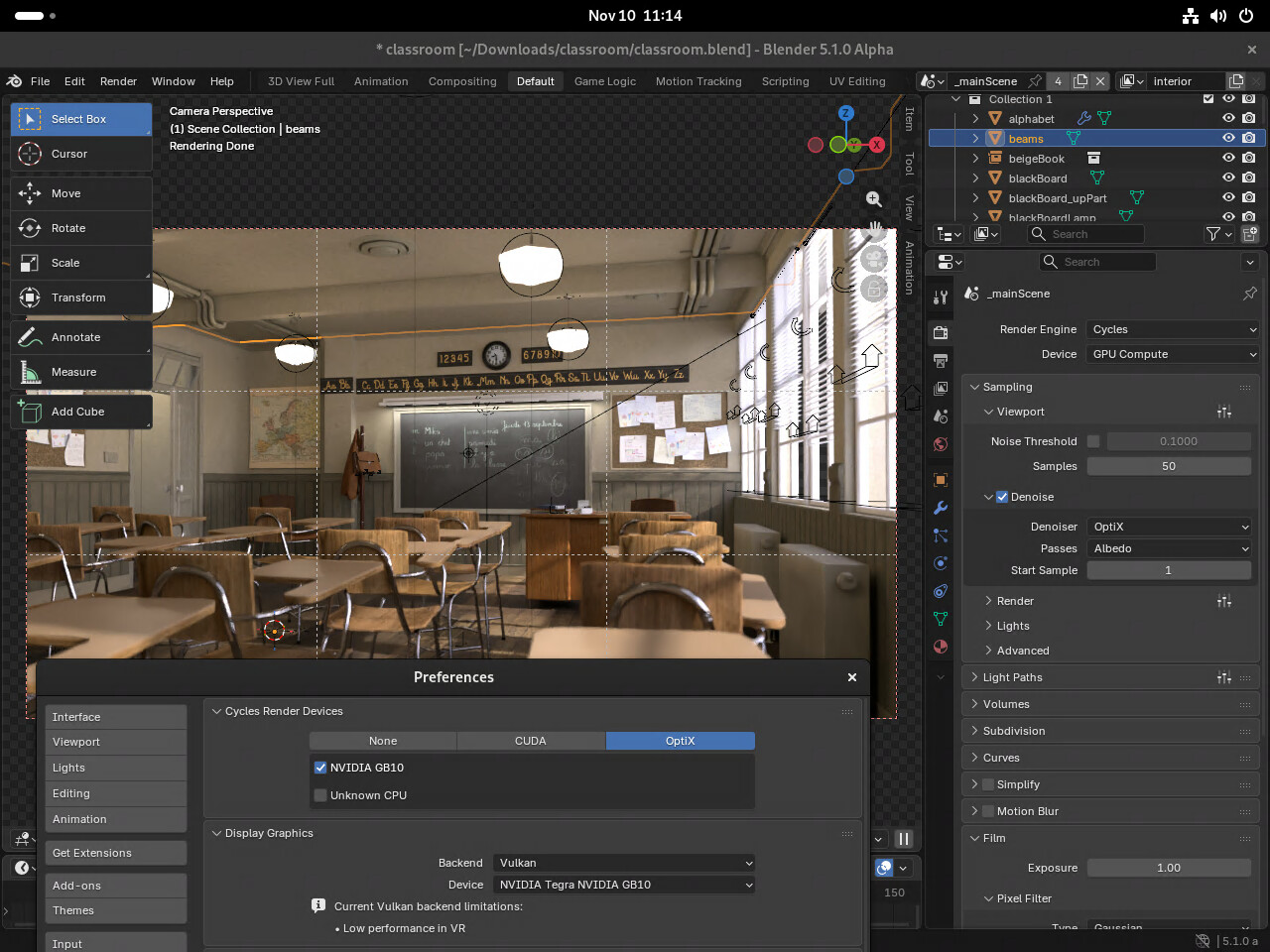
If you’d like to try, I’ve created a GitHub repo with what I did. I’ve written a build script (builder.sh) that compiles Blender and the required dependencies.
However, this is sill experimental. It installs files system-wide and does have some conflicts with certain apt packages, so (1) there is a chance it breaks DGX OS and (2) I’ve validated this on a clean install of DGX OS 7.2.3, but an install with many added packages may cause issues.
The build script is set to build Blender 5.0, but this seems to work for 5.1.0 (alpha) too. Several demos have been tested, including the Classroom demo, the “Charge” Open Movie demo, and the House of Chores demo.
I’ll be really interested in this in future, have been thinking the Spark could be good as a Blender rendering box when you’re not using it for AI, it still sounds a bit experimental though, so I’ll probably wait till this matures a bit. Ideally, it would be awesome if there is a precompiled package available in future with dependencies included, but perhaps that’s wishful thinking.
I still have a handful of things remaining to fix for this build of Blender (e.g., audio), but I did successfully render a demo video on GB10 with this build:
Curious to know what were the render times for these in comparison to a dedicated RTX GPU.
Everything here looks pretty good! Did you tweak any of the shaders, or notice any wonkyness with them?
Thanks for showing the demo! This was one of the first things I’ve tried to do when I got the spark.
Awesome stuff!
@ambrosemcduffy Sure, here’s some render times. The 3070 was with the 5.0.1 RC from BuildBot and the GB10 was with my build of 5.0.1 RC. Both had it in Vulkan mode with Cycles Render Devices set to OptiX with either the 3070 or GB10 as the device (CPU unchecked). I loaded the .blend file into tmpfs and disabled swap.
This is just one-off renders (not the average of multiple) of the Italian Flat demo scene (frame #3), so I wouldn’t treat them as well-tested benchmarks/numbers, but rather a quick test.
It’s worth noting that this scene fit into the memory of both systems. I don’t recall the exact number, but the render time for one frame of the Classroom demo was ~32 seconds. I’d guess that if you were to try a larger scene (i.e., that didn’t fit into the 3070’s VRAM), the GB10 numbers would look substantially better in comparison.
For the shaders, they seem to work correctly out-of-the-box. In the video demo, I set the environment shader to an HDRI from Poly Haven, but that was just because I wanted to, it wasn’t required for it to work. The numbers in the table are with shaders as-is.
@aceangel Hi, so I have one GB10 unit, not a cluster, so that’s not something I’ve tried. But:
I’m not aware of an existing way to use a cluster for the viewpoint Cycles preview (even for AMD64)
If you want to render, e.g., frames 1-250 with two GB10 units, you totally could copy the .blend file to GB10#1 and GB10#2, and have #1 render frames 1-125 with each frame as a .tiff and have #2 render frames 126-225 with each frame as a .tiff (giving you 125 .tiffs, one per frame) and you make a video from them at the end, with something like ffmpeg.
Hi @cho - On it being out of date, yep, I’ll try to update the build script this week and I might publish a new pre-built Blender built too on GitHub Releases.
For the GPU not working, while it looks like the Preferences are correct, additionally in the Render/Render Properties menu (the camera icon on the right sidebar), you’ll need to set Device to GPU Compute not CPU.
I can’t see the NVIDIA-OptiX-SDK-9.0.0-linux64-aarch64 version, and there’s only linux64-x86_64.sh on this NVIDIA site. Would it be better to find and install it separately?
It sounds like you’re trying to build it yourself (the prebuilt doesn’t require you to get the SDK), but do you see it on this page with the ArmAccept & Download button? Note that you will need 9.0.0 and not 9.1.0.
I’ve published a Blender 5.1.0 prebuilt for Spark/GB10 and I’ve shared the updated build script (/cc @cho), so feel free to download the release and give it a try!
The script required some changes, so if you’re going to try to build it from scratch, it might not work completely perfectly (i.e., I’d suggest going through the script process step-by-step), but I’ve updated it for 5.1.0 too.