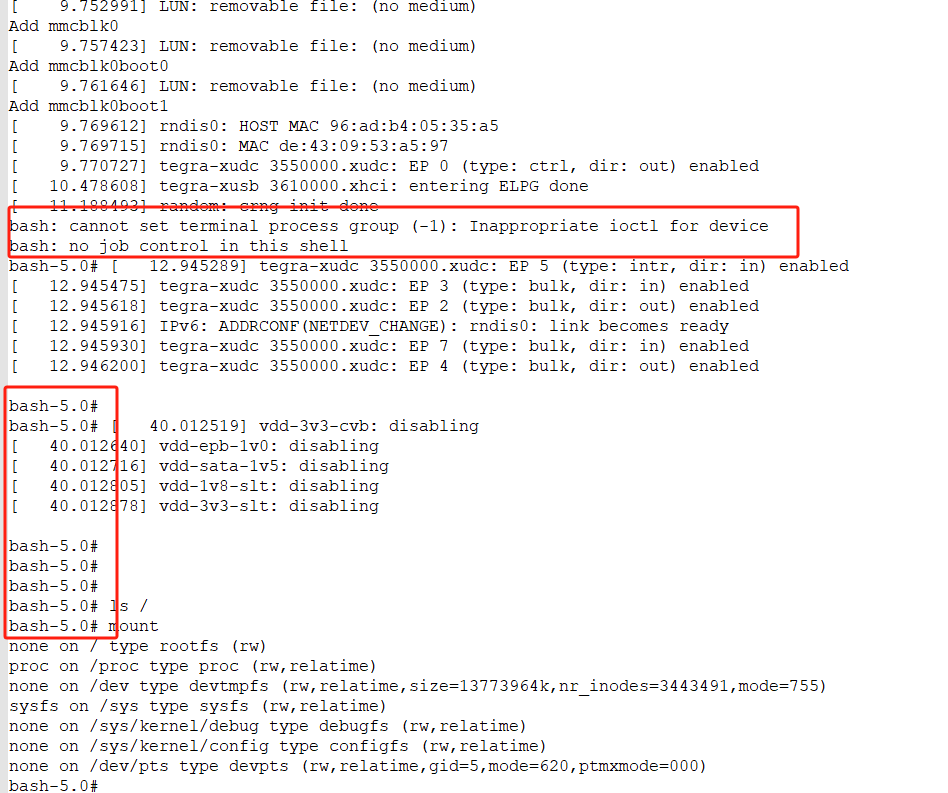
I can’t answer the question, but do consider that the JetPack 3.x release is very very old, and both the hardware and the boot chain are completely different between that and an Xavier on JetPack 5.x (which is L4T R35.x). The R28.x (JetPack 3.x) boot chain itself has almost nothing in common with the R35.x boot chain. R35.x uses UEFI and is more modular, whereas R28.x uses UBoot. R32.x migrated from actual UBoot to CBoot with UBoot features ported to that, so even R32.x boot is far different than R35.x. None of R28.x, nor R32.x hardware is used these days on Xavier, although the biggest difference is more in GPU and not so much in CPU.
This is where you’d look up AGX Xavier hardware documents (including industrial):
https://developer.nvidia.com/embedded/downloads#?tx=$product,jetson_agx_xavier
For documentation specific to your L4T release (you can find L4T release with “head -n 1 /etc/nv_tegra_release”), go to that exact release’s documentation:
https://developer.nvidia.com/linux-tegra
Also note that the flash commands are not always what they seem. Jetsons do not have a BIOS, and the equivalent of that and the boot software is normally in partitions or QSPI memory on the module. Even so, eMMC models can use a kernel, device tree, etc., inside of “/boot” or in partitions. This depends mostly on the content of your “/boot/extlinux/extlinux.conf”. Thus some boot content is stored in two places: Partitions and “/boot”. If that content is named in extlinux.conf, then normally that content takes precedence. If that content is missing, then the partition content is used.
Partitions are always signed, and unsigned partition content is always refused (“/boot” content does not need to be signed). It is true that the default signing is with a NULL key, but the partitions are signed, even when not flashing with a specific key. If the security fuses are burned, then only the signed partition content is used and the “/boot” content is always ignored. The main point here is that flashing won’t always result in that content being used.
I also want to add that some partition names are not always what they seem. I couldn’t tell you the details of every partition name. Just be certain that when you name a partition on a command line flash that you’ve verified that the partition name and flash is really flashing what you expect. Additionally, make sure that any partition flash content remains within the size specification for that partition (you could truncate a partition that you’ve increased in size). There are XML files to edit if you are increasing non-rootfs partition size beyond what is already reserved.
Incidentally, Linux (and *NIX) specifies that most everything is treated as a file, and can be accessed as a file. This includes standard operations for things like read or write. Device special files though are “pseudo” files, and don’t really exist on the disk (they are drivers in RAM pretending to be files). The drivers often need some sort of interaction other than simple file operations, and that is the ioctl() call. The ioctl call is custom to each driver. If you use an ioctl call for a driver that does not understand that custom call, then you get an invalid ioctl error. You might have two different hardware devices which do exactly the same thing, but use different drivers, and you cannot interchange between the two drivers. Or you might have a progression of driver releases for a piece of hardware, and an ioctl call might exist for one release that does not exist on the other. ioctl calls are not portable across drivers.