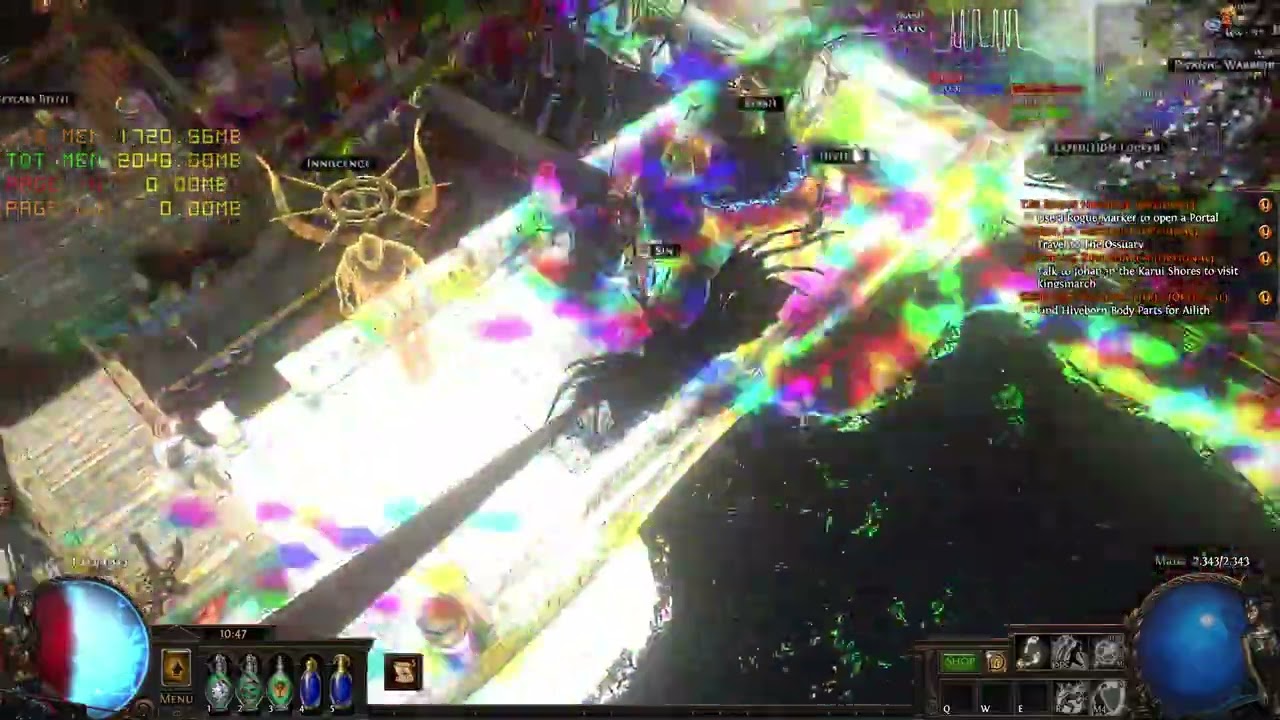
Driver crash and visual corruption + “Device Lost” on Vulkan
Hello, my name is Emanuel. I’d like to know if what I’m experiencing is a driver error, a bug, or some other kind of problem.
I don’t believe it’s a hardware failure, since my graphics card is in perfect working condition.
Nevertheless, I’m reporting this behavior as a possible NVIDIA driver issue.
System Information
- Operating System: Windows 10 Pro x64 (22H2, Build 19045.3448)
- GPU: MSI GeForce GTX 1050 2GB OC
Product page - Driver Version: 581.80 (DCH)
- CPU: Intel Core i5-8400
- Motherboard: ASUS Prime H310M-E
- RAM: 16 GB DDR4
- Storage: SATA SSD (AHCI mode, Intel RST driver)
- Power Settings: High-performance profile (no power-saving features)
Problem Description
This is an issue I’ve been experiencing for years, though I only began investigating it more seriously recently.
It always occurs when using the Vulkan API — no other graphics API produces this behavior.
Neither DirectX 8, 9, 10, 11, nor 12 show anything similar.
The issue manifests as severe visual glitches, but not artifacts, meaning the GPU itself is not physically faulty.
The card continues to function normally under all other conditions.
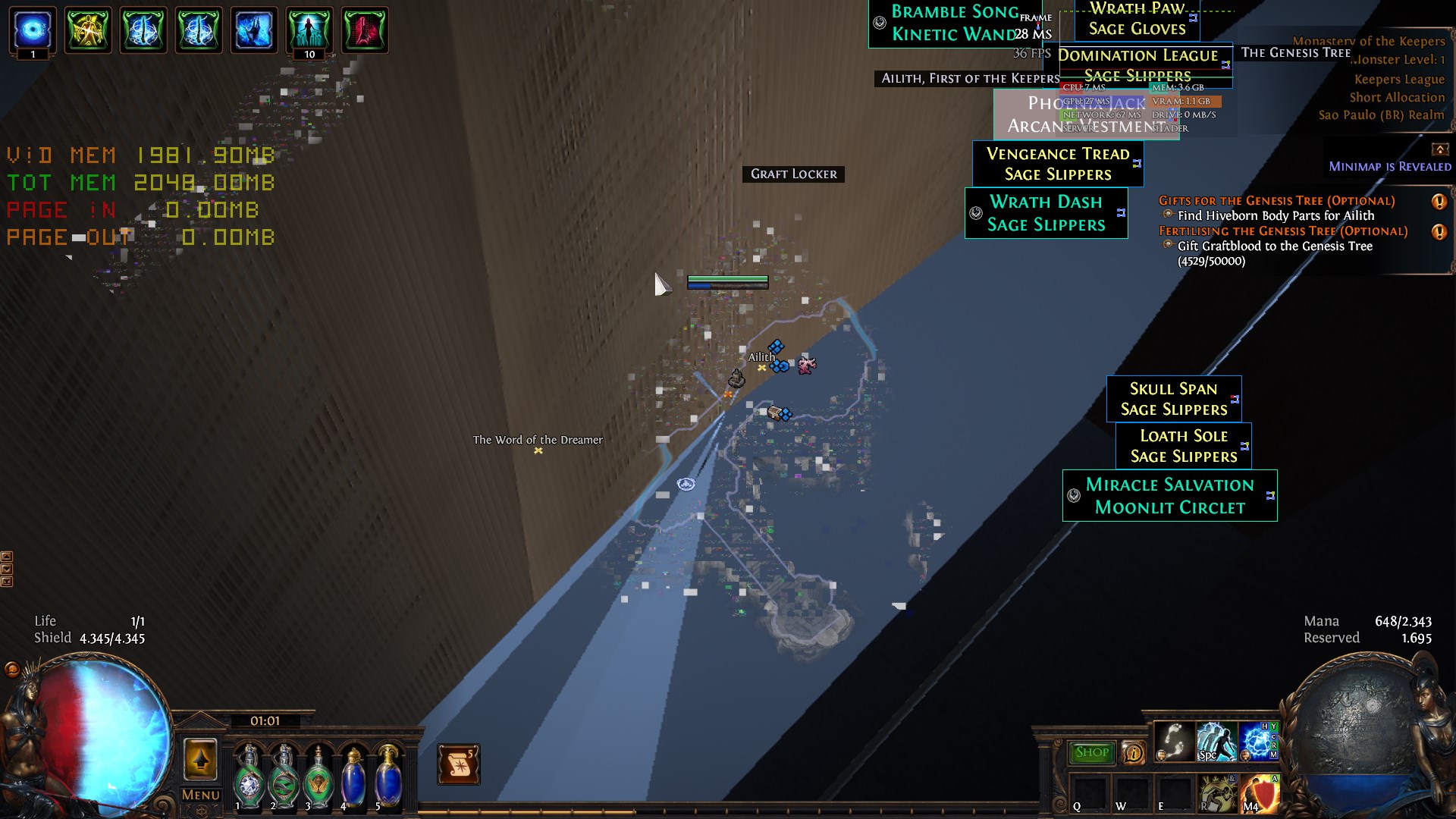
The glitches occur at certain moments when, in my opinion, the driver hangs and fails to recover properly, causing visible corruption on screen.
This behavior has become more noticeable since I started using two monitors, but it can also happen when using only one.
Relation with Chrome and Vulkan
From what I understand, Google Chrome also uses Vulkan for rendering (through ANGLE).
When this issue occurs while a Vulkan-based game is running — either natively or through DXVK — the same type of glitches appear in Chrome.
In Chrome, these appear as black and gray squares that disappear once the UI refreshes or when I move the mouse.
While less severe than in games, this happens frequently whenever a Vulkan application is active.
Affected Games
- Path of Exile 1 (native Vulkan renderer)
- Path of Exile 2 (native Vulkan renderer)
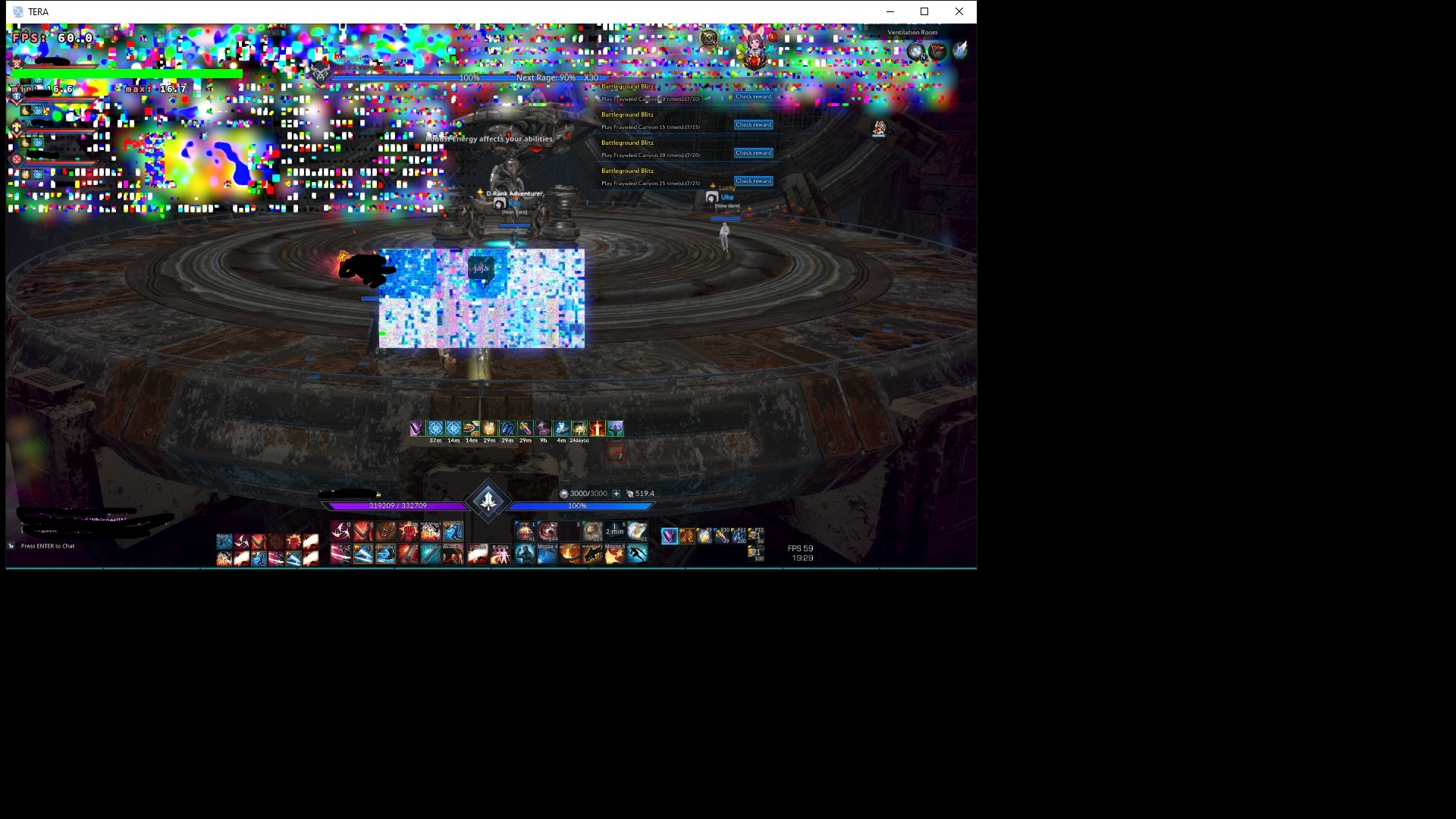
- TERA Online (using Vulkan through DXVK)
Analysis
Based on my testing and repeated occurrences, I believe this issue stems from an interaction between the NVIDIA driver, the Vulkan API, and certain system or rendering states that trigger it.
The behavior is consistent and reproducible under similar conditions.
At first, I thought it might be caused by the graphics card running out of VRAM.
That seemed plausible because VRAM usage often approaches the maximum right before the issue occurs.
However, I have ruled that out — the problem also happens when using less than half of the available VRAM.
In any case, running out of VRAM should not normally cause this kind of corruption or trigger a “device lost” state.
Symptoms
When the issue occurs:
- The game image freezes for a brief moment (up to one second under heavy GPU load).
- The system itself remains responsive — the desktop doesn’t freeze, there’s no black screen, and the driver doesn’t reset as in typical TDR cases.
- The problem only affects the Vulkan game and sometimes Google Chrome if it’s open on another monitor.
The in-game effects include:
- Textures glitching or stretching infinitely
- Flashing or fluorescent colors (pink, green, purple, yellow, blue, red)
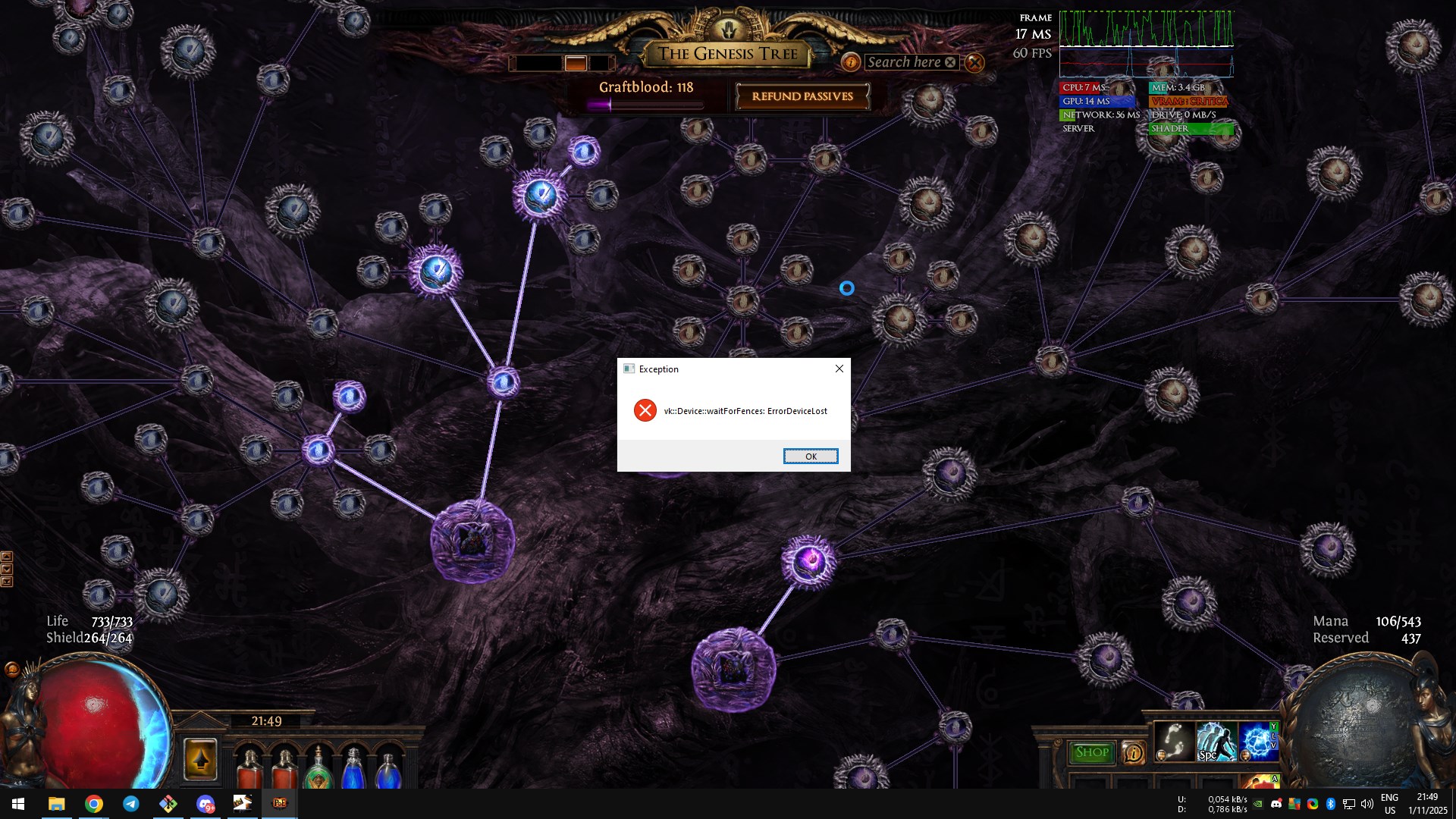
- Eventually, Vulkan crashes with a message like “Device Lost”
After that, the game becomes unplayable until it’s restarted.
Troubleshooting Attempts
To try and resolve the issue, I’ve done the following:
- Fully reinstalled Windows
- Kept drivers up to date
- Changed motherboard and CPU
- Replaced RAM modules
- Tested all available NVIDIA Control Panel options
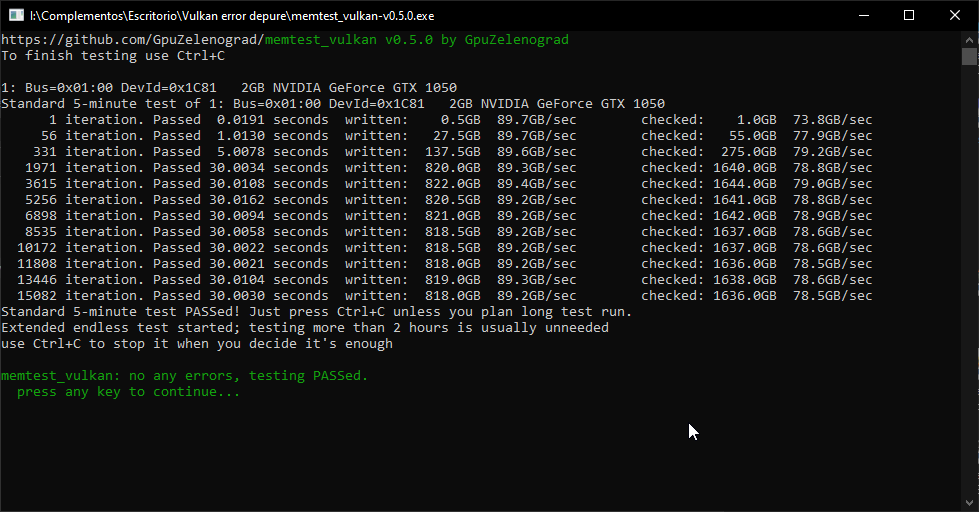
- Ran GPU stress tests using DirectX (no crashes or instability detected)
- Reapplied high-quality thermal paste and cleaned the GPU
- Inspected the GPU physically — no damage or overheating found
Despite all these efforts, the issue only occurs when using Vulkan, regardless of driver version or hardware configuration.
Additional Observation
You can “force” textures to revert to their original state if you change texture quality in-game (for example, from low to high or vice versa).
Some textures return to normal, but others continue to display graphical errors.
Event Viewer Log
I also have two identical error codes in the Windows Event Viewer, which appear at the same time the Nvidia driver crashes along with Vulkan:
The description for Event ID 153 from source nvlddmkm cannot be found.
Either the component that raises this event is not installed on your local computer or the installation is corrupted.
You can install or repair the component on the local computer.

If the event originated on another computer, the display information had to be saved with the event.

The following information was included with the event:
Two of these occur simultaneously when the Nvidia driver and Vulkan crash.
I’ll try to include pictures and videos showing the problem when it occurs.
Thank you for reading.