I need detailed instructions on how to enable lambda extensions; the compiler said something about adding -std=c++0x to a command line
Such command is usually used in makefile - it is a compiler parameter. As far as I know to successfully compile C++11 code at least gcc 4.7 is required.
MK
I am not entirely sure if you mean Nsight EE. In Nsight EE you can setup additional compiler flags as follows:
- Open project properties, select Build/Settings in the left-hand tree.
- On the Tool Settings tab, select "NVCC Compiler"/"Build Stages"

Now select NVCC Compiler/Build Stages.
Note that it might be this option is not compatible with the NVCC.
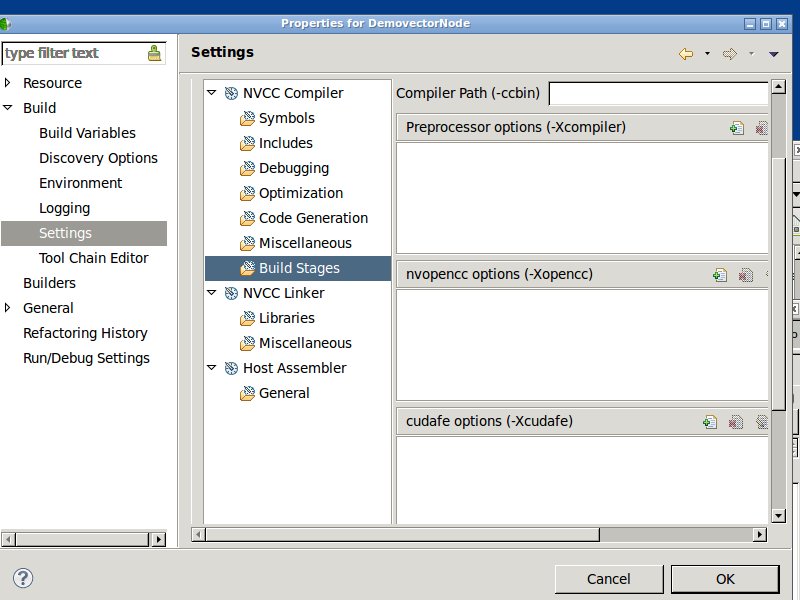
Note that NVCC does not have -std flag. You can try adding the flag to “Preprocessor flags” group but it may break the way NVCC works.
Ok,
You say that nvcc doesn’t have the -std flag; so, how would I build/compile code that user the “pthread” library such as, “pthread_create” that use lambda expressions: see attachment.
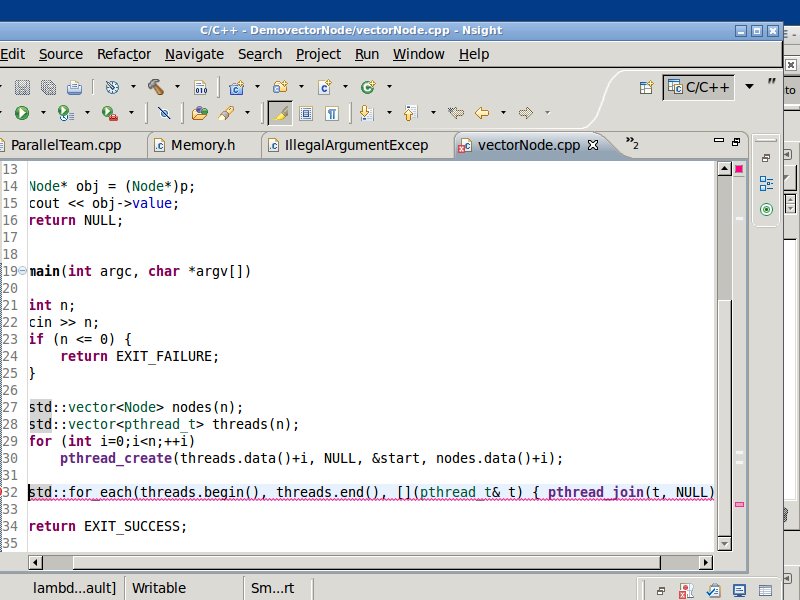
I would suggest avoiding using lambdas in CUDA C code.
Could you suggest a workaround using pthreads?
Lambda is just a compact syntax for defining a function object. You can replace it with a function pointer or function object. E.g.:
void myfunction(int i) {
    cout << i + 2 << endl;
}

int main(int argc, char const *argv[]) {
    vector<int> v(20);

    for_each(v.begin(), v.end(), myfunction);

    return 0;
}
Your “myfunction” would call the pthread_join with a thread and NULL.
If you don’t like creating a new function, regular for may be compact enough:
for (vector<int>::iterator i = v.begin(); i != v.end(); i++) {
    myfunction(*i);
}