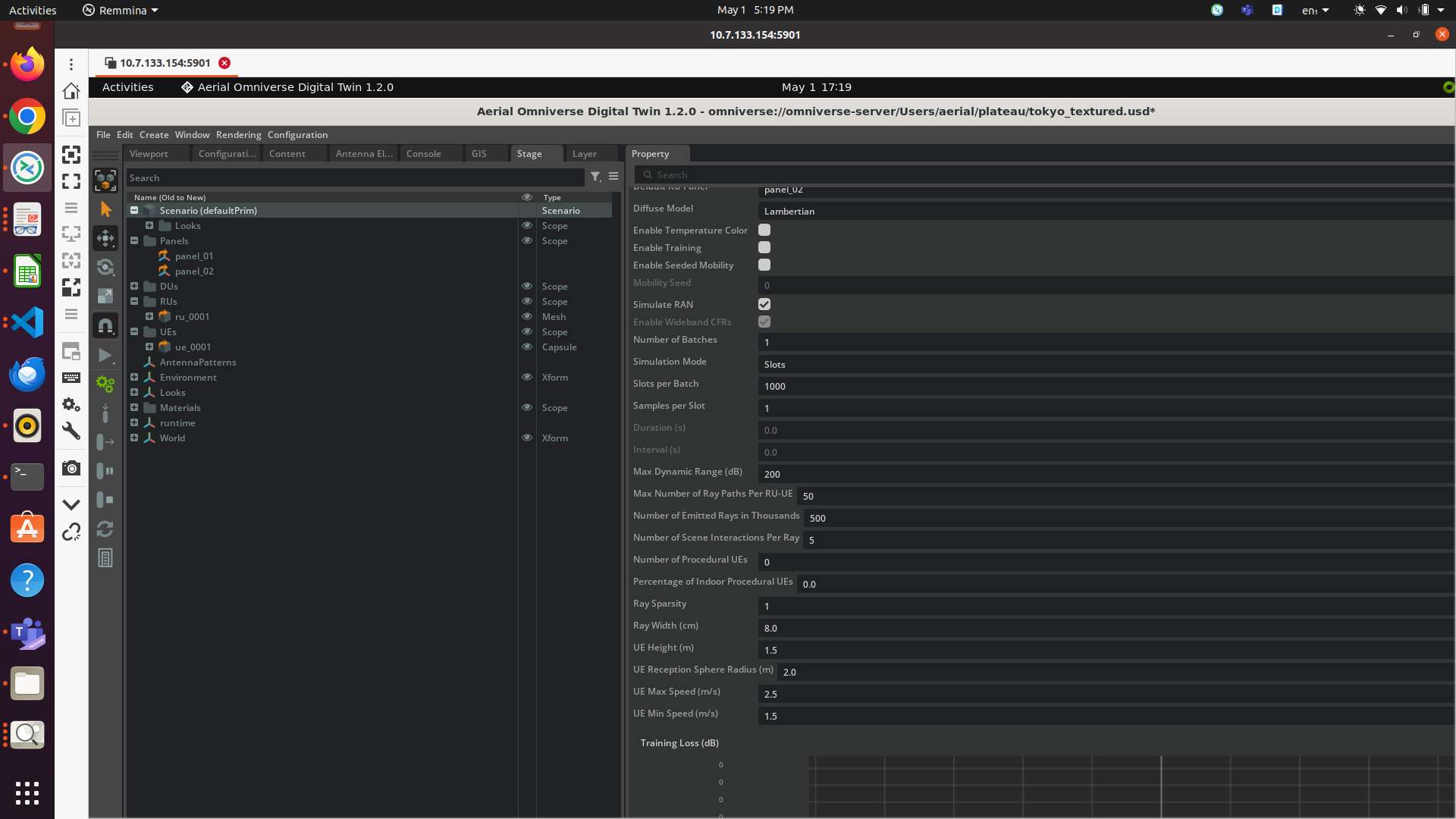
After giving some high speed in the waypoints and large number of slots some error (“problem initializing EM solver”) is there after clicking the start mobility button.
I have added scenario setting and UE mobility settings below.
I am not getting that detailed scheduling information (e.g., PRB allocations and number of layers) in local console. Actually there is nothing in my local console where I have started aodt_1.2.0/frontend/start.sh. Am I missing something here?
Hi kpasad,
Thanks for your reply.
1.GPU configuratons are below:
2.Also, how to open that backend console ? Nothing is opening in my system.
3. I have tried to reinstall the AODT again but this time some “Error response from Daemon”
@shivshankar Reinstall is not needed. The error is due to docker login error. Login into nvcr.io again
docker login nvcr.io
§ Username: $oauthtoken
§ Password: <NGC_CLI_API_KEY>
Dear @kpasad1
Thanks for your reply. It is running fine now , That EM solver issue is gone.
But still not able to open that local backend console where I can see the RAN statistics.
@shivshankar
Using the console to analyze the telemetry is not recommended. We recommend that you use the telemetry database stored in the clickhouse.
If you do wish to monitor the telemetry on the console, do the following
- Open a terminal
- Check to ensure that the backend is running (‘docer ps’ should show a process that indicates AODT 1.2)
- run the following from /backend/:
docker compose logs -f connector
This will bring the console logs for the time the docker was started. Beware, that this can be large and will take time.
- Now, when you run the simulation, you will see the telemetry on the console.
Dear @kpasad1 ,
Thanks a lot for your reply. Now i can see resource allocation info, layers , SINRs in backend console and other RAN statistics.
Also , My team is now trying to focus on digital twin based AI/ML solutions. So, we are trying to explore the AI/ML examples in AODT mode 3. But I am to able to run the examples due to “No module named ‘aerial’”. Can you kindly help me to solve this issue? It will be a great help.
@shivshankar
Sorry for the late reply.
In the previous post you mentioned that Sionna is missing as well. Did you resolve Sionna?
In meantime, we will recreate the missing aerial issue.
hi @kpasad1 ,
Thanks for reply. Yeah I have resolved the sionna issue but aerial issue is still there. Tried to install that also folloing the readme.md file but not able to do so. Showing some doca issue.
readme2.txt (4.2 KB)
cmake_log.txt (7.6 KB)