Hi @F4ll0ut! Sorry to revive this old thread, but we had a quick update on this.
We released NVIDIA Texture Tools Exporter 2024.1.1 today, which adds support for writing uncompressed textures in RGBA8 format (previously, we supported BGRA8 but not RGBA8)!
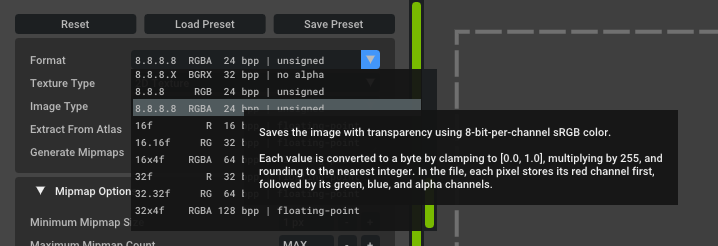
If you check “DDS: Use DXT10 Header” and set “Export Transfer Function” to “Override: sRGB” at the bottom of the settings pane, the DDS file will use the DXT10 header with the DXGI_FORMAT_R8G8B8A8_UNORM_SRGBformat:


Hope this helps!