It makes no sense to me anymore to run my Sparks above a 1400–1700 MHz GPU clock

I run two DGX Sparks (GB10) as a TP=2 cluster, and I’ve been planning to move them to solar so I wanted to know out of curiosity where their actual energy sweet spot is for llm inference respectively to KWh / 1 Million token metrics.

Setup: 2 x DGX Spark, TP=2 over the 200G QSFP56 link. My daily driver is DeepSeek-V4-Flash-0731 FP8 on vLLM (with speculative decoding and prefix caching), and I run it 14-16 hours a day, every day - so small per-watt differences add up fast over a month/year.

I swept 17 clock points, from uncapped (2400 MHz) down to 400 MHz, capping BOTH nodes with nvidia-smi -lgc (TP=2 runs them in lockstep, so a head-only cap measures nothing). Throughput came from vLLM’s own counters; power I read off a wall-socket meter covering the whole two-node rack - because nvidia-smi only accounts for ~12-27% of the real draw on GB10. All the power figures below are for BOTH Sparks together, not one.

The headline: uncapped is not even the fastest setting. Decode speed is basically flat across the top of the range - memory-bandwidth-bound, so raising the clock just makes the SMs wait faster:

Cap             Decode tok/s   Wall power    Wh per 1M tokens
2400 (uncapped)     51.34        330 W             1,688
2200                51.43        274 W             1,480
1900                50.74        252 W             1,381
1700                49.80        242 W             1,350
1400                47.74        234 W             1,362
800                 34.90        211 W             1,679

*The figures above are the combined power consuption of 2 sparks.

From 2400 down to ~1400 you lose a couple of tok/s while cutting wall power by ~90-100 W. The best energy ROI per million tokens is a band around 1400-1800 MHz - about 25% better than uncapped for a ~3% speed loss. Below ~1000 MHz the curve turns back up: generation itself costs ~190 W regardless of clock, so you’re just stretching that bill over more hours.

So if your sparks is running uncapped (or even above ~1800 MHz) you’re likely eating +100 W or more and getting no additional tokens for it plus the heat and occasionally the power transient that makes these boxes shut down. The cap is actually not a sacrifice in the top part of the range it’s close to a free win.

On my two-box setup that difference is not a rounding error. At 14-16 hours a day, moving from uncapped to ~1400-1700 MHz saves roughly 30-50 kWh a month for essentially no major throughput loss depending on the load profile you have. If you own 4+ Sparks running nonstop, these numbers get even more interesting especially when load is dominant.

I’m still a little disappointed my two-node setup idles at ~100-105 W with the model resident. But the flip side is that active inference now tops out around 220 W for both boxes at the sweet spot - far more economical than I anticipated, and that’s the number that matters when the nodes are actually working and under constant load.

For my pair, with four abrupt self-shutdowns in its history, I settled on 1400 MHz: same energy as the whole band within measurement noise, but the smallest power transient (the thing that actually kills the box). If you’re nervous about capping, 1800 MHz keeps ~97.5% of peak speed and is still inside the sweet spot.

Two practical notes: -lgc does NOT survive a reboot (re-apply it or you silently come back up uncapped), and always read the real clock back - the GB10 snaps to discrete steps (ask for 1200, get 1098).

Two more things worth knowing. Prefill is the one phase that does scale with clock (it’s compute-bound, not memory-bound), so in agentic loops with cold prefills 1400 MHz costs ~14% prefill throughput vs uncapped - but with prefix caching you only pay full prefill on the first turn of a session, so in practice the decode number is what you feel. And on thermals: capping barely cools the GPU (63 to 56 C over the whole range), and my head node’s SoC hot zone sits at 90-96 C at every clock - the cap leaves the Grace cores untouched, so don’t expect it to fix a heat problem, only the power transient.

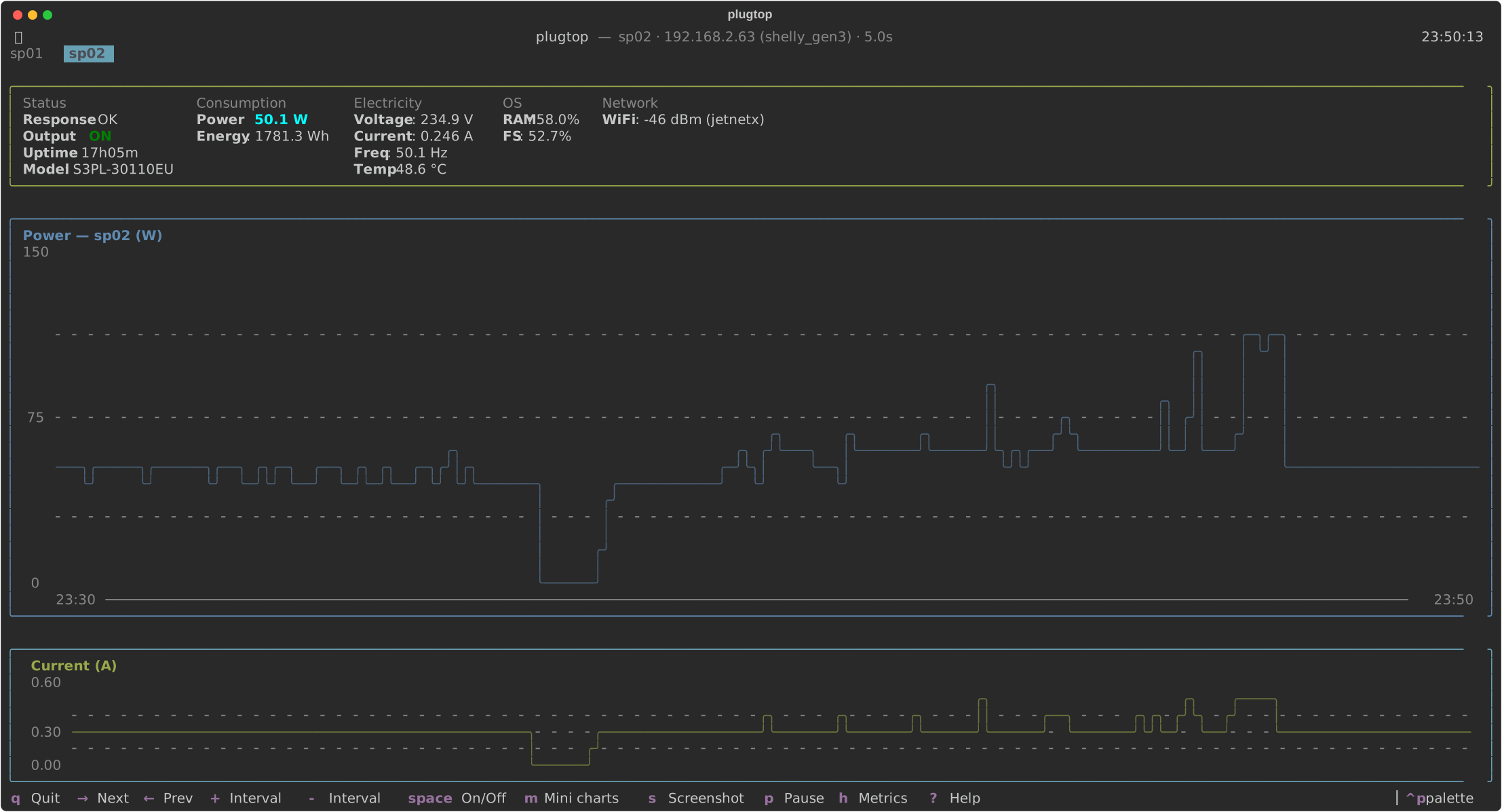
Interesting, I have exactly the same setup (2 nodes, the model) with GPU capped to 2100mhz and have not seen more then 180w/node consumption on my 2 nodes setup, e.g. from the worker, which consumes even less than 150W under load:

External Image

Update: ah, you probably mean the total comsumption - for 2 nodes, then it makes sense :)

Update # 2: cap the clock automatically on restart:

$ cat /etc/systemd/system/multi-user.target.wants/jetspark-gpu-clock-cap.service

[Unit]
Description=GB10 fixed MHz GPU clock cap
Wants=nvidia-persistenced.service
After=nvidia-persistenced.service
StartLimitIntervalSec=0

[Service]
Type=oneshot
ExecStart=/usr/bin/nvidia-smi -pm 1
ExecStart=/usr/bin/nvidia-smi -lgc 0,2100
ExecStop=/usr/bin/nvidia-smi -rgc
RemainAfterExit=yes
Restart=on-failure
RestartSec=5
TimeoutStartSec=60
TimeoutStopSec=30

[Install]
WantedBy=multi-user.target

Currently in the process of moving countries, so dont have access to my sparks to run the tests, but to make sure you have no throttling ceiling at stock clocks you need to run sparks with their cases taken off / repasted, as stock cooling setup is not capable of avoiding thermal throttling, which is why extra 15% of extra MHZ fails to yield any improvement in PP throughput after 2100Mhz.
When I tested it on mine in the past, with cases off CPU/GPU will have thermal room to boost to 2500+Mhz and PP throughput (and TG to a lesser extent) still climb higher (vs limit of 2100Mhz).

Super interesting!

The lack of explicit model made me retest these values for my own setup, with the obvious current king, DS4 Flash 0731 with DSpark

2000 Mhz for me seems like the proper pick, very close to peak ; but I’ll be running at 2150 Mhz for the increased prefill and decode speed.

(That’s 2x Asus Ascent GB10)

What software are you all using to create these graphs of your power usage and MTOK? I would like to try this myself.

Have you considered powering off and possibly WoL to bring them back on ? A bit of wait time for models to load, but if power saving is what matters to you. That’s an option.

Yeah thats what i have implemented so far a simple idle cheking routine which shut them off affter a while. WoL would be amazing but the sparks dont have this feature so only hard power cycle could bring them back up. Not a big deal but not the most convinient either.

I should have googled instead of doing a probe. :-D
Possible alternatives although I’m not sure how much cost savings you get out of this unless it’s just about the environment.

Really great analysis, thank you!

Out of curiosity, what is the solar setup you’re using?

Would be really cool if the community could come up with a closed loop renewable energy solution like the cooling thread.

I’ve got a pair of smart plugs (Shelly) so I can cold-reboot the Sparks remotely, as they sometimes get stuck and only a cold restart helps. Fortunately, auto-boot on power-on works on Acer. Not sure about other OEMs.

I had no idea Sparks were so power-hungry, even when idle.

Yeah going fully renewable could be awesome but it is tough and it depends on a workload / day. Summer time is relatively easy with a small Ecoflow River Pro 2 ( 900Wh capacity ) with a 250W solar panel i can get roughly 11h-13h free run every sunny day if we use the 1400Mhz gpu cap. All year solar with this sustained workload is much harder. I calculated for my need i would be okay all year around 4Kwh system like EcoFlow DELTA Pro 3 + a few KW solar panel on the roof. This would give maybe across the year every day a good normal 8-10h inference power. But inference is really power hungry an uncapped dual spark if running 0-24 on 330W - that almost 8Kwh / day which is 240KWh / Month - just for reference an average houshold total power consuption is around 130-220 kWh/month . So if someone running at home a dual spark with hermes nonstop uncapped thats alone would double or tirple the entire houshold power consuption. So capping the clock to 1400Mhz saves monthy approx 80Kwh in a 0-24 system. My conclusion is that going fully solar is not really a realistic goal but using solar as an addition makes perfect sense. Especially if you look at it as a solar backed UPS for the sparks.

I only have a single Spark (Asus version), not having the Connect X port active makes a difference. It idles 25W-30W with no model loaded and roughly 35W with DS4 (entrpi’s single spark version). [By the way, also downclocked to 2000Mhz]

I use the Ikea wifi socket, it also measures power which is nice (can also integrate it to Home Assistant if desired). The Asus version also powers up when AC is restored, so this is my standard way of booting it up without having to go to it physically.

Shameless plug here: Cooler GB10 Temps - (almost) no performance lost

BTW - @peter.h177 my wall power is half yours give or take, measuring exclusively the GB10

I’m also seeing much lower power usage on a single spark w/both entripi’s ds4 and gemma4. I also have a usb-c fan plugged in running at medium speed and seeing ds4 average around 50W w/display and ~40W headless.

Wouldn’t be too hard to imagine running a 24x7x365 headless spark inference machine in sunny Arizona, with the right hardware and software. Probably could even look at removing the inverter and going direct w/DC to minimize loss. Would need to put the OEM spark’s power supply under an oscilloscope to figure out how to regulate power correctly but that would have a larger impact as well w/OEM power supplies back ordered.

You might have missed that the numbers are for two Sparks together.

Woops!!!

Haha totally did. Now makes perfect sense 😉

Unfortunately there still seems to be a lack of PD3.2 240W capable solutions. I would love to see a board that accepts simple DC sources on the input side and provides a PD3.2 compatible 240W (48V/5A) USB-C output.

End of 2025/early 2026 there was an announcement for a series of “Talix Zeta” products (somehow related to the Lenovo brand). One of the products was a Kickstarter campaign for a 1kWh power station providing also a PD3.2 240 output which could feed the Spark directly without the detour via a plug-in power supply. Here you see the other product announcements: TALIX Zeta Launches Four PD 3.2 Fast-Charging Products - ChargerLAB - Charger, Battery, Cell, Power Bank, Gadgets News And Review

These solutions could act as some kind of a buffer energy storage system in combination with solar panels and without inverter losses.

If you know about similar products providing PD3.2 240W output, I would be happy to see more details. I am sure, there will be a market in the future.