Then the document can answer your question… please understand it and modify it.
You just didn’t modify it correctly…as my previous comment said…
Then the document can answer your question… please understand it and modify it.
You just didn’t modify it correctly…as my previous comment said…
Hello,
Are there no hardware problems and can be solved by referring to the document below?
Thank you.
I don’t know. I am no hardware guy.
And most of your schematic content has no point to refer to either.
If you said you only modified two usb port as type A and rest of them are same as devkit, then I believe you.
Please be aware that I don’t know your hardware board. I only follow what you said.
Hello,
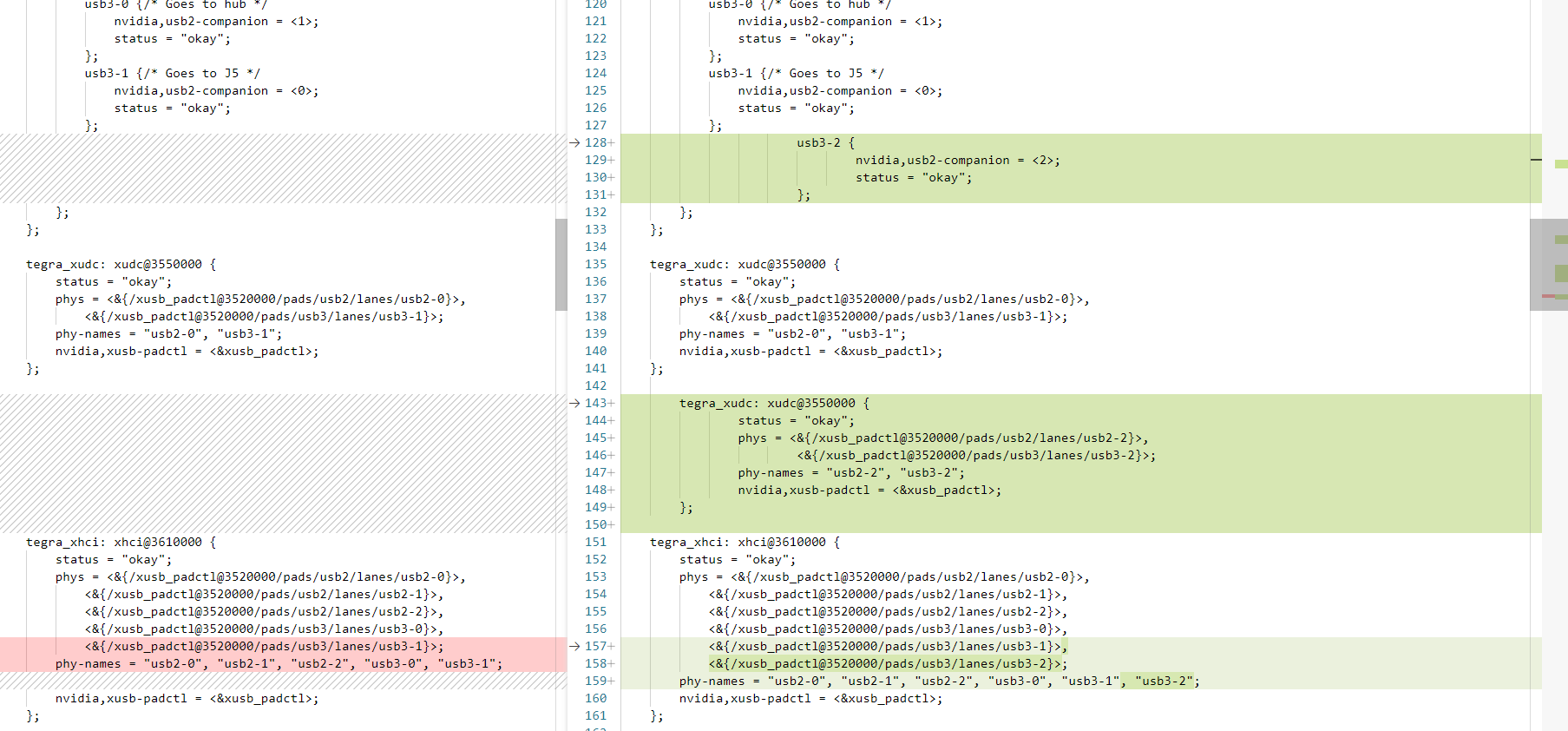
The left is the original and the right is the modified part.
Even after modifying and building like this, usb3.0 is not activated.
Could you help?
I’ll upload dts decompiled from dtb right away.
tegra234-p3767-0004-p3768-0000-a0.dts (430.4 KB)
Thank you.
Your modification is wrong. As I already mentioned in previous comment… xudc is for usb device mode.
Hello,
Can you tell me which part is wrong?
I’m not sure.
Thank you.
xudc is for device mode. If your port does not need device mode, then you don’t need to put it in xudc driver…
Hello, @WayneWWW
I followed the guide and removed it from the device tree, but it still doesn’t work with USB 3.0
tegra234-p3767-0004-p3768-0000-a0.dts (430.4 KB)
tegra234-p3768-0000-a0.dtsi (7.1 KB)
Thank you.
Where is the dmesg…?
Previous error is gone. I also saw there is a usb drive detected.
[ 8.560043] usb 1-2: New USB device found, idVendor=058f, idProduct=6387, bcdDevice= 0.02
[ 8.565341] pci 0001:01:00.0: BAR 4: assigned [mem 0x20a8000000-0x20a8003fff 64bit]
[ 8.565445] pci 0001:01:00.0: BAR 2: assigned [mem 0x20a8004000-0x20a8004fff 64bit]
[ 8.573773] usb 1-2: New USB device strings: Mfr=1, Product=2, SerialNumber=3
[ 8.581734] pci 0001:01:00.0: BAR 0: assigned [io 0x1000-0x10ff]
[ 8.589505] usb 1-2: Product: Mass Storage
[ 8.589508] usb 1-2: Manufacturer: Generic
[ 8.596888] pci 0001:00:00.0: PCI bridge to [bus 01-ff]
[ 8.603102] usb 1-2: SerialNumber: 22062484020088
[ 8.607306] pci 0001:00:00.0: bridge window [io 0x1000-0x1fff]
[ 8.607312] pci 0001:00:00.0: bridge window [mem 0x20a8000000-0x20a80fffff]
[ 8.615305] usb-storage 1-2:1.0: USB Mass Storage device detected
[ 8.616890] pci 0001:00:00.0: Max Payload Size set to 128/ 256 (was 256), Max Read Rq 512
[ 8.622590] scsi host0: usb-storage 1-2:1.0
Which port was this device use?
Hello,
I connected a usb3.0 device to Bus 01.Port 1 and it is recognized as USB2.0.
nvidia@nvidia-desktop:~$ lsusb -t
/: Bus 02.Port 1: Dev 1, Class=root_hub, Driver=tegra-xusb/4p, 10000M
/: Bus 01.Port 1: Dev 1, Class=root_hub, Driver=tegra-xusb/4p, 480M
|__ Port 2: Dev 2, If 0, Class=Mass Storage, Driver=usb-storage, 480M
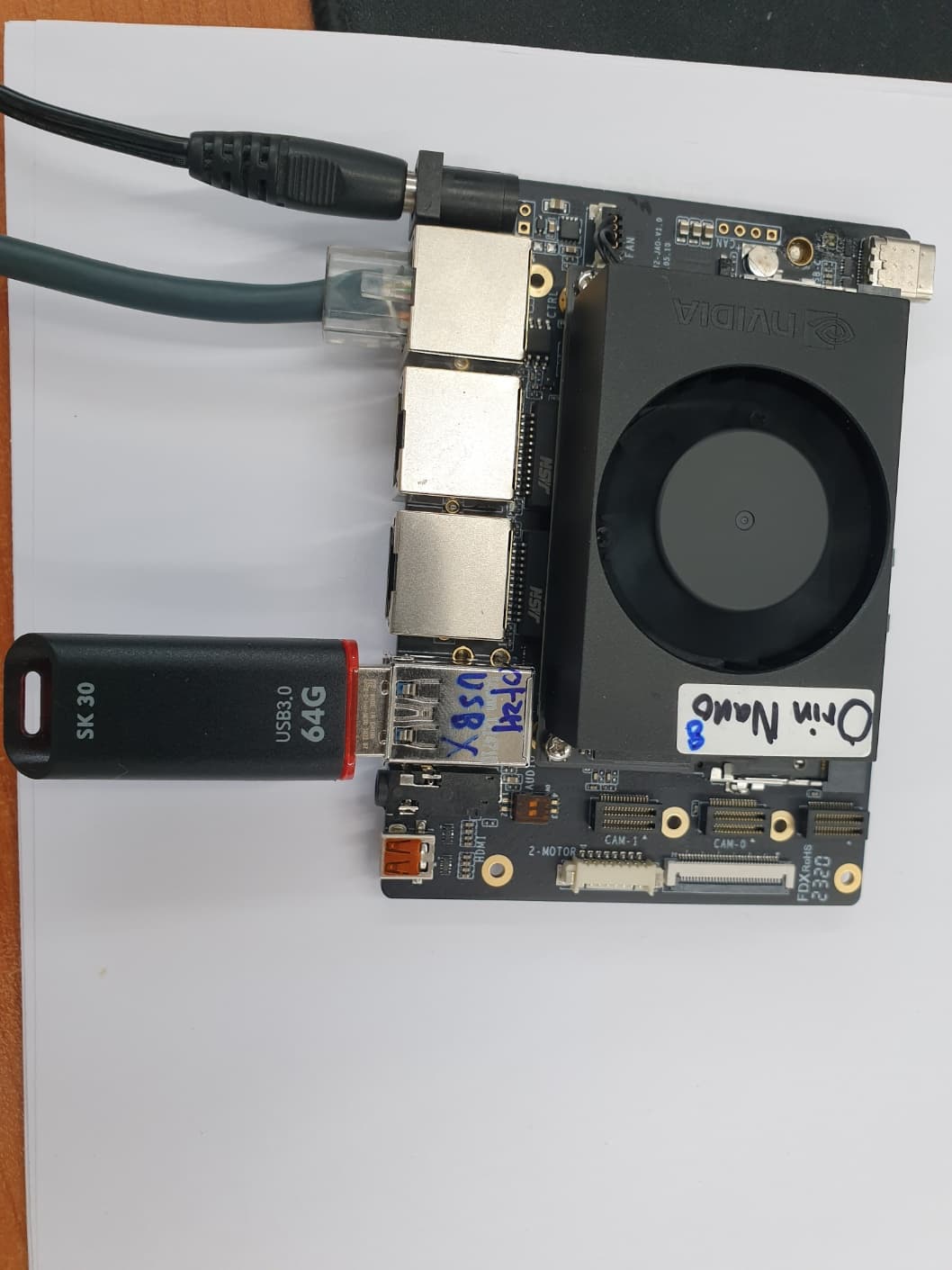
I am attaching a picture for port location confirmation.

Thank you.
Hardware design is involved and may affect the result.
As your hardware design is mystery, I cannot tell. Make sure vbus-supply is correct too.
Hello, @WayneWWW
It seems that there is no problem with vbus-supply because it is confirmed even with usb2.0.
nvidia@nvidia-desktop:~$ lsusb -t
/: Bus 02.Port 1: Dev 1, Class=root_hub, Driver=tegra-xusb/4p, 10000M
/: Bus 01.Port 1: Dev 1, Class=root_hub, Driver=tegra-xusb/4p, 480M
Thank you.
USB bus trace is needed if you really want a 100% precise diagnose… Otherwise, try to review your hardware first…