Please provide complete information as applicable to your setup.
• Hardware Platform (Jetson / GPU): Jetson AGX Orin DevKit • DeepStream Version: 7.0 • JetPack Version (valid for Jetson only): 6.0 • TensorRT Version: 8.6.2.3 • NVIDIA GPU Driver Version (valid for GPU only) • Issue Type( questions, new requirements, bugs) • How to reproduce the issue ? (This is for bugs. Including which sample app is using, the configuration files content, the command line used and other details for reproducing):
• Requirement details( This is for new requirement. Including the module name-for which plugin or for which sample application, the function description)
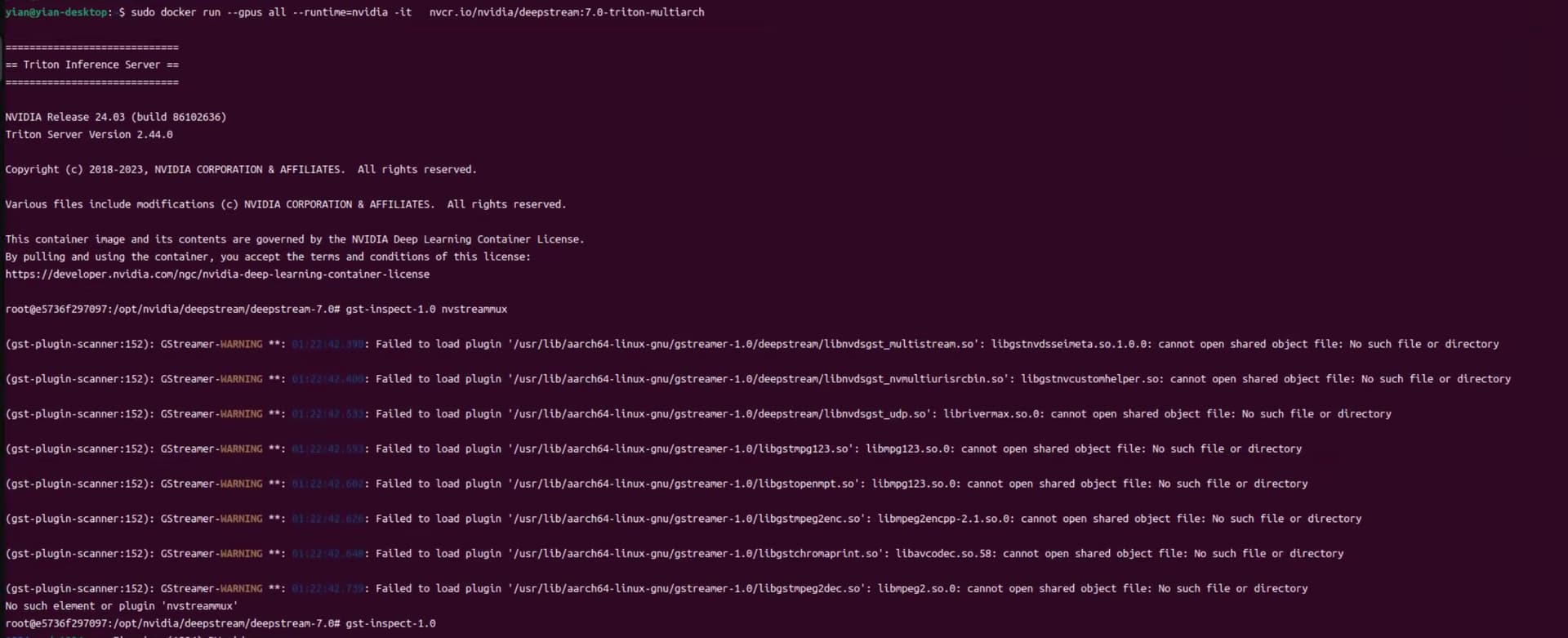
Hi, I’m using the nvcr.io/nvidia/deepstream:7.0-triton-multiarch container, but I noticed that nvstreammux is not available. I also tried installing DeepStream 7.0 directly on the host, but nvstreammux is still missing.
Is there something I’m missing? Do I need to install additional plugins or use a different container or installation method to get nvstreammux?
the docke start cmd is isconsistent with the doc. please use the method in the doc.
If the issue persists, could you share the result of “gst-inspect-1.0 nvstreammux” and “ldd /opt/nvidia/deepstream/deepstream/lib/gst-plugins/libnvdsgst_multistream.so”?
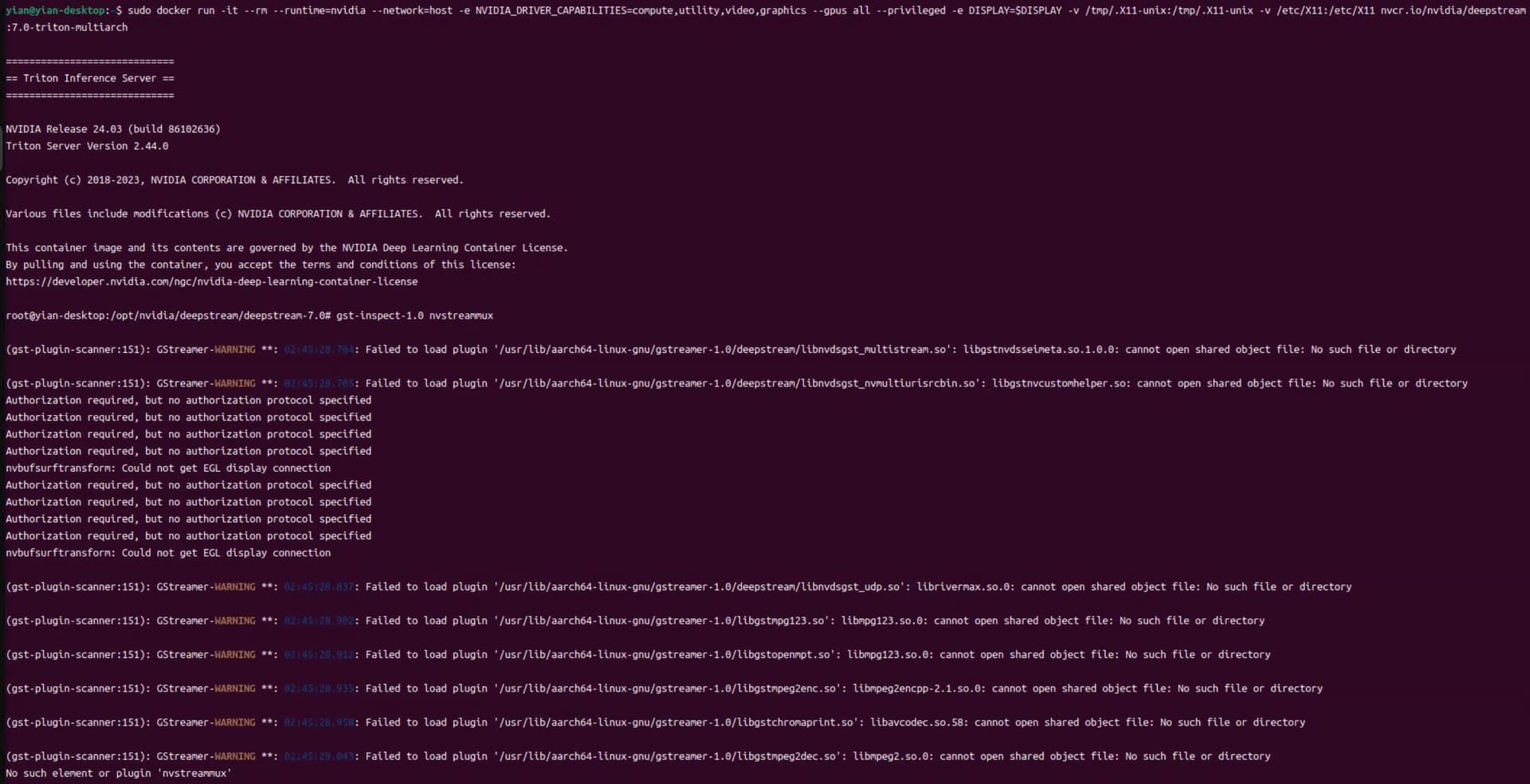
I ran this command “sudo docker run -it --rm --runtime=nvidia --network=host -e NVIDIA_DRIVER_CAPABILITIES=compute,utility,video,graphics --gpus all --privileged -e DISPLAY=$DISPLAY -v /tmp/.X11-unix:/tmp/.X11-unix -v /etc/X11:/etc/X11 nvcr.io/nvidia/deepstream:7.0-triton-multiarch”, but it still cannot find “nvstreammux”
I couldn’t find libgstnvdsseimeta* either on the host or inside the container.
I’m wondering — does the container rely on some libraries being present on the host for everything to work properly?
In other words, do I need to install certain libraries on the host to make sure the container has everything it needs?
This lib libgstnvdsseimeta.so is in Jetpack. did you install successfully JetPack 6.0 GA according to the doc for DS7.0? could you share the result of “sudo apt-cache show nvidia-jetpack”?
Since this so is in Jetpack and not part of DeepStream. I suggested copying from othe devices or reintalling Jetpack by referring to the doc above. Thanks!
When I correctly install Jetpack 6.0 and run the NVIDIA official DeepStream container using docker commands, the nvstreammux component should be automatically included inside the container ?
Which components should I install if I only want to use a docker image for my development while using the minimum required disk space?