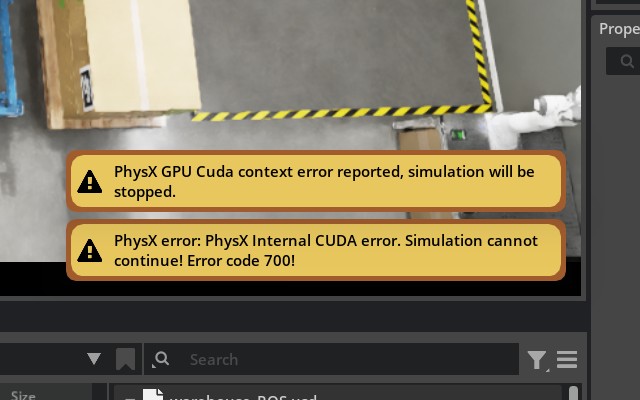
I’m following DLI course Software-in-the-Loop Testing for Robots With OpenUSD, Isaac Sim, and ROS, but running the complete scene I get the errors below. My suspect is that it’s running out of memory, but since I can’t test it on other machines I can’t confirm: is it something to be expected for this scenario to require more than 8GB?
Error Messages
2025-08-16T19:34:22Z [153,468ms] [Error] [omni.physx.plugin] PhysX error: PhysX Internal CUDA error. Simulation cannot continue! Error code 700! , FILE /builds/omniverse/physics/physx/source/physx/src/NpScene.cpp, LINE 2989 2025-08-16T19:34:22Z [153,468ms] [Error] [omni.physx.plugin] Cuda context manager error, simulation will be stopped and new cuda context manager will be created. 2025-08-16T19:34:22Z [153,480ms] [Error] [carb.cudainterop.plugin] CUDA error 700: cudaErrorIllegalAddress - an illegal memory access was encountered) 2025-08-16T19:34:22Z [153,480ms] [Error] [carb.cudainterop.plugin] Failed to wait on external semaphore in CUDA. 2025-08-16T19:34:22Z [153,480ms] [Error] [gpu.foundation.plugin] Wait for external semaphore failed in CUDA submission in command list "Render graph command list (Render queue 0, device 0, frame submission index 2)"
It happens when I try to run the Challenge - Multi-Robot Coordination section.
I load the Checkpoint4_completed_environment’s warehouse_ROS.usd scene and press PLAY.
The Franka robot moves in ready position, but when the nova should start moving (I assume) the following errors pop up and the simulation stops.
I’m aware that my GPU is below the minimum requirements for Isaac SIM (8GB VRAM), and in the documentation it states that simulating sensors may require even more VRAM than what stated in the minimum requirements (16GB).
I’m also interested in the DLI courses for Isaac Lab, and in the documentation it states that Isaac Lab may require even more VRAM: do you have any suggestion on what’s the minimum requirement to run all the Isaac Lab DLI courses?
I’m referring to those in the Getting Started With Isaac Lab section of Robotics Fundamentals Learning Path.
I could try on a machine with 12GB VRAM but there’s exactly the same error.
Maybe it’s the Isaac Sim version? (5.0 instead of 4.2 or 4.5 cited in the course)