Hi everyone,
I am trying to implement GPUDirect RDMA (GDR) on a setup involving two identical machines, but I am hitting a hard bandwidth bottleneck of around 32-38 Gbps, despite the hardware theoretically supporting 100 Gbps.
Hardware Setup (Per Node):
-
Motherboard: ASUS WS X299 SAGE/10G
-
CPU: Intel(R) Core™ i9-10980XE CPU @ 3.00GHz
-
GPU: NVIDIA Tesla T4
-
NIC/DPU: NVIDIA BlueField-2 (configured as Ethernet/RoCE)
-
OS: Ubuntu 22.04 LTS
-
Driver: NVIDIA Driver 550 (Production Branch)
-
CUDA: 12.3
-
Mellanox OFED Driver: OFED-internal-25.07-0.9.7
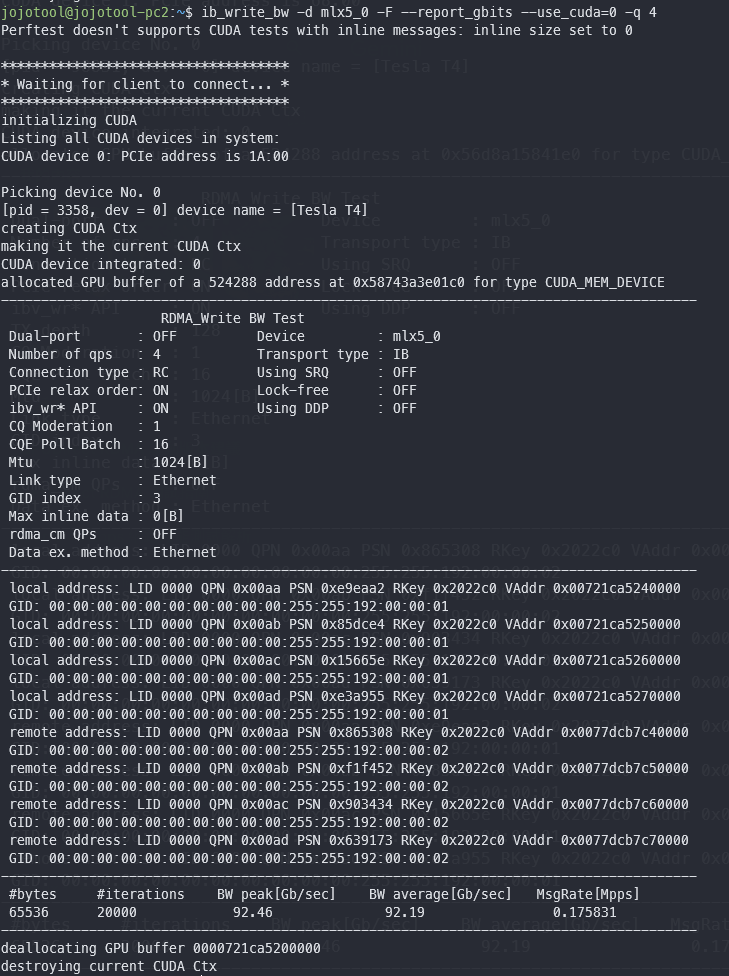
The Issue: When running ib_write_bw with GPUDirect enabled, the bandwidth is capped at ~38 Gbps. However, checking individual components confirms they are capable of full speed:
-
PCIe Link Status: Both the GPU and DPU are negotiated at Gen3 x16 (8GT/s) via
lspci. -
Pure NIC Performance: Standard RDMA test (
ib_write_bwwithout CUDA) reaches ~96 Gbps, confirming the network link is healthy. -
Host-to-Device Bandwidth: CUDA
bandwidthTest(pinned memory) shows ~12 GB/s, confirming the GPU PCIe lane is operating at x16 speed. -
Topology:
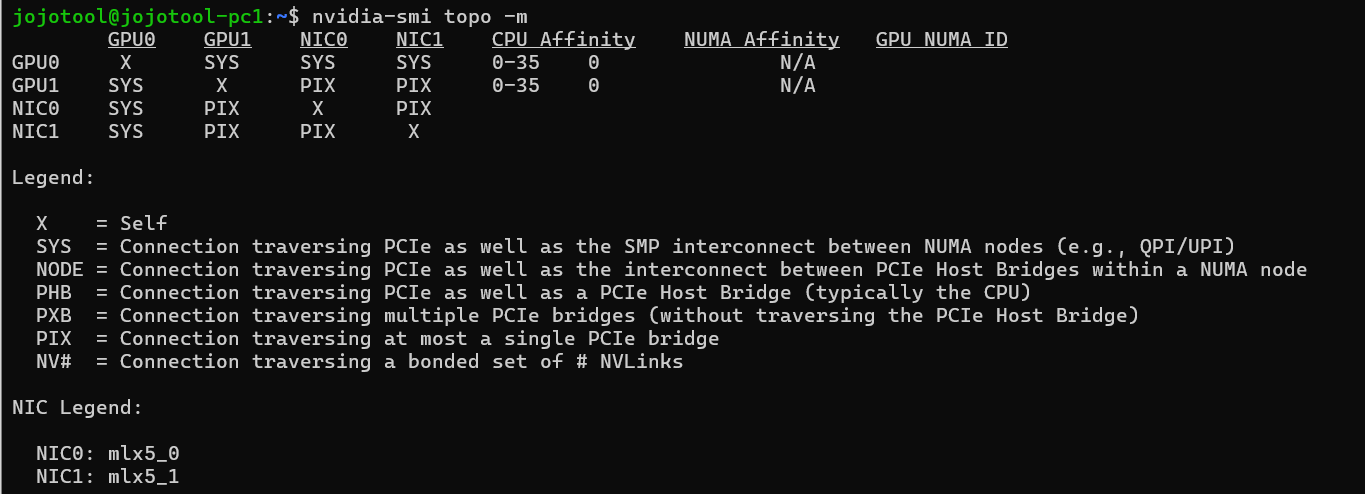
nvidia-smi topo -mshows PIX, indicating both devices are under the same PCIe root complex/switch.
Troubleshooting Steps Taken:
-
Enabled
Above 4G Decodingand disabledSecure Bootin BIOS. -
Enabled ACS Override in Grub:
pcie_acs_override=downstream,multifunction. -
Set MTU to 9000 (Jumbo Frames) on both interfaces.
-
Verified that the issue persists in both Loopback and Node-to-Node tests.
Hypothesis: Given the ASUS X299 SAGE uses PLX switches to expand PCIe lanes, I suspect the bottleneck lies in the P2P routing path through the PLX chips or a DMI limitation (limiting throughput to ~PCIe Gen3 x4 speeds), even though the link width reports x16.
Has anyone experienced similar P2P performance issues on X299 platforms with PLX chips? Are there specific BIOS settings or slot configurations recommended for this motherboard to enable full P2P throughput(~100 Gbps)?
Thanks.