Hello
Device: jetson nano devkit emmc
Jetpack version: 4.6.3
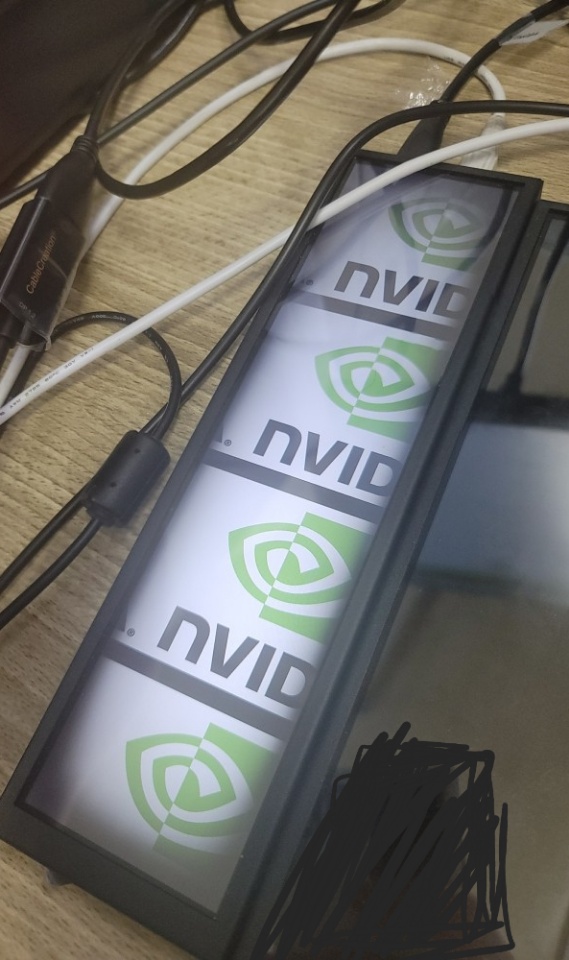
Display: Same as shown in the picture
I want to rotate cboot logo.
I know that I need to modify the dts file to rotate the cboot logo, but don’t know how to fix it.
Could I have any advice?
Hi,
You may consider using frame buffer rotation:
Hi,
I am trying to rotate my hdmi screen display on boot time. It is showing in landscape instead of portrait.
I tried to rotate fbcon in exlinux.conf but didn’t work
APPEND ${cbootargs} quiet fbcon=rotate:1
I didn’t see any rotate information in cat /proc/cmdline
I tried to change the nv-enable-hard-corded-kernel-boot-display-modes.sh fbcon_node hactive and vactive resolution it didn’t do anything.
How can I rotate the display without using xrandr or window manager?
Hi WayneWWW Thank you for response.
I tried this before, but it didn’t work.
Add CONFIG_FRAMEBUFFER_CONSOLE_ROTATION=y in kernel-4.9/arch/arm64/configs/tegra_defconifg and rebuild it (fbcon_rotate.c build ok)
The result is ‘-bash: rotate: Permission denied’
Am I missing something?
error does not occurred but cat rotate result is ‘0’
Then would it work if you put it as kernel command line in extlinux.conf?
I put ‘quiet fbcon=rotate:3’ in /boot/extlinux.conf
But cboot logo still print like picture.
Hi,
Sorry for my previous comments.
Oops…
DaveYYY
October 11, 2023, 6:43am
11
Please file a new topic or try some Googling first if it’s not related to the original issue.
system
November 6, 2023, 7:48am
13
This topic was automatically closed 14 days after the last reply. New replies are no longer allowed.