I can’t reproduce this issue on L4 with DS7.0 docker. I run the 1.sh at the same time on four terminals. no one crashed in 90 minutes. please refer to my tests.1.sh (2.0 KB) terminal1 .txt (147.2 KB)terminal2.txt (147.2 KB)terminal3.txt (147.2 KB) terminal4.txt (147.2 KB)
Hi @fanzh
We understand that you are not able to reproduce the issue within 90 min. But If you have notice the graph then the app crashes after 17-18 hours or even after 26+hours. Please try to reproduce this.
we will be shortly uploading docker.log and kernel.log whatever you ask from us as the log are big i will upload in parts.
Thanks
Here I am attaching the log. Which two you asked for
docker_logs_1.zip (90.7 MB)
docker_logs_2.zip (90.7 MB)
docker_logs_3.zip (90.7 MB)
docker_logs_4.zip (90.7 MB)
docker_logs_5.zip (10.4 MB)
kernel.log (987.7 KB)

there are only network logs in kernel.log. did you mistake the log? Thanks! About " the app crashes after 17-18 hours", noticing previously “It’s 45min one process is getting down” , did you test with my 1.sh? I suggest using 1.sh to test. it is the simplest code the reproduce this issue.
Hi @fanzh
- In kernel.log we are storing “dmesg >> kernel.log” on the host machine, if you know any other way please guide us the proper method to take the kernel.log.
- So the experiments as follows
- 1st experiment nvurisrcbin(smart-record property enable) -->streammux—>queue —>infer—>tracker---->analytics ---->queue —>appsink. The app crashes within 45-50min.
- 2nd experiment nvurisrcbin(No smart-record property) -->streammux—>queue —>infer—>tracker---->analytics ---->queue —>appsink. App not getting killed for 5 days.
- 3rd experiment nvurisrcbin(smart-record property enable) -->streammux—>queue —>infer—>tracker---->analytics ---->queue —>fakesink. The app crashes after 26+ hours
- 4th experiment nvurisrcbin(smart-record property enable) -->streammux—>fakesink.The app crashes after 20+ hours , the behaviour is random it can be killed after 6 hours also or after 36 hours, But the app crashes.
- 5th latest experiment nvurisrcbin(smart-record property enable) -->streammux—>fakesink. With file-loop=1 , the app is running 24+ hours it not crashes till now.
So, with all this experiments we are thinking, let’s say the rtsp stream which we are using,maybe their is some problem with the rtsp itself.So if let’s say if the rtsp gives corrupted frames(something we don’t know) and because of smart record property enable it try to putting in a buffer and their is some problem when corrupted frames copped to the buffer the pipeline get kill and give core dump.
So the assumption for the above hypothesis this because only difference between 2nd and 3rd experiment is 1st one smart-record property enable and disable, stream remains the same and appsink to fakesink, For appsink the pipeline runs, and for fakesink the pipeline crashes. In experiment no 4th and 5th which is still going on the difference between this is rtsp-stream and file-loop, we hope so if the 5th experiment does not gives us any core dump issue then we need to do something to verify the hypothesis.
So what’s your take on the experiments ?
- We will shortly run 1.sh which you provided and share the results with you, we are bit reluctant to run 1.sh as in our callbacks, we always have
def process_frame_meta(gst_buffer, frame_meta, camid = 6) -> Tuple[np.ndarray, Dict]:
        frame_info = defaultdict(create_frame_info)
        l_obj = frame_meta.obj_meta_list

        process_object_meta(l_obj, frame_info[camid]['obj_meta'])

        time.sleep(0.0005)
        __f_i = copy.deepcopy(frame_info)
        del __f_i
        del frame_info
this as a callback time.sleep and deep-copy is very important as that represents our business logic. Without this we can not take the data out the pipeline.
could you try “sudo dmesg -k >> kernel.log” on the host? Here is a sample in this topic.
Thanks for the sharing! from this test, we haved narrowed down the issue. seems there is still some custom code. To isolate the issue, could you share the result of 1.sh without any custom code? Thanks!
Hi @fanzh
As you suggested to run 1.sh, we are running this currently. It’s more than 36+ hours all pipelines are running, no process got killed so far.
- So how can we come to conclusion, what maybe reason for killing the process after a certain time ?
- What is the necessary step to avoid this kind of issue ?
As it does not make sense to remove the call-back as that is very much required to take the data out. We will currently continue to run this experiment and give the updates.
But by that time lets assume that pipeline will not get killed ..
Below is the sh file we are running 4 times each for 2 gpus
uri=rtsp://10.90.6.141:32554/gmrhead
gpu_id=0  # Set this to 0 or 1 as needed

gst-launch-1.0 \
nvurisrcbin uri=$uri gpu-id=$gpu_id latency=1 num-extra-surfaces=5 rtsp-reconnect-interval=180 source-id=0 smart-record=2 smart-rec-dir-path=./ smart-rec-cache=20 ! mux.sink_0 \
nvurisrcbin uri=$uri gpu-id=$gpu_id latency=1 num-extra-surfaces=5 rtsp-reconnect-interval=180 source-id=1 smart-record=2 smart-rec-dir-path=./ smart-rec-cache=20 ! mux.sink_1 \
nvurisrcbin uri=$uri gpu-id=$gpu_id latency=1 num-extra-surfaces=5 rtsp-reconnect-interval=180 source-id=2 smart-record=2 smart-rec-dir-path=./ smart-rec-cache=20 ! mux.sink_2 \
nvurisrcbin uri=$uri gpu-id=$gpu_id latency=1 num-extra-surfaces=5 rtsp-reconnect-interval=180 source-id=3 smart-record=2 smart-rec-dir-path=./ smart-rec-cache=20 ! mux.sink_3 \
nvurisrcbin uri=$uri gpu-id=$gpu_id latency=1 num-extra-surfaces=5 rtsp-reconnect-interval=180 source-id=4 smart-record=2 smart-rec-dir-path=./ smart-rec-cache=20 ! mux.sink_4 \
nvurisrcbin uri=$uri gpu-id=$gpu_id latency=1 num-extra-surfaces=5 rtsp-reconnect-interval=180 source-id=5 smart-record=2 smart-rec-dir-path=./ smart-rec-cache=20 ! mux.sink_5 \
nvurisrcbin uri=$uri gpu-id=$gpu_id latency=1 num-extra-surfaces=5 rtsp-reconnect-interval=180 source-id=6 smart-record=2 smart-rec-dir-path=./ smart-rec-cache=20 ! mux.sink_6 \
nvurisrcbin uri=$uri gpu-id=$gpu_id latency=1 num-extra-surfaces=5 rtsp-reconnect-interval=180 source-id=7 smart-record=2 smart-rec-dir-path=./ smart-rec-cache=20 ! mux.sink_7 \
nvurisrcbin uri=$uri gpu-id=$gpu_id latency=1 num-extra-surfaces=5 rtsp-reconnect-interval=180 source-id=8 smart-record=2 smart-rec-dir-path=./ smart-rec-cache=20 ! mux.sink_8 \
nvurisrcbin uri=$uri gpu-id=$gpu_id latency=1 num-extra-surfaces=5 rtsp-reconnect-interval=180 source-id=9 smart-record=2 smart-rec-dir-path=./ smart-rec-cache=20 ! mux.sink_9 \
nvurisrcbin uri=$uri gpu-id=$gpu_id latency=1 num-extra-surfaces=5 rtsp-reconnect-interval=180 source-id=10 smart-record=2 smart-rec-dir-path=./ smart-rec-cache=20 ! mux.sink_10 \
nvurisrcbin uri=$uri gpu-id=$gpu_id latency=1 num-extra-surfaces=5 rtsp-reconnect-interval=180 source-id=11 smart-record=2 smart-rec-dir-path=./ smart-rec-cache=20 ! mux.sink_11 \
nvurisrcbin uri=$uri gpu-id=$gpu_id latency=1 num-extra-surfaces=5 rtsp-reconnect-interval=180 source-id=12 smart-record=2 smart-rec-dir-path=./ smart-rec-cache=20 ! mux.sink_12 \
nvurisrcbin uri=$uri gpu-id=$gpu_id latency=1 num-extra-surfaces=5 rtsp-reconnect-interval=180 source-id=13 smart-record=2 smart-rec-dir-path=./ smart-rec-cache=20 ! mux.sink_13 \
nvurisrcbin uri=$uri gpu-id=$gpu_id latency=1 num-extra-surfaces=5 rtsp-reconnect-interval=180 source-id=14 smart-record=2 smart-rec-dir-path=./ smart-rec-cache=20 ! mux.sink_14 \
nvurisrcbin uri=$uri gpu-id=$gpu_id latency=1 num-extra-surfaces=5 rtsp-reconnect-interval=180 source-id=15 smart-record=2 smart-rec-dir-path=./ smart-rec-cache=20 ! mux.sink_15 \
nvurisrcbin uri=$uri gpu-id=$gpu_id latency=1 num-extra-surfaces=5 rtsp-reconnect-interval=180 source-id=16 smart-record=2 smart-rec-dir-path=./ smart-rec-cache=20 ! mux.sink_16 \
nvurisrcbin uri=$uri gpu-id=$gpu_id latency=1 num-extra-surfaces=5 rtsp-reconnect-interval=180 source-id=17 smart-record=2 smart-rec-dir-path=./ smart-rec-cache=20 ! mux.sink_17 \
nvurisrcbin uri=$uri gpu-id=$gpu_id latency=1 num-extra-surfaces=5 rtsp-reconnect-interval=180 source-id=18 smart-record=2 smart-rec-dir-path=./ smart-rec-cache=20 ! mux.sink_18 \
nvurisrcbin uri=$uri gpu-id=$gpu_id latency=1 num-extra-surfaces=5 rtsp-reconnect-interval=180 source-id=19 smart-record=2 smart-rec-dir-path=./ smart-rec-cache=20 ! mux.sink_19 \
nvstreammux name=mux batch-size=20 width=1920 height=1080 gpu-id=$gpu_id batched-push-timeout=33333  ! fakesink enable-last-sample=0 sync=0
1_modified.sh got killed after 45+ hours. We will share all log in sometime.
Attaching kernel logs
kernel.log (2.9 MB)
I will attach docker.log
docker_filtered_log.zip (17.1 MB)
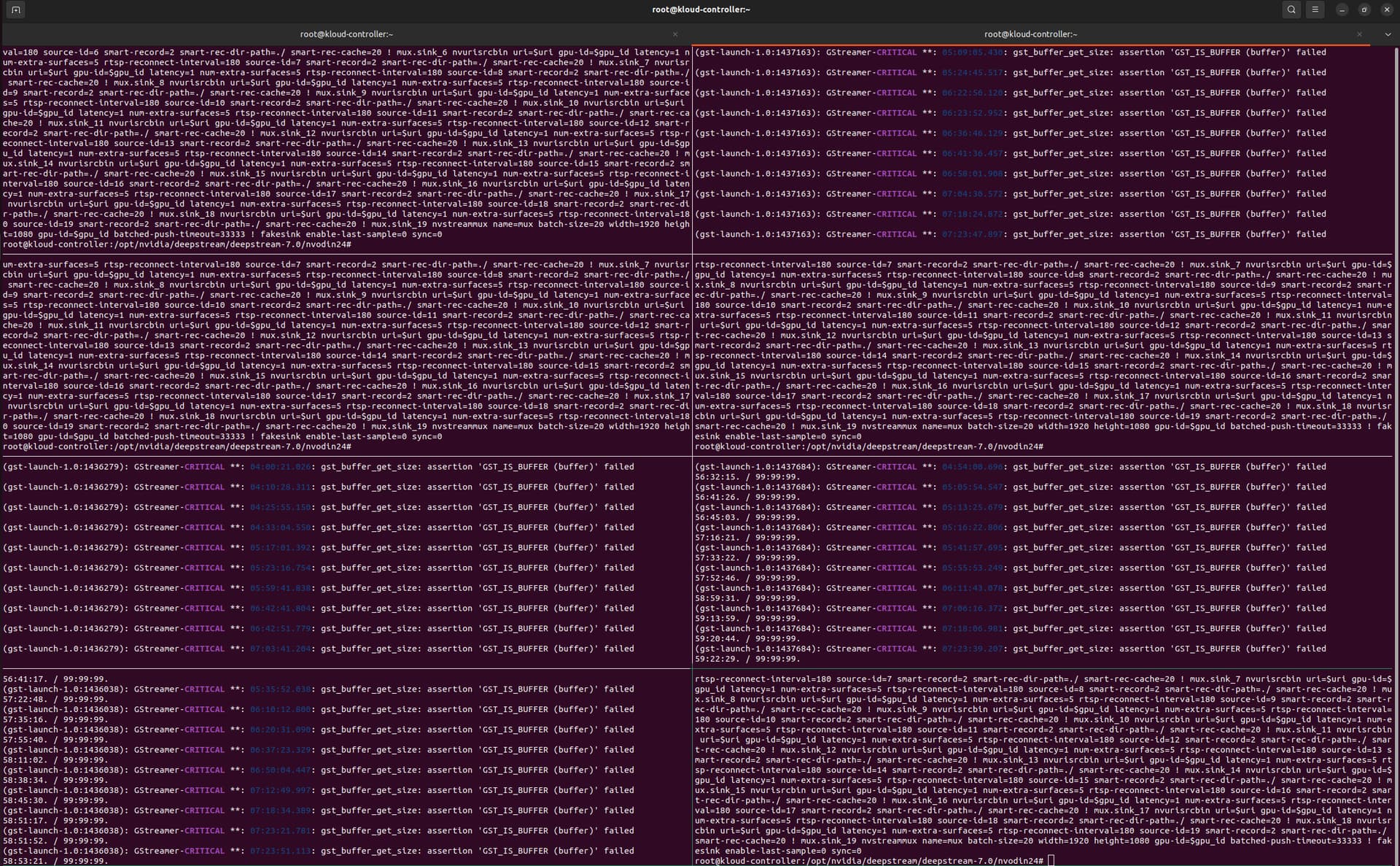
gdb output is
Program terminated with signal SIGSEGV, Segmentation fault.
#0  0x00007e037c8e6ebc in gst_buffer_copy_into () from /lib/x86_64-linux-gnu/libgstreamer-1.0.so.0
[Current thread is 1 (Thread 0x7e00bd000640 (LWP 1436870))]
(gdb) bt full
#0  0x00007e037c8e6ebc in gst_buffer_copy_into () from /lib/x86_64-linux-gnu/libgstreamer-1.0.so.0
No symbol table info available.
#1  0x00007e035fb711d6 in ?? () from /usr/lib/x86_64-linux-gnu/gstreamer-1.0/deepstream/libgstnvvideo4linux2.so
No symbol table info available.
#2  0x00007e037c9501d7 in ?? () from /lib/x86_64-linux-gnu/libgstreamer-1.0.so.0
No symbol table info available.
#3  0x00007e037c7d8384 in g_thread_pool_thread_proxy (data=<optimized out>) at ../glib/gthreadpool.c:350
        task = 0x7dfe1c4a1bb0
        pool = <optimized out>
#4  0x00007e037c7d7ac1 in g_thread_proxy (data=0x7e02f0027ac0) at ../glib/gthread.c:831
        thread = 0x7e02f0027ac0
        __func__ = "g_thread_proxy"
#5  0x00007e037c558ac3 in start_thread (arg=<optimized out>) at ./nptl/pthread_create.c:442
        ret = <optimized out>
        pd = <optimized out>
        out = <optimized out>
        unwind_buf = {cancel_jmp_buf = {{jmp_buf = {138551951883024, -7144329917194413689, 138541635995200, 0, 138553435981776, 138551951883376, 6979247042429081991, 6979670547062610311}, mask_was_saved = 0}}, priv = {pad = {0x0, 0x0, 0x0, 0x0}, data = {prev = 0x0,
              cleanup = 0x0, canceltype = 0}}}
        not_first_call = <optimized out>
#6  0x00007e037c5ea850 in clone3 () at ../sysdeps/unix/sysv/linux/x86_64/clone3.S:81
No locals.
Share with us how to solve the issue ??
Without modifications, will the app get killed? could you share the 1_modified.sh?
Hi @fanzh
I already share above 1 comment before
for your reference I am sharing now also !
uri=rtsp://10.90.6.141:32554/gmrhead
gpu_id=0  # Set this to 0 or 1 as needed

gst-launch-1.0 \
nvurisrcbin uri=$uri gpu-id=$gpu_id latency=1 num-extra-surfaces=5 rtsp-reconnect-interval=180 source-id=0 smart-record=2 smart-rec-dir-path=./ smart-rec-cache=20 ! mux.sink_0 \
nvurisrcbin uri=$uri gpu-id=$gpu_id latency=1 num-extra-surfaces=5 rtsp-reconnect-interval=180 source-id=1 smart-record=2 smart-rec-dir-path=./ smart-rec-cache=20 ! mux.sink_1 \
nvurisrcbin uri=$uri gpu-id=$gpu_id latency=1 num-extra-surfaces=5 rtsp-reconnect-interval=180 source-id=2 smart-record=2 smart-rec-dir-path=./ smart-rec-cache=20 ! mux.sink_2 \
nvurisrcbin uri=$uri gpu-id=$gpu_id latency=1 num-extra-surfaces=5 rtsp-reconnect-interval=180 source-id=3 smart-record=2 smart-rec-dir-path=./ smart-rec-cache=20 ! mux.sink_3 \
nvurisrcbin uri=$uri gpu-id=$gpu_id latency=1 num-extra-surfaces=5 rtsp-reconnect-interval=180 source-id=4 smart-record=2 smart-rec-dir-path=./ smart-rec-cache=20 ! mux.sink_4 \
nvurisrcbin uri=$uri gpu-id=$gpu_id latency=1 num-extra-surfaces=5 rtsp-reconnect-interval=180 source-id=5 smart-record=2 smart-rec-dir-path=./ smart-rec-cache=20 ! mux.sink_5 \
nvurisrcbin uri=$uri gpu-id=$gpu_id latency=1 num-extra-surfaces=5 rtsp-reconnect-interval=180 source-id=6 smart-record=2 smart-rec-dir-path=./ smart-rec-cache=20 ! mux.sink_6 \
nvurisrcbin uri=$uri gpu-id=$gpu_id latency=1 num-extra-surfaces=5 rtsp-reconnect-interval=180 source-id=7 smart-record=2 smart-rec-dir-path=./ smart-rec-cache=20 ! mux.sink_7 \
nvurisrcbin uri=$uri gpu-id=$gpu_id latency=1 num-extra-surfaces=5 rtsp-reconnect-interval=180 source-id=8 smart-record=2 smart-rec-dir-path=./ smart-rec-cache=20 ! mux.sink_8 \
nvurisrcbin uri=$uri gpu-id=$gpu_id latency=1 num-extra-surfaces=5 rtsp-reconnect-interval=180 source-id=9 smart-record=2 smart-rec-dir-path=./ smart-rec-cache=20 ! mux.sink_9 \
nvurisrcbin uri=$uri gpu-id=$gpu_id latency=1 num-extra-surfaces=5 rtsp-reconnect-interval=180 source-id=10 smart-record=2 smart-rec-dir-path=./ smart-rec-cache=20 ! mux.sink_10 \
nvurisrcbin uri=$uri gpu-id=$gpu_id latency=1 num-extra-surfaces=5 rtsp-reconnect-interval=180 source-id=11 smart-record=2 smart-rec-dir-path=./ smart-rec-cache=20 ! mux.sink_11 \
nvurisrcbin uri=$uri gpu-id=$gpu_id latency=1 num-extra-surfaces=5 rtsp-reconnect-interval=180 source-id=12 smart-record=2 smart-rec-dir-path=./ smart-rec-cache=20 ! mux.sink_12 \
nvurisrcbin uri=$uri gpu-id=$gpu_id latency=1 num-extra-surfaces=5 rtsp-reconnect-interval=180 source-id=13 smart-record=2 smart-rec-dir-path=./ smart-rec-cache=20 ! mux.sink_13 \
nvurisrcbin uri=$uri gpu-id=$gpu_id latency=1 num-extra-surfaces=5 rtsp-reconnect-interval=180 source-id=14 smart-record=2 smart-rec-dir-path=./ smart-rec-cache=20 ! mux.sink_14 \
nvurisrcbin uri=$uri gpu-id=$gpu_id latency=1 num-extra-surfaces=5 rtsp-reconnect-interval=180 source-id=15 smart-record=2 smart-rec-dir-path=./ smart-rec-cache=20 ! mux.sink_15 \
nvurisrcbin uri=$uri gpu-id=$gpu_id latency=1 num-extra-surfaces=5 rtsp-reconnect-interval=180 source-id=16 smart-record=2 smart-rec-dir-path=./ smart-rec-cache=20 ! mux.sink_16 \
nvurisrcbin uri=$uri gpu-id=$gpu_id latency=1 num-extra-surfaces=5 rtsp-reconnect-interval=180 source-id=17 smart-record=2 smart-rec-dir-path=./ smart-rec-cache=20 ! mux.sink_17 \
nvurisrcbin uri=$uri gpu-id=$gpu_id latency=1 num-extra-surfaces=5 rtsp-reconnect-interval=180 source-id=18 smart-record=2 smart-rec-dir-path=./ smart-rec-cache=20 ! mux.sink_18 \
nvurisrcbin uri=$uri gpu-id=$gpu_id latency=1 num-extra-surfaces=5 rtsp-reconnect-interval=180 source-id=19 smart-record=2 smart-rec-dir-path=./ smart-rec-cache=20 ! mux.sink_19 \
nvstreammux name=mux batch-size=20 width=1920 height=1080 gpu-id=$gpu_id batched-push-timeout=33333  ! fakesink enable-last-sample=0 sync=0
- kernel.log still only includes the network log. please refer this topic for how to fix.
- “latency=1ms” is unreasonable, the default value of nvurisrcbin is 100ms. I suggest setting 1000ms. If the value is too low, there may be many packet loss, which will cause decoding error. please refer to this topic .
- why do you need to set num-extra-surfaces to 5?
So the experiment you have suggested 7 days the processes did not get kill , attaching the graph for that, there is significant memory jump after 3 days.
- Please explain why there is memory increment ?
- Now as we know with the current script latency = 1000, we are able to run for 7 days with smart-record property, Now how do you know to scale it up or what set of experiment you want us to run ?

Thanks for the update! nvurisrcbin is opensource. nvurisrcbin uses Gstreamer opensource rtspsrc for receiving rtsp stream. “latency” will be set to rtpjitterbuffer of rtspsrc. As the doc shown, The maximum latency of the jitterbuffer. Packets will be kept in the buffer for at most this time. so the memory usage will go up. Since rtpjitterbuffer and rtspsrc are opensource and would be outside of DeepStream, you may check the code and doc. Thanks!
If the rtsp receiving is good, you may decrease this latency. please refer to the second topic in my last comment for how to check if receiving is fine.
There is no update from you for a period, assuming this is not an issue anymore. Hence we are closing this topic. If need further support, please open a new one. Thanks