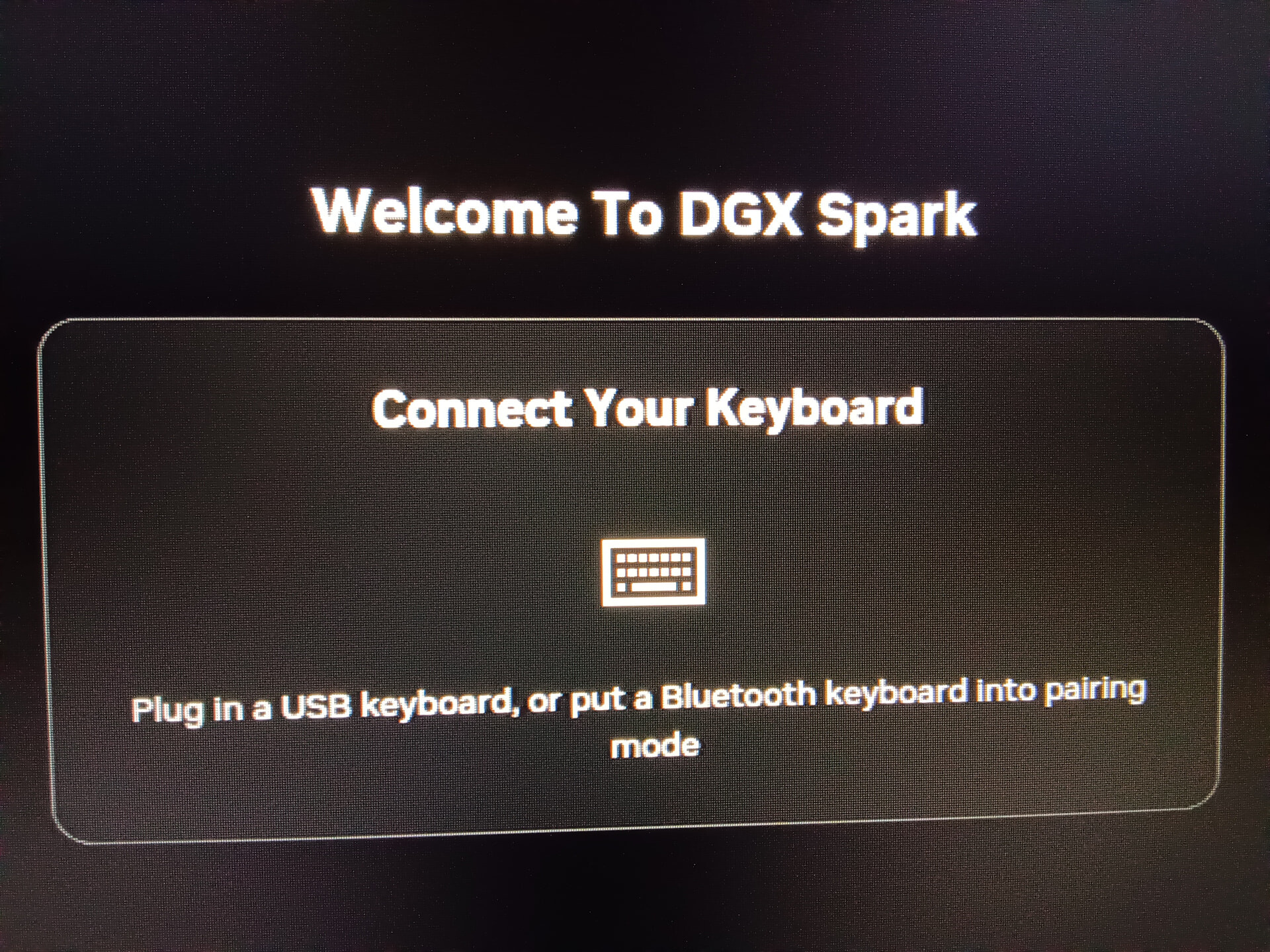
My situation:
-
The DGX Spark powers on and displays the “Welcome to DGX Spark” message on my HDMI monitor.
-
It is completely frozen on this screen.
-
Critically, all USB ports are non-functional. The system does not recognize any USB keyboard (wired), mouse, or USB drive.
How this happened (The missing documentation gap):
I followed the “Network Appliance Setup” (headless mode) from the Quick Start Guide.
-
I connected to the Spark’s hotspot and provided my WLAN credentials.
-
The hotspot then disconnected (as expected).
-
This is where the failure occurred: The DGX Spark never became accessible on my local network. Both the hostname (spark-xxxx.local) and the direct IP address (found via my router) refused all connections, including HTTP and SSH.
-
The Quick Start Guide and the “First Boot” documentation provide NO instructions for this failed state.
After a long wait with an unresponsive device, I was forced to perform a hard reboot (power cycle). The device is now permanently bricked in the state described above.
Ma Hypothesis:
The device was performing a critical, silent background update (likely firmware) when the network setup failed. The lack of documentation for this failure state led to the unavoidable, damaging power cycle.
Since all USB ports are dead, I cannot access the UEFI/BIOS or boot from the System Recovery USB. The device is non-recoverable.
Should I proceed with a hardware replacement (RMA) from Germany/Europe?