Yes. rtc0 is registered as shown below:
$ dmesg -T | grep rtc
[Tue Sep  6 12:17:58 2022] iommu: Adding device bc00000.rtcpu to group 23
[Tue Sep  6 12:17:58 2022] vdd-rtc: at 800 mV
[Tue Sep  6 12:17:59 2022] camchar: rtcpu character device driver loaded
[Tue Sep  6 12:17:59 2022] rtc rtc0: alarm rtc device
[Tue Sep  6 12:17:59 2022] max77686-rtc max77620-rtc: rtc core: registered max77620-rtc as rtc0
[Tue Sep  6 12:17:59 2022] tegra186-cam-rtcpu bc00000.rtcpu: deferring, 14800000.isp is not probed
[Tue Sep  6 12:18:03 2022] tegra186-cam-rtcpu bc00000.rtcpu: Trace buffer configured at IOVA=0xbff00000
[Tue Sep  6 12:18:04 2022] tegra-ivc ivc-bc00000.rtcpu: region 0: iova=0xbfee0000-0xbfefffff size=131072
[Tue Sep  6 12:18:04 2022] tegra-ivc ivc-bc00000.rtcpu:echo@0: echo: ver=0 grp=1 RX[16x64]=0x1000-0x1480 TX[16x64]=0x1480-0x1900
[Tue Sep  6 12:18:04 2022] tegra-ivc ivc-bc00000.rtcpu:dbg@1: dbg: ver=0 grp=1 RX[1x384]=0x1900-0x1b00 TX[1x384]=0x1b00-0x1d00
[Tue Sep  6 12:18:04 2022] tegra-ivc ivc-bc00000.rtcpu:dbg@2: dbg: ver=0 grp=1 RX[1x8192]=0x1d00-0x3d80 TX[1x8192]=0x3d80-0x5e00
[Tue Sep  6 12:18:04 2022] tegra-ivc ivc-bc00000.rtcpu:ivccontrol@3: ivccontrol: ver=0 grp=1 RX[64x320]=0x5e00-0xae80 TX[64x320]=0xae80-0xff00
[Tue Sep  6 12:18:04 2022] tegra-capture-ivc ivc-bc00000.rtcpu:ivccontrol@3: no priority specified, using 99 as default
[Tue Sep  6 12:18:04 2022] tegra-ivc ivc-bc00000.rtcpu:ivccapture@4: ivccapture: ver=0 grp=1 RX[512x64]=0xff00-0x17f80 TX[512x64]=0x17f80-0x20000
[Tue Sep  6 12:18:04 2022] tegra-capture-ivc ivc-bc00000.rtcpu:ivccapture@4: no priority specified, using 99 as default
[Tue Sep  6 12:18:04 2022] tegra186-cam-rtcpu bc00000.rtcpu: using cam RTCPU IRQ (71)
[Tue Sep  6 12:18:04 2022] tegra186-cam-rtcpu bc00000.rtcpu: tegra_camrtc_mon_create is successful
[Tue Sep  6 12:18:04 2022] tegra186-cam-rtcpu bc00000.rtcpu: firmware version cpu=rce cmd=5 sha1=8966ca7b0e527ed98649649b043322724401969c
[Tue Sep  6 12:18:04 2022] max77686-rtc max77620-rtc: setting system clock to 2000-01-01 01:03:06 UTC (946688586)
Done but no success.
As I am directly building kernel on the jetson, I found two place where CONFIG_RTC_HCTOSYS_DEVICE was defined.
jetson@ubuntu:~/Linux_for_Tegra/source$ grep -rnw . -e CONFIG_RTC_HCTOSYS_DEVICE
...
./public/kernel/kernel-4.9/arch/arm64/configs/tegra_defconfig:1012:CONFIG_RTC_HCTOSYS_DEVICE="rtc1"
./public/kernel/kernel-4.9/.config:4808:CONFIG_RTC_HCTOSYS_DEVICE="rtc1
...
I modified both of them to rtc0 before buliding the kernel.
$ grep -r CONFIG_RTC_HCTOSYS_DEVICE ~/Linux_for_Tegra/source/public/kernel/kernel-4.9/arch/arm64/configs/tegra_defconfig
CONFIG_RTC_HCTOSYS_DEVICE="rtc0"

$ grep -r CONFIG_RTC_HCTOSYS_DEVICE ~/Linux_for_Tegra/source/public/kernel/kernel-4.9/.config
CONFIG_RTC_HCTOSYS_DEVICE="rtc0"
I kept the device off for 20 minutes and then turned it on to check the time. It was incorrect. Please note that before tuning off the device the time was corrected manually as ntp is disabled.
$ timedatectl
                      Local time: Tue 2022-09-06 12:18:53 JST
                  Universal time: Tue 2022-09-06 03:18:53 UTC
                        RTC time: Sat 2000-01-01 01:03:54
                       Time zone: Asia/Tokyo (JST, +0900)
       System clock synchronized: no
systemd-timesyncd.service active: no
                 RTC in local TZ: no
No, the RTC time is incorrect.
You need set it by “sudo hwclock -r -f /dev/rtc0”
@ShaneCCC
Thank you very much.
Yes, you are right. That is the problem.
I set it again. The problem persists. Please see below:
- I set the time manually.
$ timedatectl
                      Local time: Fri 2023-05-12 16:33:10 JST
                  Universal time: Fri 2023-05-12 07:33:10 UTC
                        RTC time: Fri 2023-05-12 07:33:09
                       Time zone: Asia/Tokyo (JST, +0900)
       System clock synchronized: no
systemd-timesyncd.service active: no
                 RTC in local TZ: no
- Set the clock to use
rtc0$ sudo hwclock -r -f /dev/rtc0
[sudo] password for jetson:
2023-05-12 16:33:34.180333+0900
- Shutdown the device for 25 minutes.
- Turn on the device to check the time.
$ timedatectl
                      Local time: Tue 2022-09-06 12:18:53 JST
                  Universal time: Tue 2022-09-06 03:18:53 UTC
                        RTC time: Sat 2000-01-01 01:01:12
                       Time zone: Asia/Tokyo (JST, +0900)
       System clock synchronized: no
systemd-timesyncd.service active: no
                 RTC in local TZ: no
Looks like the RTC time didn’t keep by the supercapacitor.
Could you check the kernel log to by dmesg | grep -i rtc
There is no supercapacitor! It is removed and replaced by the CMOS battery.
I don’t have access to the device now. But I shared the output of dmesg -T | grep rtc here
Thanks
Thanks a lot, @ShaneCCC
Here it is:
$ dmesg | grep -i rtc
[    0.834767] iommu: Adding device bc00000.rtcpu to group 23
[    1.019234] vdd-rtc: at 800 mV
[    1.094124] camchar: rtcpu character device driver loaded
[    2.146650] rtc rtc0: alarm rtc device
[    2.146669] max77686-rtc max77620-rtc: rtc core: registered max77620-rtc as rtc0
[    2.198965] tegra186-cam-rtcpu bc00000.rtcpu: deferring, 14800000.isp is not probed
[    6.222299] tegra186-cam-rtcpu bc00000.rtcpu: Trace buffer configured at IOVA=0xbff00000
[    6.296114] tegra-ivc ivc-bc00000.rtcpu: region 0: iova=0xbfee0000-0xbfefffff size=131072
[    6.296487] tegra-ivc ivc-bc00000.rtcpu:echo@0: echo: ver=0 grp=1 RX[16x64]=0x1000-0x1480 TX[16x64]=0x1480-0x1900
[    6.296701] tegra-ivc ivc-bc00000.rtcpu:dbg@1: dbg: ver=0 grp=1 RX[1x384]=0x1900-0x1b00 TX[1x384]=0x1b00-0x1d00
[    6.296857] tegra-ivc ivc-bc00000.rtcpu:dbg@2: dbg: ver=0 grp=1 RX[1x8192]=0x1d00-0x3d80 TX[1x8192]=0x3d80-0x5e00
[    6.297192] tegra-ivc ivc-bc00000.rtcpu:ivccontrol@3: ivccontrol: ver=0 grp=1 RX[64x320]=0x5e00-0xae80 TX[64x320]=0xae80-0xff00
[    6.297238] tegra-capture-ivc ivc-bc00000.rtcpu:ivccontrol@3: no priority specified, using 99 as default
[    6.297345] tegra-ivc ivc-bc00000.rtcpu:ivccapture@4: ivccapture: ver=0 grp=1 RX[512x64]=0xff00-0x17f80 TX[512x64]=0x17f80-0x20000
[    6.297392] tegra-capture-ivc ivc-bc00000.rtcpu:ivccapture@4: no priority specified, using 99 as default
[    6.297600] tegra186-cam-rtcpu bc00000.rtcpu: using cam RTCPU IRQ (71)
[    6.297604] tegra186-cam-rtcpu bc00000.rtcpu: tegra_camrtc_mon_create is successful
[    6.298427] tegra186-cam-rtcpu bc00000.rtcpu: firmware version cpu=rce cmd=5 sha1=8966ca7b0e527ed98649649b043322724401969c
[    6.387941] max77686-rtc max77620-rtc: setting system clock to 2000-01-01 01:00:23 UTC (946688423)
Additionally, sharing timedatectl output as well:
$ timedatectl
                      Local time: Tue 2022-09-06 12:21:15 JST
                  Universal time: Tue 2022-09-06 03:21:15 UTC
                        RTC time: Sat 2000-01-01 01:03:33
                       Time zone: Asia/Tokyo (JST, +0900)
       System clock synchronized: no
systemd-timesyncd.service active: no
                 RTC in local TZ: no
You can see the kernel restore the time that roll back to default value that tell the CMOS battery didn’t help on the PMIC RTC keep the time.
Could you confirm the same message without remove the AC?
[ 6.387941] max77686-rtc max77620-rtc: setting system clock to 2000-01-01 01:00:23 UTC (946688423)
Sorry, I did not get! Can you please elaborate?
The AC power adaptor is attached to the device just before turning on the device. After shutting down the device, I remove the AC power adaptor.
I mean shut down device without remove the AC to check the time of the max77686-rtc
@ShaneCCC
I connected the AC power adaptor to the device and turned the device on. Next, I set the time manually and restarted the device. I could see it preserving the time because it was a restart command (not shut down).
$ dmesg | grep -i rtc
...
...
...
[    6.327872] max77686-rtc max77620-rtc: setting system clock to 2023-05-15 06:52:16 UTC (1684133536)
Next, I kept the AC power adaptor connected and shut down the device for 5 minutes. I turned the device later on, to find that the issue persisted.
$ timedatectl
                      Local time: Tue 2022-09-06 12:18:55 JST
                  Universal time: Tue 2022-09-06 03:18:55 UTC
                        RTC time: Sat 2000-01-01 01:01:15
                       Time zone: Asia/Tokyo (JST, +0900)
       System clock synchronized: no
systemd-timesyncd.service active: no
                 RTC in local TZ: no

$ dmesg | grep -i rtc
[    0.838763] iommu: Adding device bc00000.rtcpu to group 23
[    1.007402] vdd-rtc: at 800 mV
[    1.070538] camchar: rtcpu character device driver loaded
[    2.010784] rtc rtc0: alarm rtc device
[    2.010828] max77686-rtc max77620-rtc: rtc core: registered max77620-rtc as rtc0
[    2.083888] tegra186-cam-rtcpu bc00000.rtcpu: deferring, 14800000.isp is not probed
[    6.062782] tegra186-cam-rtcpu bc00000.rtcpu: Trace buffer configured at IOVA=0xbff00000
[    6.137444] tegra-ivc ivc-bc00000.rtcpu: region 0: iova=0xbfee0000-0xbfefffff size=131072
[    6.137689] tegra-ivc ivc-bc00000.rtcpu:echo@0: echo: ver=0 grp=1 RX[16x64]=0x1000-0x1480 TX[16x64]=0x1480-0x1900
[    6.137832] tegra-ivc ivc-bc00000.rtcpu:dbg@1: dbg: ver=0 grp=1 RX[1x384]=0x1900-0x1b00 TX[1x384]=0x1b00-0x1d00
[    6.137978] tegra-ivc ivc-bc00000.rtcpu:dbg@2: dbg: ver=0 grp=1 RX[1x8192]=0x1d00-0x3d80 TX[1x8192]=0x3d80-0x5e00
[    6.138389] tegra-ivc ivc-bc00000.rtcpu:ivccontrol@3: ivccontrol: ver=0 grp=1 RX[64x320]=0x5e00-0xae80 TX[64x320]=0xae80-0xff00
[    6.138434] tegra-capture-ivc ivc-bc00000.rtcpu:ivccontrol@3: no priority specified, using 99 as default
[    6.138538] tegra-ivc ivc-bc00000.rtcpu:ivccapture@4: ivccapture: ver=0 grp=1 RX[512x64]=0xff00-0x17f80 TX[512x64]=0x17f80-0x20000
[    6.138585] tegra-capture-ivc ivc-bc00000.rtcpu:ivccapture@4: no priority specified, using 99 as default
[    6.138790] tegra186-cam-rtcpu bc00000.rtcpu: using cam RTCPU IRQ (71)
[    6.138794] tegra186-cam-rtcpu bc00000.rtcpu: tegra_camrtc_mon_create is successful
[    6.139596] tegra186-cam-rtcpu bc00000.rtcpu: firmware version cpu=rce cmd=5 sha1=8966ca7b0e527ed98649649b043322724401969c
[    6.228912] max77686-rtc max77620-rtc: setting system clock to 2000-01-01 01:00:24 UTC (946688424)
Hi, the backup battery voltage level is correct during your test, right? If so, it looks like PMIC can’t keep time even with adapter attached. Do you have another module/carrier board to do cross check? If not, maybe you can run RMA for it.
@Trumany
Thank you very much
I tested it just now, and it is 0.3V now. However, I remember checking it on the day and later as well. The battery was attached on 9th May and was 2.7V, as reported here. The next day, it dropped to 2.58V, as reported here. It seems that the CMOS battery is draining quickly! I was expecting it to last longer (at least a month).
BTW, I am using an ML1220 battery. What’s wrong here?
Can you please share the part number of module which should contain numbers of “2888” and printed or labeled on board?
Also, can you do one more test that remove backup battery and turn off with adapter attached and then turn on. Let’s check if time can be kept in such case.
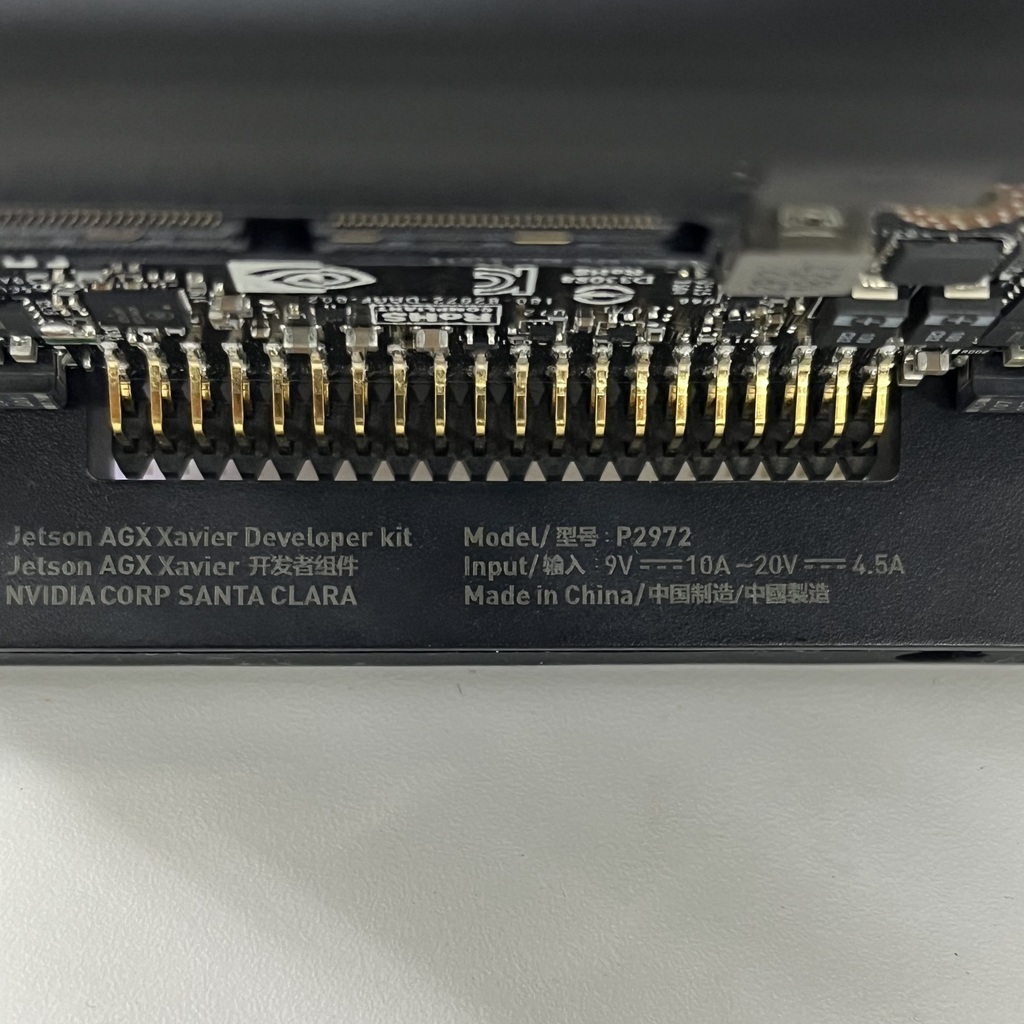
is this what you are talking about?
P2972
No, part number of module which contain “2888”.
I don’t see it! There is S/N but it does not contain 2888. How to find it? I have the device with me!
Can you do one more test that remove backup battery and turn off with adapter attached and then turn on. Let’s check if time can be kept in such case.
It is resetting to the 2000-01-01
I am sorry but I have other model. An example is shown here