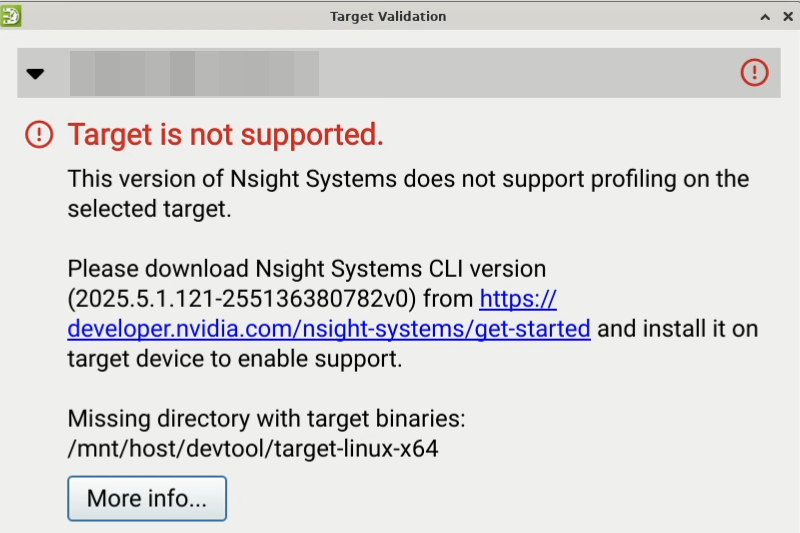
I am having issues connecting Nsight Systems to my Linux desktop.
I am running the docker container for nsys using run_nsight_streamer.py, downloaded today. I connect via the web gui.
This issue reproduces whether I visit the webpage from a different machine, or from the target itself. My SSH connection completes but I receive the error “Target is not supported.” as seen in the screenshots below.
Any advice for further troubleshooting would be helpful!
Target machine stats:
-
NVIDIA RTX 5090
-
nsys --versiongivesNVIDIA Nsight Systems version 2025.5.1.121-255136380782v0(which is the version requested to install in the error message) -
docker -- versiongivesDocker version 28.2.2, build e6534b4 -
uname -agivesLinux <hostname redacted> 6.8.0-85-generic #85-Ubuntu SMP PREEMPT_DYNAMIC Thu Sep 18 15:26:59 UTC 2025 x86_64 x86_64 x86_64 GNU/Linux -
nvidia-smigives| NVIDIA-SMI 580.95.05 Driver Version: 580.95.05 CUDA Version: 13.0 | -
I have CUDA Toolkit 12.9 installed.
-
docker logsfor my Nsight container does not seem to have relevant info, but including it here just in case:docker-log.txt (143.2 KB)