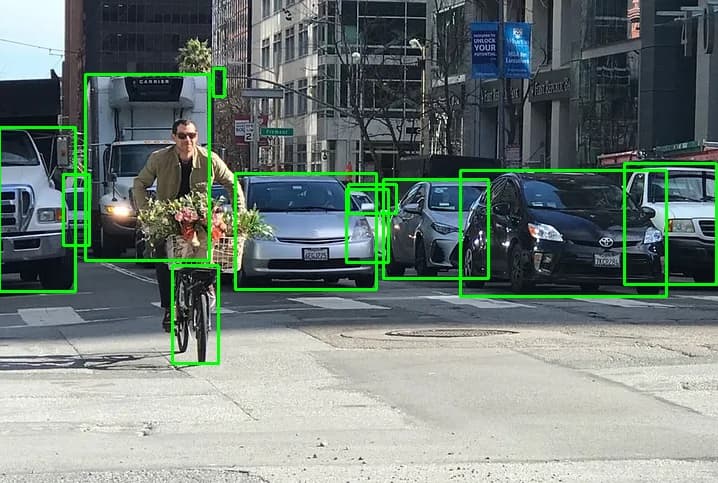
I’m trying to speed up my YOLO inference on a Jetson Orin Nano by converting an ONNX model to a TensorRT engine, but the detection outputs don’t match. The parser of onnx to engine is ok and i don’t have any error.
I’m looking for help to identify what’s going wrong in the TensorRT and how to fix it so that the engine produces the same YOLO detections as the ONNX version.
*** Please note that this reply is generated by LLM automatically ***
I’d be happy to help you troubleshoot the issue with your YOLO inference on Jetson Orin Nano.
First, let’s break down the information you provided:
You have an ONNX model that works fine with OpenCV C++.
You converted the ONNX model to a TensorRT engine using the trt.OnnxParser API.
The parser didn’t report any errors, but the TensorRT engine produces different results than the ONNX version.
To identify the issue, let’s compare the two workflows:
ONNX Workflow
You load the ONNX model using OpenCV C++.
You run the model on an input image using OpenCV C++.
You get the expected YOLO detections.
TensorRT Workflow
You convert the ONNX model to a TensorRT engine using trt.OnnxParser.
You build the TensorRT engine using the trtexec command.
You run the TensorRT engine on an input image using trtexec.
You get different YOLO detections than the ONNX version.
Now, let’s consider some potential reasons for the discrepancy:
Model conversion issues: Although the parser didn’t report any errors, there might be issues with the model conversion process. You can try using the trt.OnnxParser API with more verbose logging to see if there are any warnings or errors during the conversion process.
Engine building issues: The trtexec command might not be building the engine correctly. You can try building the engine programmatically using the TensorRT API to have more control over the process.
Input/output differences: Make sure that the input image and output formats are the same for both the ONNX and TensorRT workflows. You can try using the same input image and output format for both workflows to rule out any differences.
Precision issues: TensorRT engines can be built with different precision modes (e.g., FP32, FP16, INT8). Make sure that the precision mode used for the TensorRT engine is the same as the one used for the ONNX model.
Optimization issues: TensorRT engines can be optimized for performance, which might affect the accuracy of the model. You can try disabling optimizations or using a different optimization level to see if it affects the results.
To troubleshoot the issue, you can try the following:
Use the trt.OnnxParser API with more verbose logging to see if there are any warnings or errors during the conversion process.
Build the TensorRT engine programmatically using the TensorRT API to have more control over the process.
Use the same input image and output format for both the ONNX and TensorRT workflows.
Try different precision modes for the TensorRT engine.
Disable optimizations or use a different optimization level for the TensorRT engine.
If none of these suggestions help, please provide more information about your model, input data, and TensorRT engine building process, and I’ll do my best to help you troubleshoot the issue.
*** Please give the thumbs up if you get answers you like. Or provide feedback to help us improve the answer. ***
Thanks for the suggestions, but I think there’s still some confusion around how I’ve been testing:
ONNX + OpenCV (C++):
Pad → blobFromImage → forward → reshape+transpose → decode → NMS → draw
Uses exactly the same input.jpg and C++ code from my first post
Works: correct boxes
TensorRT + C++:
Serialize ONNX → load engine in C++ → same pad/blob/decode/NMS code → draw
Fails: draws one giant box or nonsense coordinates
TensorRT via trtexec:
I generated input.raw from the same input.jpg (pad→resize→RGB→normalize→CHW→float32)
#!/usr/bin/env python3
import numpy as np
import cv2

# 1) Read original image
img = cv2.imread("input.jpg")
if img is None:
    raise RuntimeError("Could not open input.jpg")

# 2) Pad to square
h, w = img.shape[:2]
side = max(w, h)
sq = np.zeros((side, side, 3), dtype=np.uint8)
sq[:h, :w] = img

# 3) Resize to 640×640, BGR→RGB, normalize to [0,1]
resized = cv2.resize(sq, (640, 640))
rgb     = cv2.cvtColor(resized, cv2.COLOR_BGR2RGB)
normed  = rgb.astype(np.float32) / 255.0

# 4) CHW layout and add batch dim → (1,3,640,640)
data = normed.transpose(2, 0, 1)[None, ...]

# 5) Write out as raw float32
data.tofile("input.raw")
We try to reproduce this issue internally but some data is missing. (ex. onnx model, input data).
Could you share these files as well as the testing command so we can test it internally?
Just to provide a data point, I’m running Jetpack 6.2.1 on an orin nano devkit with ultralytics version 8.3.75, and I’m able to run inference on Yolo11 tensorRT models with Python code. It’s very precise.
In my case I need this to work on L4T 35.3.1 / JetPack 5.1.1 with TensorRT 8.5.0.2 (v8502), and upgrading isn’t an option (production fleet). Has anyone gotten YOLOv9 running on this stack? If yes, could you share the exact Ultralytics version, ONNX export flags/opset, any plugins or builder flags you used? If it’s simply not supported on TRT 8.5.x, a confirmation would also help.
Thanks for following up. I don’t have a script to overlay trt_output.json on images—I’m only running inference exactly as in my original post (L4T 35.3.1 / JetPack 5.1.1 with TensorRT 8.5.2), with no visualization step.
On my training PC (RTX 5080) I can get comparable results between ONNX and TensorRT, but that’s a different platform/version. On my production devices I need to stay on TensorRT 8.5.2 with L4T 35.3.1 / JP 5.1.1.
But we agree with you that the output looks strange, so it should have some problems.
When double-checking your implementation, it seems that the input for TensorRT and OpenCV is not exactly the same.
Could you try to load the raw image to the below function for double-checking?