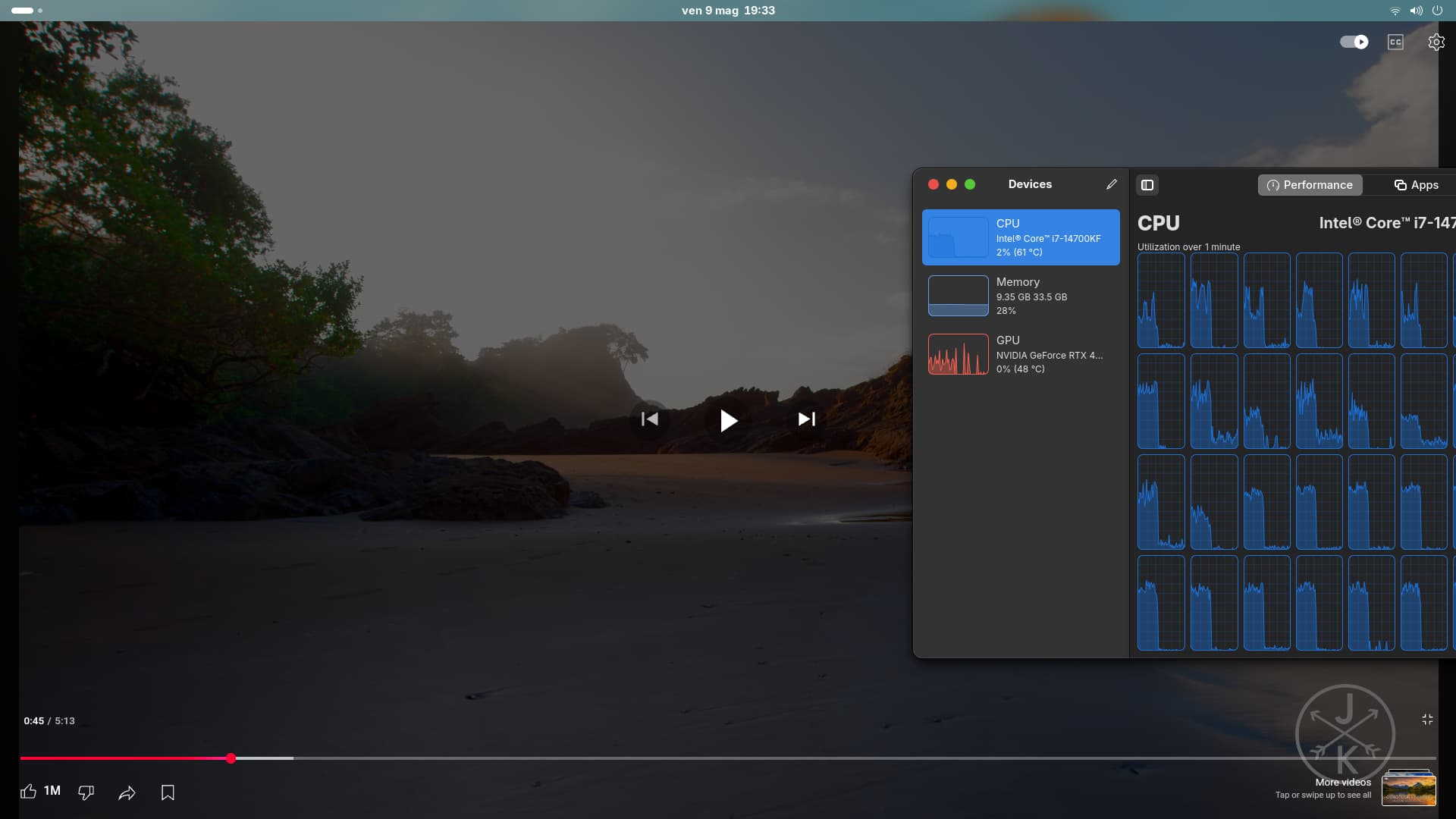
So basically Waydroid now runs with Nvidia GPUs and latest proprietary drivers 575.51.02 open version, but at the same time it doesen’t seem to be properly GPU accelerated.
As you can see from the screenshot above Roblox is using a lot of the CPU and very few GPU, and the game is still super laggy, but at the same time my Waydroid is not configured to use software rendering, and I can watch youtube videos properly at max resolution on it
As you can see, I’m playing a 4k video without lag or frame drops and both the CPU and the GPU are being utilized:
And when I pause the video, both the CPU and GPU utilization drops, which proves that Waydroid is NOT running on software rendering.
but when it comes to 3d games (like Roblox) it doesen’t seem to be properly GPU accelerated.
nvidia-bug-report.log.gz (646.5 KB)
I’ve also made a bug report to the official Waydroid Github page to figure out if it’s NVIDIA or the Waydroid team that has to fix this issue:
opened 05:25PM - 13 May 25 UTC
### Is your feature request related to a problem? Please describe.
I've also ma… de a bug report on the nvidia forum since I don't know if it's a NVIDIA or a Waydroid issue.
https://forums.developer.nvidia.com/t/full-gpu-acceleration-on-waydroid/332769
So now that Waydroid works perfectly with NVIDIA proprietary drivers (tested with latest 575.51.02 open version) I've only encountered one issue with it, which is that it doesen't seem to always be properly GPU accelerated, let me explain:


As you can see from the screenshot above Roblox is using a lot of the CPU and very few GPU, and the game is still super laggy, but at the same time my Waydroid is not configured to use software rendering, and I can watch youtube videos properly at max resolution on it
As you can see, I’m playing a 4k video without lag or frame drops and both the CPU and the GPU are being utilized:

And when I pause the video, both the CPU and GPU utilization drops, which proves that Waydroid is NOT running on software rendering.

but when it comes to 3d games (like Roblox) it doesen’t seem to be properly GPU accelerated.
Maybe the issue is that Waydroid doesen't support explicit sync.
### Describe the solution you'd like.
feature parity with with AMD gpus, full hardware acceleration for NVIDIA gpus.
### Describe alternatives you've considered.
.
### Additional context
_No response_
I’m reporting one important piece of information that I’ve got from the same bug report to the Waydroid github:
" 1. Have userspace libraries installed in the container: mesa or nvidia-utils
Problem with Nvidia is that… The Android system in the container is built against Google’s toolchain, such as bionic libc. Nvidia does not build nvidia-utils against bionic libc. If it was you could most likely hack around and put the nvidia drivers in the overlay layer of Waydroid same way you’d add libhoudini or custom codecs. But even then you’d need to replace the files every update cause Nvidia’s driver ABI isn’t stable, nvidia (kmod) and nvidia-utils (userspace) version has to match."
opened 05:25PM - 13 May 25 UTC
### Is your feature request related to a problem? Please describe.
I've also ma… de a bug report on the nvidia forum since I don't know if it's a NVIDIA or a Waydroid issue.
https://forums.developer.nvidia.com/t/full-gpu-acceleration-on-waydroid/332769
So now that Waydroid works perfectly with NVIDIA proprietary drivers (tested with latest 575.51.02 open version) I've only encountered one issue with it, which is that it doesen't seem to always be properly GPU accelerated, let me explain:


As you can see from the screenshot above Roblox is using a lot of the CPU and very few GPU, and the game is still super laggy, but at the same time my Waydroid is not configured to use software rendering, and I can watch youtube videos properly at max resolution on it
As you can see, I’m playing a 4k video without lag or frame drops and both the CPU and the GPU are being utilized:

And when I pause the video, both the CPU and GPU utilization drops, which proves that Waydroid is NOT running on software rendering.

but when it comes to 3d games (like Roblox) it doesen’t seem to be properly GPU accelerated.
Maybe the issue is that Waydroid doesen't support explicit sync.
### Describe the solution you'd like.
feature parity with with AMD gpus, full hardware acceleration for NVIDIA gpus.
### Describe alternatives you've considered.
.
### Additional context
_No response_
this issue is still happening with the 595.80 driver, and presumably with the 610 too