Then I will contact them. I’m asking for the last time to understand, it says I can’t do any development on this card right now because there isn’t enough space?
And I bought a 128 GB SD card. I would like to know which card you would highly recommend so that I can do deep learning studies comfortably.
Hi,
Your question here is basically related to linux kernel things. But not related to something “no enough space”.
You are not booting up from your sdcard, but probably just our 16GB emmc inside the module.
Our installation for the OS is probably around 12~14GB only, it won’t use up to128GB…
And just to double confirm.
Actually your photo is not very clear… could you take a photo for both sides of your board?
Since I couldn’t use my SD card, I already installed Linux on the motherboard.
Not sure what does that mean. Are you telling us a truth or you are asking us a question?
I’m telling you my problem. My jetson nano does not read my SD card. But it has an SD card slot. Since I couldn’t boot from the SD card, I flashed it normally with the SDK manager. As a result, he installed Linux on his own main memory of 16 GB. Currently, I cannot do deep learning studies. When I download any package, I cannot do my work because there is not enough space.


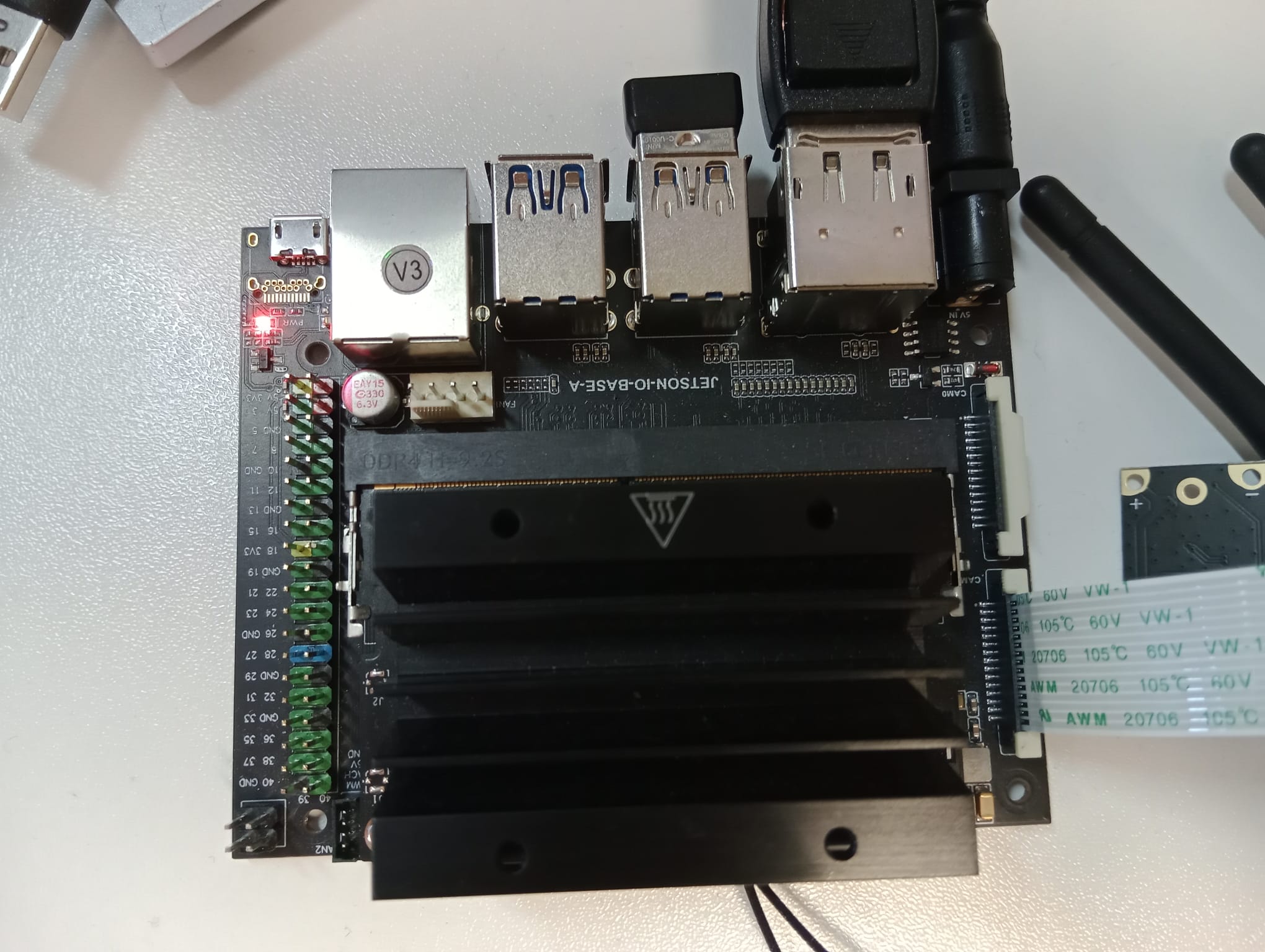
Ok. That is clear to me. It is custom board. Same as what I said.
If you cannot get vendor BSP image, maybe try to use usb drive instead.
How can I do it from usb?
We have document over here
→ https://docs.nvidia.com/jetson/archives/l4t-archived/l4t-3273/index.html#page/Tegra%20Linux%20Driver%20Package%20Development%20Guide/flashing.html#wwpID0E0HO0HA
-># Flashing to a USB Drive
Since I’m new, these are a bit difficult for me and I’m having trouble understanding them.
ı’m doing 4.matter
sudo parted /dev/sda mklabel gpt
Warning: The existing disk label on /dev/sda will be destroyed and all data on this disk will be lost. Do you want to continue?
Yes/No? yes
Information: You may need to update /etc/fstab.

Is there any solution to my problem?
So do you know what vendor is the carrier board from?
You should ignore the message and simply proceed to the next step.
It just tells you to be aware that data on the USB drive will be lost with parted.
If the aforementioned method is too complicated for you, see if this works:
Change every instance of nvme0n1p1 in the script to sda1.
Is there another source that gives a sequential and simple explanation?
I think the guide is clear enough:
https://docs.nvidia.com/jetson/archives/l4t-archived/l4t-3273/index.html#page/Tegra%20Linux%20Driver%20Package%20Development%20Guide/flashing.html#wwpID0E0HO0HA
Or you should go learn some basic Linux stuff before proceeding.

What kind of issues do you have now?
What do you mean with cannot go to cd...?