Is anyone comparing the DGX Spark Bundle with the Minis Forum MS-S1 Max Dual Stack?
Another scalable rack cluster AI Workstation claiming similar NVIDIA DGX Spark capabilities.
Thoughts?
Is anyone comparing the DGX Spark Bundle with the Minis Forum MS-S1 Max Dual Stack?
Another scalable rack cluster AI Workstation claiming similar NVIDIA DGX Spark capabilities.
Thoughts?
I also just noticed the Ryzen Al Max+ 395 with 128GB 2TB is being sold by GMKtec on Amazon for $1,999.99 with 2-day delivery
Curious if they are making the price more appealing to move out units if the DGX Sparks significantly outperform them but that’s a dramatic cost difference if their performance is comparable for AI model build/training.
Corsair, HP, the popular with geeks Framework, and other vendors are offering desktop like systems with Ryzen AI MAX+395 chips, all prices around $2000 or less, selling for months before Spark shipped, but none of them compare or can beat the DGX-Spark!
Thanks for chiming in @elsaco ! There was a YouTube review that was claiming it to be the best AI Workstation to invest in and it sounded suspicious.
I’m patiently waiting for my Spark Bundle delivery early next week and can’t wait to build with them.
A lot depends on your tech stack needs. I’ve seen a number of projects that stem from technical papers and they often list nVIDIA GPUs. If CUDA is part of the solution, then I figure an AMD solution wouldn’t help. Btw, I just set up my Spark bundle @maiia and it turns out I will need to upgrade my switch because both devices need ethernet connections (the high speed networking between units is not enough to make full use of the units like I errantly assumed). The wifi setup instructions didn’t work me, so best if you have keyboard, mouse, and monitor ready when you do your setup. (sounds like you are in the shipping stage)
That’s a great call out @erikshop
I’m expecting the bundle on Monday by end of day as far as the FedEx so far.
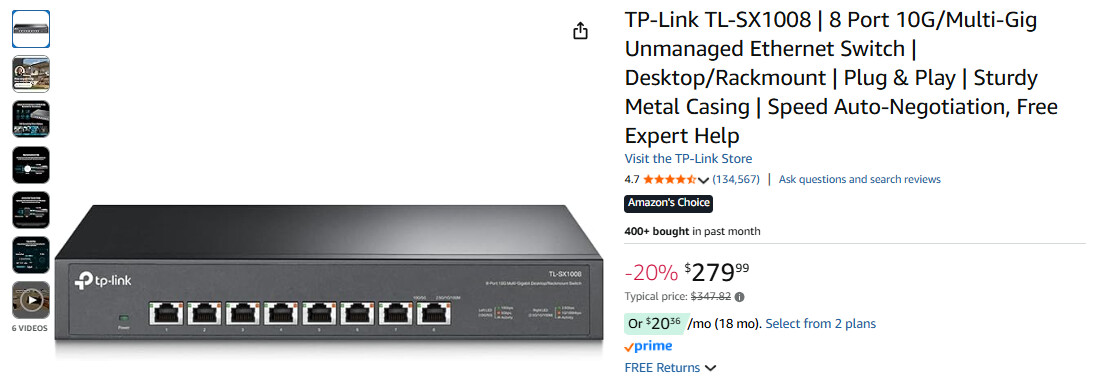
I ordered this switch and cables from Amazon that arrive on Monday as well since I didn’t have an Ethernet splitter.
My Logitech keyboards and mice are are Bluetooth, but I think they had cable connections somewhere which I think I should locate since I’m reading wired connections are coming in handy during setup.
We might want to have a best practices set-up thread to help folks minimize the troubleshooting I’m seeing so many go through with bundles.
@erikshop just clarifying, when you mention high-speed networking between units, are you talking about the Connect X-7 cable connection between the two Sparks not performing as expected or are you connecting both via WIFI internet connection and are just shifting to wired Ethernet?
I wasn’t planning on investing in a Mellanox Spectrum 3 until I confirmed I’ll be stacking beyond 2 to 4+ DGX Sparks or adding in future supporting inference.
My false assumption was that I only need one of the two devices on normal ethernet. Connect X-7 is networking (high speed at 200 Gb/s). I have no reason to doubt that it will work, I simply need to get both on ethernet and ran out of ports on my old switch (so I am upgrading). Networking isn’t my thing, so feel to correct me if I said something wrong.
Before I reserved the bundle last month I asked the networking Forum about switches they’d suggest since, if what I have in mind works, I hope to create a portable scalable DGX Spark cluster.
The advice I got was if I were adding units beyond the 2 DGX Sparks to have them all “talk to each other” is that I’ll need a high-speed 400Gbe managed switch like the Spectrum-3 or Spectrum-2 that to take on 8+ Sparks connected as one hive cluster (this is all experimental community assumptions).
Those Mellanox Switches run in the $35,000+ range. Since it’s an investment I’m not ready for yet, I asked if your upgrade was for internet or networking the Sparks if they weren’t communicating data efficiently via the ConnectX-7 cable.
I’m a novice myself, and I’m planning to supplement with some of the self-paced training in parallel with what I’m building. I also love asynchronistic learning, and this community has been both rich and generous with shared insight and support! :)
For management the wired Eth port or WiFi is used. For clustering the ConnectX-7 ports are used. Two devices can be clustered back-to-back, but for more a switch is needed. RoCE is required for clustering and only the 200G ports support it.
Yeah, learning is also a big reason why I am drawn to the Spark. I figured 2 Sparks would expose me to clustered devices so I splurged on the bundle (sounds messy…). I also just like the idea of AI compute as an appliance even though inference speed is not very high compared to high core count cards with much larger memory bandwidth.
Thanks for the info @elsaco .
I’m hoping by the 2026/2027 model release, that the next Blackwell upgrade & increased unified RAM will give us better inference to integrate in the cluster. They’ll have to redesign the box and I don’t mind if newer models are slightly larger in size if we’d get 512GB+ in a single Spark RAM.
And if Jensen throws in an affordable 8-port 400Gbe Ethernet Switch for AI Devs to help scale our clusters that would be a brilliant cherry on top.
Thanks @elsaco
I mentioned the 400Gbe vs. 200Gbe ports just to future-proof given how pricy they are.
I posted my comparison between Strix Halo and Spark here: DGX Spark vs AMD Strix Halo - #3 by eugr
TL;DR: Spark has faster compute, but similar memory bandwidth. Networking-wise, Spark is pretty unique - you won’t be able to achieve these network speeds with any of the Strix Halo systems - they won’t provide enough PCIe lanes for that.
Thank you for sharing the comprehensive breakdown, @eugr!
This topic was automatically closed 14 days after the last reply. New replies are no longer allowed.