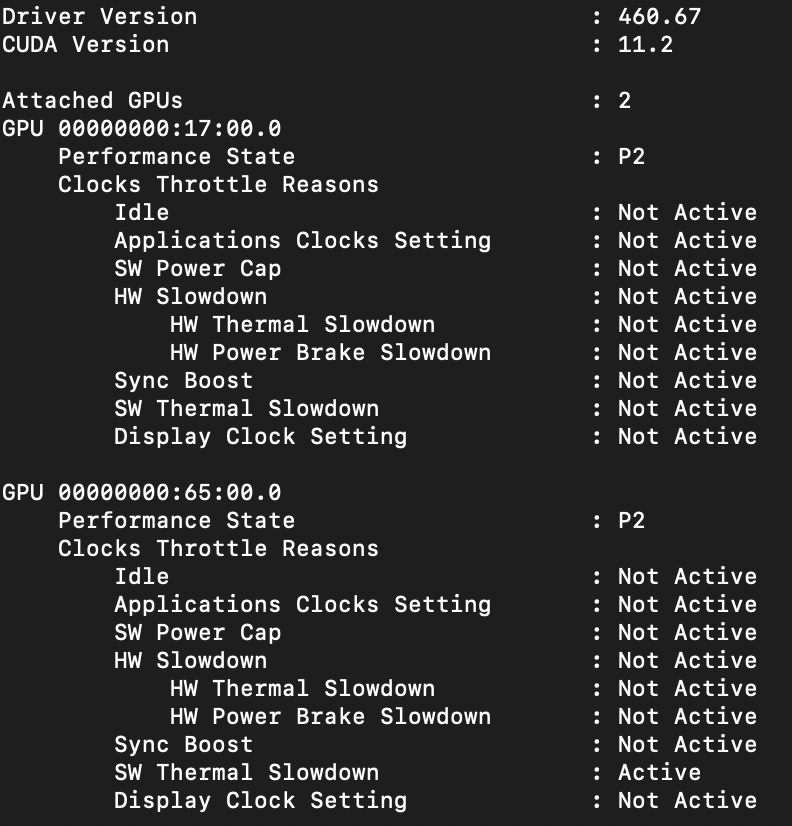
My RTX 3090 is running on the latest ubuntu drivers (installed using runfile) but immediately encounters SW Thermal Slowdown when under load. The GPU has adequate cooling and maintains an average temperature of 61 degrees celsius. The output from nvidia-smi:
The output from nvidia-smi -q -d PERFORMANCE:
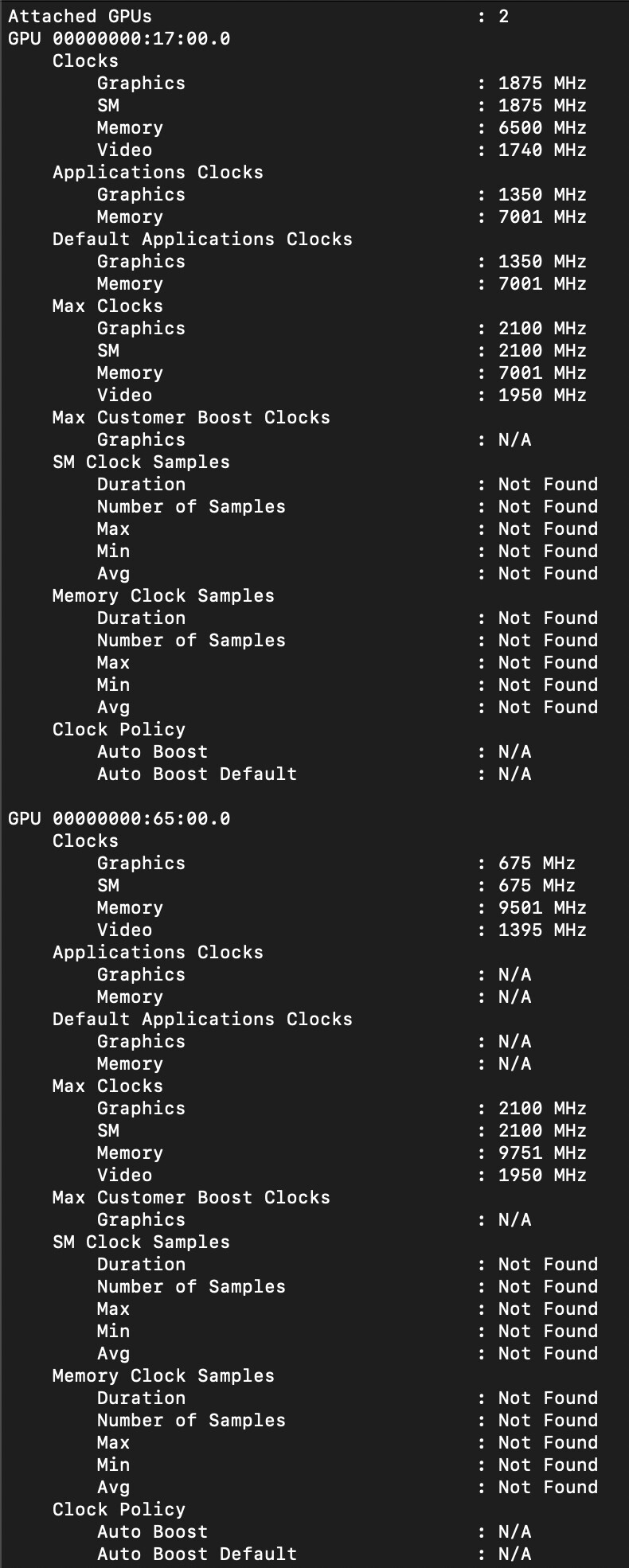
The output from nvidia-smi -q -d CLOCK:
Interestingly, the Titan RTX while running at a much higher temperature does not encounter the thermal slowdown. I’ve attempted to manually set the clock speed of the graphics and vram but the RTX 3090 does not allow for that option. Please advise on possible solutions. Thank You!
Would manually reducing memory clock speed or voltage be a possible solution?
Possibly. Memory voltage can’t be manipulated on Linux, AFAIK. Reducing memory clocks requires running an Xserver on the gpu with coolbits option.
Would of course reduce performance. I’d check for the add-on fan approach from the linked thread.
I’m curious what ended up happening? I’m currently experiencing the same thing on a 16xx card. I’m scratching my head because I can’t even read vram junction temps.
The issue with overheating memory only occurred on RTX30 cards, you have a Turing based GTX16. I don’t recall any issues on those. So it’s likely a different issue you’re running into. Rather check your fans are working first.
I wish the fans weren’t working because then that’d make this an easy fix… I’m on a laptop on popOS linux and it’s plugged into AC power with graphics set to high performance. Every temp I have access to is sub 60C. Doing something as simple as tabbing from 1 terminal window to another terminal window and then running nvidia-smi -q -d PERFORMANCE shows that SW thermal slowdown and SW power cap both activate. If I wait a few seconds and then run the command again, they both deactivate, which means even the most minor of screen changes with no other software open can trigger this throttling. I have utterly no clue what’s causing this.
1 Like