Please provide the following info (tick the boxes after creating this topic): Software Version
DRIVE OS 6.0.10.0
DRIVE OS 6.0.8.1
DRIVE OS 6.0.6
DRIVE OS 6.0.5
DRIVE OS 6.0.4 (rev. 1)
DRIVE OS 6.0.4 SDK
other
Target Operating System
Linux
QNX
other
Hardware Platform
DRIVE AGX Orin Developer Kit (940-63710-0010-300)
DRIVE AGX Orin Developer Kit (940-63710-0010-200)
DRIVE AGX Orin Developer Kit (940-63710-0010-100)
DRIVE AGX Orin Developer Kit (940-63710-0010-D00)
DRIVE AGX Orin Developer Kit (940-63710-0010-C00)
DRIVE AGX Orin Developer Kit (not sure its number)
other
SDK Manager Version
2.1.0
other → docker ngc.nvidia
Host Machine Version
native Ubuntu Linux 20.04 Host installed with SDK Manager
native Ubuntu Linux 20.04 Host installed with DRIVE OS Docker Containers
native Ubuntu Linux 18.04 Host installed with DRIVE OS Docker Containers
other → native Ubuntu Linux 22.04 Host installed with DRIVE OS Docker Containers - NGC
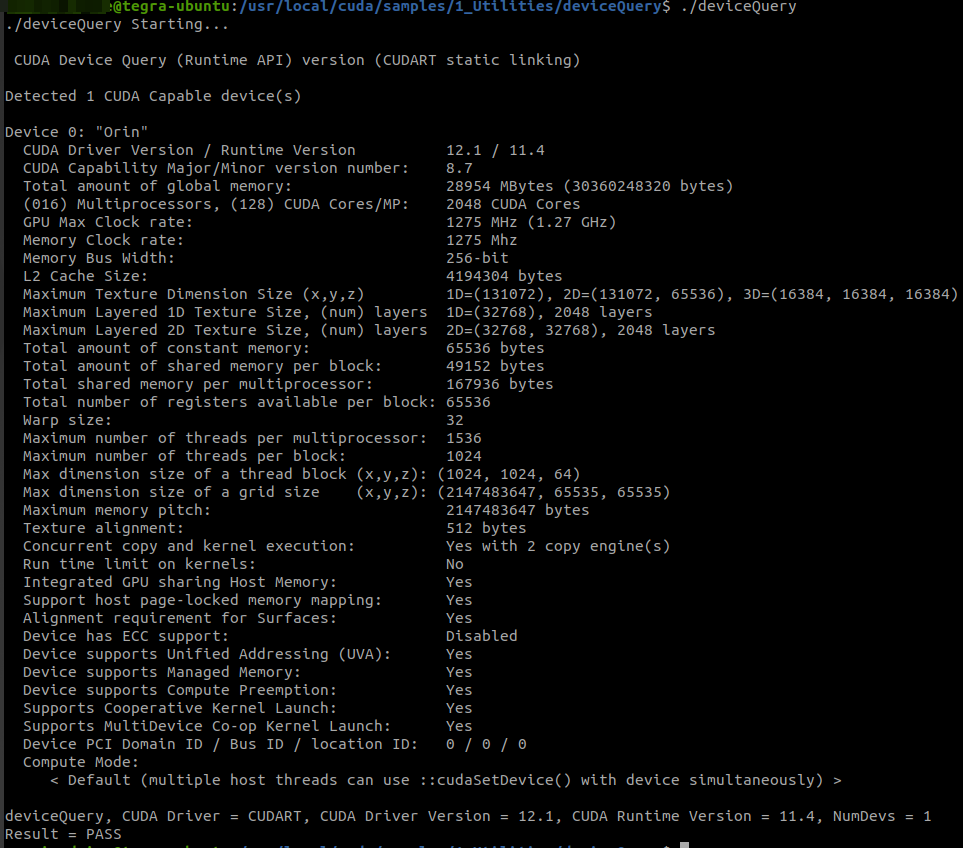
Dear @aastudil , nvidia-smi and jtop are not for DRIVE. Could you run deviceQuery CUDA sample to get GPU info.
nvidia@tegra-ubuntu:/usr/local/cuda/samples/1_Utilities/deviceQuery$ ./deviceQuery
./deviceQuery Starting...

 CUDA Device Query (Runtime API) version (CUDART static linking)

Detected 1 CUDA Capable device(s)

Device 0: "Orin"
  CUDA Driver Version / Runtime Version          12.1 / 11.4
  CUDA Capability Major/Minor version number:    8.7
  Total amount of global memory:                 28954 MBytes (30360248320 bytes)
  (016) Multiprocessors, (128) CUDA Cores/MP:    2048 CUDA Cores
  GPU Max Clock rate:                            1275 MHz (1.27 GHz)
  Memory Clock rate:                             1275 Mhz
  Memory Bus Width:                              256-bit
  L2 Cache Size:                                 4194304 bytes
  Maximum Texture Dimension Size (x,y,z)         1D=(131072), 2D=(131072, 65536), 3D=(16384, 16384, 16384)
  Maximum Layered 1D Texture Size, (num) layers  1D=(32768), 2048 layers
  Maximum Layered 2D Texture Size, (num) layers  2D=(32768, 32768), 2048 layers
  Total amount of constant memory:               65536 bytes
  Total amount of shared memory per block:       49152 bytes
  Total shared memory per multiprocessor:        167936 bytes
  Total number of registers available per block: 65536
  Warp size:                                     32
  Maximum number of threads per multiprocessor:  1536
  Maximum number of threads per block:           1024
  Max dimension size of a thread block (x,y,z): (1024, 1024, 64)
  Max dimension size of a grid size    (x,y,z): (2147483647, 65535, 65535)
  Maximum memory pitch:                          2147483647 bytes
  Texture alignment:                             512 bytes
  Concurrent copy and kernel execution:          Yes with 2 copy engine(s)
  Run time limit on kernels:                     No
  Integrated GPU sharing Host Memory:            Yes
  Support host page-locked memory mapping:       Yes
  Alignment requirement for Surfaces:            Yes
  Device has ECC support:                        Disabled
  Device supports Unified Addressing (UVA):      Yes
  Device supports Managed Memory:                Yes
  Device supports Compute Preemption:            Yes
  Supports Cooperative Kernel Launch:            Yes
  Supports MultiDevice Co-op Kernel Launch:      Yes
  Device PCI Domain ID / Bus ID / location ID:   0 / 0 / 0
  Compute Mode:
     < Default (multiple host threads can use ::cudaSetDevice() with device simultaneously) >

deviceQuery, CUDA Driver = CUDART, CUDA Driver Version = 12.1, CUDA Runtime Version = 11.4, NumDevs = 1
Result = PASS
Deploy YOLO models with TensorRT on Drive AGX Orin?
If you have ONNX model, you can use trtexec tool to generate TRT model or TensorRT runtime APIs to generate model and perform inference. You need to implemenet preprocessing/post processing operations. Please check TensorRT samples at /usr/src/tensorrt/samples for reference.
Please file a new topic for issues related to YOLO v8