Platform: Jetpack 5.1.1 for the AGXI
Hello, I am trying to using the spi interface (spi1: pin-19, pin-21,pin-23,pin-24) to commuciate with FPGA in UEFI.
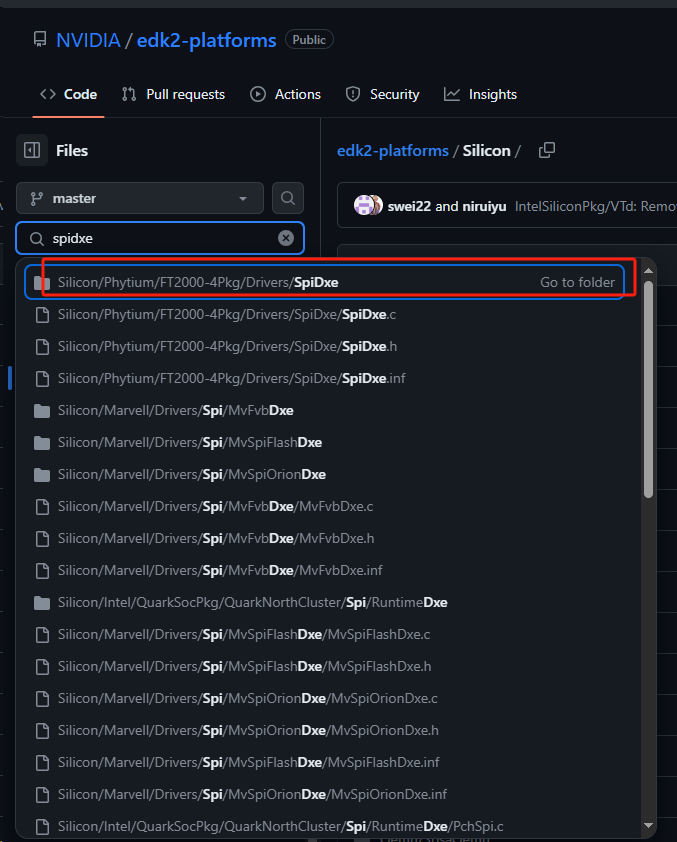
After checkout edk2-platforms . I only find SpiDxe for platform FT2000-4Pkg , not for nvidia. Do you mean that driver? I think the driver for FT2000-4Pkg maybe not suit for Nvidia. Because there must be some difference between these two platforms. They should be have some different configurations. for example, configuration for SpiController. edk2-platforms/Silicon/Phytium/FT2000-4Pkg/Drivers/SpiDxe/SpiDxe.c at master · tianocore/edk2-platforms · GitHub
After configuring the nvidia,tegra194-spi in your UEFI dtb, I tried use some protocols to find handler, but I can’t find any handler about spi.
the protocols that I have tried are as follows (add in **.inf file):
[Guids.common]
gNVIDIANonDiscoverableSpiDeviceGuid #spi
gNVIDIANonDiscoverableQspiDeviceGuid
I use gBS->LocateHandleBuffer() to find device. And I replace Guid with gNVIDIANonDiscoverableSpiDeviceGuid ,gNVIDIANonDiscoverableQspiDeviceGuid , gNVIDIAQspiControllerProtocolGuid,gEfiSpiConfigurationProtocolGuid and gEfiLegacySpiControllerProtocolGuid.
for example:
The return value of HandleCount always 0.
.
The result that I expected is that HandleCount is bigger than 0 . but now the 'HandleCount ’ equals 0. That means I don’t get any client ( or handle).
There should be at least two controller (QspiController and spiController ) .so I think HandleCount should be bigger than 2 or equals 2. (The desired result is HandleCount >=2)
I don’t want to add a new gui d. I just want to use a protocol to find the spl controller.
Do I use the wrong function to locate the protocol? if yes, what is the right method?
Then I compiled uefi source and replaced uefi_jetson.bin with uefi_Jetson_DEBUG.bin.
I reflashed the devkit with sudo ./flash.sh -r jetson-agx-xavier-industrial mmcblk0p1. But I didn’t find the logs that I add. That means it didn’t install gNVIDIAQspiControllerProtocolGuid successfully. agxi_boot_log-20240315.log (85.9 KB)
Do you have any suggestions to install the protocol?
Thanks.
And I am sure that I have added nvidia,tegra194-spi in the tegra194-p2888-0008-p2822-0000.dtb.
I also notice that tegra194-p2888-0008-p2822-0000.dtb contains nvidia,tegra186-spi 、nvidia,tegra186-qspi in the original SDK.
And there is no nvidia,tegra194-spi and nvidia,tegra194-qspi in the dtb. So I change nvidia,tegra186-spi to nvidia,tegra194-spi .
So I am sure that QspiControllerDxe.c* is loaded .
Can you add more logs in DeviceDiscoveryNotify() to check if it break out somewhere so that the protocol is not installed correctly?
You can also add log to check ControllerType currently.
Have you confirmed the node with nvidia-tegra186-spi is enabled (status="okay") in device tree?
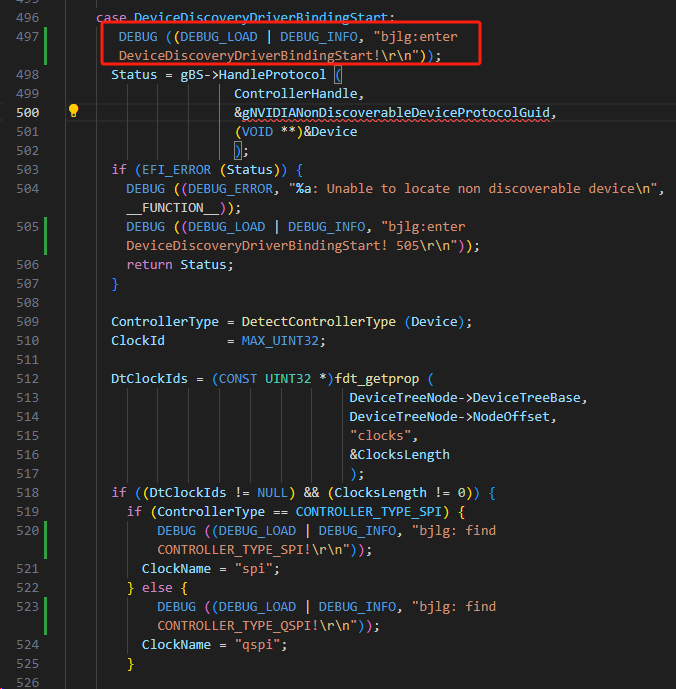
After add more logs in DeviceDiscoveryNotify() .Everytime when it enter DeviceDiscoveryNotify() . I find that it break out from this branch. Do you have any suggestions to fix this?
Yes. I have. The node with nvidia-tegra186-spi is enabled (status=“okay”).
I change QspiControllerDxe.c to QspiControllerDxe.txt for uploading. You can find all changes in QspiControllerDxe.txt. QspiControllerDxe.txt (23.1 KB)
By the way. the boot log about QspiControllerDxe is as follows:
I guess if it fails in case DeviceDiscoveryDriverBindingSupported. it won’t enter case DeviceDiscoveryDriverBindingStart. In the logs. I found that it enter case DeviceDiscoveryDriverBindingSupported a few times. Maybe it indicates find more than one *spi device,including QspiController device and SpiController device. If so, maybe SpiController device couldn’t be supported in case DeviceDiscoveryDriverBindingSupported .