Note: For any Isaac Lab topics, please submit your topic to its GitHub repo (GitHub - isaac-sim/IsaacLab: Unified framework for robot learning built on NVIDIA Isaac Sim) following the instructions provided on Isaac Lab’s Contributing Guidelines (Contribution Guidelines — Isaac Lab Documentation).
Please provide all relevant details below before submitting your post. This will help the community provide more accurate and timely assistance. After submitting, you can check the appropriate boxes. Remember, you can always edit your post later to include additional information if needed.
Isaac Sim Version
4.5.0
4.2.0
4.1.0
4.0.0
4.5.0
2023.1.1
2023.1.0-hotfix.1
Other (please specify):
Operating System
Ubuntu 22.04
Ubuntu 20.04
Windows 11
Windows 10
Other (please specify):
GPU Information
- Model : A4000
- Driver Version: 535
Topic Description
Issue with Python Environment: NVIDIA Isaac Sim and Omniverse Python Package Import Errors
Detailed Description
I followed the instructions here:
I’m sorry for the possiiblity of this quesiton possibly being really easy but im realtively new to isaacsim, and i have not seen this issue before
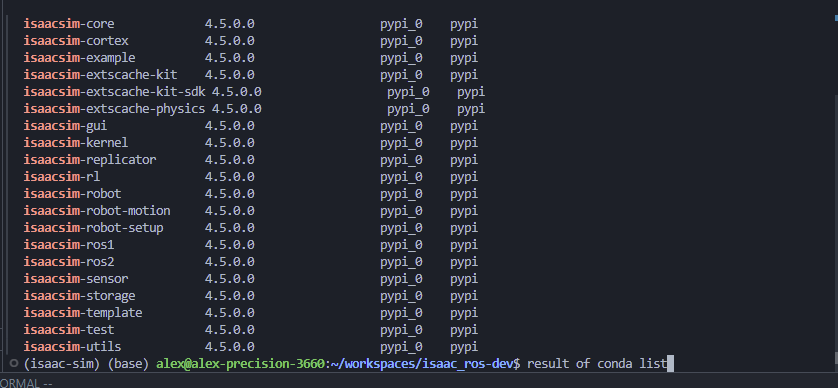
Initially, I set up a standard Python environment, but when that didn’t work, I switched to Conda thinking it might resolve any environment-specific issues. However, the same problem persists in the Conda environment.
Steps to Reproduce
- Activated the Conda environment.
- Sourced the
setup_conda_env.shscript from Isaac Sim and opened vscode - Some packages import correctly, but others fail.
Error Messages
(If applicable, copy and paste any error messages you received)
Screenshots or Videos


vscode setup

