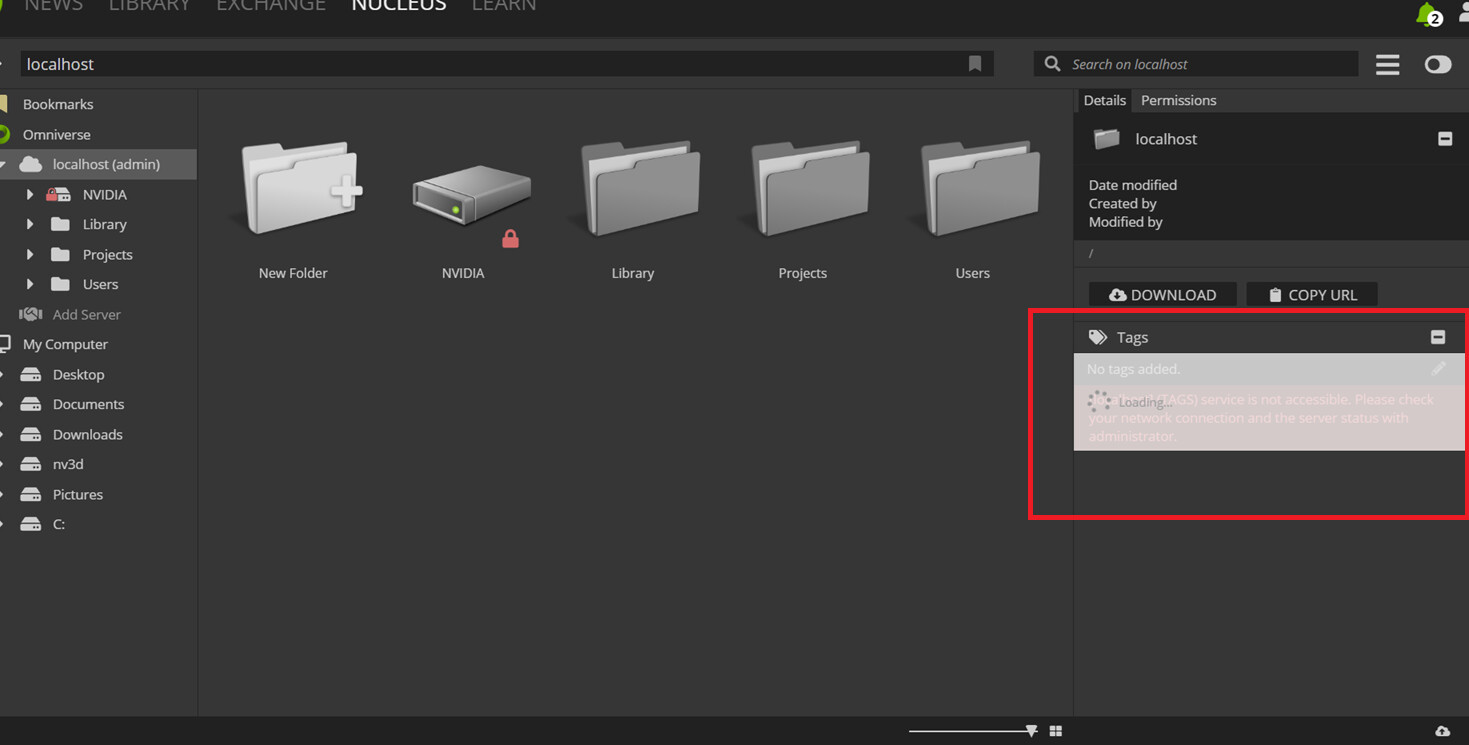
I have installed Omniverse Launcher in my VM and encountered an error highlighted in red. Could you please suggest what can be done? I want to connect this to Process Simulate, but I’m unable to connect to the Omniverse Server in Process Simulate as shown in the image below. I believe the error mentioned above could be the reason.

Omniverse Launcher, Nucleus Navigator and Nucleus for Workstation (localhost) has all been discontinued. Please uninstall and remove from your computer.
To download and build the latest Composer and other templates go to:
Or better still just follow these instructions: (Windows)
1. Download "git" from https://git-scm.com/downloads
2. Start a windows command console by using running "cmd" from the Windows Start menu
3. Navigate to where you want to install the kit app template folder
4. Copy and run "git clone https://github.com/NVIDIA-Omniverse/kit-app-template.git"
5. run "cd kit-app-template"
6. run "repo.bat template new"
7. run "repo.bat build"
8. run "repo.bat launch"
To download and build the latest Isaac Sim template:
Or better still just follow these instructions: (Windows)
1. Download "git" from https://git-scm.com/downloads
2. Start a windows command console by using running "cmd" from the Windows Start menu
3. Navigate to where you want to install the kit app template folder
4. Copy and run "git clone https://github.com/isaac-sim/IsaacSim.git isaacsim"
5. run "cd isaacsim""
6. run "build.bat"
7. run "\_build\windows-x86_64\release\isaacsim.exp.full.kit.bat"
If you wish to install Nucleus, you must now use the Nucleus for Enterprise stack, available for download at www.ngc.nvidia.com, with a free developer account.
Nucleus Compose Stack (PB25h1) | NVIDIA NGC
To Uninstall the Omniverse Launcher on Windows, follow these instructions:
-
Exit all kit apps
-
Close the Launcher interface
-
Right click on the “Green Launcher icon” down in the bottom right corner of the system tray and click “Exit”
-
Start the “Add / Remove Programs” system for and select “Nvidia Omniverse Launcher”. Uninstall it.
-
Start “Task Manager” and go to the “Details” tab. List by the “Name” column
-
Look for all processes running that start with “omni” with a green icon. These are Omniverse processes. If you have none running, ignore this.
-
Right click on each one of them and use the “End Task”. If you have none running, ignore this.
-
Delete ALL of following folders, if you find them:
c:/users/USER/appdata/local/ov
c:/users/USER/appdata/local/omniverse-launcher-updater
c:/users/USER/appdata/roaming/omni-launcher
c:/users/USER/.nvidia-omniverse
c:/users/USER/documents/kit
c:/users/USER/documents/omniverse -
Restart your computer
To download and build the latest Composer and other templates go to:
Or better still just follow these instructions: (Windows)
1. Download "git" from https://git-scm.com/downloads
2. Start a windows command console by using running "cmd" from the Windows Start menu
3. Navigate to where you want to install the kit app template folder
4. Copy and run "git clone https://github.com/NVIDIA-Omniverse/kit-app-template.git"
5. run "cd kit-app-template"
6. run "repo.bat template new"
7. run "repo.bat build"
8. run "repo.bat launch"
This topic was automatically closed 14 days after the last reply. New replies are no longer allowed.