AGX Orin 64GB Not Booting – “Hypervisor is not present” and “Parsing Board Information Failed” Errors

Hello,

We have several NVIDIA AGX Orin 64GB modules. One of the devices entered a state where it fails to boot after a reboot.

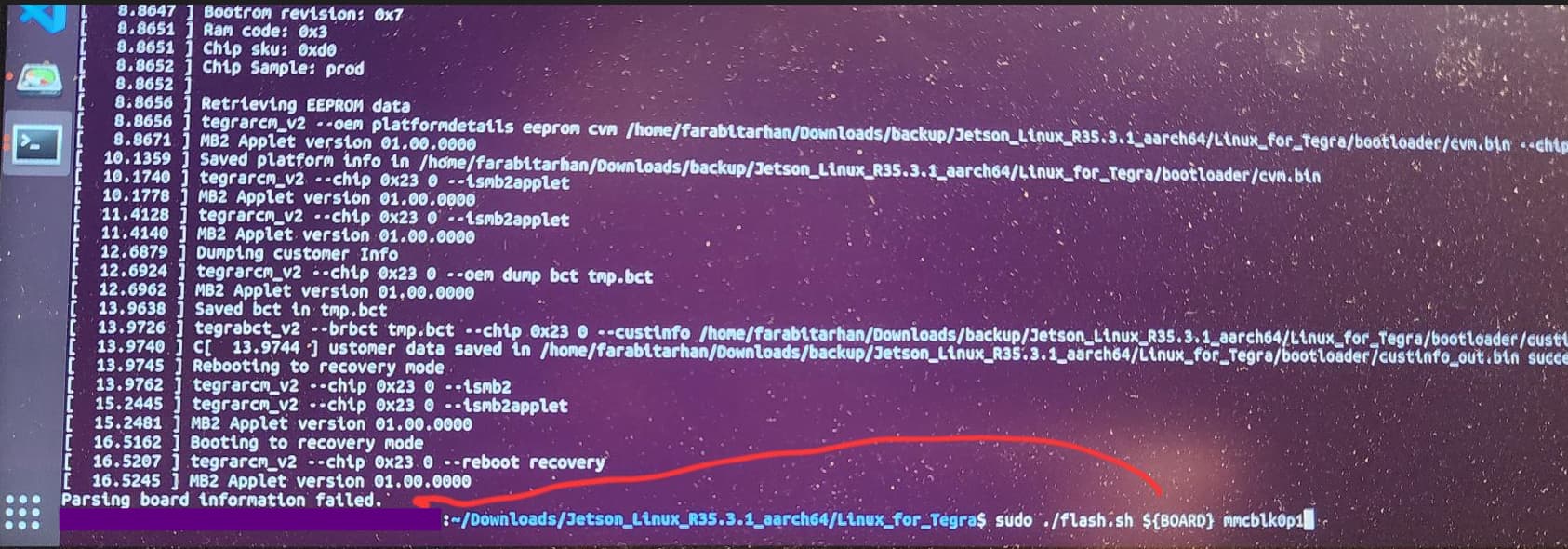
As shown in the attached console screenshot, the system ends up on a black screen with the message:
“hypervisor is not present”.

We tried to reflash the device using NVIDIA SDK Manager, just as we successfully did with the other two devices. Due to the following errors it didn`t end up successfully.

We also tried the flash.sh script. However, this time we encountered the following error during the process:
“Parsing Board Information Failed”. It is working for the the other ORIN AGX we have successfully.

Upon investigation, we suspect this might be related to EEPROM corruption or misconfiguration. Unfortunately, since the device cannot boot, updating the EEPROM does not seem possible from our side.

Could you please help us resolve this issue or guide us on how to proceed?

JetPack Version: r35.3.1 (JetPack 5.1.1)
Hardware: NVIDIA AGX Orin 64GB

Thank you in advance.

Hi,

Please try to get the real useful information first.

We don’t use such screenshot to tell information. There is a export logs button on your sdkmanager GUI. Click after your flash failure and attach the zip file.

Thank you!, please see them attached:

nvidia_flash_error.log (13.9 KB)
SDKM_logs_JetPack_5.1.4_Linux_for_Jetson_AGX_Orin_modules_2025-04-29_17-02-10.zip (180.2 KB)

Your EEPROM content is corrupted.

17:11:42.907 - Info: — Parsing board ID (ERROR: calculated CRC8 0xb7 != stored CRC8 0xb) succeeded.
17:11:42.907 - Info:
17:11:42.910 - Info: — Parsing board version (ERROR: calculated CRC8 0xb7 != stored CRC8 0xb) succeeded.
17:11:42.910 - Info:
17:11:42.913 - Info: — Parsing board SKU (ERROR: calculated CRC8 0xb7 != stored CRC8 0xb) succeeded.
17:11:42.913 - Info:
17:11:42.916 - Info: — Parsing board REV (ERROR: calculated CRC8 0xb7 != stored CRC8 0xb) succeeded.

Please follow this to flash

Can you please take a look at this? Log is attached.
Attempted 2 times, same result.

Got the board numbers through the following thread and used as
BOARDID=3701 BOARDSKU=0005
jetson-agx-orin-board-id-sku-fab

My Kit is: NVIDIA Jetson AGX ORIN 64GB Developer Kit

[ 11.4255 ] Sending membct and RCM blob
[ 11.4273 ] tegrarcm_v2 --chip 0x23 0 --pollbl --download bct_mem mem_rcm_sigheader.bct.encrypt --download blob blob.bin
[ 11.4290 ] BL: version 0.32.0.0-t234-54845784-57325615 last_boot_error: 0
[ 12.4562 ] Sending bct_mem
[ 13.7311 ] Sending blob
[ 13.7712 ] ERROR: might be timeout in USB write.
Error: Return value 3
Command tegrarcm_v2 --chip 0x23 0 --pollbl --download bct_mem mem_rcm_sigheader.bct.encrypt --download blob blob.bin
Failed flashing t186ref.

nvidia_flash_error_20250430.log (75.2 KB)

Could you use some newer Jetpack version (e.g. Jetpack5.1.5) instead of 5.1.1?

I used 5.1.4 today and ./flash successfully completed. But, just after Jetson UEFI Firmware screen with NVIDIA Logo, it stops continuing forward and no signal on DP.

nvidia_console_log_20250430.txt (60.8 KB)

nvidia_flash_log_with_5.1.4_20250430_r3.log (89.4 KB)

Have you had chance to look into logs again?
Thanks in advance!

Run this first and then reflash your board again.

Just to clarify. we don’t discuss about your monitor issue at this moment. We only focus on fixing that EEPROM issue first.

After you bypass the OEM config, use the console to check sudo i2cdump -y 0 0x50 and then modify the EEPROM checksumbit.