Note: For any Isaac Lab topics, please submit your topic to its GitHub repo (GitHub - isaac-sim/IsaacLab: Unified framework for robot learning built on NVIDIA Isaac Sim) following the instructions provided on Isaac Lab’s Contributing Guidelines (Contribution Guidelines — Isaac Lab Documentation).
Please provide all relevant details below before submitting your post. This will help the community provide more accurate and timely assistance. After submitting, you can check the appropriate boxes. Remember, you can always edit your post later to include additional information if needed.
Isaac Sim Version
4.5.0
4.2.0
4.1.0
4.0.0
4.5.0
2023.1.1
2023.1.0-hotfix.1
Other (please specify):
Operating System
Ubuntu 22.04
Ubuntu 20.04
Windows 11
Windows 10
Other (please specify):
GPU Information
- Model: NVIDIA GeForce RTX 3070
- Driver Version: 560.94
Topic Description
Detailed Description
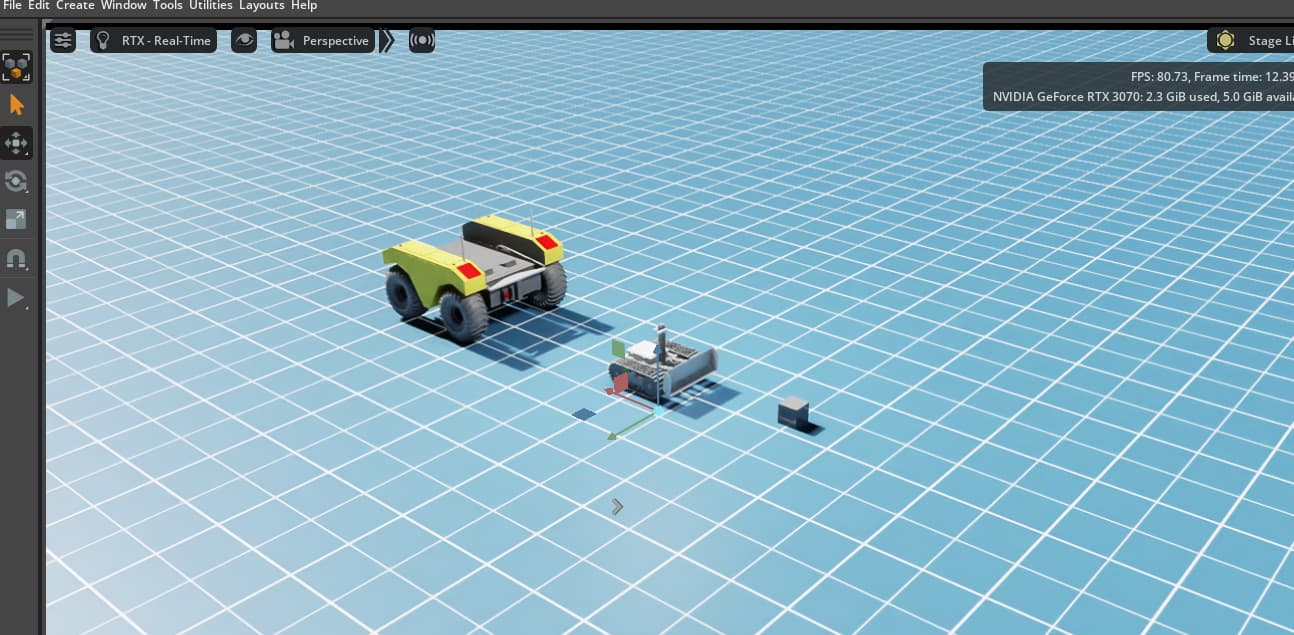
Importing the Clearpath Warthog URDF using the import function. Isaacsim reports errors and hangs. It is difficult to assess at which import step the import failed.
Steps to Reproduce
- Launch Isaacsim with ROS2 extension enabled
- Open a new scene
- Try File->Import: navigate to warthog_description/urdf and select warthog.urdf (use the attachment compressed file: warthog_description.zip)
- Import fails, application hangs.
Error Messages
(If applicable, copy and paste any error messages you received)
2025-04-21 18:52:51 [45,924ms] [Warning] [omni.usd] Warning: in AppendChild at line 775 of C:\g\122538378\USD\pxr\usd\sdf\path.cpp – Invalid prim name ‘e-stop’
2025-04-21 18:52:51 [45,924ms] [Warning] [omni.usd] Warning: in AppendChild at line 775 of C:\g\122538378\USD\pxr\usd\sdf\path.cpp – Invalid prim name ‘e-stop’
2025-04-21 18:52:51 [45,925ms] [Warning] [omni.usd] Coding Error: in _IsValidPathForCreatingPrim at line 3340 of C:\g\122538378\USD\pxr\usd\usd\stage.cpp – Path must be an absolute path: <>
2025-04-21 18:52:51 [46,016ms] [Error] [omni.kit.commands.command] Failed to execute a command: URDFImportRobot.
File “d:/isaacsim/extscache/isaacsim.asset.importer.urdf-2.3.10+106.4.0.wx64.r.cp310/isaacsim/asset/importer/urdf/scripts/extension.py”, line 459, in overwrite_callback
self._load_robot(dest_path, path)
File “d:/isaacsim/extscache/isaacsim.asset.importer.urdf-2.3.10+106.4.0.wx64.r.cp310/isaacsim/asset/importer/urdf/scripts/extension.py”, line 586, in _load_robot
omni.kit.commands.execute(
File “d:/isaacsim/extscache/omni.kit.commands-1.4.9+d02c707b.wx64.r.cp310/omni/kit/commands/command.py”, line 463, in execute
result = omni.kit.undo.execute(command, name, kwargs)
[…skipped…]
File “d:/isaacsim/extscache/omni.kit.commands-1.4.9+d02c707b.wx64.r.cp310/omni/kit/undo/undo.py”, line 78, in execute
result = _execute(command, name, level, history_key)
File “d:/isaacsim/extscache/omni.kit.commands-1.4.9+d02c707b.wx64.r.cp310/omni/kit/undo/undo.py”, line 459, in _execute
raise error
File “d:/isaacsim/extscache/omni.kit.commands-1.4.9+d02c707b.wx64.r.cp310/omni/kit/undo/undo.py”, line 420, in _execute
result = command.do()
File “d:/isaacsim/extscache/isaacsim.asset.importer.urdf-2.3.10+106.4.0.wx64.r.cp310/isaacsim/asset/importer/urdf/scripts/commands.py”, line 145, in do
return self._urdf_interface.import_robot(
<class ‘RuntimeError’> Used null prim
2025-04-21 18:52:51 [46,018ms] [Error] [omni.ui.python] RuntimeError: Accessed invalid null prim
At:
d:/isaacsim/extscache/isaacsim.asset.importer.urdf-2.3.10+106.4.0.wx64.r.cp310/isaacsim/asset/importer/urdf/scripts/extension.py(594): _load_robot
d:/isaacsim/extscache/isaacsim.asset.importer.urdf-2.3.10+106.4.0.wx64.r.cp310/isaacsim/asset/importer/urdf/scripts/extension.py(459): overwrite_callback
Screenshots or Videos
(If applicable, add screenshots or links to videos that demonstrate the issue)
Additional Information
What I’ve Tried
Import of turtlebot3_burger.urdf works fine.
I have also tried removing parts from the warthog.urdf, but the import failure still occurs
Related Issues
(If you’re aware of any related issues or forum posts, please link them here)
Additional Context
(Add any other context about the problem here)
warthog_description.zip (580.1 KB)