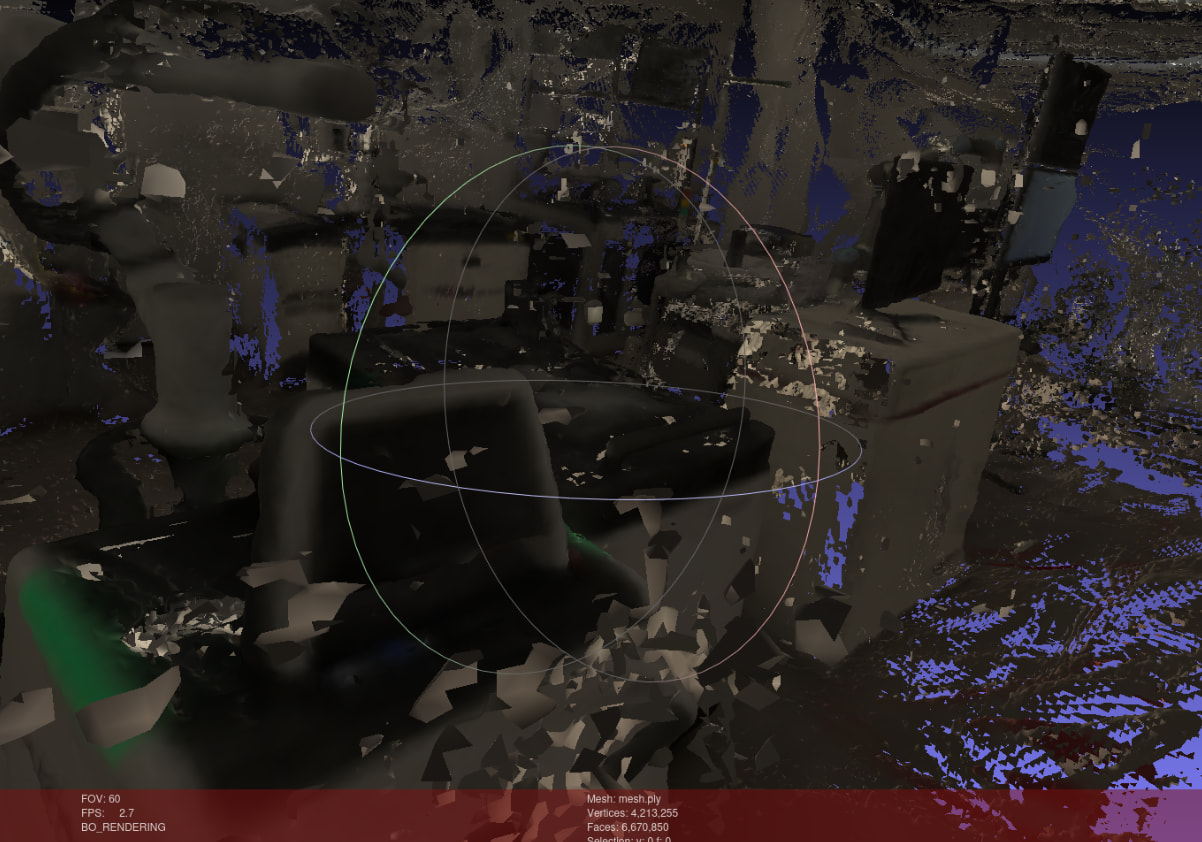
Hello,
Environment: fvdb-reality-capture (latest), spatial video → 3DGS → tsdf_from_splats_dlnr → mesh
Problem: The output mesh looks as if a small mesh is being generated around each individual Gaussian splat rather than a clean, continuous surface.
Q1 — Alternative or upcoming APIs for 3DGS-to-mesh?
I’m already aware of mesh_from_splats_dlnr(). Are there any other NVIDIA-maintained tools or pipelines for higher-quality mesh extraction from 3DGS — including anything currently in beta or active development (e.g., within the NVIDIA Spatial Intelligence Lab)?
Q2 — Parameter tuning for tsdf_from_splats_dlnr
Which parameters have the most impact on mesh quality for indoor room-scale scenes?
voxel_size: recommended range?truncation: should it be a fixed multiple of voxel_size (e.g., 3×)?min_weight or similar: is there a way to discard voxels with too few observations?- Marching cubes isolevel: is this exposed, and does it help with surface smoothness?
Q3 — Removing floating / mid-air noise Gaussians
I have many floating Gaussians in free-air regions that propagate into the TSDF as noisy depth estimates. Is there a built-in opacity- or density-based pruning step in fvdb-reality-capture, or is transforms.CropScene / CropSceneToPoints the intended approach for this?
Any guidance from the team or community would be appreciated. Thank you.
Thanks
6.0.0
5.1.0
5.0.0
4.5.0
4.2.0
4.1.0
4.0.0
4.5.0
2023.1.1
2023.1.0-hotfix.1
Other (please specify):
Operating System
Ubuntu 24.04
Ubuntu 22.04
Ubuntu 20.04
Windows 11
Windows 10
Other (please specify):
GPU Information
-
Model: Blackwell Max-Q
-
Driver Version:
We ran a side-by-side comparison on tsdf_from_splats_dlnr with two configs that reproduce exactly the “mesh-around-each-splat” artifact you’re seeing vs. a clean surface. Results below.
Comparison configs (mesh_compare.py)
| Param |
“Bad” (noisy, splat-ish) |
“Good” (clean surface) |
voxel_size |
0.005 |
0.02 |
truncation |
1.0 × voxel (=0.005) |
4.0 × voxel (=0.08) |
min_weight |
1 |
3 |
prune_opacity |
None |
0.1 |
Q2 — Parameter tuning
For indoor room-scale scenes the dominant factors, in order of impact:
-
voxel_size — counter-intuitive, but going coarser helps a lot. 0.005 m tries to resolve detail finer than the splat noise floor and ends up carving a tiny isosurface around every Gaussian. 0.01–0.03 m is the sweet spot for room-scale; we used 0.02.
-
truncation (a.k.a. truncation margin) — should be a multiple of voxel_size, not equal to it. A 1× truncation gives each splat its own little TSDF bubble. 3–4× voxel_size lets neighbouring splats’ SDFs blend into a single continuous surface. We used 4×.
-
min_weight — raise it. min_weight=1 keeps every voxel a single splat touched (= floaters survive). min_weight=3 drops voxels that weren’t confirmed by multiple views/splats and removes most mid-air noise.
-
Marching-cubes isolevel — not currently exposed as a tunable in tsdf_from_splats_dlnr; in practice the three params above dominate, so we didn’t need it.
So yes — truncation = ~4 × voxel_size is a good rule of thumb, and min_weight ≥ 3 is what you want to try.
Q3 — Removing floating / mid-air Gaussians
There is a built-in pruning step: prune_opacity in the TSDF call. Setting prune_opacity=0.1 drops low-opacity Gaussians before they contribute to the SDF, which kills most of the airborne floaters at the source. This was the single biggest visual win in the comparison.
.