I currently have a mobile robot with four-wheel independent steering and four-wheel independent driving. I would like to use the Action Graph to implement a controller that takes linear_vel and angular_vel from a ROS 2 topic, parses them into individual wheel speeds and steering angles, and feeds them to the Articulation Controller.
However, Isaac Sim does not currently provide a built-in controller for this configuration.
So I would like to ask: Is it possible to create a custom controller within the Action Graph?
Thank you!
Hi @zhengwang, Thank you for your quick reply! I’ve followed the tutorial you mentioned and successfully created a custom C++ OmniGraph node. However, I’m still a bit confused.
How can I create an OmniGraph node that subscribes to a custom ROS 2 topic, and a custom controller that receives and processes the data from that topic? The tutorial didn’t provide much detail on this aspect.
Would it be possible for you to share any example or reference that covers this kind of use case? I’d really appreciate it!
Thank you for your reply. After switching to Isaac Sim 5.0, I was able to successfully create a custom controller as an OmniGraph node. I’m currently testing the stability and performance of the controller.
Sorry to bother you @zhengwang,Laterly I’ve encountered an issue: when I use the Articulation Controller’s position command to control the steering wheels, I noticed that in Isaac Sim, the joint rotation appears to treat clockwise as positive.
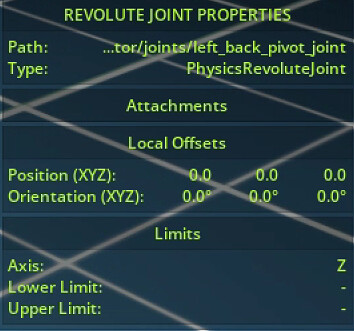
Since we usually assume counterclockwise rotation as positive, I’m not sure whether this is defined behavior in Isaac Sim, or if there might be a problem with my USD file. I’ve checked the steering joints — they are all set to rotate around the Z-axis, and the Y-axis directions follow the right-hand rule as expected.
I would appreciate any clarification or suggestions you could provide.
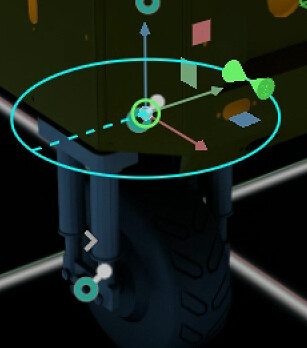
Sorry, I’m not able to share my USD file at the moment. However, I can confirm that the Z-axis orientation of the steering wheel joints is consistent with the Z-axis direction defined in Isaac Sim, as shown in the image below(the blue axis represents Z, and the red axis represents X.).
@revesreveilles For your visualization, are you viewing it using global coordinates or local coordinates? You can switch between these two by clicking the center square of the Move button. It is local coordinates if it is highlighted.
Apologies, I missed that. I was viewing in global coordinates. After switching to local coordinates, I have confirmed that it was because my USD asset. Thanks for the reminder!
One more problem: After adding the RTX Lidar (Rotating) sensor and publishing point cloud data through Omnigraph by following the tutorial, and my FPS just dropped to ~10. Existing forum solutions didn’t help to much. Are there any suggestions to improve performance? I think i may open a new thread for this.
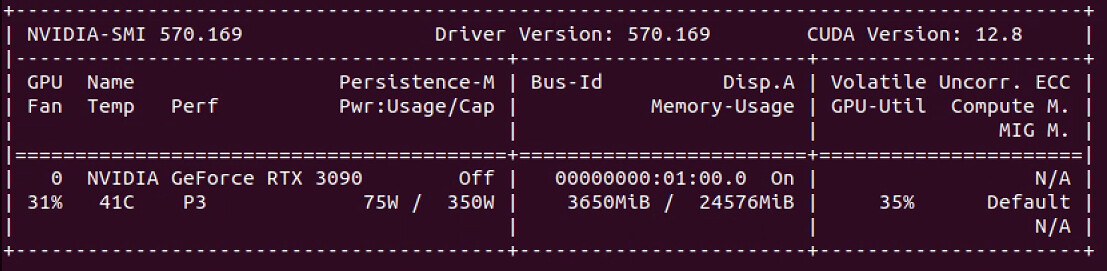
And marking this as resolved. Btw, here are my GPU specs:
No worries and yes please open a new topic for performance optimization.
Here is a handbook I usually suggest user to try out Isaac Sim Performance Optimization Handbook — Isaac Sim Documentation
Also RTX 3090 satisfies the minimum specs of Isaac Sim but not ideal. It would be hard to achieve high FPS with relatively complex setup.