I2S_DOUT as GPIO

I2S_DOUT (pin 40) of the 40 pin connector is set as unused on the Jetson Expander Header Tool.

Shouldn’t I be able to define the pin as HIGH or LOW like a GPIO?

I am defining it on a .sh:

CHIP=“gpiochip0”

LINE=51

# Set the pin high

gpioset $CHIP $LINE=1

I was able to do it on the GPIO27 of the 40 pin connector.

Do I have to change the dt for this?

*** Please note that this reply is generated by LLM automatically ***

The issue you’re experiencing is due to the I2SDOUT pin being set as unused on the Jetson Expander Header Tool. Although it’s a GPIO-capable pin, it’s not being treated as a GPIO pin in this case.

The reason you’re able to set GPIO27 as HIGH or LOW is that it’s not being used for any other function. However, I2SDOUT pin 40 is likely being used for the I2S (Inter-IC Sound) interface, which is a digital audio interface.

To use the I2SDOUT pin as a GPIO pin, you’ll need to disable the I2S interface and reconfigure the pin as a GPIO pin. This will require modifying the device tree (dt) to disable the I2S interface and enable GPIO functionality on the pin.

Here are the steps you can follow:

  1. Modify the device tree: You’ll need to modify the device tree to disable the I2S interface and enable GPIO functionality on the I2SDOUT pin. You can do this by adding a new node to the device tree that disables the I2S interface and enables GPIO functionality on the pin.

For example, you can add the following node to the device tree:

&gpio {
    gpio-line-names = "I2SDOUT";
    gpio-line-names = "gpio51";
};

&i2s {
    status = "disabled";
};

This will disable the I2S interface and enable GPIO functionality on the I2SDOUT pin.

  1. Rebuild the device tree: After modifying the device tree, you’ll need to rebuild it to apply the changes. You can do this by running the following command:
dtc -I dts -O dtb -o output.dtb input.dts

Replace input.dts with the name of your device tree file, and output.dtb with the name of the output file.

  1. Flash the new device tree: Once you’ve rebuilt the device tree, you’ll need to flash it to the Jetson module. You can do this by running the following command:
sudo flash.sh -k kernel-dtb jetson-agx-orin-emmc mmcblk0p1

Replace jetson-agx-orin-emmc with the name of your Jetson module, and mmcblk0p1 with the name of the partition where the device tree is stored.

After flashing the new device tree, you should be able to use the I2SDOUT pin as a GPIO pin. You can verify this by running the following command:

gpioset CHIP LINE51=1

This should set the I2SDOUT pin high.

Note that modifying the device tree can be complex and requires a good understanding of the device tree syntax and the underlying hardware. If you’re not comfortable modifying the device tree, you may want to seek help from a qualified engineer or developer.

*** Please give the thumbs up if you get answers you like. Or provide feedback to help us improve the answer. ***

Hi gabriel.gil,

Are you using the devkit or custom board for AGX Orin?
What’s the Jetpack version in use?

For the PIN40 on 40-pins expansion header, you can use it as GPIO Output
image
Please just configure it as following in pinmux spreadsheet.
image

Hi.

I am using the Devkit.

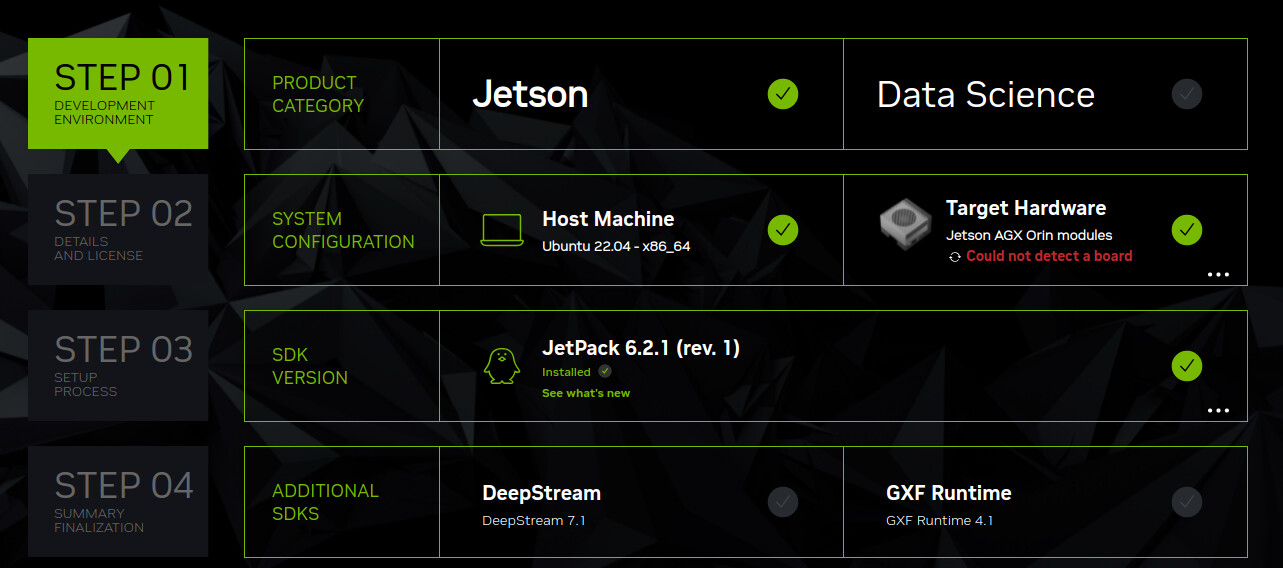
Jetpack Version: 6.0+b106

So I need to change the dt.

Do I need to recompile kernel image/dtb or just an overlay is ok?

I am using this overlay:

/dts-v1/;
/plugin/;

/ {
overlay-name = “Test GPIO PIN 40 Overlay”;
jetson-header-name = “Jetson 40pin Header”;
compatible = “nvidia,p3737-0000+p3701-0005”;

fragment@0 {
target = <&pinmux>;

__overlay__ {
    pinctrl-names = "default";
    pinctrl-0 = <&jetson_io_pinmux>;

    jetson_io_pinmux: exp-header-pinmux {
        hdr40-pin40 {
            nvidia,pins = "soc_gpio42_pi0";
            nvidia,tristate = <0x0>;
            nvidia,enable-input = <0x1>;
            nvidia,pull = <0x0>;
        };
    };
};

};
};
And then followed Configuring the Jetson Expansion Headers — Jetson Linux Developer Guide documentation.

But it is not working.

Could you verify with JP6.2.1(L4T r36.4.4) as the JP6.0 is the first public release for JP6?

You just need to use pinmux spreadsheet to generate the dtsi and put them to correct path in BSP package.
They are loaded in early boot stage(i.e. MB1) rather than kernel.

This method will only configure the pinmux register by pinctrl driver in kernel. The configuration in gpio.dtsi (generated by the pinmux spreadsheet) will not be configured here.

What do you mean?

This? head -n 1 /etc/nv_tegra_release

R36 (release), REVISION: 3.0

I cannot find <l4t_top>/bootloader/t186ref/BCT/

This is from JP6.0GA (L4T r36.3.0)
I would suggest you verifying with the latest JP6.1.2(L4T r36.4.4)

Please check <Linux_for_Tegra>/bootloader/generic/BCT instead as you are using JP6.

Which .conf should I change?

Jetson AGX Orin Platform Adaptation and Bring-Up — Jetson Linux
Developer Guide 34.1 documentation

If you are using AGX Orin, please update the jetson-agx-orin-devkit.conf.
Or please also check p3701.conf.common as it is included by jetson-agx-orin-devkit.conf.

The file jetson-agx-orin-devkit.conf does not exist. Just changing the other you mentioned works?

What’s the board config you used to flash the board?

I changed the spreadsheet as follows:

Screenshot from 2025-11-11 18-08-31

Then I generated the files:

Orin-teste-gpio-default.dtsi

Orin-teste-pinmux.dtsi

Moved Orin-teste-gpio-default.dtsi into ~/nvidia/nvidia_sdk/JetPack_6.2.1_Linux_JETSON_AGX_ORIN_TARGETS/Linux_for_Tegra/bootloader

Moved Orin-teste-pinmux.dtsi into ~/nvidia/nvidia_sdk/JetPack_6.2.1_Linux_JETSON_AGX_ORIN_TARGETS/Linux_for_Tegra/bootloader/generic/BCT

Next step was to update jetson-agx-orin-devkit.conf in the folder ~/nvidia/nvidia_sdk/JetPack_6.2.1_Linux_JETSON_AGX_ORIN_TARGETS/Linux_for_Tegra

I went to p3737-0000-p3701-0000.conf.common in the same folder

Then went to p3701.conf.common in the same folder.

Changed PINMUX_CONFIG Variable to Orin-teste-pinmux.dtsi

After this used SDK manager to flash the device.

Tested to change pin 40 state of the 40 pin connector and it does not work.

Linux command: gpioset gpiochip0 51=1

Can you run the following command to control?

# gpioset --mode=wait `gpiofind "PI.00"`=0
# gpioset --mode=wait `gpiofind "PI.00"`=1

Have you applied the patch from the following thread before the test?
40hdr - SPI1 gpio padctl register bit[10] effect by gpiod tools in JP6 - #20 by KevinFFF

Where should I apply the patch?

Please refer to Kernel Customization — NVIDIA Jetson Linux Developer Guide 1 documentation to download kernel source to apply the change.

I am having this error messages. Been trying to workaround it, but without success.

After make -C kernel

make: Entering directory ‘/home/nvidia/nvidia_sdk/JetPack_6.2.1_Linux_JETSON_AGX_ORIN_TARGETS/Linux_for_Tegra/source/kernel’

================================================================================

Building kernel-jammy-src sources

================================================================================

make \

  ARCH=arm64 \\

  -C /home/nvidia/nvidia_sdk/JetPack_6.2.1_Linux_JETSON_AGX_ORIN_TARGETS/Linux_for_Tegra/source/kernel/kernel-jammy-src  \\

  LOCALVERSION=-tegra \\

  defconfig

make[1]: Entering directory ‘/home/nvidia/nvidia_sdk/JetPack_6.2.1_Linux_JETSON_AGX_ORIN_TARGETS/Linux_for_Tegra/source/kernel/kernel-jammy-src’

*** Default configuration is based on ‘defconfig’

#

# No change to .config

#

make[1]: Leaving directory ‘/home/nvidia/nvidia_sdk/JetPack_6.2.1_Linux_JETSON_AGX_ORIN_TARGETS/Linux_for_Tegra/source/kernel/kernel-jammy-src’

make -j 12 \

  ARCH=arm64 \\

  -C /home/nvidia/nvidia_sdk/JetPack_6.2.1_Linux_JETSON_AGX_ORIN_TARGETS/Linux_for_Tegra/source/kernel/kernel-jammy-src  \\

  LOCALVERSION=-tegra \\

  --output-sync=target Image

make[1]: Entering directory ‘/home/nvidia/nvidia_sdk/JetPack_6.2.1_Linux_JETSON_AGX_ORIN_TARGETS/Linux_for_Tegra/source/kernel/kernel-jammy-src’

arch/arm64/Makefile:36: Detected assembler with broken .inst; disassembly will be unreliable

make[1]: Leaving directory ‘/home/nvidia/nvidia_sdk/JetPack_6.2.1_Linux_JETSON_AGX_ORIN_TARGETS/Linux_for_Tegra/source/kernel/kernel-jammy-src’

make[1]: Entering directory ‘/home/nvidia/nvidia_sdk/JetPack_6.2.1_Linux_JETSON_AGX_ORIN_TARGETS/Linux_for_Tegra/source/kernel/kernel-jammy-src’

SYNC include/config/auto.conf.cmd

make[1]: Leaving directory ‘/home/nvidia/nvidia_sdk/JetPack_6.2.1_Linux_JETSON_AGX_ORIN_TARGETS/Linux_for_Tegra/source/kernel/kernel-jammy-src’

*** Error during sync of the configuration.

make[3]: *** [scripts/kconfig/Makefile:77: syncconfig] Error 1

make[2]: *** [Makefile:630: syncconfig] Error 2

make[1]: *** [Makefile:750: include/config/auto.conf.cmd] Error 2

make[1]: *** Deleting file ‘include/config/auto.conf.cmd’

make: *** [Makefile:31: kernel] Error 2

make: Leaving directory ‘/home/nvidia/nvidia_sdk/JetPack_6.2.1_Linux_JETSON_AGX_ORIN_TARGETS/Linux_for_Tegra/source/kernel’

How did you sync the kernel source?

Have you configured the toolchain correctly?
Please refer to Jetson Linux Toolchain — NVIDIA Jetson Linux Developer Guide for details.

Do you have any customization before building the kernel source?

I am using JetPack 6.2.1

To sync: ./source_sync.sh -k -t jetson_36.4.4

I followed Kernel Customization — NVIDIA Jetson Linux Developer Guide 1 documentation . Therefore I followed Jetson Linux Toolchain — NVIDIA Jetson Linux Developer Guide 1 documentation .

I have only applied the patch:

patch -p1 < fix_gpio.patch

Could you build the kernel source successfully if you don’t apply the patch?
If not, it may be caused from the building environment issue of your host.