Isaac Sim Version
4.5.0
Operating System
Ubuntu 22.04 with ROS 2 Humble
GPU Information
- Model: 4080 Super
- Driver Version: 550.144.03
Topic Description
When commanding my mobile base I have found that it struggles to follow a commanded path. Digging into the issue I found that the drive wheels do not follow the commanded velocity in the positive direction but do in the negative.
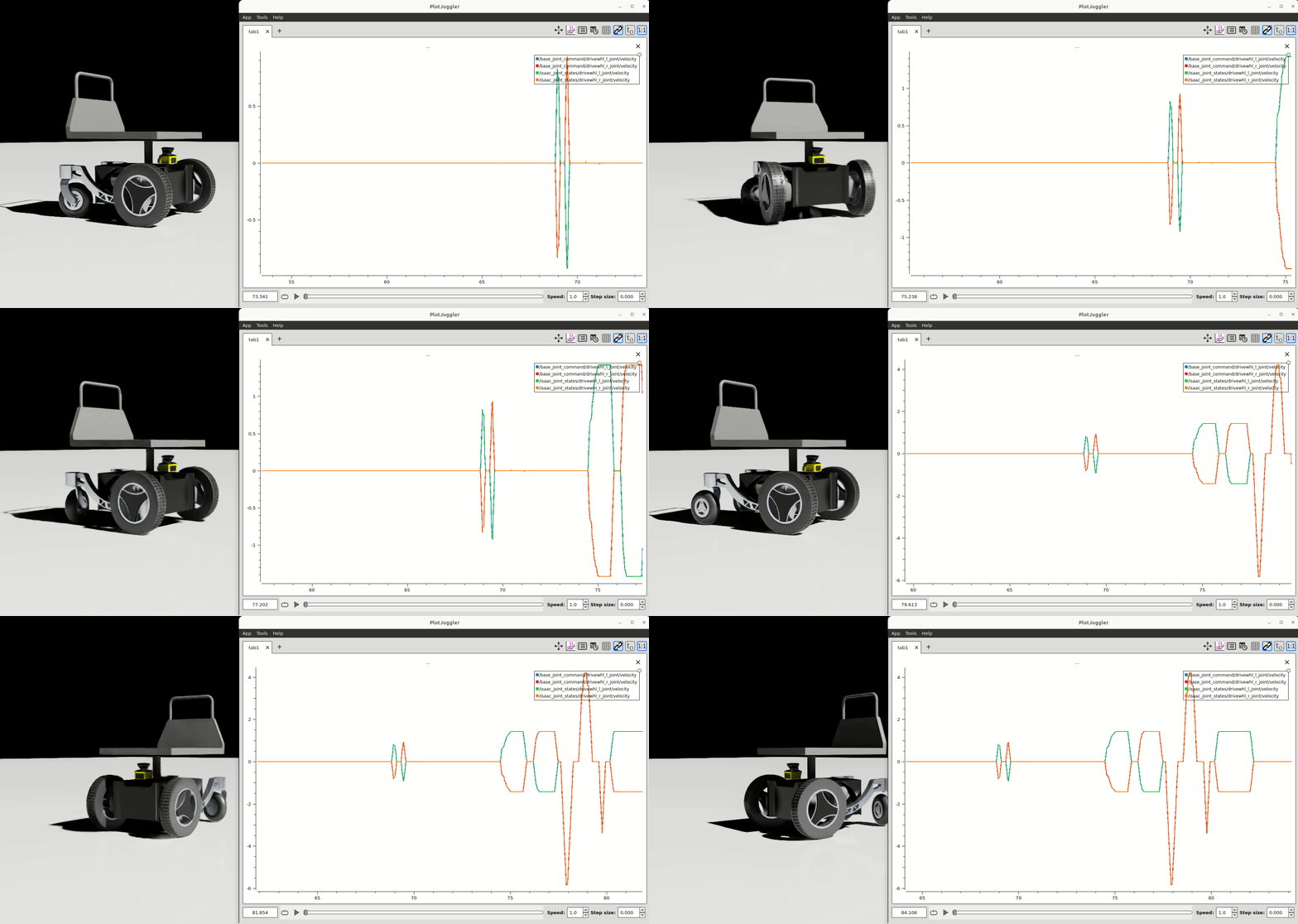
Here are two plots showing the command and feedback for both wheel joints in rad/sec. You can see when rotating right or left the wheel that is sent a positive command has an offset from the actual speed causing the vehicle to not rotate in place and have poor performance when navigating.
In this gif you can see that the offset is pretty constant and is only present when the command is positive.

As I have been setting up my vehicle I have been comparing it to Nvidia’s Carter robot configuration. As far as I can tell they are setup very similar except I am using my own diff driver controller to calculate the desired wheel velocities. Both drive wheels are configured the same and only use a Damping gain of 1000000.0 (same as the Carter robot). I don’t really understand why you would only specify Damping and have tried increasing/decreasing the value but get the same behavior. I have also tried to set the DriveStiffness but the wheels do not move if this value is anything but 0.0.
Here is the Omnigraph I am using to subscribe to a ROS topic and command the joints:
Any ideas on things I can change to get better performance from my base?
Hi @marq.razz, thanks for posting your issue. I wonder if this tracking error is an artifact of the mechanism itself. Would you be able to verify that the rear caster wheels are not colliding with any bodies when moving backwards? You can check that by turning on mesh collider visualization.
Also, if you could share your scene asset I could look at it more closely.
Thanks for getting back to me @michalin! I did a bunch of digging into this and also suspected the mechanism was not setup correctly but visualizing the collision shapes and even using the Physics Debug tool to show Contact Point and Normal’s showed everything was working as expected.
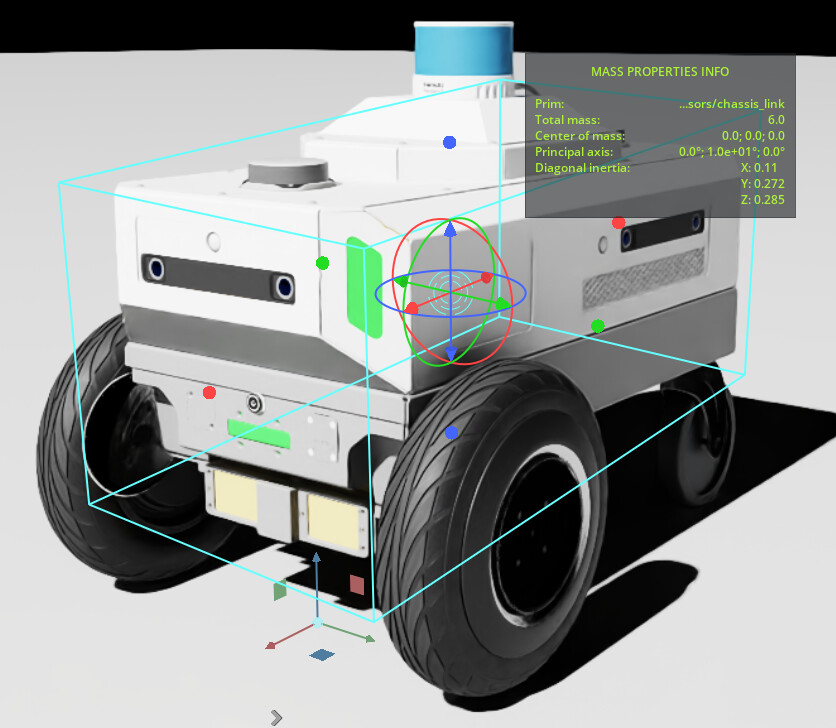
Doing a bunch of experimenting and comparison with the Carter robot I found that it has unrealistic mass values for the wheels (20 Kg) vs chassis (6 Kg).
No surprise my robot was setup with more realistic values for the chassis (40 Kg) and wheels (4 Kg). After I copied the incorrect values from the Carter base the wheels started to follow the command.
Scraping through the source code I found these snippets on the articulation controller but was unable to locate how the control law is implemented for velocity.
High stiffness makes the joints snap faster and harder to the desired target,
and higher damping smoothes but also slows down the joint's movement to target

* For position control, set relatively high stiffness and low damping (to reduce vibrations)
* For velocity control, stiffness must be set to zero with a non-zero damping
* For effort control, stiffness and damping must be set to zero

Note that this API sets the desired target velocities of the DOFs not the instantaneous velocities.
It may take multiple frames for the DOFs to reach the target velocities depending on the damping values of the controller.