I tried to achieve dual HDMI, and modified the device tree file of tegra194-p3509-disp.dtsi, but the added HDMI could not display normally, just flash and there was no signal. I will upload the modified device tree file and the full console print. Hope you can get the solution idea, thank you.
Note that I used this method in jetpack4.4 to successfully display both HDMS.
Can you tell me how to turn off the dp driver? I have read similar posts on forums before, and I know that the basic direction is to close DP and add an HDMI node, but now it seems that it is not enough for me to modify only in tegra194-p3509-disp.dtsi. Indeed, there are still activities related to DP running, but I do not know where to close them, I hope to get your help. This problem has been bothering me for a week.
I did not find a.dtb file for tegra194-p3509-disp.dtsi, but my predecessors told me that it appeared that all the device tree files were compiled to tegra194-p3668-all-p3509-0000.dtb. The reason for this is not clear to me, but I will continue to find the problem according to your suggestion.
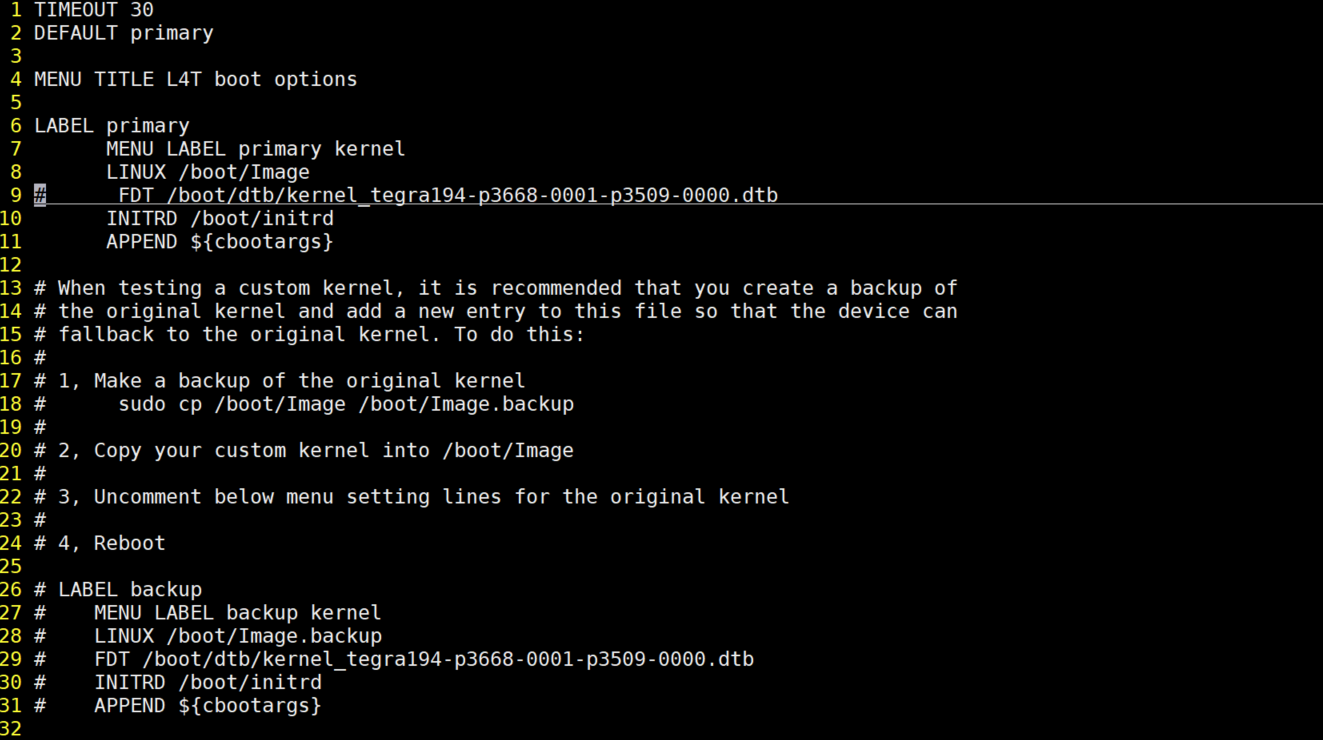
After I annotate the FDT in the boot/extlinux$extlinux.conf file, dual HDMI takes effect and everything works fine. What’s strange is that I didn’t modify this file when I added the TF card device tree before. The TF card still works fine.
I found a new problem. When the power is off, only the HDMI I added is plugged in, the system can work, but neither of the two HDMI will show anything, they work abnormally, and the following is its console information. When the power is not on, only plug in the new HDMI.txt (36.0 KB)
However, if I do not power on before, only plug in NVIDIA default HDMI or two HDMI do not plug in, the system will start normally, after the start of the two HDMI work everything is normal, plug and unplug at will, this is why?
I don’t understand why this is, how to solve it?
Oh, I’ve been too involved in solving the problem to say thank you. Thank you for your reply and your thoughts. It helped me a lot. I wish you a happy life.
I’m sorry that my description has caused you trouble.
If you plug in HDNI2 before powering on, your system’s HDMI will crash. No HDMI display.
NVIDIA HDMI is the HDMI of the original system. I said that the new HDMI was added by myself. Let’s call the original HDMI of the system HDMI1 and the new HDMI I added HDMI2, OK?
I am uploading the HDMI I added by myself, namely HDMI2, to you again. Please plug it in and then connect the power to the console to print information. This seems to be a clearer problem.
I FOUND a similar scenario in the forum, but I didn’t find a perfect solution, probably because of the driver initialization (this is just my guess), maybe because there are two HDMI at the same time and the driver initialization error will happen. Unfortunately, I can’t add HDMI switch to the hardware like this brother. Any other suggestions? thank you.
@WayneWWW
1.HDMI1 and HDMI2 don’t have this problem when I use jetpack4.4, I haven’t tried the other Jetpack 4.x versions. However, the steps in 5.2 and 4.4 are almost exactly the same.
2.Would you like me to upload a complete log for you?