Isaac Sim Version
5.0.0
4.5.0
4.2.0
4.1.0
4.0.0
4.5.0
2023.1.1
2023.1.0-hotfix.1
Other (please specify):
Operating System
Ubuntu 22.04
Ubuntu 20.04
Windows 11
Windows 10
Other (please specify):
GPU Information
- Model: RTX 5050
- Driver Version: Latest Studio Driver
Topic Description
URDF Import in Isaac Sim 5.0 Shows Only Base Cube – Meshes Missing
Detailed Description
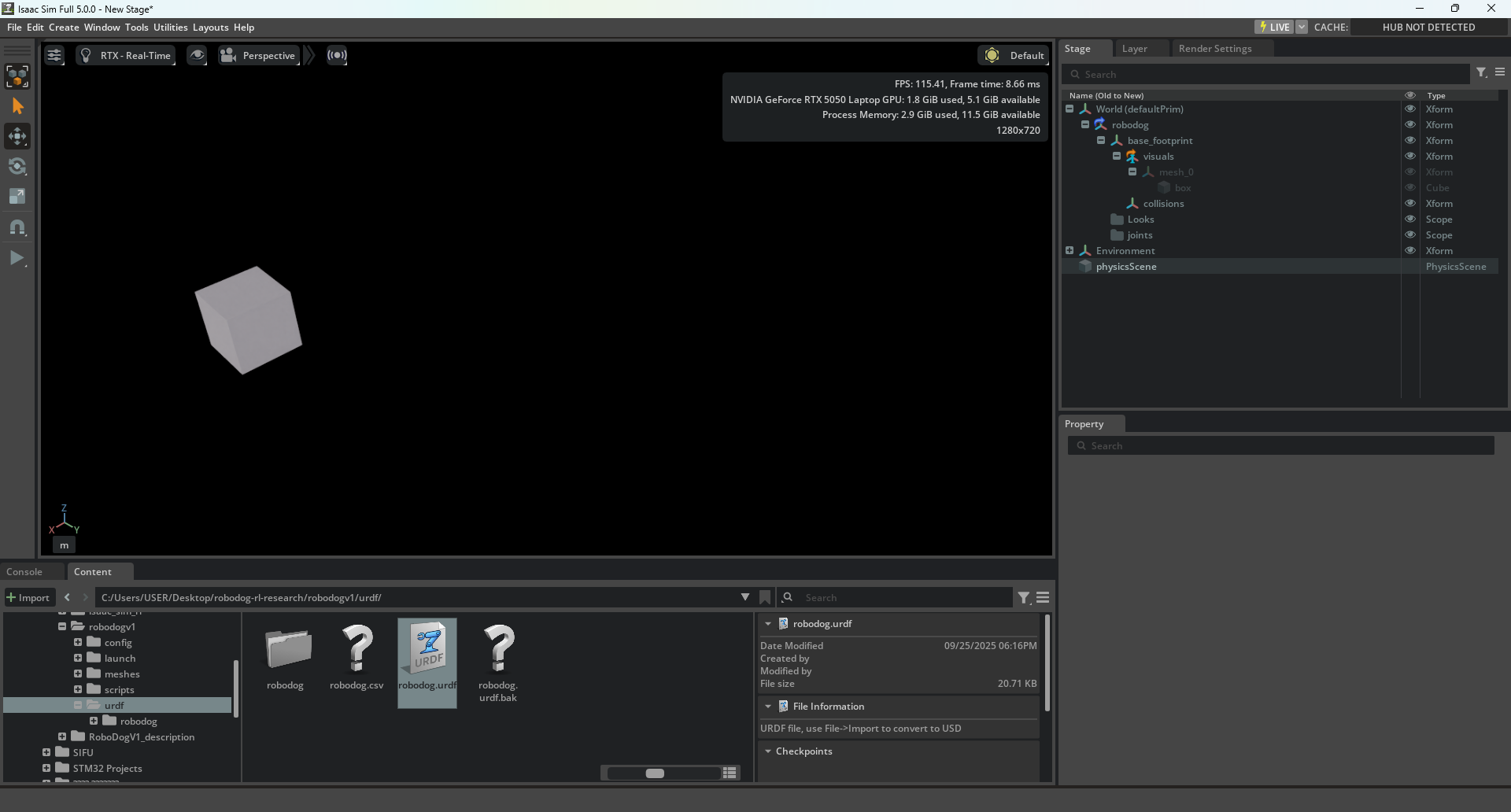
I’m trying to import a URDF into Isaac Sim 5.0 on Windows. The robot prim is created successfully, but only a small white cube appears (the base_footprint visual). All other visual meshes are missing.
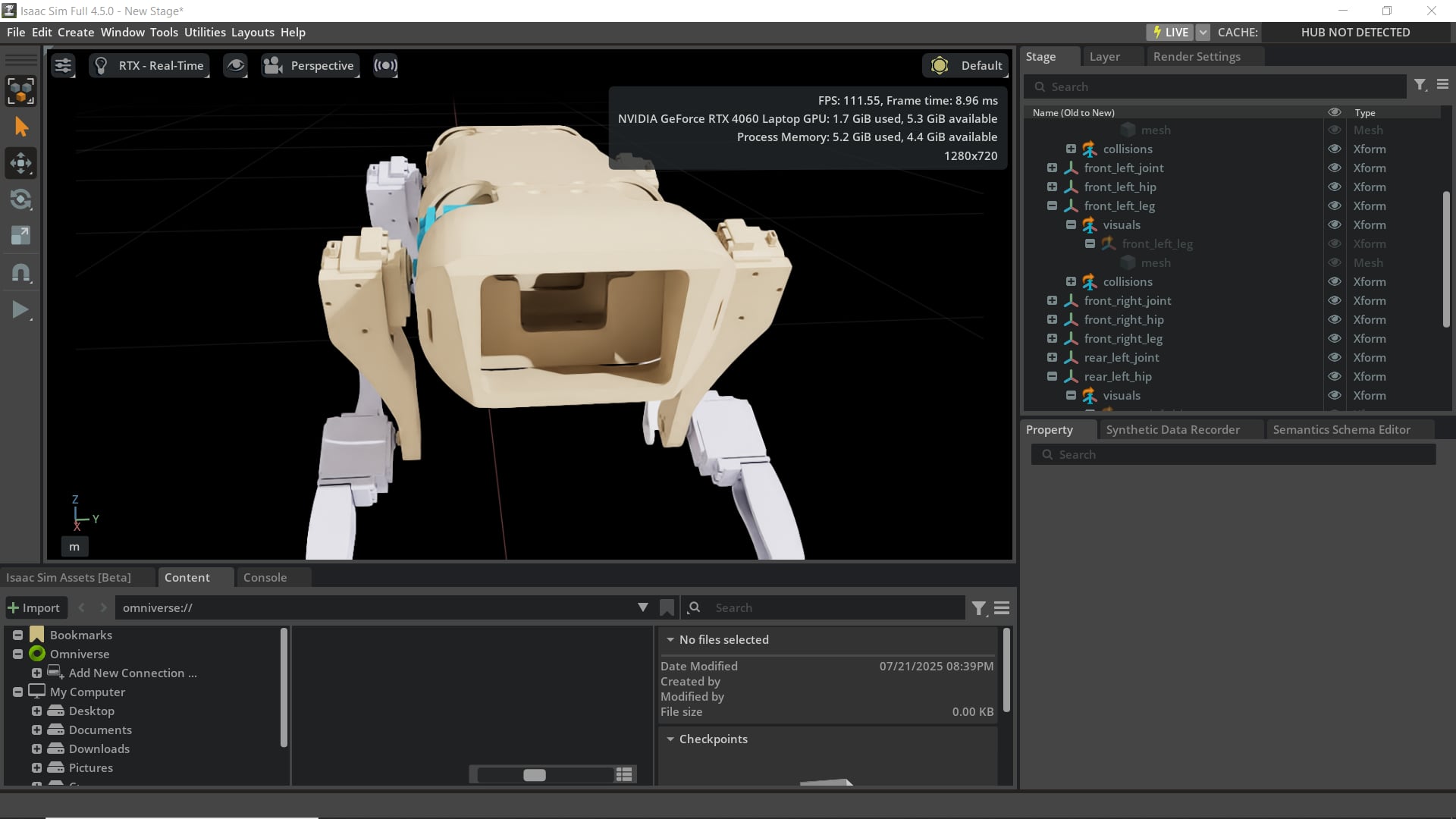
I expected the full robot with all its visual meshes to appear, as happens in Isaac Sim 4.5 and in online URDF visualizers.
The import logs show warnings about missing mass and failed mesh paths, which suggest that Isaac is failing to resolve ROS package:// URIs and Linux-style relative paths, or is unable to convert some STL meshes to USD. The base_footprint contains a tiny box and no inertial data, which triggers additional inertia/placeholder warnings.
Steps to Reproduce
- Open Isaac Sim 5.0 on Windows.
- Import a URDF that uses ROS
package://URIs and Linux-style relative paths. - Observe that only the
base_footprintcube appears; all other visual meshes are missing. - Check the import logs for warnings about missing mass and failed mesh conversions.
Error Messages
No mass specified for link base_footprint
getAttributeCount called on non-existent path /robodog/base_footprint/visuals/mesh_0
Screenshot

Additional Information
What I’ve Tried
- Verified that the URDF works correctly in Isaac Sim 4.5 and online visualizers.
- Checked the console for “Failed to convert” errors to identify missing meshes.
- Considered pre-converting STL meshes to USD or pointing to Windows absolute
file:///c:/...URIs. - Thought about adding inertial data or removing the tiny
base_footprintbox. - Verified importer settings: Mesh Directory, Import Visuals, and Scale.
Additional Context
- This seems specific to Isaac Sim 5.0 on Windows, likely due to path resolution and mesh conversion differences from Isaac Sim 4.5.
- Any advice on ensuring all visuals appear correctly would be greatly appreciated.


