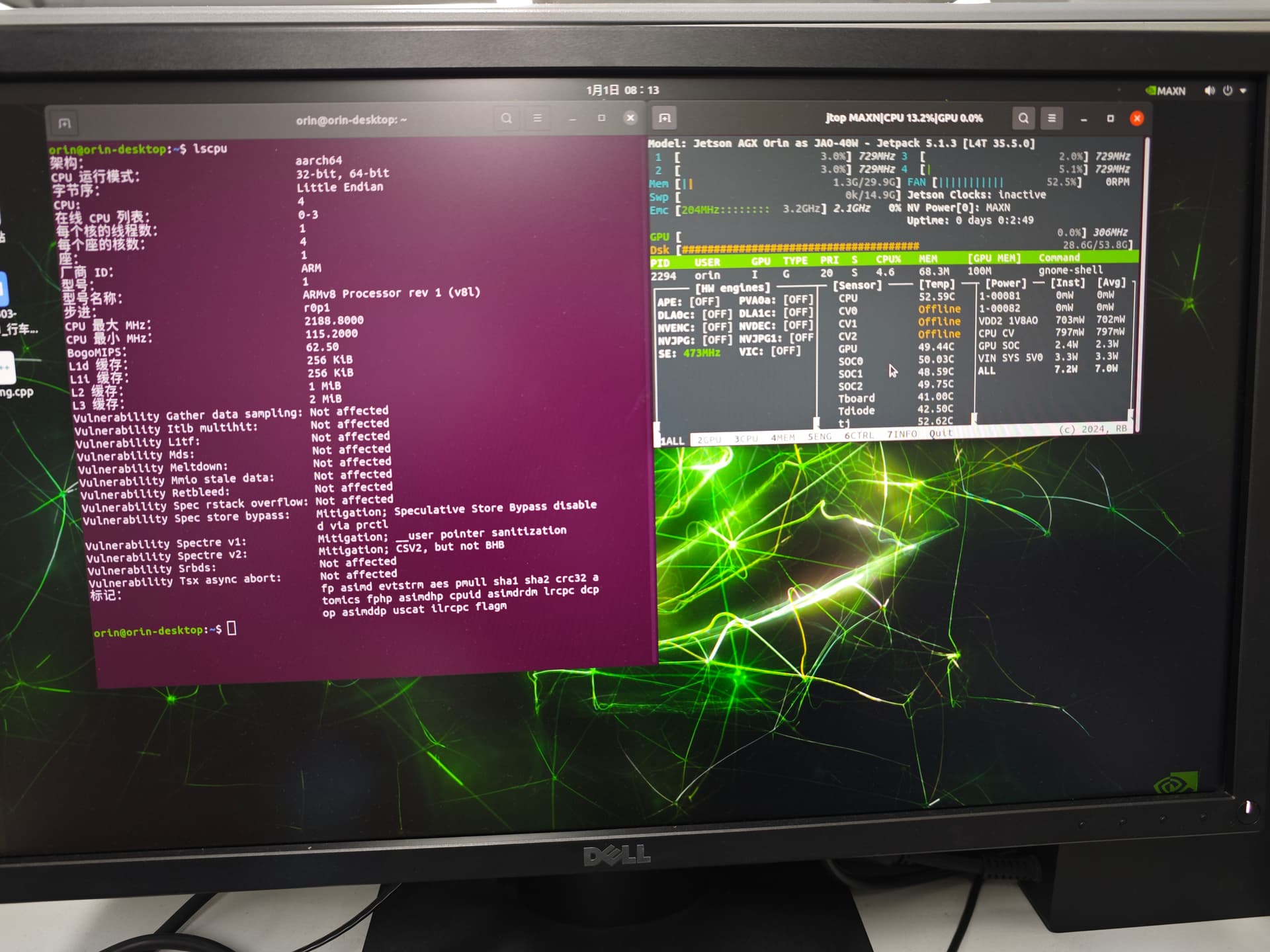
Hi Dears
when I use lscpu to read the AGX32G, it shows 4 CPU and 1 cluster. is that wrong?
Thanks!
Hi Dears
when I use lscpu to read the AGX32G, it shows 4 CPU and 1 cluster. is that wrong?
Thanks!
Hi Ethan,
Yes, this is normal and is because your system’s power mode is in 15W which only enables 4 cores. You can enable all cores and maximize performance by changing the power mode to MAXN either in the top right corner of the desktop GUI or by running sudo nvpmodel -m 0.
You can read more about power modes here: Jetson Orin Nano Series, Jetson Orin NX Series and Jetson AGX Orin Series — NVIDIA Jetson Linux Developer Guide 1 documentation
Please attach your dmesg.
請你附上dmesg…
如果你聽不懂要什麼就請發問. 不需貼無關緊要的檔案.
Please attach just the dmesg.
If you don’t know what I am asking for, please tell. No need to share unnecessary files…
dmesg.txt (77.2 KB)
Please check the log file. Thanks!
Ethan
There is no update from you for a period, assuming this is not an issue anymore.
Hence, we are closing this topic. If need further support, please open a new one.
Thanks
tegra234-p3701-0000-as-p3701-0004-p3737-0000.dts
What is your purpose to flash this to your board? Are you using sku0 or sku4 module exactly?