@chemicalkosek I believe you then attached the wrong logfile, it was from Febuary 26th and contained traces of a runfile and an xorg.conf.
I’m very sorry, you’re right, I was checking others reports and mistakenly attached them.
Here’s the correct one:
nvidia-bug-report.log (982.6 KB)
@chemicalkosek Please delete
/etc/X11/xorg.conf.d/20-intel-graphics.conf
and remove the nomodeset parameter
It worked! Thank you very much!
Btw that TearFree never worked on the Intel with Nvidia drivers installed anyway. It did work without them though!
The only thing which worked for fixing tearing is Force Composition Pipeline, but then again it only works on the external HDMI display.
I kinda accepted that I will have to live with it…
You’ll have to enable prime sync for that, setting the kernel parameter
nvidia-drm.modeset=1
@generix , i tried, but no luck, still getting black screen. Posting a screenshot of what i did:

@generix , one more interesting thing , even before creating this file, I was not able to get inside os at all now (i guess since we deleted that display manager file), even if i try with nomodeset or acpi=off , i cannot get into os. Now the only way to run commands is with acpi=off, run commands on tty, and then just reboot without acpi=off.
Kindly suggest, what should we try now…
Holy moly, it works now and no Composition Pipeline needed! :D
My 2 year misery is over.
Do you have a BuyMeACoffee or something? :)
@nishant.rajvanshi17 The display-manager is disabled to keep the Xserver from interfering.
If I understood you correctly, without acpi=off you can’t even reach the text console? Please run after a boot without it
sudo journalctl -b-1 |grep kernel >journal.txt
and attach journal.txt or upload it to pastebin.
Hello @generix , sorry i got a little confused.
The only way i can get to the terminal now, is with kernel parameter : acpi=off .
So would it serve the purpose, if i boot with acpi=off, get inside tty, and then run this journal cmd?
The command fetches the kernel log from the previous boot, so boot to black screen, reboot with acpi=off and run the command.
@generix , thanks a lot for the explanation.
I did as u asked, here is the url for journal.txt:
Https://paste.ubuntu.com/p/BwRTJjyWsv/
Thanks, waiting for hour reply
Please try booting with kernel parameter
i915.modeset=0
instead of acpi=off. Do you get to the text console?
I tired as u asked, below is the screenshot:

I did not got the terminal even after trying ctrl+F1 , ctrl+ F6, ctrl+F7 .
@generix
Waiting for your further instructions. And really thanks for your continued support!
Hello @generix ,
Just checking in, to see if you need me to run any new test or advice on further steps to resolve this issue.
Thanks, waiting for your reply
This seems to be a reprise of the common issue with ealier nvidia gpus, that there’s no console when booted via EFI. Otherwise, the dmesg looked fine.
Please re-enable gdm:
sudo dpkg-reconfigure gdm
and replace
acpi=off with i915.modeset=0
in grub config, then reboot.
The missing text console is most difficult to circumvent, either by playing with grub parameters or by switching to csm boot.
@generix , i got this error when running the dpkg command (i ran this command, with acpi=off, that’s how i was able to get terminal):
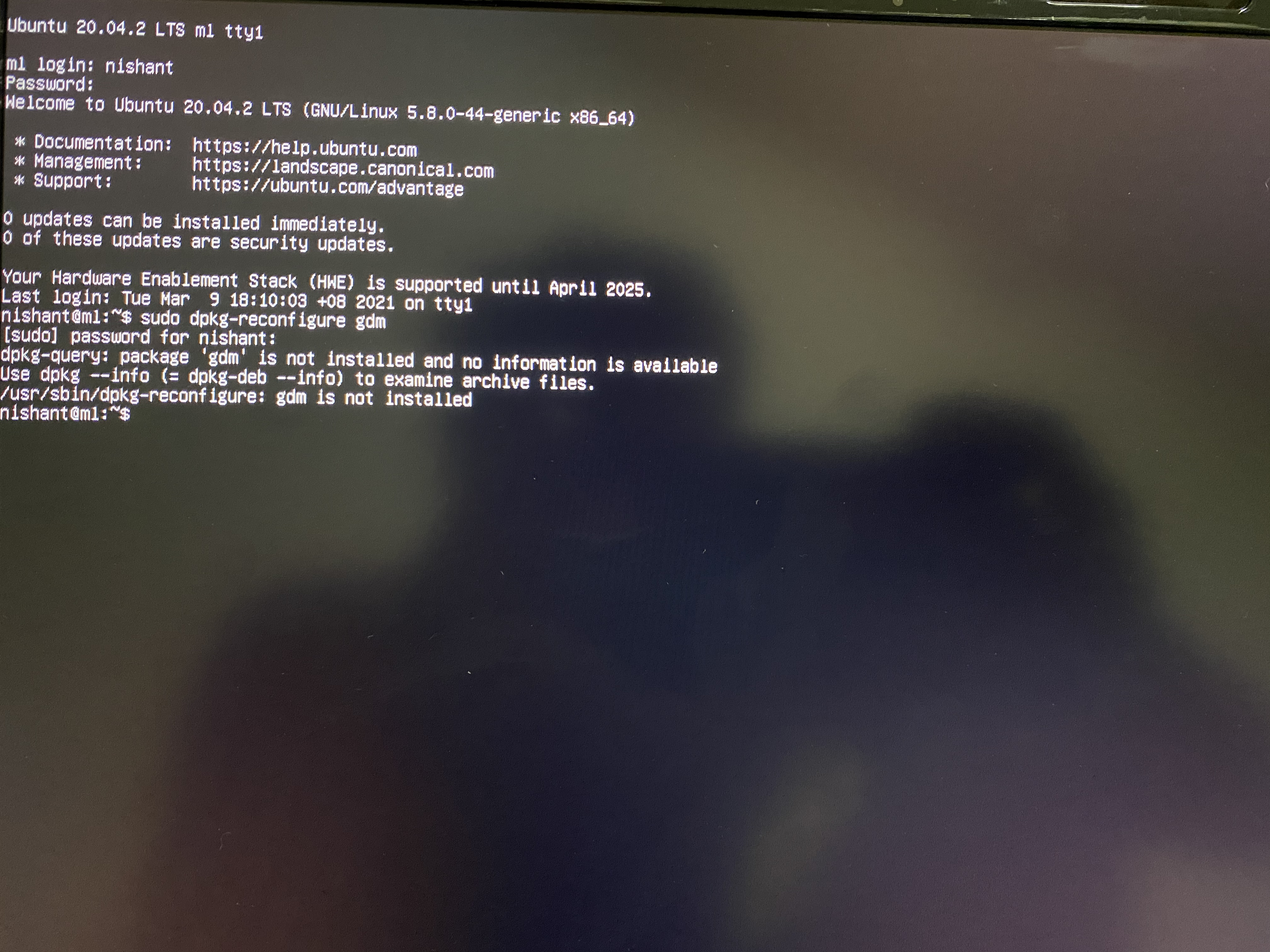
Please advise.
And also, apart from this even when i’ll be able to run this command, would i still need to do something about the black screen?
Ok, the package is called gdm3 in Ubuntu, so please run
sudo dpkg-reconfigure gdm3
I think it’s more efficient to check if the Xserver is coming up correctly on the nvidia gpu with the i915.modeset=0 setting and then see about the missing console later.

That’s expected, no real error.