Connect errors for Virtual Workstation on AWS

I have set up the AWS Stack as outlined in the following link

Virtual Workstation on AWS (Ubuntu Linux 20.04)https://docs.omniverse.nvidia.com/nucleus/latest/enterprise/cloud/cloud_aws_ubulinux_vdi.html#virtual-workstation-on-aws-ubuntu-linux-20-04

EC2 instance creation is successful, and I can log in. However when I try to start Omniverse on the instance, I get the following errors:
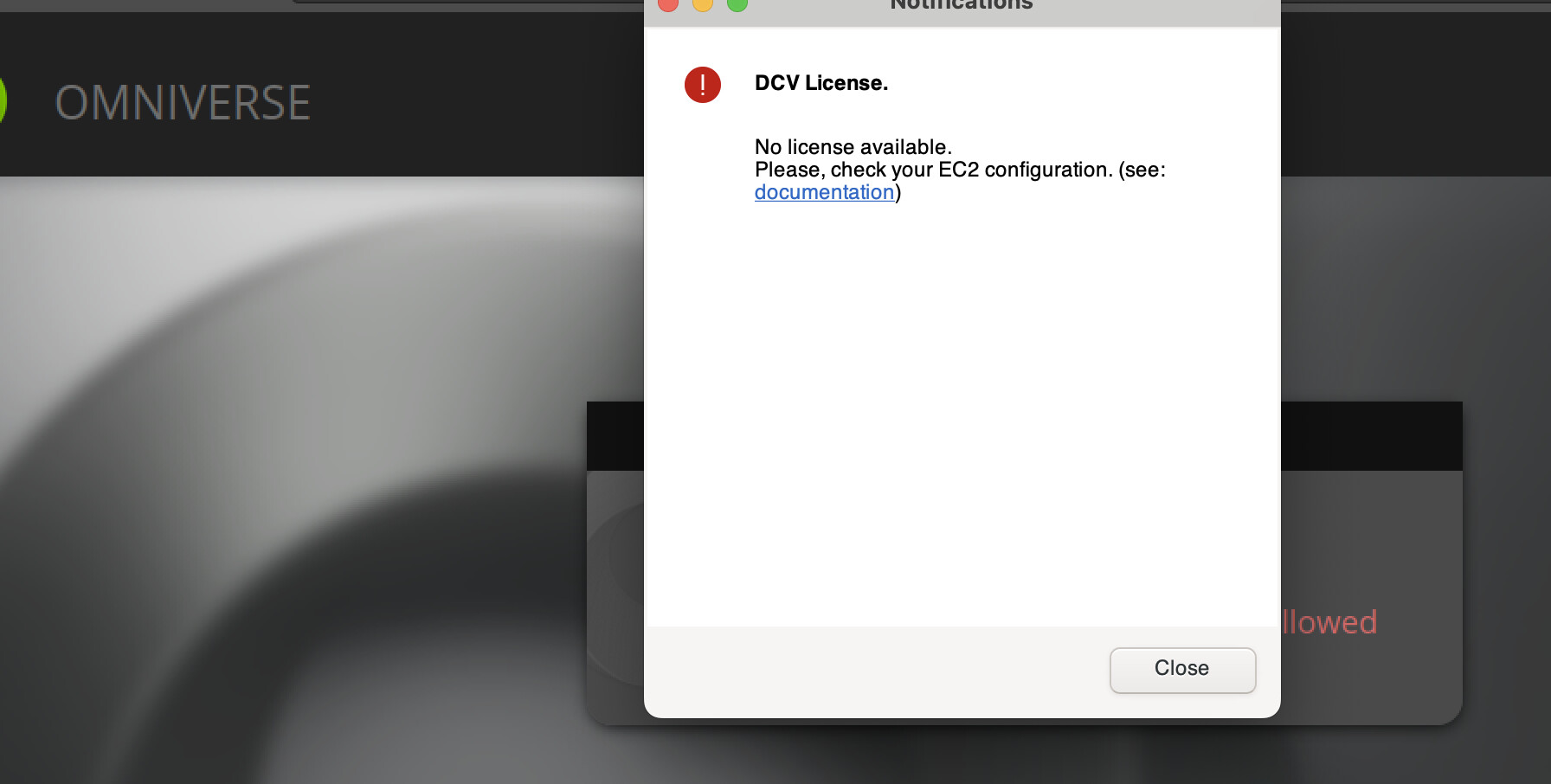
I do have the IaM policy as required:

An apparently unrelated issue crops up when I try to log in:

Hi,

I’m moving this to the Omniverse forums for proper visibility.

@iovidiu i am just another OV user passing by. i dont have experience with VMs, but I have seen the last error when attempting to log in.

there was a bug of sorts related to the OV Launcher update from an earlier version, and there are others who have experienced it. the solution was for them to run the cleanup tool (see below) and reinstall the latest OV Launcher (version 1.9.10) from the official page to bypass the update bug.

https://docs.omniverse.nvidia.com/utilities/latest/cleanup-tool.html

you could give it a shot and see if it helps with the log in error.