Kernel: 4.4.104-18.44
Nvidia Card: Quadro K610M
Nvidia Driver: 390.12 (beta)
No problem so long with sound over display port.
Kernel: 4.4.104-18.44
Nvidia Card: Quadro K610M
Nvidia Driver: 390.12 (beta)
No problem so long with sound over display port.
what is wrong here nobody want help ?
	analog-output-headphones: Headphones (priority 9000, latency offset 0 usec, available: yes)
		properties:
			device.icon_name = "audio-headphones"
active port: <analog-output-headphones>
Driver 390.25
Fedora 27
dp no audio


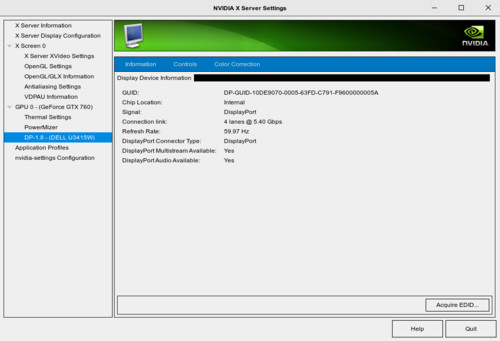

openSuSE Leap 42.3
Kernel 4.4.104-39-default
Nvidia Card: Quadro K610M
Nvidia Driver: 390.25
DP audio works fine.
It has this change (like the 390.12-beta release) in the changelog:
Added support for generic active stereo with in-band DisplayPort signaling. The X configuration option “InbandStereoSignaling” is deprecated in favor of this stereo mode. See “Appendix B. X Config Options” in the README for more information.
Maybe thats a hint for where it’s not working. I didn’t do anything special, just installed it.
So I can confirm what @michael.valenciav is reporting.
I’m also on a Dell U3415W, with DP 1.2 enabled on the monitor I get something like the following output:
cat /proc/asound/card0/eld#0.0
monitor_present		0
eld_valid		0
cat /proc/asound/card0/eld#0.1
monitor_present		0
eld_valid		0
cat /proc/asound/card0/eld#0.2
monitor_present		0
eld_valid		0
cat /proc/asound/card0/eld#0.3
monitor_present		0
eld_valid		0
However, after I disable DP 1.2 on the monitor, I get the following output on eld#0.1:
monitor_present		1
eld_valid		1
monitor_name		DELL U3415W

connection_type		DisplayPort
eld_version		[0x2] CEA-861D or below
edid_version		[0x3] CEA-861-B, C or D
This is under the current drivers (390.25) and kernel 4.14.16-300.fc27.x86_64 on Fedora.
I tried rolling back to earlier NV drivers, ie: 375.66, but it looks like it’s not able to run on 4.14. So I’m somewhat stuck here unless I want to run kernel 4.13.
Any update from NV on this side or is it a kernel problem with DP 1.2 at this point?
I confirm after disable dp 1.2 i have sound via dp 1.1
and now you can see choice in the sound menu for dp/hdmi
Something is wrong with nvidia drivers or kernel
displayport 1.2 sound is broken

Hmm, I thought I mentioned it earlier, but maybe I’m thinking of a different thread.
Thanks for reporting this. Audio over DisplayPort multi-stream transport (MST) is not supported at the moment. There’s an enhancement request bug #1660108 filed to track adding it, and feedback like this helps us prioritize new features.
How can I track the status of enhancement request bug #1660108?
Has it been included in one of the more recent driver versions?
agreed, would love to know the status of this request bug!
Hello, do we have any update on this bug?
Hi everyone, on my side I updated to Bionic Beaver and NVIDIA 390 driver, it solved the issue.
Debian 9 Jessie - 4.18.0
Nvidia - 410.78
DP 1.1 & 1.2.
Still no sound through DisplayPort. It works if I change to HDMI but I need to use DP.
Not sure why this MEGA bug still is not fixed. Usually developers fix this 24/7 until it is not done.
Updated NVIDIA driver to 415.25 - still no luck.
Ubuntu 16.04, GEFORCE 1060, NVIDIA driver 415, there is NO SOUND from DP port. Isn’t this ongoing problem since last 2017? I never had any problem with AMD, this issue has been more than 1 year and hasn’t fixed it yet? I better not buy NVIDIA product again… geez.
Can anyone from NVIDIA team respond to this topic?
I understand that the needed effort is too big to correct this bug but I find it rude when you don’t give any feedback at all.
I wrote some private messages but there is no response as well.
This is a new feature and will take some time to implement.
I just can not believe NVIDIA did not address this issue since 2017.
Shame on you guys…
We are prioritizing this issue amongst other priority bugs.
It’s still a thing in the latest 418.43. Unfortunately i did not find a way to set the kernel to DP1.1 . I can’t do it on the monitor because it’s connected via a DP-to-HDMI adapter.
I reverted back to 390.116 which seems to be the latest driver where DP audio still works.
I am using Arch Linux on amd64 arch on my HP 8560W with a Quadro K2100m video card.