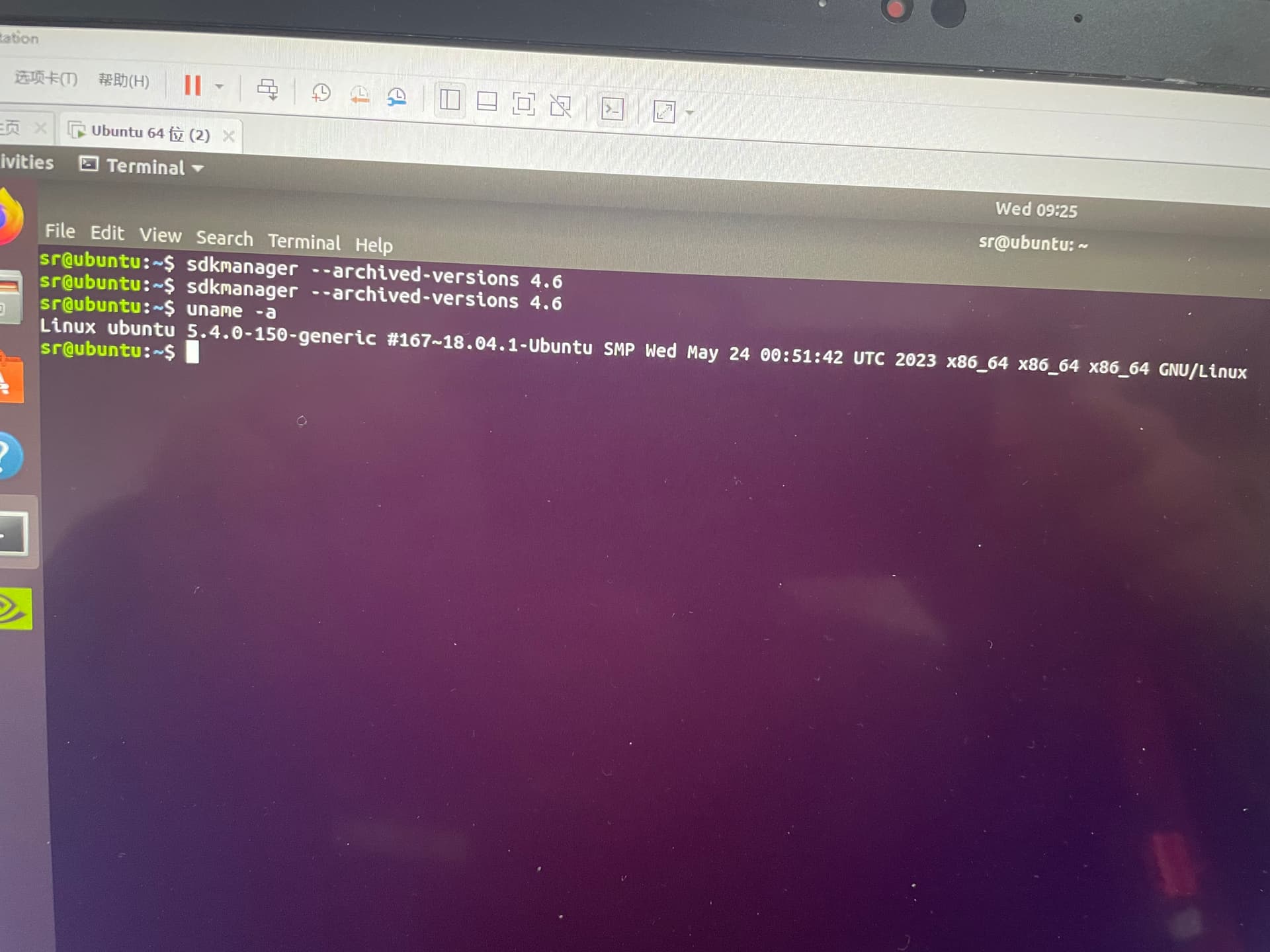
4.6 can not be upgraded, SDKmanager is not 4.6, can not install the environment, excuse me is there any good way, thank you

4.6无法升级,SDKmanager也没有4.6,无法安装环境,请问一下有没有什么好办法,感谢
4.6 can not be upgraded, SDKmanager is not 4.6, can not install the environment, excuse me is there any good way, thank you
4.6无法升级,SDKmanager也没有4.6,无法安装环境,请问一下有没有什么好办法,感谢
Hi,
Please check Jetson Nano FAQ
Q: How to install old version JetPack from SDK Manager?
See also: Install downgrade Jetpack - Jetson & Embedded Systems / Jetson Xavier NX - NVIDIA Developer Forums
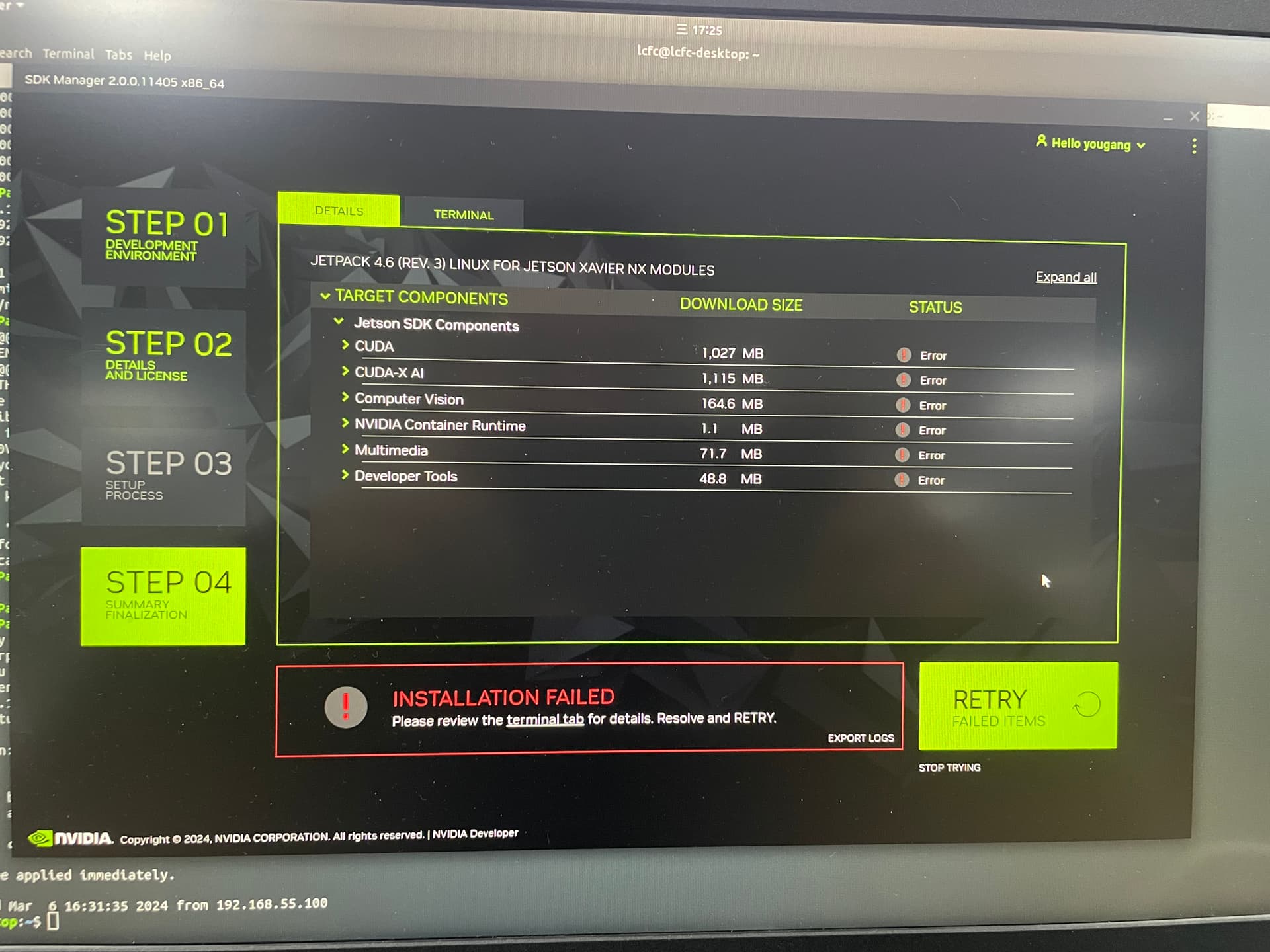
SDKmanager 4.6 installation failure, has been installed more than a dozen times, each time will fail, can determine what is the reason, thank you
SDKmanager 4.6安装失败,已经安装十几次,每次都会失败,能确定是什么原因吗,感谢
你在問燒錄的問題還是裝這些sdk的問題?
還是你不懂我在詢問什麼?
在安装sdk,但是老是安装失败
log 2024 03 06 18:01,之前的log是下载和第一次安装失败的log
sdkm-2024-03-06-16-35-32.log (2.5 MB)
請問你的host PC在其他版本的jetpack是能安裝的嗎
我是說其他jetpack4系列 比方說32.7 ?
软件版本是:jetpack4.6, R32.6.1
我知道你的版本…我的意思是其他rel-32.7 or rel-32.5你有沒有試過…
如果你要等我們試, 你可能需要等一陣子
If this really is older JetPack, then the option “--archived-versions” probably is incorrect. The “hyphen” ‘-’ character in the middle was not added until later releases. Try this:
sdkmanager --archivedversions
(note the spelling difference)
那就請你用紅框裡面的command試試看阿…?
试过,也是不行。
用JP4.6 直接sudo apt-get update就会报错,感觉是源的问题,我刷过你们官方原生版本,也会有
update的log:
lcfc@lcfc-desktop:~$ sudo apt-get update
[sudo] password for lcfc:
Get:1 http://ports.ubuntu.com/ubuntu-ports bionic InRelease [242 kB]
Get:2 http://ports.ubuntu.com/ubuntu-ports bionic-updates InRelease [88.7 kB]
Get:3 http://ports.ubuntu.com/ubuntu-ports bionic-backports InRelease [83.3 kB]
Get:4 http://ports.ubuntu.com/ubuntu-ports bionic-security InRelease [88.7 kB]
Get:5 http://ports.ubuntu.com/ubuntu-ports bionic/main arm64 Packages [975 kB]
Get:6 http://ports.ubuntu.com/ubuntu-ports bionic/main Translation-en [516 kB]
Ign:7 https://repo.download.nvidia.com/jetson/common r32.6 InRelease
Ign:8 https://repo.download.nvidia.com/jetson/t194 r32.6 InRelease
Err:9 https://repo.download.nvidia.com/jetson/common r32.6 Release
  Could not handshake: Error in the pull function. [IP: 23.62.20.139 443]
Get:10 http://ports.ubuntu.com/ubuntu-ports bionic/main arm64 DEP-11 Metadata [472 kB]
Err:11 https://repo.download.nvidia.com/jetson/t194 r32.6 Release
  Could not handshake: Error in the pull function. [IP: 23.62.20.139 443]
Get:12 http://ports.ubuntu.com/ubuntu-ports bionic/main DEP-11 48x48 Icons [118 kB]
Get:13 http://ports.ubuntu.com/ubuntu-ports bionic/main DEP-11 64x64 Icons [245 kB]
Get:14 http://ports.ubuntu.com/ubuntu-ports bionic/restricted arm64 Packages [664 B]
Get:15 http://ports.ubuntu.com/ubuntu-ports bionic/restricted Translation-en [3,584 B]
Get:16 http://ports.ubuntu.com/ubuntu-ports bionic/universe arm64 Packages [8,316 kB]
Get:17 http://ports.ubuntu.com/ubuntu-ports bionic/universe Translation-en [4,941 kB]
Get:18 http://ports.ubuntu.com/ubuntu-ports bionic/universe arm64 DEP-11 Metadata [3,243 kB]
Get:19 http://ports.ubuntu.com/ubuntu-ports bionic/universe DEP-11 48x48 Icons [2,151 kB]
Get:20 http://ports.ubuntu.com/ubuntu-ports bionic/universe DEP-11 64x64 Icons [8,420 kB]
Get:21 http://ports.ubuntu.com/ubuntu-ports bionic/multiverse arm64 Packages [126 kB]
Get:22 http://ports.ubuntu.com/ubuntu-ports bionic/multiverse Translation-en [108 kB]
Get:23 http://ports.ubuntu.com/ubuntu-ports bionic/multiverse arm64 DEP-11 Metadata [44.4 kB]
Get:24 http://ports.ubuntu.com/ubuntu-ports bionic/multiverse DEP-11 48x48 Icons [8,931 B]
Get:25 http://ports.ubuntu.com/ubuntu-ports bionic/multiverse DEP-11 64x64 Icons [225 kB]
Get:26 http://ports.ubuntu.com/ubuntu-ports bionic-updates/main arm64 Packages [1,845 kB]
Get:27 http://ports.ubuntu.com/ubuntu-ports bionic-updates/main Translation-en [554 kB]
Get:28 http://ports.ubuntu.com/ubuntu-ports bionic-updates/main arm64 DEP-11 Metadata [290 kB]
Get:29 http://ports.ubuntu.com/ubuntu-ports bionic-updates/main DEP-11 48x48 Icons [83.0 kB]
Get:30 http://ports.ubuntu.com/ubuntu-ports bionic-updates/main DEP-11 64x64 Icons [154 kB]
Get:31 http://ports.ubuntu.com/ubuntu-ports bionic-updates/restricted arm64 Packages [5,516 B]
Get:32 http://ports.ubuntu.com/ubuntu-ports bionic-updates/restricted Translation-en [187 kB]
Get:33 http://ports.ubuntu.com/ubuntu-ports bionic-updates/universe arm64 Packages [1,718 kB]
Get:34 http://ports.ubuntu.com/ubuntu-ports bionic-updates/universe Translation-en [421 kB]
Get:35 http://ports.ubuntu.com/ubuntu-ports bionic-updates/universe arm64 DEP-11 Metadata [298 kB]
Get:36 http://ports.ubuntu.com/ubuntu-ports bionic-updates/universe DEP-11 48x48 Icons [237 kB]
Get:37 http://ports.ubuntu.com/ubuntu-ports bionic-updates/universe DEP-11 64x64 Icons [521 kB]
Get:38 http://ports.ubuntu.com/ubuntu-ports bionic-updates/multiverse arm64 Packages [4,948 B]
Get:39 http://ports.ubuntu.com/ubuntu-ports bionic-updates/multiverse Translation-en [6,088 B]
Get:40 http://ports.ubuntu.com/ubuntu-ports bionic-updates/multiverse DEP-11 48x48 Icons [29 B]
Get:41 http://ports.ubuntu.com/ubuntu-ports bionic-updates/multiverse DEP-11 64x64 Icons [2,638 B]
Get:42 http://ports.ubuntu.com/ubuntu-ports bionic-backports/main arm64 Packages [53.2 kB]
Get:43 http://ports.ubuntu.com/ubuntu-ports bionic-backports/main Translation-en [14.6 kB]
Get:44 http://ports.ubuntu.com/ubuntu-ports bionic-backports/main arm64 DEP-11 Metadata [5,364 B]
Get:45 http://ports.ubuntu.com/ubuntu-ports bionic-backports/main DEP-11 48x48 Icons [7,156 B]
Get:46 http://ports.ubuntu.com/ubuntu-ports bionic-backports/main DEP-11 64x64 Icons [10.7 kB]
Get:47 http://ports.ubuntu.com/ubuntu-ports bionic-backports/universe arm64 Packages [17.8 kB]
Get:48 http://ports.ubuntu.com/ubuntu-ports bionic-backports/universe Translation-en [8,668 B]
Get:49 http://ports.ubuntu.com/ubuntu-ports bionic-backports/universe arm64 DEP-11 Metadata [10.0 kB]
Get:50 http://ports.ubuntu.com/ubuntu-ports bionic-backports/universe DEP-11 48x48 Icons [5,009 B]
Get:51 http://ports.ubuntu.com/ubuntu-ports bionic-backports/universe DEP-11 64x64 Icons [6,808 B]
Get:52 http://ports.ubuntu.com/ubuntu-ports bionic-security/main arm64 Packages [1,559 kB]
Get:53 http://ports.ubuntu.com/ubuntu-ports bionic-security/main Translation-en [467 kB]
Get:54 http://ports.ubuntu.com/ubuntu-ports bionic-security/main arm64 DEP-11 Metadata [70.8 kB]
Get:55 http://ports.ubuntu.com/ubuntu-ports bionic-security/main DEP-11 48x48 Icons [31.1 kB]
Get:56 http://ports.ubuntu.com/ubuntu-ports bionic-security/main DEP-11 64x64 Icons [67.9 kB]
Get:57 http://ports.ubuntu.com/ubuntu-ports bionic-security/restricted arm64 Packages [4,972 B]
Get:58 http://ports.ubuntu.com/ubuntu-ports bionic-security/restricted Translation-en [182 kB]
Get:59 http://ports.ubuntu.com/ubuntu-ports bionic-security/universe arm64 Packages [1,173 kB]
Get:60 http://ports.ubuntu.com/ubuntu-ports bionic-security/universe Translation-en [308 kB]
Get:61 http://ports.ubuntu.com/ubuntu-ports bionic-security/universe arm64 DEP-11 Metadata [57.5 kB]
Get:62 http://ports.ubuntu.com/ubuntu-ports bionic-security/universe DEP-11 48x48 Icons [35.8 kB]
Get:63 http://ports.ubuntu.com/ubuntu-ports bionic-security/universe DEP-11 64x64 Icons [152 kB]
Get:64 http://ports.ubuntu.com/ubuntu-ports bionic-security/multiverse arm64 Packages [2,672 B]
Get:65 http://ports.ubuntu.com/ubuntu-ports bionic-security/multiverse Translation-en [3,928 B]
Get:66 http://ports.ubuntu.com/ubuntu-ports bionic-security/multiverse DEP-11 48x48 Icons [29 B]
Get:67 http://ports.ubuntu.com/ubuntu-ports bionic-security/multiverse DEP-11 64x64 Icons [2,638 B]
Reading package lists... Done
E: The repository 'https://repo.download.nvidia.com/jetson/common r32.6 Release' does not have a Release file.
N: Updating from such a repository can't be done securely, and is therefore disabled by default.
N: See apt-secure(8) manpage for repository creation and user configuration details.
E: The repository 'https://repo.download.nvidia.com/jetson/t194 r32.6 Release' does not have a Release file.
N: Updating from such a repository can't be done securely, and is therefore disabled by default.
N: See apt-secure(8) manpage for repository creation and user configuration details.
ok. 我們這邊確認一下
这个问题比较急,客户想要4.6的软件版本,一直没有发布,还请加快验证一下,感谢
Have you tried “--archived-versions” without naming a version? Then selecting the specific version from the GUI?
yes,‘’sdkmanager --archived-versions‘’ donot update
What is the exact hardware you are working with, and what is the exact release you are interested in? Note that L4T is what actually gets flashed, and this is just Ubuntu plus NVIDIA drivers. The JetPack/SDK Manager release is the installer’s GUI, and just aids in the flash. The JetPack release is usually tied to the L4T release. Do you see your hardware listed here, along with the release you want?
https://developer.nvidia.com/linux-tegra
I ask because if you skip JetPack/SDKM, and work on command line, then you can do this:
Linux_for_Tegra/”.cd to “Linux_for_Tegra/rootfs/” you would unpack the “Sample Root Filesystem” with sudo.cd back to “Linux_for_Tegra/” and run this command:sudo ./apply_binaries.shYou are now ready to flash as much as you want on command line. The actual command depends on the hardware. If this uses an external media, it gets more complicated, but if this is purely a developer’s kit without external hard drive, then it is simple. If external media is involved, then there is an initrd flash required. If there is a third party carrier board, then this too probably requires modification.
Once done this will not install optional packages such as CUDA. This would have to be done correctly with a manual command. If you have customizations to the filesystem, then modifications can provide some very nice future simplifications.
Our network aused by network restrictions,now update,Thanks