Operating System:
WindowsX
Linux Kit Version:
107 (Kit App Template)X
106 (Kit App Template)
105 (Launcher) Kit Template:
USD ComposerX
USD Explorer
USD Viewer
Custom GPU Hardware:
A series (Blackwell)
A series (ADA)X
A series
50 series
40 series
30 series GPU Driver:
Latest
Recommended (573.xx)X
Other
I found out this high quality warehouse!
I exported into Omnvierse, looks awesome!
But I just cannot find the setting in RTPT that would make it overall as bright ( global illumination ) as path traced, please see here:
Also can you see how much more lifelike the plastic wrapping is on Path Traced rendering.
What setting on RTPT might effect on that part. Now the plastic is very dark..
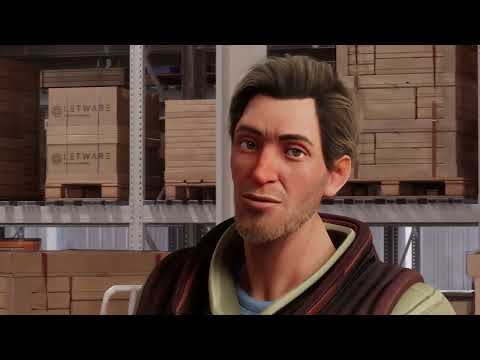
Hey! I used the settings I had tweaked for my character Paul for RTPT ( the one with the ghosting hair material heh )
It looks bright and very very good!!!
This is so freaking excellent rendering engine.
The plastic around on fab UE assets is a bit too invisible now but I can tweak the material..
I start by simply copying the plastic material from than NVIDIA pallet asset.
With these settings, I got the overall look very very nice!
The ghosting is strong and visible, but when we can fix that, its awesome.
Another tiny ghosting issue is the black shadow over his eyes after each blink.
Should I open another topic for that?
The next weak point on animation side are the eyes on this toon styled character, but that should be an easy fix with the CC5 coming out in less than 2 weeks. I can update this character Paul to the new eye system.
Other thing I need to study is the hands poking through his clothes :P
There must be a solution in iClone8 for that.. if not physical soft collider, then I just need to manually animate the hands with my new Leap Motion controller. Good reason to unbox that gadget! Btw that is the way the custom body animations are done anyways for NVIDIA ACE & reallusion AI Assistant, so its a good path for me.
I still see there is darkish ghosting after each blink on his eyes.
I believe this is a different issue that the hair ghosting, but maybe related.
Lets wait for the RTX engineers fist solve / comment on the hair Ghosting thing.
I try to make a 60 fps version of this Paul character, lets see if that help on this eye blinking ghosting..
Ok so I looked at the scene myself and it is definately something to do with that “RectLight” that he walks into after frame 2000. If you turn that off, it is perfect. Not sure why that is causing an issue. You are trying to highlight the edge of the hair with an extreme rim light effect, and it does not like it.
So its something with this hair material after all. I hope you and the RTX team have time to study this issue more? Also great to know Kit 108 is coming!!
Richard, unfortunately the Kit 108 also renders a ghosting on CC4 hair.
This is my high quality settings RTPT:
This is the default renderinf settings RTPT:
Now think I need to make the hair material my self. So I start with the OmniHair material and then use the opacity map that I already have. What else should I do here?
Also I will turn the animation in iClone to 60 fps and export & render it 60 fps, it shall be my new standard since RTPT is so fast renderer!